What The Google Font Review - Free Font Finder for Matching Images to Google Fonts
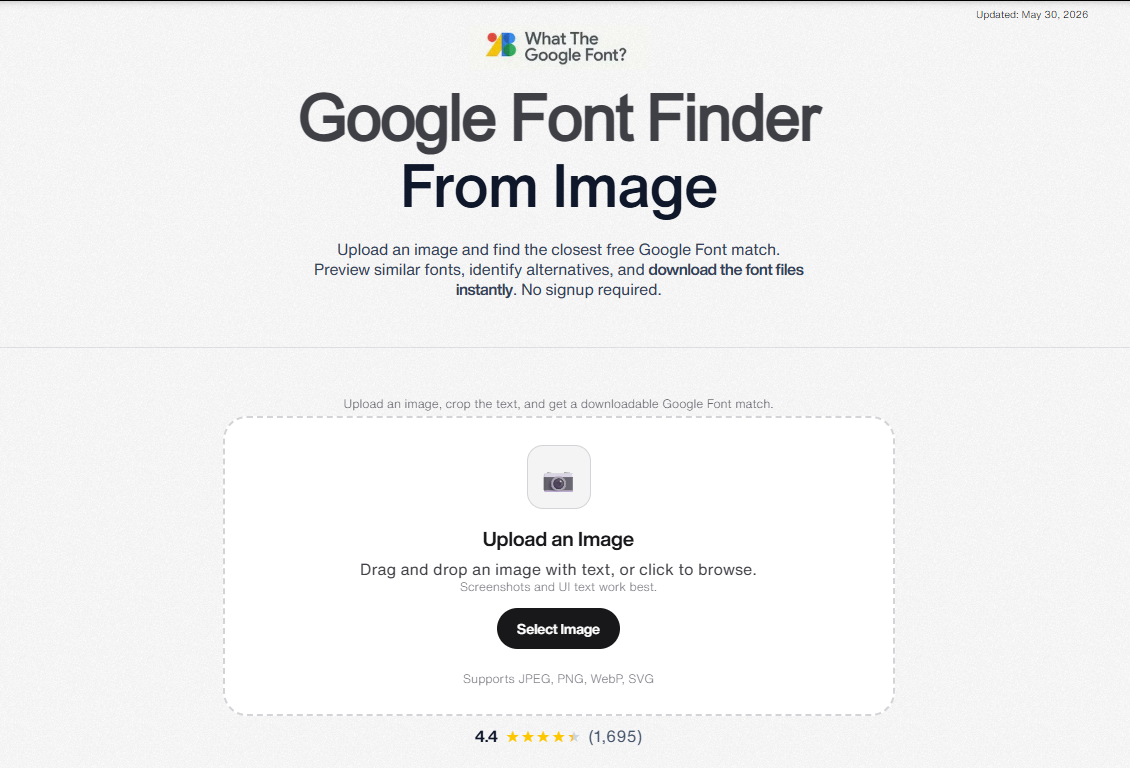
If you have ever seen a font in a screenshot and wanted to know what font is this image, you know the frustration. Most font identifier tools point you to paid fonts that require expensive licenses. What The Google Font takes a different approach. It matches your image to the closest free Google Font, so you can download and use it right away.
What Is What The Google Font?
What The Google Font is a free web based font finder from image tool created by Austin Serb, founder of Serbyte Development, a Seattle design and SEO company. It compares uploaded images against over 2,000 Google Fonts to find the closest free match.
The idea came from a real problem. While building websites, Austin kept getting screenshots, logos, and client references with fonts he liked, but existing font identifier tools would point him to commercial typefaces he could not legally use. He built this tool to return only Google Fonts, which are free to download and free to use in any project, personal or commercial. No license checking, no purchase needed.
The tool is completely free with no signup and no upload limits. Uploaded images are deleted immediately after processing.
Who Is It For?
The tool targets three main groups:
- Designers who need to identify fonts from screenshots, logos, or mockups without paying for commercial licenses.
- Developers building websites or apps who want free fonts they can legally load from Google Fonts.
- Marketers who create landing pages, ads, or social graphics and want to match font styles from competitor materials without licensing costs.
Main Features
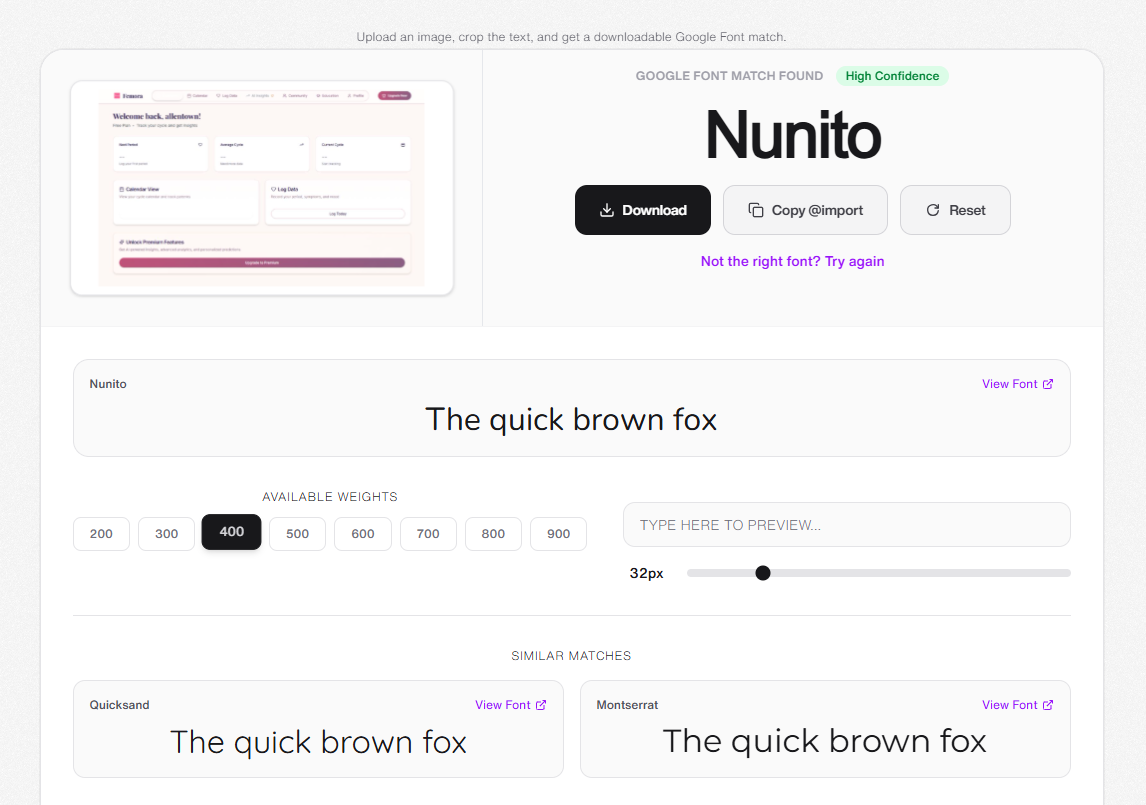
Image Upload, Text Cropping, and Font Recognition
The core feature: upload a JPG, PNG, WebP, or SVG file up to 20MB, and the tool finds matching fonts. It works on screenshots, logos, photos, and design mockups. You can crop to specific text regions in the image before running recognition, which helps when an image contains multiple font styles. The interface has drag and drop support and works on desktop and mobile browsers.
Google Font Only Matching
This is what makes it different from every other font identifier on the market. Tools like WhatTheFont and other font finder from image services match against commercial font libraries. Their results often point to fonts that cost money, sometimes hundreds of dollars for a desktop license.
What The Google Font only returns Google Fonts. Every match is free to download, free to use in personal and commercial projects, and free to embed on websites. No license checking, no purchase needed.
Confidence Scores
Each result comes with a High, Medium, or Low confidence rating. This helps you judge how accurate the match is. Clear, high resolution images with clean text typically get High confidence matches. Low contrast or stylized text may return Medium or Low results.
Multiple Alternative Fonts
Instead of showing just one match, the tool lists several similar Google Font alternatives. You can compare them side by side and pick the one that looks closest to your original. This is useful when the top match is close but not exact, and you want to browse other options.
Direct Font Download
Once you find your match, you can download the font file directly from the results page. The file downloads as a TTF format that works on Windows, Mac, and Linux. You do not need to go to Google Fonts separately to get the file.
Privacy Protection
Uploaded images are processed for font matching and then permanently deleted. The tool does not save your images, does not build a database of uploads, and does not share your files with third parties.
How It Works
The process is three simple steps:
- Upload an image with the text you want to identify. Drag and drop or click to browse. The tool auto detects text regions in the image.
- Wait for analysis. A pre trained AI model extracts letter shapes from your image and compares them against the full Google Fonts library of over 2,000 fonts.
- Download your match. View the top results with confidence scores, compare alternatives, and download the font file directly.
The whole process takes a few seconds for most images.
What The Google Font vs Other Font Finders
The basic workflow is similar across tools: upload an image, get font matches. The key difference with What The Google Font is that it only returns Google Fonts. Tools like WhatTheFont search larger commercial libraries and can identify obscure proprietary fonts, but their results often point to fonts that cost money. What The Google Font gives you the closest free alternative every time.
The trade off is coverage versus usability. If you need to know the exact font name for a one time print project, a commercial font identifier may be better. If you need a font you can actually download and use in a website or app right now, What The Google Font is the more practical choice.
Use Cases
You see a website or design with typography you like. Screenshot it, upload to the tool, and get a free Google Font that looks similar. No hunting through font menus or getting stuck with a paid font recommendation.
A client sends you a logo or mockup with a font they like but do not know the name of. Upload it, identify the closest free Google Font, and build the project without font licensing costs or delays.
Community Feedback
Since launching on Product Hunt, What The Google Font has gathered followers and active discussion from the design and development community.
One designer, Aleksandr Libkov, shared that the tool fits a specific gap in his workflow: identifying fonts that have been converted to outlines in design files where the original font name is lost. He requested SVG upload support and multilingual matching beyond Latin characters. Within 48 hours, Austin added SVG support to the tool. Multilingual support has been acknowledged as a more complex feature and is planned for a future update.
The maker, Austin Serb, is actively collecting feedback on match quality and looking into whether CSS and Next.js implementation snippets would make the results page more useful for developers.
Pricing
What The Google Font is free. There are no paid plans, no credits, and no limits on how many images you can process.
| Feature | What The Google Font | Typical Font Identifier Tools |
|---|---|---|
| Price | Free | Free tier with limits or paid |
| Signup Required | No | Often yes |
| Upload Limits | None | Daily or monthly caps |
| Font Downloads | Direct download | External site link |
| Matches | Google Fonts only | Mixed commercial and free |
| Image Privacy | Immediate deletion | May store uploads |
Pros and Cons
What we like:
- Completely free with no limits and no signup
- Every font match is free for personal and commercial use
- Direct font file download from results page
- Multiple alternative fonts shown for comparison
- Confidence scores help judge match quality
- Images are deleted after processing, no privacy concerns
- Works on mobile and desktop browsers
- Clean interface that is easy to use
What could be better:
- Limited to Google Fonts, so it cannot identify obscure proprietary fonts
- Accuracy drops with low resolution or highly stylized text
- Currently supports 2,000+ fonts, while Google Fonts has 1,700+ font families, so the library is comprehensive but not infinite
- Currently Latin character matching only, multilingual support is planned but not yet available
- No browser extension for one click font identification on live websites
- No API for developers who want to integrate font matching into their own tools
Tips for Best Results
To get accurate matches from this font finder from image tool:
- Use clear, high resolution images with good contrast between text and background
- Make sure text is straight, not heavily rotated or warped
- Avoid images where text overlaps with complex backgrounds
- The tool works best with sans-serif and display fonts
Final Verdict
What The Google Font fills a specific gap in the font identifier space: other tools name the font and leave you with a licensing bill, this one gives you a free Google Font you can actually use.
The maker, Austin Serb, is actively shipping updates based on community feedback. With 1,695 user reviews averaging 4.4 out of 5 and no signup required, it is a no risk addition to any designer or developer toolkit.
If you often search for a WhatTheFont alternative that returns free fonts every time, What The Google Font is worth bookmarking.
Ready to identify and download free fonts? Find free fonts now - no signup needed.
Tags
# Review# What The Google Font# WhatTheFont alternative# font finder# font identifier# font finder from image# what the font# identify font from image# what font is this image# find a font from an image# Google Font identifier# free font matcher# font recognition tool# image font lookupAIChatOne Review - All-in-One AI Assistant Chrome Extension
GCS Cheats Review - Premium Undetected Game Hacks for Competitive PC Gamers
Follow for new blogs
Subscribe to our blog
Subscribe to Newsletter
Subscribe to our newsletter to get the best products weekly.