OSI Model Simulator
OSI Model Simulator
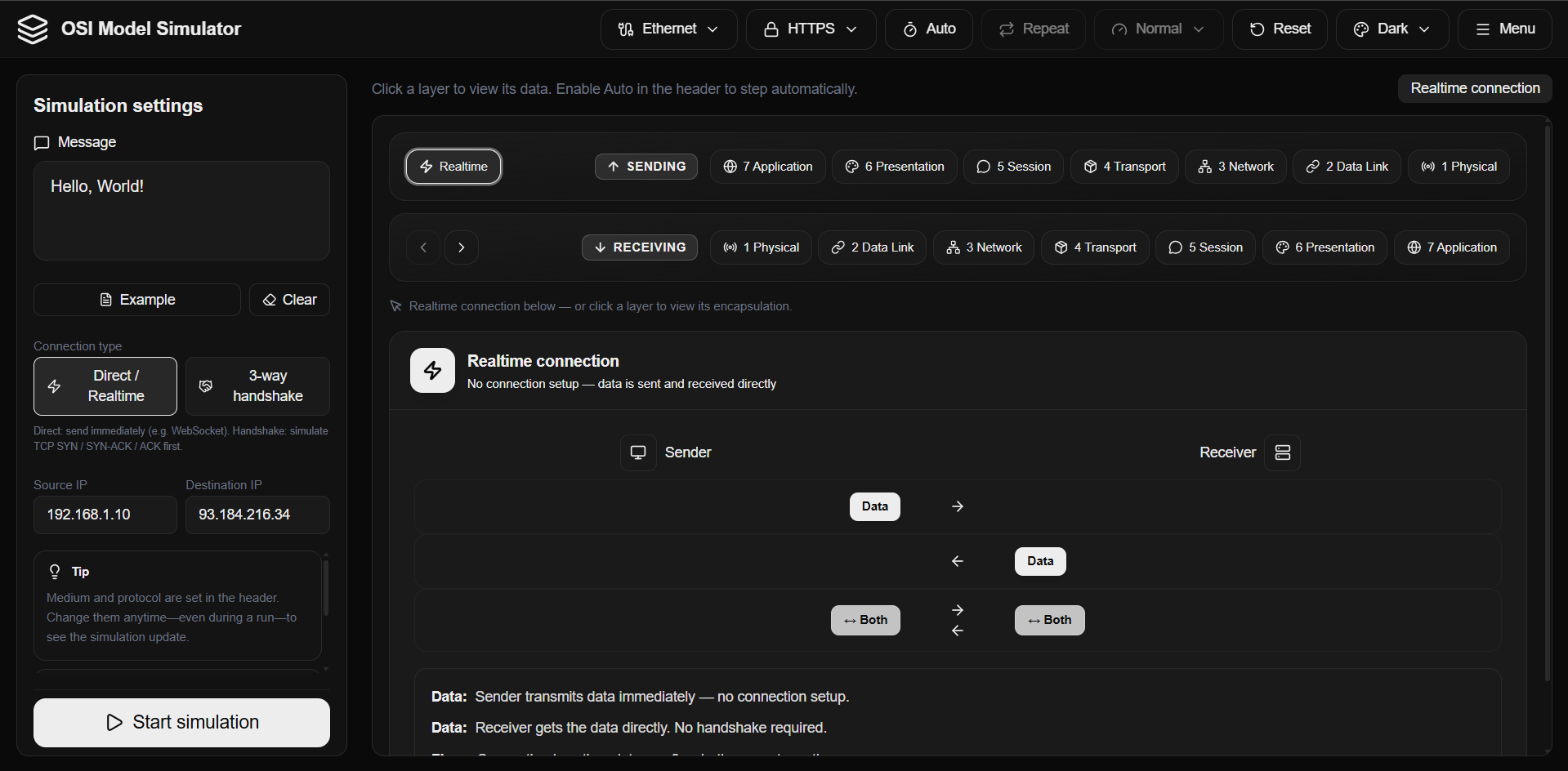
OSI Model Simulator is an interactive educational application designed to visualize how data travels across the internet through the seven layers of the OSI model. It allows users to observe step-by-step message encapsulation, making complex networking concepts accessible and understandable. This tool is ideal for students, teachers, network administrators, developers learning networking, and anyone curious about how messages become bits on the wire.
Network administrators can use it to refresh their knowledge or effectively explain protocol behavior and layer roles to colleagues and trainees. Developers learning networking can connect application-level protocols like HTTP and HTTPS to the full network stack, from Layer 7 down to Layer 1. It's also an excellent resource for certification preparation (e.g., CompTIA, CCNA) by providing a hands-on encapsulation view, and for any curious mind wanting to see how a message transforms into bits on the wire.
Key Features
- Step-by-step visualization from Application (Layer 7) down to Physical (Layer 1).
- Supports real protocols including HTTP, HTTPS, SMTP, DNS, and FTP.
- Simulates various transmission media: Ethernet, Wi-Fi, Fiber, Coaxial, and Radio.
- Custom message input and adjustable settings for source/destination IPs, animation speed, and auto-advance.
- Live layer view displaying headers, PDU names (Data, Segment, Packet, Frame, Bits), and optional hex view.
- Available as a web application and downloadable desktop app for Windows, Linux, macOS, Android, and iOS.
Use Cases
The OSI Model Simulator serves a wide range of educational and professional needs. Students and learners can visually grasp the intricacies of the OSI model, understanding how data is encapsulated and what happens at each layer, which is far more effective than static diagrams. Teachers and instructors can leverage it to demonstrate complex networking concepts in class with an engaging, interactive tool.Network administrators can use it to refresh their knowledge or effectively explain protocol behavior and layer roles to colleagues and trainees. Developers learning networking can connect application-level protocols like HTTP and HTTPS to the full network stack, from Layer 7 down to Layer 1. It's also an excellent resource for certification preparation (e.g., CompTIA, CCNA) by providing a hands-on encapsulation view, and for any curious mind wanting to see how a message transforms into bits on the wire.
Pricing Information
The OSI Model Simulator is completely free and open source, making it accessible to everyone without any cost or account registration. It offers full functionality across all platforms without hidden fees or premium tiers.User Experience and Support
The simulator provides a highly intuitive and user-friendly experience with features like adjustable animation speed, auto-advance, manual step-through, and multiple themes for comfortable viewing. Clear labels, PDU names, and a 'How it works' guide ensure ease of understanding. As an open-source project built by Roboticela, it benefits from community contributions and continuous improvements, fostering a supportive environment for users.Technical Details
Built with modern web technologies, the simulator utilizes React for its UI framework, TypeScript for type safety, Next.js as its web framework, Tailwind CSS for styling, and Framer Motion for smooth animations. The desktop applications are powered by Tauri, enabling a native experience across Windows, Linux, and macOS, while mobile versions are also available.Pros and Cons
- Pros:
- Highly visual and interactive step-by-step animation of encapsulation.
- Uses real protocol behaviors (HTTP, HTTPS, SMTP, DNS, FTP) and transmission media.
- Designed specifically for learning, with clear explanations and PDU labels.
- Completely free and open source, with no account required.
- Available across multiple platforms: web, desktop (Windows, Linux, macOS), and mobile (Android, iOS).
- Allows custom messages and detailed settings for a personalized learning experience.
- Cons:
- As a simulation, it does not interact with live network traffic or real-world network diagnostics.
- The number of supported protocols and media, while realistic, is specific and not exhaustive of all networking scenarios.
- While user-friendly, a basic understanding of networking concepts enhances the learning experience.
Conclusion
The OSI Model Simulator offers an unparalleled interactive learning experience for understanding network communication. Its blend of visual learning, real-world protocols, and broad accessibility makes it an invaluable resource for anyone delving into networking. Explore the simulator today to demystify the journey of data across the internet and enhance your networking knowledge.Comments
Achievement


Publisher

Launch Date2026-05-20
Platformweb
Pricingfree
Tech Stack
#React#Next.js#Tauri
Sponsors

Product Hunt Email Scraper
Scraper Email for Product Hunt Daily leaderboard and peerlist, tinylaunch, uneed.
Become a Sponsor
Get your brand featured here
Outbid
View🥇 🥈
🥈 🥉
🥉
Want this spot? Pay what you wantBoost Domain Rating - Boost Domain Rating is a platform to discover and upvote the best tech products. Find top products launching daily.
Boost Domain Rating is a platform to discover and upvote the best tech products. Find top products launching daily.
$35
DirEasy - The Best Directory Boilerplate with AI | DirEasy
The best directory boilerplate, packed with AI, Listings, Payment, Submission, CMS, Blog, Authentication, Newsletter, SEO and more.
$30
Quiz Shot - Solve Any Screenshot Question in Seconds.
AI Study Assistant that answers any screenshot question. Get free AI tutor and step-by-step math and homework help with ChatGPT.
$25