
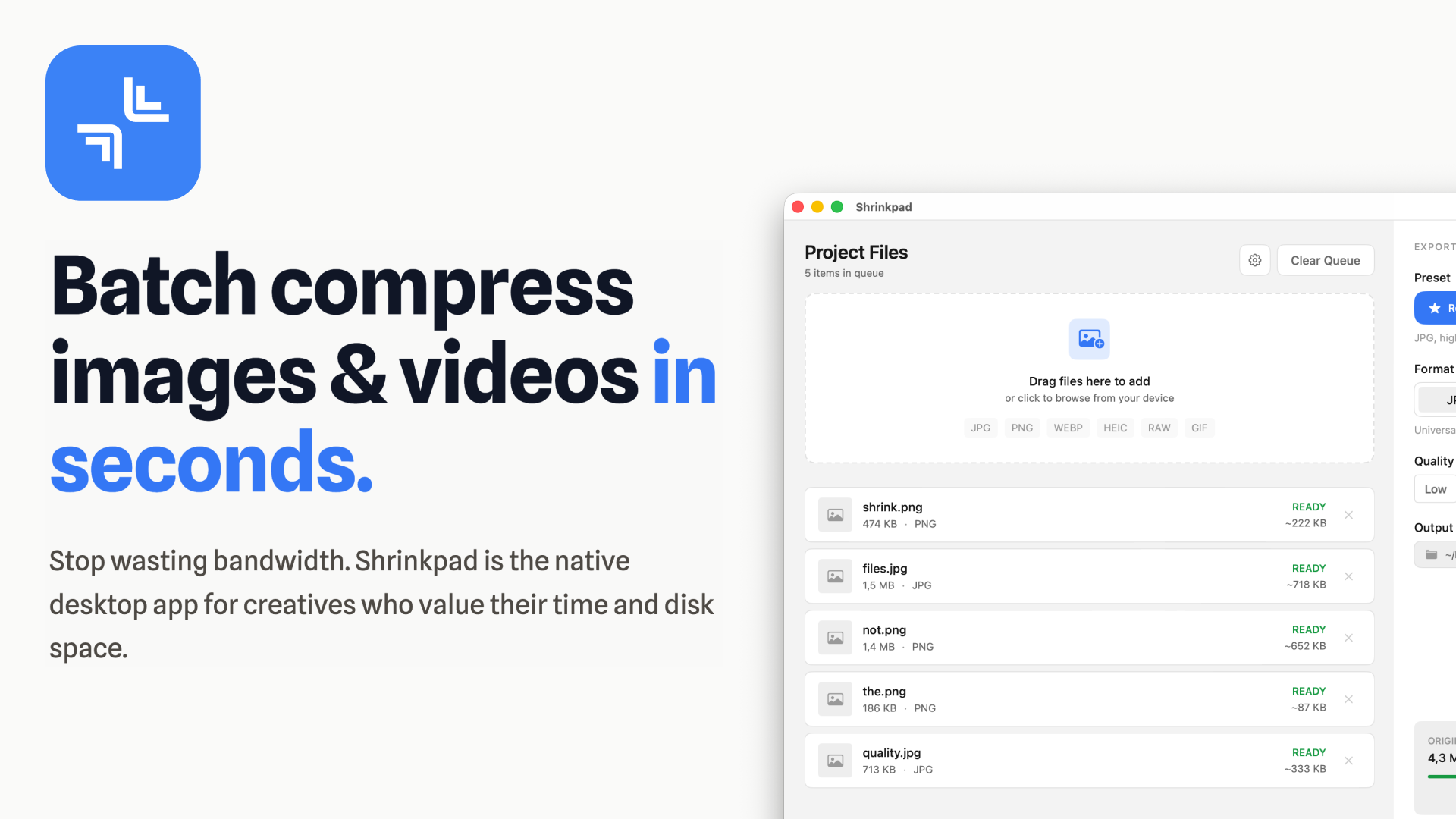
Shrinkpad is a powerful native desktop application designed for macOS, enabling creatives, designers, and developers to batch compress images and videos efficiently. It's built to save bandwidth, disk space, and valuable time by optimizing digital assets directly on your machine.
Key Features
- Smart Compression: Automatically analyzes visual complexity to apply optimal compression ratios without quality loss.
- Unlimited Batch Processing: Process thousands of images and videos in a single queue without crashing, unlike web-based alternatives.
- Folder Mode: Simply drag and drop an entire folder to automatically detect and add all supported media files for compression.
- Privacy First: All processing occurs 100% locally on your Mac, ensuring your sensitive assets never leave your device.
- Lightning Fast: Optimized for Apple Silicon, delivering multi-threaded compression for rapid processing of large batches.
- Workflow Automation: Includes auto-renaming, subfolder support, and metadata stripping to streamline asset management.
Use Cases
Shrinkpad is ideal for anyone needing to optimize large volumes of media files. Web developers and designers can significantly reduce website load times and improve LCP scores by compressing hero images, product shots, and video backgrounds. Mobile app developers can shrink app bundle sizes, leading to faster downloads and installations for users.
Photographers and videographers can reclaim vast amounts of disk space by compressing their extensive media libraries, making archiving and sharing much more manageable. It also eliminates the tedious manual export and optimization steps from design tools like Figma or Photoshop, allowing users to export everything at high resolution and let Shrinkpad handle the bulk optimization and renaming.
Pricing Information
Shrinkpad operates on a freemium model with a one-time payment for premium features. The Free Starter tier offers essential tools, allowing compression of up to 10 files per batch for common formats (JPG, PNG) with a 1GB file size limit. For unlimited batch processing, all supported formats (including RAW, HEIC, WEBP, MP4, MOV), and no file size limits, users can opt for the Personal license at $14 (1 device) or the Team license at $35 (up to 10 devices with priority support). All paid licenses come with a 7-day money-back guarantee.
User Experience and Support
Designed as a native macOS application, Shrinkpad offers an intuitive drag-and-drop interface, particularly with its "Folder Mode" for effortless bulk imports. Users have fine-grained control over compression settings, including quality sliders, lossy/lossless options, maximum dimensions, and custom output formats and naming conventions, which can be saved as presets. Support is readily available via email at support@shrinkpad.app, with Team license holders receiving priority assistance.
Technical Details
Shrinkpad is a native macOS application, requiring macOS 13 Ventura or newer. It is fully optimized for both Apple Silicon (M1, M2, M3, M4) and Intel Macs, leveraging multi-threaded compression for maximum performance. The app supports a comprehensive range of image formats including JPEG, PNG, WebP, HEIC, TIFF, GIF, BMP, and numerous RAW formats (CR2, NEF, ARW, DNG, etc.), alongside major video formats like MP4, MOV, M4V, AVI, and MKV. All processing is performed locally on the user's device, ensuring data privacy and security.
Pros and Cons
- Pros: Native macOS performance (Apple Silicon optimized), complete privacy (local processing), unlimited batching (paid tiers), extensive format support (including RAW), one-time payment model, efficient Folder Mode, fine-grained control over settings.
- Cons: Exclusively for macOS (no Windows/Linux support), free tier has batch and format limitations, advanced settings might require a slight learning curve for new users.
Conclusion
Shrinkpad offers an indispensable solution for macOS users seeking to optimize their digital assets without compromising quality or privacy. Its powerful batch processing capabilities, combined with a user-friendly interface and a one-time purchase model, make it a valuable tool for creatives and professionals alike. Explore Shrinkpad today to reclaim disk space and boost your workflow efficiency.
Comments
Achievement


Publisher

Launch Date2026-01-22
Platformdesktop
Pricingfreemium
Tech Stack
#native#macos
Sponsors

Product Hunt Email Scraper
Scraper Email for Product Hunt Daily leaderboard and peerlist, tinylaunch, uneed.
Become a Sponsor
Get your brand featured here
Outbid
View🥇 🥈
🥈 🥉
🥉
Want this spot? Pay what you wantBoost Domain Rating - Boost Domain Rating is a platform to discover and upvote the best tech products. Find top products launching daily.
Boost Domain Rating is a platform to discover and upvote the best tech products. Find top products launching daily.
$35
DirEasy - The Best Directory Boilerplate with AI | DirEasy
The best directory boilerplate, packed with AI, Listings, Payment, Submission, CMS, Blog, Authentication, Newsletter, SEO and more.
$30
Quiz Shot - Solve Any Screenshot Question in Seconds.
AI Study Assistant that answers any screenshot question. Get free AI tutor and step-by-step math and homework help with ChatGPT.
$25