PDFuck - Free Online PDF Tools
PDFuck - Free Online PDF Tools
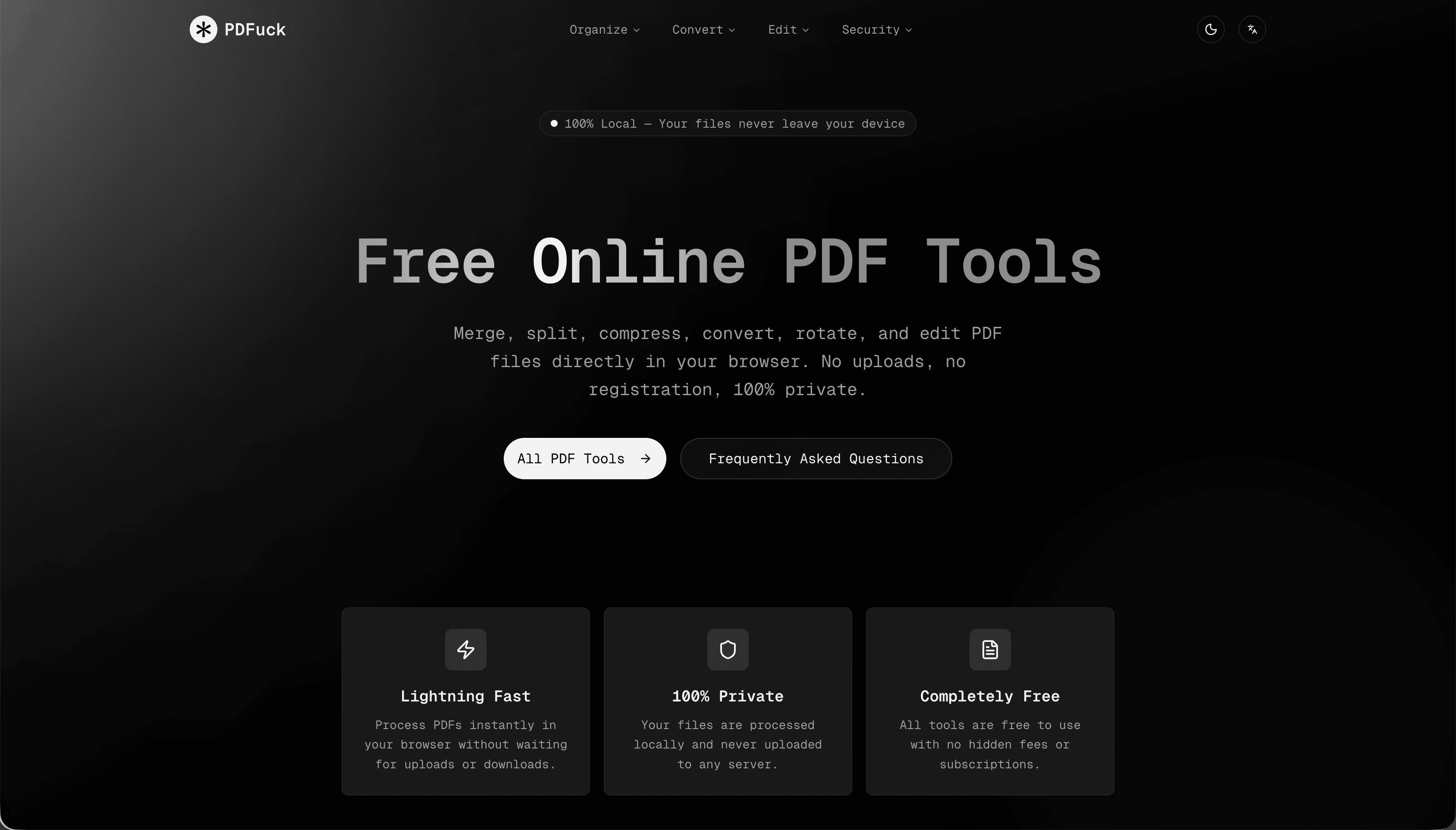
PDFuck offers a comprehensive suite of free, online PDF tools designed for instant, browser-based document management. It allows users to merge, split, compress, convert, rotate, and edit PDF files directly in their browser, ensuring 100% privacy as files never leave the device. This SaaS is ideal for individuals and businesses needing quick, secure, and free PDF manipulation without software installations or data uploads.
Businesses can leverage PDFuck for secure document handling. Compress large reports for easier sharing, add watermarks for branding, or redact sensitive information before distribution. The 'Protect PDF' tool adds password protection, while 'PDF OCR' makes scanned documents searchable, enhancing productivity and compliance without compromising data security.
Graphic designers and content creators can convert PDFs to various image formats like PNG, JPG, or WebP, or vice-versa, ensuring high-quality visual assets. The 'Crop PDF' and 'Resize PDF' tools offer precise control over document layout, making it versatile for diverse creative needs.
Key Features
- 100% Local Processing: Files never leave your device, ensuring complete privacy.
- Completely Free: All tools are available without hidden fees, subscriptions, or watermarks.
- Lightning Fast: Instant processing directly in the browser, no uploads/downloads.
- Extensive Toolset: Over 40 PDF tools for organizing, converting, and editing.
- No Registration Required: Access all features instantly without signing up.
- Lossless Quality: Preserves original PDF quality during operations.
Use Cases
For students and professionals, PDFuck simplifies academic and business workflows. Easily combine multiple research papers into one document with 'Merge PDF', extract specific chapters using 'Split PDF', or convert lecture slides from PDF to editable Word or PowerPoint formats. It's perfect for preparing documents for submission, presentations, or archiving.Businesses can leverage PDFuck for secure document handling. Compress large reports for easier sharing, add watermarks for branding, or redact sensitive information before distribution. The 'Protect PDF' tool adds password protection, while 'PDF OCR' makes scanned documents searchable, enhancing productivity and compliance without compromising data security.
Graphic designers and content creators can convert PDFs to various image formats like PNG, JPG, or WebP, or vice-versa, ensuring high-quality visual assets. The 'Crop PDF' and 'Resize PDF' tools offer precise control over document layout, making it versatile for diverse creative needs.
Pricing Information
PDFuck is completely free to use, offering all its tools without any hidden fees, subscriptions, or limitations. There are no watermarks or registration requirements, making it a truly accessible solution.User Experience and Support
The platform boasts a user-friendly interface, allowing users to select a tool, drag and drop files, and download results instantly. Its browser-based nature ensures ease of access across modern browsers like Chrome, Firefox, Safari, and Edge. While explicit documentation or tutorials aren't detailed, the intuitive design and clear instructions for each tool ('Select Tool', 'Upload Files', 'Download Result') suggest a self-explanatory user experience. Support is implicitly handled by the 'Frequently Asked Questions' section addressing common concerns about privacy, file size, and quality.Technical Details
PDFuck operates entirely client-side, utilizing JavaScript for all PDF processing. This architecture ensures that files remain on the user's device, never being uploaded to any server. This local processing model underpins its 100% privacy claim and contributes to its 'lightning fast' performance by eliminating network latency for file transfers.Pros and Cons
Pros:- 100% Privacy: Files never leave your device.
- Completely Free: No costs, subscriptions, or hidden fees.
- Extensive Toolset: Over 40 diverse PDF manipulation tools.
- Browser-Based: No software installation required, works on modern browsers.
- Fast Processing: Instant results without uploads/downloads.
- File Size Limit: Limited by browser memory (up to 100MB mentioned).
- No Server-Side Features: Lacks advanced features requiring server processing (e.g., complex OCR for very large files, collaborative editing).
- Limited Explicit Support: No direct support channels mentioned beyond FAQ.
- No API: Not suitable for programmatic integration.
- Branding: The name "PDFuck" might be considered unprofessional by some.
Conclusion
PDFuck stands out as a highly secure, free, and versatile online PDF toolkit, prioritizing user privacy and efficiency. Its local processing model makes it an excellent choice for anyone needing quick and confidential PDF management. Explore PDFuck today for all your PDF needs, knowing your documents are always safe.Comments
Achievement


Publisher

Launch Date2026-05-18
Platformweb
Pricingfree
Tech Stack
#javascript
Sponsors

Product Hunt Email Scraper
Scraper Email for Product Hunt Daily leaderboard and peerlist, tinylaunch, uneed.
Become a Sponsor
Get your brand featured here
Outbid
View🥇 🥈
🥈 🥉
🥉
Want this spot? Pay what you wantBoost Domain Rating - Boost Domain Rating is a platform to discover and upvote the best tech products. Find top products launching daily.
Boost Domain Rating is a platform to discover and upvote the best tech products. Find top products launching daily.
$35
DirEasy - The Best Directory Boilerplate with AI | DirEasy
The best directory boilerplate, packed with AI, Listings, Payment, Submission, CMS, Blog, Authentication, Newsletter, SEO and more.
$30
Quiz Shot - Solve Any Screenshot Question in Seconds.
AI Study Assistant that answers any screenshot question. Get free AI tutor and step-by-step math and homework help with ChatGPT.
$25