Printery - Print for Figma
Printery - Print for Figma
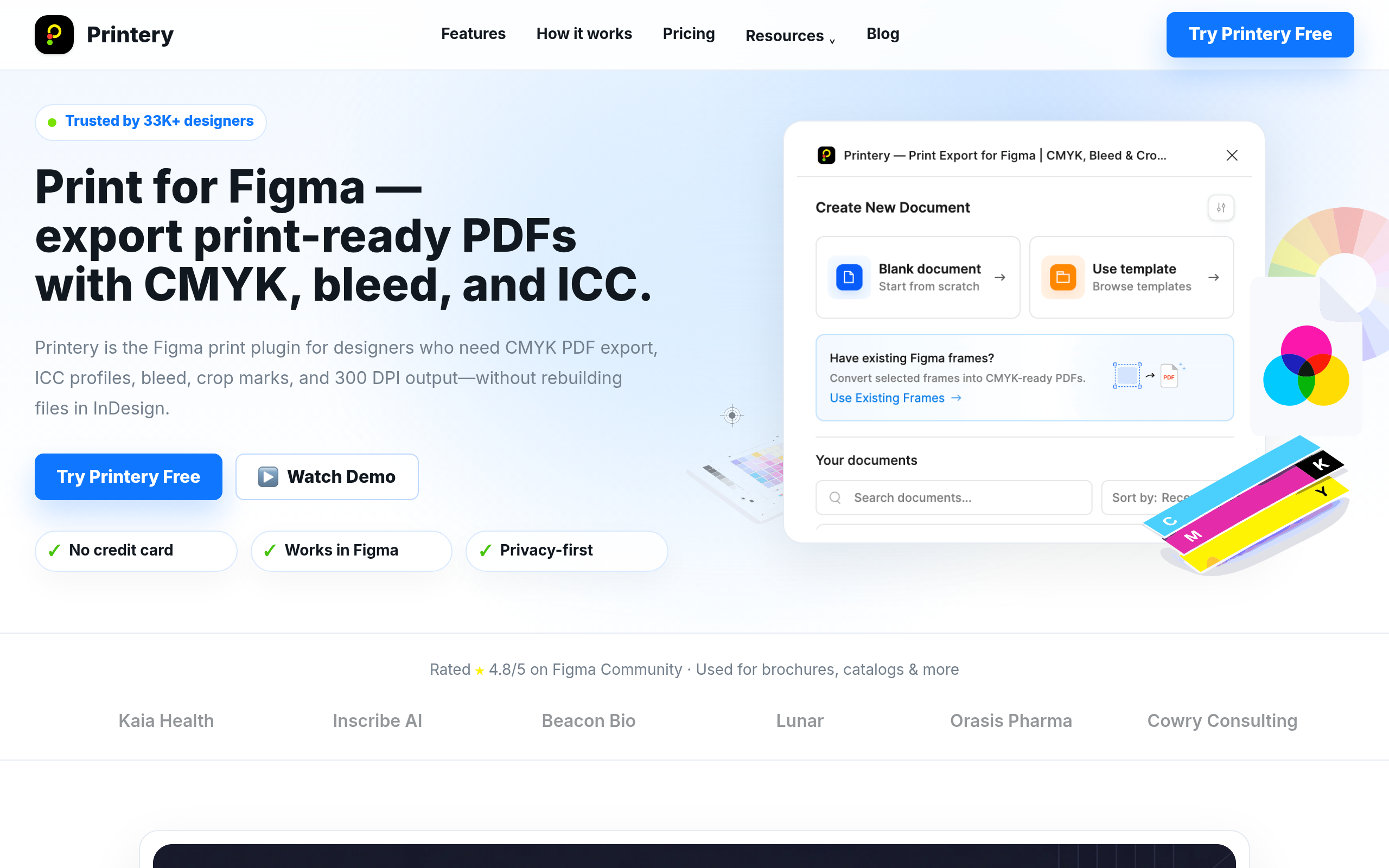
Printery is a powerful Figma plugin designed to transform digital designs into professional, print-ready PDFs. It addresses the critical gap in Figma's native export capabilities, enabling designers, print shops, marketing teams, and agencies to produce high-quality print materials directly from their Figma files.
Key Features:
Printery is ideal for a wide range of print projects, including brochures, catalogs, packaging, posters, and marketing materials. Designers can create brand systems and prepress workflows with precise color management, ensuring consistent output across all printed assets. Print shops receive files with correct bleed, crop marks, and color profiles, streamlining their production process. Marketing teams and agencies can produce flyers and other collateral faster, reducing reliance on external design handoffs and ensuring print-ready files are delivered efficiently.
Pricing Information:
Printery operates on a freemium model. A Free plan allows for basic exports with limited document creations and PDF exports per month. For full production features, including unlimited documents and exports, ICC profiles, Pantone support, and multi-page PDFs, users can upgrade to the Pro plan, available monthly or annually.
User Experience and Support:
Rated 4.8/5 on the Figma Community, Printery is praised for its user-friendly interface and robust functionality. It simplifies complex print production requirements into an intuitive workflow within Figma. Users have access to documentation, a Discord community, and Pro subscribers benefit from priority email support.
Technical Details:
As a Figma plugin, Printery seamlessly integrates into the Figma design environment. It extends Figma's capabilities by adding specialized algorithms for CMYK conversion, ICC profile embedding, and precise control over print-specific elements like bleed, crop marks, and overprint settings, ensuring compatibility with commercial printing presses.
Pros and Cons:
Pros:
Printery empowers Figma users to confidently produce professional, press-ready print materials, bridging the gap between digital design and physical output. Its comprehensive features for color management, layout control, and PDF export make it an indispensable tool for anyone serious about print production from Figma. Try Printery Free today to transform your Figma designs into print masterpieces.
Key Features:
- CMYK PDF Export with RGB to CMYK Mapping
- ICC Profile Support (e.g., ISO Coated v2, FOGRA39)
- Bleed & Crop Marks (3mm, 5mm, custom)
- Pantone Spot Colors with Density Control
- DPI Control (72/150/300 DPI)
- Multi-Page & Batch PDF Export
Printery is ideal for a wide range of print projects, including brochures, catalogs, packaging, posters, and marketing materials. Designers can create brand systems and prepress workflows with precise color management, ensuring consistent output across all printed assets. Print shops receive files with correct bleed, crop marks, and color profiles, streamlining their production process. Marketing teams and agencies can produce flyers and other collateral faster, reducing reliance on external design handoffs and ensuring print-ready files are delivered efficiently.
Pricing Information:
Printery operates on a freemium model. A Free plan allows for basic exports with limited document creations and PDF exports per month. For full production features, including unlimited documents and exports, ICC profiles, Pantone support, and multi-page PDFs, users can upgrade to the Pro plan, available monthly or annually.
User Experience and Support:
Rated 4.8/5 on the Figma Community, Printery is praised for its user-friendly interface and robust functionality. It simplifies complex print production requirements into an intuitive workflow within Figma. Users have access to documentation, a Discord community, and Pro subscribers benefit from priority email support.
Technical Details:
As a Figma plugin, Printery seamlessly integrates into the Figma design environment. It extends Figma's capabilities by adding specialized algorithms for CMYK conversion, ICC profile embedding, and precise control over print-specific elements like bleed, crop marks, and overprint settings, ensuring compatibility with commercial printing presses.
Pros and Cons:
Pros:
- Exports true print-ready PDFs directly from Figma.
- Eliminates the need for InDesign for many print projects.
- Comprehensive color management (CMYK, ICC, Pantone).
- Automates bleed, crop marks, and safety zones.
- Supports multi-page documents and batch exports.
- May have a slight learning curve for users unfamiliar with print terminology.
- Not a full replacement for InDesign for highly complex, long-form documents or specialized typography.
Printery empowers Figma users to confidently produce professional, press-ready print materials, bridging the gap between digital design and physical output. Its comprehensive features for color management, layout control, and PDF export make it an indispensable tool for anyone serious about print production from Figma. Try Printery Free today to transform your Figma designs into print masterpieces.
Comments
Publisher
Launch Date2026-08-26
Platformweb
Pricingfreemium
Tech Stack
#web
Sponsors

Product Hunt Email Scraper
Scraper Email for Product Hunt Daily leaderboard and peerlist, tinylaunch, uneed.
Become a Sponsor
Get your brand featured here
Outbid
View🥇 🥈
🥈 🥉
🥉
Want this spot? Pay what you wantBest Launch Directories: launch directories with DR, traffic and pricing
Launch directories, product launch platforms and startup listing sites in one table, with Domain Rating by Ahrefs, traffic where known, pricing and link type for each.
$50
Boost Your Domain Rating — DoFollow Backlinks (DR 30–70) from $30
Raise your Ahrefs Domain Rating with 5 - 50 dofollow backlinks from DR 30–60 sites — from $50, guaranteed to improve your DR or your money back.
$45
DirEasy - The Best Directory Boilerplate with AI | DirEasy
The best directory boilerplate, packed with AI, Listings, Payment, Submission, CMS, Blog, Authentication, Newsletter, SEO and more.
$41