logoDevHub
  • Categories
  • Submit Project
  • Collections
  • Pricing
  • Sponsors
Sign inSign up
Sign in

Categories

Browse Categories

AI647 projectsAPIs & Integrations53 projectsAR/VR6 projectsAuthentication14 projectsBlockchain & Crypto14 projectsBoilerplates49 projectsBusiness Analytics96 projectsCI2 projectsCMS20 projectsCharts7 projectsCloud20 projectsCode13 projectsData Science & Analytics18 projectsDatabases22 projectsDesign Tools152 projectsDevOps15 projectsDeveloper Tools233 projectsE-commerce62 projectsEducation Tech53 projectsEmails31 projectsFinance & FinTech52 projectsGaming Tech26 projectsGraphics & Illustration63 projectsGreen Tech6 projectsHardware3 projectsHealth Tech22 projectsHelpers72 projectsHosting & Infrastructure12 projectsIDE6 projectsInternet of Things (IoT)4 projectsMachine Learning39 projectsMarketing Tools294 projectsMobile Development30 projectsMonitoring19 projectsNatural Language Processing23 projectsNo-Code54 projectsOpen Source51 projectsPayment Gateways26 projectsPlatforms & Frameworks83 projectsProductivity365 projectsProject Management21 projectsPrototyping4 projectsRobotics0 projectsSaaS497 projectsSales Tools53 projectsSecurity43 projectsServerless11 projectsTesting & QA15 projectsUI & Libraries22 projectsWearables1 projectsWeb Development147 projectsWeb322 projectsWorkflow Automation82 projects

Quick Access

Trending NowTop of Last Month
Company LogoDevHub

Product Hunt alternative for startups

© 2026 DevHub. All rights reserved.

Build with ❤️ by DirEasy

Discover

  • Trending
  • Categories
  • Submit Project

Resources

  • FAQs
  • Pricing
  • Sponsors
  • Blog
  • Help Center

Legal

  • Terms of Service
  • Privacy Policy

Connect

  • GitHub
  • Twitter / X

Products

  • ShipThing
  • SaasHunt
  • 1000 Tools
  • 1000 Saas
  • 1000 AI
  • TinyHunt
  • LinkSalad
  • AIChatOne
DevHub - AI-powered directory boilerplate | Product HuntUneed POTD1 BadgeDevHub - AI-powered directory boilerplate | Startup FameGood AI ToolsListed on Turbo0Monitor your Domain Rating with DRChecker ToolsFine.com-Best AI Tools and AI App in 2024Featured on Dofollow.ToolsAiTop10 Tools DiresctorySimilarLabs Embed BadgeLaunched on LaunchBoard - Product Launch Platform yo.directory

Workflow Automation

Blackbox AI logo

Blackbox AI

Blackbox AI is a revolutionary dual-purpose platform that seamlessly integrates an AI-powered coding assistant with autonomous agents, designed to transform the software development lifecycle. Its core mission is to empower developers to code faster, automate repetitive tasks, and scale projects effortlessly. Trusted by over 30 million builders globally, including Fortune 500 companies, Blackbox AI significantly reduces cognitive load for developers of all skill levels, from beginners benefiting from guided autocomplete to advanced users accelerating complex projects. Key Features AI Autocomplete: Real-time code suggestions across 20+ programming languages (Python, JavaScript, Go, Java, C++, etc.) for rapid development. Autonomous AI Agents: Delegate repetitive workflows like testing, deployment, and monitoring to AI, executing tasks locally or remotely. Debugging Assistance: Proactively identifies errors and suggests fixes, enhancing code quality and reducing debugging time. Multi-language Support: Comprehensive coverage for a wide array of languages, ensuring versatility for diverse projects. Enterprise Scalability: Built to handle the demands of large organizations, offering robust solutions for complex, distributed teams. Cloud + Local Execution: Provides flexible deployment options, supporting both cloud-based and local development environments. Use Cases Blackbox AI serves a broad spectrum of users. Startups leverage its automation capabilities to accelerate Minimum Viable Product (MVP) development, reducing time-to-market and competing effectively with limited resources. This allows founders and small teams to focus on innovation rather than boilerplate code. For large enterprises, Blackbox AI's scalability and autonomous agents are invaluable. Fortune 500 companies utilize it to manage intricate projects across distributed teams, automating critical background tasks such as testing, monitoring, and deployment. This frees up developers to concentrate on strategic innovation, while also benefiting from enhanced security and integration capabilities. Freelancers and agencies also boost productivity, delivering projects quicker and with higher accuracy by offloading routine tasks to AI. Pricing Information Blackbox AI offers a flexible tiered pricing model. A Free Tier provides basic autocomplete features, making it accessible for students, hobbyists, and those new to the platform. The Pro Plan unlocks advanced debugging and automation, ideal for individual professionals and small teams seeking enhanced productivity. For large organizations, the Enterprise Plan offers comprehensive scalability, advanced automation, deep cloud integrations, and priority customer support, ensuring robust solutions for complex environments. User Experience and Support Getting started with Blackbox AI is straightforward, with seamless integration into popular Integrated Development Environments (IDEs) like VS Code and JetBrains. The platform aims to reduce context switching, providing real-time suggestions and error detection directly within the coding environment. Extensive tutorials and how-to guides are available to help users unlock its full potential. Priority customer service is available for enterprise plans. Technical Details Blackbox AI supports over 20 programming languages, including Python, JavaScript, TypeScript, Go, Ruby, Java, and C++. It integrates directly with leading IDEs such as VS Code and JetBrains. For cloud workflows, it connects with major platforms like AWS, Azure, and Google Cloud, and is compatible with CI/CD tools like Jenkins and GitHub Actions, facilitating automated testing, building, and deployment pipelines. Pros and Cons Pros: Significantly accelerates coding speed and automates repetitive tasks. Reduces debugging time and improves code quality. Wide language support and seamless IDE integration. Scalable for all user types, from individuals to enterprises. Flexible cloud and local execution options. Cons: Ongoing challenges with evolving integrations and customization. Beginners need to balance AI assistance with fundamental learning. Advanced agent customization may have a learning curve. Conclusion Blackbox AI represents a paradigm shift in software development, moving beyond traditional autocomplete to offer a comprehensive, AI-driven platform. By enhancing speed, accuracy, and efficiency, it empowers developers to innovate faster and democratizes coding for a wider audience. Explore Blackbox AI today to streamline your development workflows and unlock new levels of productivity.

AIDeveloper ToolsWorkflow Automation
Afina Browser logo

Afina Browser

Afina Browser is a secure Chromium-based browser designed for managing multiple online environments with privacy, stability, and automation.

SecurityProductivityWorkflow Automation
Provitrac - Application Tracking System logo

Provitrac - Application Tracking System

Provitrac is a comprehensive, cloud-based Applicant Tracking System (ATS) and recruitment software designed to streamline the entire hiring process. It caters to businesses of all sizes, from small offices to Fortune 500 companies, helping them efficiently find, organize, and onboard the best employees.Key FeaturesCustomizable & Scalable: Adapts to any business size and unique needs.Cloud-based & Mobile Access: Manage hiring from anywhere, anytime.Full Hiring Lifecycle: Gathers, organizes, screens, and monitors from application to onboarding.EEOC Compliance: Secure record-keeping and reporting for fair hiring practices.Integrated Suite: Consolidates all recruiting steps into one user-friendly platform.Dedicated Support & Training: Quality customer support, troubleshooting, and training included.Use CasesProvitrac is ideal for organizations seeking to optimize their recruitment efforts, reduce time-to-hire, and ensure a consistent hiring process. It helps HR departments manage high application volumes, automate candidate communication, and facilitate team collaboration. The system's robust EEOC compliance features are crucial for maintaining meticulous records and demonstrating adherence to fair hiring practices, while its onboarding capabilities ensure seamless new employee transitions.Pricing InformationProvitrac operates on a paid subscription model. A 30-day free trial is available, allowing prospective users to fully evaluate the system's features and benefits before committing to a subscription.User Experience and SupportThe platform offers a user-friendly and flexible web-based interface for efficient candidate tracking and hiring. Provitrac provides quality customer support, troubleshooting tips, and comprehensive training as part of its subscription, ensuring users are well-equipped and supported at every level.Technical DetailsProvitrac functions as a cloud-based web application, providing accessibility across various devices, including mobile. Its cloud infrastructure ensures scalability and remote access for all users.Pros and ConsPros:Highly customizable and scalable for diverse business needs.Comprehensive solution covering the entire hiring lifecycle.Strong EEOC compliance features and secure record-keeping.Cloud-based, web-based, and mobile access for flexibility.User-friendly interface with dedicated customer support and training.Cons:Specific pricing details are not publicly listed, requiring direct inquiry.Initial setup and customization may require some effort due to its comprehensive nature.ConclusionProvitrac is a powerful and adaptable applicant tracking and recruitment software, empowering businesses to optimize hiring, ensure compliance, and secure top talent. Its comprehensive features and dedicated support offer significant value for any organization. Explore its benefits by starting your 30-day trial today.

Workflow AutomationSaaSProductivity
SlidesCockpit logo

SlidesCockpit

IntroductionSlidesCockpit is an innovative SaaS platform designed to empower app builders and marketers to clone and automate viral TikTok slideshows, driving millions of organic views and app installs. It streamlines the process of creating high-performing TikTok content by leveraging proven formats and advanced automation.Target AudienceThis tool is specifically built for app builders, founders, and marketers aiming to achieve significant organic growth for their mobile applications through consistent and data-driven TikTok marketing strategies.Key Features Clone Winning Slideshows: Easily import any TikTok slideshow with a single click using the Chrome Extension, eliminating guesswork. Adapt & Customize: Edit text, visuals, and calls-to-action (CTAs) in seconds to perfectly fit your app's branding and messaging. Schedule & Automate: Plan and auto-post days or weeks of content across multiple TikTok accounts, ensuring consistent presence. Proven Niches & Templates: Browse and explore successful TikTok slideshow niches and viral posts to inform your content strategy. AI-Powered Enhancements: Utilize AI avatars for authentic human presence without filming and fuse viral hooks with app demo videos to maximize conversion.Use CasesSlidesCockpit is invaluable for app developers and marketers seeking to rapidly scale user acquisition without relying solely on paid advertising. It solves the common problem of content creation burnout by automating the entire workflow, from identifying viral trends to publishing tailored content. For instance, a new app can quickly gain traction by replicating successful slideshow formats, adapting them to showcase unique features, and scheduling a consistent stream of posts to build an audience.Furthermore, it enables teams to maintain a high volume of engaging content across multiple TikTok accounts, crucial for broad market penetration. By providing insights into proven niches and offering tools for intelligent content remixing, SlidesCockpit ensures every post is optimized for virality and conversion, turning views into valuable app installs.Pricing InformationSlidesCockpit offers a tiered pricing model, starting with a "Starter" plan at $19/month (billed annually at $180). Higher tiers include "Growth" ($39/month), "Scale" ($69/month), and "Pro" ($129/month), all with annual billing options. The platform states "No credit card required" to get started, suggesting an accessible entry point to explore its capabilities before committing to a paid plan.User Experience and SupportThe platform emphasizes a fast and efficient workflow, allowing users to publish content in minutes without complex video editing skills. Its intuitive interface facilitates importing, editing, and scheduling, making it accessible even for those new to TikTok marketing automation. Support is provided through a comprehensive FAQ section covering general usage, TikTok setup, credits, plans, and billing.Technical DetailsWhile specific programming languages or frameworks are not detailed, SlidesCockpit operates as a web-based SaaS, accessible through a browser and enhanced by a Chrome Extension for seamless TikTok content import. Its core functionality relies on intelligent automation and AI capabilities to analyze, adapt, and schedule content effectively.Pros and Cons Pros: Copies proven viral formats, significantly reduces content creation time, ensures consistent posting through automation, specifically optimized for app installs, includes AI features like avatars and intelligent remixing. Cons: Success is still dependent on TikTok's evolving algorithm, requires understanding of TikTok trends for optimal adaptation, specific to slideshow format, potential learning curve for advanced customization.ConclusionSlidesCockpit offers a powerful and automated solution for app builders to harness the immense organic reach of TikTok slideshows. By enabling users to replicate and optimize winning content strategies, it provides a clear path to generate millions of views and drive app installs on autopilot. Explore SlidesCockpit today to transform your app's TikTok marketing and achieve consistent growth.

Marketing ToolsMobile DevelopmentWorkflow Automation
Assyro logo

Assyro

Assyro AI is an innovative AI regulatory copilot designed to revolutionize drug and biologic submissions for pharmaceutical and biotech companies. It aims to significantly accelerate drafting, reduce validation time, and eliminate costly rework, ensuring a smoother, more compliant submission process. This SaaS solution targets regulatory affairs professionals, R&D teams, and compliance officers within the pharmaceutical and biotechnology sectors who are responsible for preparing and submitting drug and biologic applications to regulatory bodies. Key Features Clause-Level Intelligence: Provides granular insights and guidance for precise document drafting. Real-time eCTD Validation: Instantly checks submissions against eCTD standards, preventing errors before submission. Audit-Ready Trails: Maintains comprehensive, auditable records for full transparency and compliance. 3x Faster Drafting: Leverages AI to dramatically speed up the creation of regulatory documents. Half the Validation Time: Streamlines the validation process, cutting down review cycles. Submit Without Rework: Minimizes errors and ensures compliance, reducing the need for costly revisions. Use Cases Assyro AI is invaluable for teams preparing new drug applications (NDAs), biologic license applications (BLAs), or any other regulatory submissions requiring adherence to complex standards like eCTD. It automates the tedious aspects of document creation and validation, allowing regulatory professionals to focus on strategic content and scientific accuracy rather than manual checks and formatting issues. For instance, a team can draft a complex module three times faster, knowing that the AI copilot is providing real-time, clause-level intelligence to ensure accuracy and compliance from the outset. Furthermore, the real-time eCTD validation feature is critical for avoiding last-minute submission rejections due to technical non-compliance. The audit-ready trails provide an immutable record of all changes and validations, which is essential during regulatory inspections, demonstrating due diligence and adherence to quality standards. This significantly reduces the risk associated with submissions and improves the overall efficiency of the regulatory lifecycle management. Pricing Information While specific pricing details are not publicly disclosed, Assyro AI is currently offering early access to its regulatory copilot. Interested organizations are encouraged to contact Assyro Inc. directly to inquire about access and subscription models for this enterprise-grade solution. User Experience and Support Designed as an "AI regulatory copilot," Assyro AI emphasizes ease of use and intuitive workflows to accelerate complex tasks. The platform is built to integrate seamlessly into existing regulatory processes, providing intelligent assistance at every step. Although specific details on documentation or dedicated support channels are not provided, the nature of a critical enterprise tool suggests robust support mechanisms would be in place for its target audience. Technical Details Assyro AI leverages advanced artificial intelligence capabilities to provide clause-level intelligence and real-time validation. While the specific programming languages or underlying frameworks are not detailed in the provided information, it is clear that the platform is a sophisticated SaaS application built for high performance and reliability in a regulated environment. Pros and Cons Pros: Significantly accelerates drug and biologic submissions. Reduces risk of non-compliance with real-time eCTD validation. Eliminates costly rework, saving time and resources. Provides audit-ready trails for enhanced transparency and inspection readiness. Offers clause-level intelligence for precise and accurate drafting. Cons: Specific pricing information is not publicly available. Potential learning curve for new AI-powered regulatory tools. Detailed support and user experience information is not explicitly provided. No mention of specific integrations with other regulatory systems. Conclusion Assyro AI stands as a powerful AI regulatory copilot, offering unparalleled efficiency and accuracy for drug and biologic submissions. By streamlining drafting, validation, and ensuring audit readiness, it empowers pharmaceutical and biotech companies to navigate complex regulatory landscapes with confidence. Explore Assyro AI today to transform your regulatory submission process.

AIHealth TechWorkflow Automation
RansomLeak Security Training logo

RansomLeak Security Training

Security awareness training where employees learn by getting phished, not by watching a video about it. Interactive 3D simulations drop people into realistic cyberattack scenarios. They make decisions, see the consequences, and actually remember what to do next time. SCORM-ready for any LMS or standalone cloud deployment. Built by the Kontra AppSec team.

PromotedSecuritySaaSEducation Tech
Floowed logo

Floowed

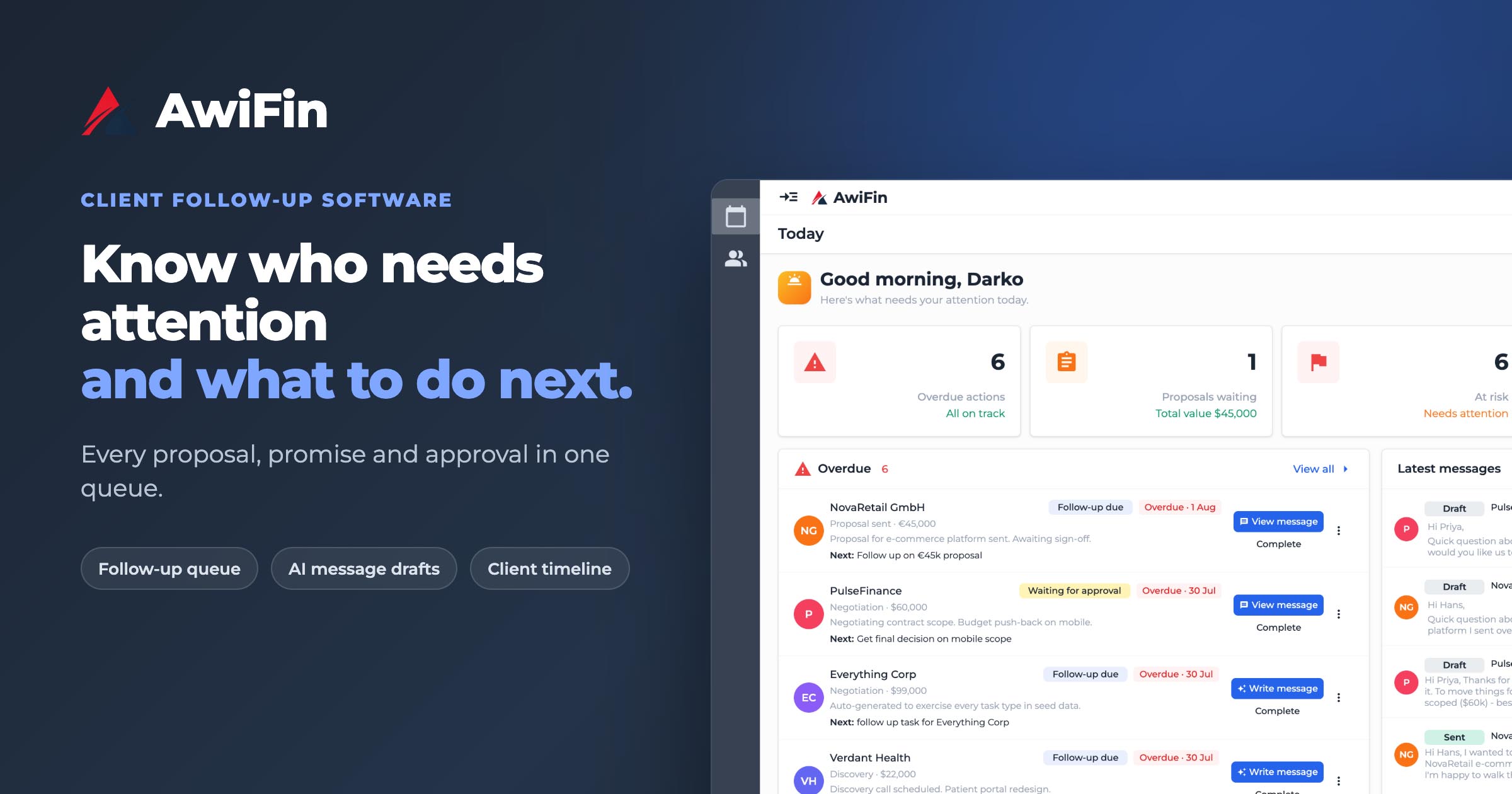
Floowed is an AI-powered credit application automation platform designed to transform raw credit applications into decision-ready analysis. It eliminates manual data entry and streamlines the entire loan processing workflow for financial institutions.Targeted at lenders, credit teams, and financial institutions, Floowed empowers them to make faster, more accurate lending decisions.Key Features:99.7% Accuracy Rate: Ensures reliable data extraction and validation, even from low-quality documents.2-4x Faster Decisioning: Significantly reduces time-to-offer, enabling lenders to be first to say "Yes."40-70% Lower Cost Per Application: Scales loan books without increasing headcount by automating repetitive tasks.Intelligent Data Validation: Beyond basic OCR, it validates data against specific rules and flags inconsistencies.Fraud Detection: Instantly flags anomalies, inconsistencies, and potential fraud across documents.Customizable Workflows & Metrics: Design AI-driven underwriting workflows and generate custom metrics tailored to specific business needs (SME, retail, mortgage, auto loans).Use Cases:Floowed is invaluable for credit teams burdened by manual data entry and document organization. It frees analysts from administrative tasks, allowing them to focus on risk assessment and decision-making. For instance, a Head of Credit Operations can cut review time by over 80% and improve audit accuracy by automating the sifting through bank statements and validating documents. CEOs of NBFIs can gain confidence in every decision by instantly flagging inconsistencies that might signal fraud.The platform automates key steps in the credit workflow, including document intake, standardization, data extraction, validation, fraud checks, risk scoring, and custom metrics generation. This allows lenders to process a wide range of loan types, from SME and personal loans to mortgages and auto loans, with enhanced efficiency and accuracy. It also supports various document types like bank statements, payslips, KYC documents, invoices, and even poorly formatted PDFs, making it versatile for finance, insurance, legal, and HR sectors.Pricing Information:Floowed offers a free trial that includes access to the Core plan with $100 in credits, allowing users to explore the platform's capabilities. Integrations with existing systems are available starting from the Scale plan, while advanced controls like Single Sign-On (SSO) and Service Level Agreements (SLA) are part of the Enterprise plan.User Experience and Support:The platform features a low-code/no-code interface, enabling users to easily design and customize AI-driven underwriting workflows. This ensures the system works exactly as required by the business, with audit-ready precision. While specific support channels aren't detailed, the option to "Chat with our Team" and "Book a Demo" suggests direct interaction and guidance are available.Technical Details:Floowed leverages advanced OCR (Optical Character Recognition) and AI models, specifically optimized for lending, to achieve its high accuracy rates. These intelligent processors are built to capture, extract, and organize financial data from various document types, including unstructured files, with unmatched precision.Pros:Exceptional 99.7% data extraction accuracy.Significantly accelerates decision-making and time-to-offer.Reduces operational costs per application.Automates fraud detection and flags anomalies.Highly customizable workflows and metric generation.Seamless integration with existing lending tech stacks (LOS, CRMs, core banking).Supports a broad range of document and loan types.Cons:Advanced integration features (APIs, low-code connectors) are available from Scale plan and above.Enterprise-grade security features (SSO, SLA) are exclusive to the Enterprise plan.While user-friendly, customizing complex workflows might require some initial learning.Conclusion:Floowed offers a powerful, AI-driven solution for automating and optimizing credit application processing, freeing credit teams to focus on strategic decision-making. Its unparalleled accuracy, speed, and cost-efficiency make it an essential tool for financial institutions looking to modernize their lending operations. Explore Floowed today to transform your application process and gain a competitive edge.

AIFinance & FinTechWorkflow Automation
Supawazap logo

Supawazap

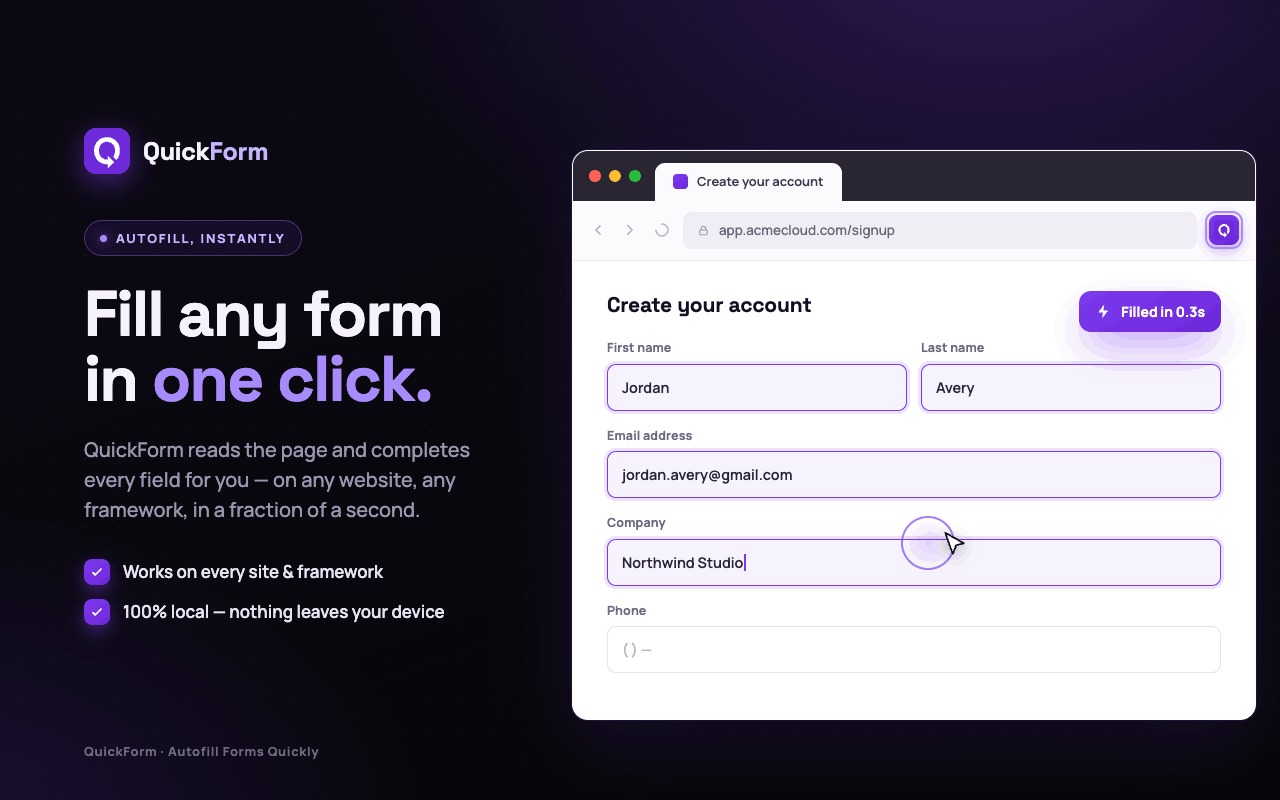
🚀 Supawazap is a lightweight Chrome extension that turns WhatsApp Web into a full CRM and marketing toolbox.🔒 It runs locally in your browser (no API required) and stores data on your device, so contacts and messages never leave your computer.🤖 Use visual no-code chatbots, smart broadcasting with batching and spintax, scheduled messages, and live delivery reports to automate outreach.🛠️ Built-in tools include contact and group scrapers, number validation, templates, quick replies, and a privacy blur for public screens.💼 Designed for agencies and small businesses that want powerful WhatsApp workflows without complex setups.

Marketing ToolsWorkflow AutomationSales Tools
Imejis.io logo

Imejis.io

Imejis.io is a powerful SaaS platform designed to automate and scale marketing efforts by generating dynamic social media images, e-commerce banners, and various other visual content. It serves marketers, businesses, and developers seeking to streamline their visual content creation process through automation and seamless integrations. Key Features Automated image generation via API and extensive integrations with popular tools. A rich library of ready-made, professionally designed templates available in all sizes. Ability to create and customize branded templates for consistent social media posts. Access to thousands of free, high-resolution stock photos from Unsplash. Tools to upload and customize icons, illustrations, and stickers. Public link sharing functionality to easily share designs. Use Cases Imejis.io excels in marketing automation, allowing users to generate personalized social media graphics, dynamic e-commerce banners, or targeted ads based on data from sources like Google Sheets, Airtable, or CRM systems. This significantly reduces the manual effort and time typically spent on repetitive graphic design tasks, ensuring brand consistency across all visual content. Furthermore, the platform enables highly personalized communication. Businesses can create customized images for email campaigns through integrations with MailChimp, personalize visuals based on Typeform submissions, or dynamically generate images from Gmail data, thereby enhancing user engagement and delivering tailored experiences at scale. It also facilitates efficient content management by allowing bulk image generation for CMS platforms like Webflow, simplifying updates and maintaining a cohesive visual identity. Pricing Information Detailed pricing information for Imejis.io is available on their website. The platform offers various plans designed to cater to different business needs, likely including options for automation, API access, and advanced features. User Experience and Support Imejis.io is designed for ease of use, offering ready-made templates and intuitive integrations that empower both designers and non-designers to create stunning visuals. The platform provides comprehensive support through "Latest Articles" and "FAQs," guiding users on how to leverage its features effectively. Tools like the "Quote Builder" and "Public Pages" further enhance the user experience by simplifying content creation and sharing. Technical Details The platform leverages a robust API for dynamic image generation and seamless integration with a wide array of third-party applications. It supports integration with Node.js applications, allowing developers to programmatically generate and manage images. Its extensive integration ecosystem, including Zapier, Airtable, Google Sheets, and Webflow, highlights its flexible and powerful backend architecture. Pros and Cons Pros: Extensive integrations (5000+ apps via Zapier), powerful automation and dynamic image generation capabilities, vast template library, access to high-resolution stock photos, public sharing options, and a flexible API. Cons: While user-friendly, advanced API integration or complex custom template design might involve a slight learning curve for new users. Conclusion Imejis.io stands out as an indispensable tool for businesses aiming to automate and personalize their visual content creation at scale. By significantly reducing manual design efforts and enhancing personalization, it helps maintain brand consistency and boost engagement. Explore Imejis.io today to revolutionize your marketing visuals and streamline your content workflow.

Marketing ToolsWorkflow AutomationAPIs & Integrations
Galaxy logo

Galaxy

Galaxy is an advanced healthcare patient management system designed to streamline patient flow and optimize operational efficiency across healthcare networks. It integrates powerful healthcare simulation software to model real-time scenarios, empowering providers to make data-driven decisions that enhance patient outcomes and reduce operational costs. This comprehensive SaaS solution targets hospitals, clinics, and large healthcare systems seeking to transform their patient journey management and resource allocation. Key Features Customizable Bed Management: Maximize bed utilization with real-time, flexible tools. Patient Flow Simulation: Predict and plan for optimized patient flow, identifying bottlenecks proactively. Real-Time Data Analytics: Comprehensive dashboards provide immediate insights into key performance metrics. Integrated Scheduling and Resource Management: Dynamically match patient needs with available resources and staff. Healthcare Asset Location Assistance: Quickly locate equipment and resources when needed. Enhanced Patient Engagement: Improve communication and satisfaction at every touchpoint. Use Cases Galaxy is invaluable for healthcare facilities aiming to improve operational protocols and resource allocation. It allows hospitals and clinics to stress-test staffing levels and patient demand scenarios in a virtual environment, preventing costly real-world errors and ensuring optimal utilization of resources. This leads to significant reductions in wait times, operational costs, and improved patient satisfaction. The platform also serves as a powerful training asset, enabling staff to practice high-stakes scenarios in a safe, virtual environment. This builds competency, reinforces standardized protocols, and prepares teams for real-world pressures, contributing to continuous, iterative improvement in patient care. Pricing Information Specific pricing details are not publicly provided; however, Galaxy operates on a paid model, indicated by calls to "Request Demo" and "Schedule a Demo Today." Interested organizations are encouraged to contact Galaxy's patient flow experts for a personalized demonstration and discussion of implementation. User Experience and Support Galaxy offers a comprehensive and intuitive suite designed for patient-centered care, providing a unified view of the patient journey. Support includes robust training programs, clear protocols, and access to patient flow experts to guide implementation and foster continuous improvement. Technical Details While specific programming languages or frameworks are not detailed, Galaxy is built with stringent security protocols to ensure compliance with major regulations (e.g., HIPAA, GDPR). It features data encryption, access controls, and comprehensive audit trails, and seamlessly integrates with other vital hospital technologies like EMR Software. Pros and Cons Pros: Optimizes patient flow, reduces costs, improves patient satisfaction and safety, offers comprehensive training, ensures strong data security and compliance. Cons: Pricing not publicly disclosed, potential learning curve for advanced features, requires dedicated training for full utilization. Conclusion Galaxy stands as a strategic platform for modern healthcare, offering a complete solution for seamless, efficient patient care through advanced simulation and comprehensive management tools. By enabling data-driven decisions and proactive problem-solving, it transforms healthcare networks. Schedule a free demo today to explore how Galaxy can predict and solve your biggest patient flow challenges.

Health TechBusiness AnalyticsWorkflow Automation
TaskFlow logo

TaskFlow

TaskFlow is an intuitive cloud-based platform designed to streamline project management and team collaboration. It empowers businesses to organize tasks, track progress, and communicate effectively, ensuring projects are delivered on time and within budget. This SaaS solution is ideal for small to medium-sized businesses, startups, and remote teams seeking an efficient solution for task organization, project tracking, and collaborative workflows.Key Features Intuitive Task Management with drag-and-drop interface. Real-time Collaboration and communication tools. Customizable Workflows and project templates. Progress Tracking and analytics dashboards. Integration capabilities with popular business tools. Secure Cloud Storage for project assets.Use CasesTeams can use TaskFlow to break down large projects into manageable tasks, assign responsibilities, set deadlines, and monitor progress visually. It helps in identifying bottlenecks early and reallocating resources efficiently, ensuring project milestones are met consistently. For distributed teams, TaskFlow provides a central hub for all project-related communication and documentation. Team members can share updates, provide feedback, and access necessary files from anywhere, fostering seamless collaboration regardless of location. Additionally, agencies can leverage TaskFlow to manage client projects, share progress reports, and gather feedback directly within the platform, improving transparency and client satisfaction.Pricing InformationTaskFlow offers a flexible pricing model, including a free tier for small teams with basic features. Paid plans start at $10/user/month, offering advanced features, increased storage, and priority support. A 14-day free trial is available for all premium plans, with no credit card required, allowing users to experience the full potential of the platform before committing.User Experience and SupportThe platform boasts a clean, modern user interface designed for ease of use, minimizing the learning curve for new users. Comprehensive documentation, video tutorials, and a searchable knowledge base are readily available to assist users. Dedicated email and chat support are provided for premium users, ensuring quick resolution of any issues and a smooth operational experience.Technical DetailsTaskFlow is built using modern web technologies, likely a combination of a robust backend framework (e.g., Node.js or Python) and a responsive frontend library (e.g., React or Vue.js). It leverages scalable cloud infrastructure for high availability and data security, ensuring reliable performance and protection of sensitive project information.Pros and ConsPros: Highly intuitive and user-friendly interface. Enhances team collaboration and communication significantly. Flexible and scalable for growing teams and evolving project needs. Comprehensive project tracking and reporting capabilities. Good value for money with a generous free tier option.Cons: Advanced workflow customization might require a slight learning curve. Limited third-party integrations in the free plan. Mobile application features could be further enhanced for on-the-go productivity.ConclusionTaskFlow is an excellent solution for teams looking to boost productivity and streamline project management with its powerful features and user-friendly design. Explore TaskFlow today to transform your team's workflow and achieve unparalleled project success.

ProductivityProject ManagementWorkflow Automation
Seedance 2.0 video studio logo

Seedance 2.0 video studio

Seedance 2.0: The Breakthrough AI Video GeneratorSeedance 2.0, developed by ByteDance, is a cutting-edge AI video generator designed to revolutionize content creation. It boasts an industry-leading 90%+ usable output rate, allowing users to effortlessly combine text, images, video clips, and audio in a single prompt to produce stunning 2K AI videos with native audio-video synchronization, eliminating the need for post-production.This powerful SaaS solution caters to a wide range of professionals and creators, including solo artists, enterprise teams, video production directors, social media managers, indie filmmakers, e-commerce sellers, and digital marketing agencies, all seeking to streamline and enhance their video production workflows.Key Features90%+ Usable Output Rate: Consistently delivers production-ready videos, cutting costs by up to 80% compared to previous AI tools.Native Audio-Video Synchronization: Generates audio and video jointly, ensuring precise lip-sync, context-aware ambient sounds, and adaptive background music.Quad-Modal Creative Input: Accepts up to 12 files simultaneously, including text prompts, 9 images, 3 video clips, and 3 audio tracks, for comprehensive creative control.2K Native Resolution Output: Produces sharp, high-quality video at 2K resolution, suitable for social media, advertising, and commercial distribution.Auto Storyboarding & Smart Camera System: Automatically breaks stories into professionally framed shots and generates dynamic camera movements, simplifying complex video direction.Multi-Shot Narrative Consistency: Maintains character appearance, clothing, and features across multiple shots, crucial for short films and series content.Use CasesSeedance 2.0 addresses the biggest pain points in AI video creation, such as unpredictable output quality and fragmented production workflows. It empowers users to transform still images into cinematic video clips with stunning motion, visualize any text prompt into dynamic scenes, and create professional-grade short films or branded storytelling content with unparalleled consistency.From generating product demo videos for e-commerce sellers to producing engaging educational content and rapid prototyping for UX motion designers, Seedance 2.0 significantly accelerates content creation. It enables ad campaign managers to test 20 concepts in the time it once took for one, and corporate video producers to create internal communications and training videos in-house at a fraction of the traditional cost.Pricing InformationSeedance 2.0 offers a flexible pricing structure with monthly subscription plans: Basic ($11.99/month), Pro ($23.99/month), Ultra ($63.99/month), and Max ($159.99/month), each providing varying credit allowances and support levels. Additionally, users can purchase credit packages (Trial, Basic, Standard, Premium) that never expire, offering further flexibility for their video generation needs.User Experience and SupportThe platform is designed for ease of use, featuring an intuitive interface that allows users to combine diverse inputs into a single prompt. Advanced capabilities like auto storyboarding and a smart camera system simplify complex video production tasks. Support varies by plan, ranging from basic customer support to priority responses within 4 hours for Max plan users, ensuring assistance is available when needed.Technical DetailsWhile specific programming languages or frameworks are not detailed, Seedance 2.0 leverages advanced AI models to process quad-modal inputs and generate high-resolution video with native audio-video synchronization, indicating sophisticated machine learning and video processing technologies at its core.Pros and ConsPros: Exceptional 90%+ usable output rate; seamless native audio-video synchronization; versatile quad-modal input; superior 2K resolution; robust multi-shot consistency; automated storyboarding and camera control; enterprise API for scalability; significant cost and time savings.Cons: No explicit free tier for subscriptions (though a trial credit package exists); advanced features might require some learning; specific technical stack not disclosed.ConclusionSeedance 2.0 stands out as a leading AI video generator, offering unparalleled quality, efficiency, and creative control. Its ability to deliver production-ready 2K videos with perfect audio-video sync and multi-shot consistency makes it an indispensable tool for anyone looking to produce professional video content at scale. Explore Seedance 2.0 today to transform your video creation process and unlock new creative possibilities.

PromotedAISaaSMachine Learning
TikTask logo

TikTask

TikTask is a privacy-first automation tool designed to streamline routine actions across popular messaging and social media platforms. It empowers busy makers and small teams to schedule and automate messages, polls, likes, comments, and follows, freeing up valuable time for growth and strategic tasks. Key Features Privacy-First & No Cloud Storage: All your content (tasks, labels, messages) stays securely on your device, ensuring maximum privacy. Multi-Channel Automation: Automate actions across WhatsApp, Instagram, Slack, Gmail, Telegram, Viber, and Signal from a single workflow. Personalized at Scale: Utilize "Buckets" for unique text per recipient and "Smart Variables" (like name, date) for personalized, auto-filled messages. Advanced Scheduling: Set one-time runs or repeat tasks daily, weekly, monthly, or yearly, with multiple schedules per task. Google Drive Backup: Optional, secure backup and restore functionality to Google Drive for seamless device switching. System Monitor Guidance: Ensures reliable task execution by guiding users to enable necessary system permissions. Use Cases TikTask is ideal for individuals and small teams looking to enhance their productivity and engagement without compromising privacy. For marketers, it automates routine social media interactions, such as scheduling Instagram comments or sending personalized WhatsApp follow-ups, ensuring consistent brand presence and timely communication. Community managers can leverage it to schedule polls in Telegram groups or send welcome messages to new members on Slack, fostering a more active and engaged community. Beyond marketing and community management, TikTask serves as an excellent personal assistant for managing recurring communications. Whether it's sending weekly team reminders via Gmail, scheduling birthday wishes on Viber, or automating routine check-ins, TikTask ensures that important messages are delivered on time, every time, allowing users to focus on more complex and creative endeavors. Pricing Information TikTask offers a flexible pricing model starting with a Free tier that includes core automations and features, supported by ads. The Premium subscription, priced at $9.99/month, removes ads, unlocks advanced features like WhatsApp Business & Instagram Direct automations, Buckets, unlimited actions/channels per task, and Google Drive backup. For a one-time payment of $149.99, the Lifetime option provides all Premium features, future updates, and priority support without any renewals. User Experience and Support Designed for ease of use, TikTask features an intuitive interface for creating and managing tasks. The "My Schedule" calendar provides a clear overview of upcoming and past runs, with status indicators. The "System Monitor" actively guides users through enabling necessary Android permissions (Accessibility, AutoStart, etc.) to ensure high reliability. Support is available via WhatsApp (+13658291613) and email (support@tiktaskapp.com) for any questions or feedback. Technical Details TikTask operates on a privacy-by-design principle, storing all user-generated content—tasks, labels, and message content—exclusively on the user's device. It does not utilize cloud storage for this sensitive data, ensuring complete user control and data sovereignty. Optional Google Drive integration is provided solely for backup and restore purposes, allowing users to securely transfer their data between devices without it ever residing on TikTask's servers. Only account and purchase records are maintained for billing and support. Pros and Cons Pros: Privacy-first architecture with no cloud storage for content; Comprehensive multi-channel automation; Personalization features (Buckets, Smart Variables); Flexible scheduling options; Optional Google Drive backup for data portability; Freemium model with a robust free tier; Dedicated system monitor for reliability. Cons: Relies on Android Accessibility services, which might require initial setup; No explicit mention of a web interface, implying mobile-centric operation; Refund policy is handled by Google Play, not directly by TikTask. Conclusion TikTask stands out as a powerful, privacy-conscious automation solution for anyone looking to optimize their communication and engagement across multiple platforms. By keeping your data local and offering extensive scheduling and personalization features, it enables efficient workflow automation while prioritizing user privacy. Get started today by downloading TikTask on Google Play and experience a smarter way to automate your routine tasks.

Workflow AutomationProductivityMarketing Tools
Ads Library Saver logo

Ads Library Saver

Ads Library Saver is a powerful Chrome extension designed for marketers to effortlessly save and organize competitor ads. It streamlines the process of building a comprehensive ad swipefile by instantly capturing ad creatives, copy, and landing page details from major platforms directly into your Google ecosystem.This tool is ideal for digital marketing managers, media buyers, e-commerce founders, creative strategists, and anyone involved in ad research and campaign development.Key FeaturesOne-Click Save: Instantly capture ads from Facebook, TikTok, YouTube, Instagram, LinkedIn, X.com, and more.Auto-Sync to Google Drive: Automatically save high-resolution ad images, videos, and full-page landing page screenshots to your specified Google Drive folders.Google Sheets Integration: All ad metadata, including ad copy, call to action, landing page URL, likes, shares, comments, page name, and ad ID, is automatically organized in a Google Sheet.100% Free Forever: Enjoy all features without any subscription fees or hidden costs.Privacy First: Your data remains entirely within your Google account, ensuring complete privacy and control without third-party servers.Smart Organization: Leverage Google Sheets' filtering, sorting, and sharing capabilities for efficient ad analysis and team collaboration.Use CasesAds Library Saver is invaluable for building and managing a robust ad swipefile. Marketers can quickly gather inspiration, analyze competitor strategies, and identify trending creatives without the tedious manual work of copying and screenshotting. This leads to more informed ad campaign development and improved creative performance.For teams, the seamless integration with Google Sheets and Drive facilitates collaborative ad research. Team members can access, review, and discuss saved ads, creatives, and landing pages in a centralized, organized manner, enhancing workflow efficiency and strategic alignment. It also addresses compliance concerns by ensuring all sensitive research data remains within the company's controlled Google environment.Pricing InformationAds Library Saver is completely free to use, offering all its features at no cost. There are no monthly fees, no credit card requirements, and no hidden charges, making it an accessible solution for all marketers.User Experience and SupportThe extension boasts a user-friendly interface with a simple three-step setup process: install, visit an ad platform, and click save. A quick setup guide is provided to get users started in minutes. Testimonials from over 5000+ marketers highlight its ease of use, time-saving benefits, and excellent video quality. Support is available via email for any further questions.Technical DetailsAds Library Saver operates as a Chrome browser extension, leveraging Google's ecosystem for data storage and organization. It integrates directly with Google Sheets for structured data management and Google Drive for media file storage, ensuring robust and scalable data handling.Pros and ConsPros: 100% Free Forever; Privacy-first approach (data stays in your Google account); Supports all major ad platforms; Automatically captures comprehensive ad data including landing page screenshots; Excellent for team collaboration via Google Sheets/Drive; Eliminates manual ad research tasks.Cons: Exclusively a Chrome extension; Requires a Google account for full functionality; Relies on Google Sheets for advanced analysis rather than built-in analytics.ConclusionAds Library Saver offers an unparalleled, privacy-first solution for marketers to efficiently build and manage their ad swipefiles. By automating the capture of ad creatives and data directly into your Google ecosystem, it saves significant time and enhances collaborative research. Explore Ads Library Saver today and transform your ad research workflow by adding it to Chrome for free.

Marketing ToolsProductivityWorkflow Automation
Evolbot logo

Evolbot

Evolbot: Your AI Assistant for Automated Customer EngagementEvolbot is a powerful, configurable AI chatbot widget designed to seamlessly integrate with any website, enabling businesses to automate customer support, streamline operations, and enhance user engagement in minutes. It provides intelligent assistants that understand your business and evolve with your needs, significantly reducing operational costs and improving customer satisfaction.This SaaS is ideal for SMBs and enterprises across various industries looking to deploy 24/7 automated customer support, generate qualified leads, and automate internal processes without human intervention.Key Features Easy Installation & No-Code Customization: Add an AI chat to your site with a simple copy-paste script and customize its style, messages, and knowledge base from a dashboard without any coding. Advanced RAG (Retrieval-Augmented Generation): Upload documents, connect databases, or crawl your website to provide your assistants with access to the most up-to-date information for accurate, data-driven responses. Integrated Actions: Connect your AI assistants to external systems via API to automate tasks like booking appointments, updating inventories, or sending notifications. Configurable AI Assistants: Tailor every aspect of your assistant, including personality, knowledge, skills, and response capabilities, to perfectly match your company's specific needs. SEO & Performance Optimized: Features a lightweight script, lazy loading, and crawl control for optimal website performance.Use CasesEvolbot empowers businesses to evolve customer care across multiple sectors. For E-commerce, it automates customer support, order management, and after-sales. B2B Companies leverage it for qualified lead generation and managing business appointments. In Financial Services, Evolbot provides instant answers to FAQs and basic advice. The Tourism & Hospitality sector benefits from booking management and guest assistance. Additionally, Education can deploy personal tutors, and Human Resources can simplify candidate screening and answer FAQs about company benefits.Pricing InformationEvolbot offers flexible pricing with a freemium model, including a "Free Trial" for complete plans and an "Autonomous Free" option for users with their own OpenAI API keys. Paid plans are available as "Complete Plans" (Starter, Basic, Pro) and "Autonomous Plans" (Basic Auto, Pro Auto), with options for monthly or yearly billing (offering 2 months free annually). A 14-day money-back guarantee is provided for purchases.User Experience and SupportThe platform is designed for ease of use, allowing most customers to configure and launch their first AI assistant in less than a week, with basic assistants up and running in just a few hours. The widget is fully customizable to match brand identity. Comprehensive documentation and an FAQ section are available, along with direct support to assist users.Technical DetailsEvolbot integrates with advanced AI models, notably allowing users on "Autonomous Plans" to utilize their personal OpenAI API keys for maximum cost control. The widget itself is implemented as a lightweight, lazy-loading script, ensuring minimal impact on website performance and SEO. Its RAG system efficiently analyzes and indexes documents to generate accurate, contextually relevant answers.Pros and Cons Pros: Handles 80% of questions without human intervention, reducing operational costs by up to 30%. Provides 24/7 automated customer support, increasing customer satisfaction. Quick and easy setup, with a highly customizable widget and AI assistant. Powerful features like Advanced RAG and Integrated Actions. Flexible freemium and paid plans. Cons: Autonomous plans require users to manage their own OpenAI API keys and associated costs. Advanced integrations via Actions might require some technical understanding.ConclusionEvolbot stands out as a comprehensive and user-friendly platform for deploying personalized AI assistants, offering significant benefits in terms of cost reduction, efficiency, and customer experience. Its robust features and flexible pricing make it an an excellent choice for businesses aiming to leverage artificial intelligence for competitive advantage. Explore Evolbot today and transform your customer engagement.

AINo-CodeWorkflow Automation
BudgetFlow logo

BudgetFlow

IntroductionBudgetFlow is an intuitive SaaS platform designed to simplify personal finance management. It empowers users to effortlessly build budgets, track spending, and automate savings, all without the complexity of traditional spreadsheets.Ideal for individuals and small households seeking a streamlined approach to financial health, BudgetFlow helps users gain control over their money and achieve financial goals.Key FeaturesSimple Budget Creation: Build a budget in minutes.Automated Spending Tracking: Monitor expenditures with ease.Savings Automation: Set and achieve savings goals automatically.60-second Financial Battery Check: Quick financial health assessment.No Spreadsheets Required: User-friendly interface replaces complex tools.Use CasesPersonal Budgeting: Users can quickly set up monthly budgets, allocate funds to different categories like housing, food, and entertainment, and receive real-time updates on their spending. This helps prevent overspending and ensures financial discipline. For instance, a user planning a vacation can easily create a dedicated savings goal and track progress towards it.Expense Management: BudgetFlow simplifies the often tedious task of tracking daily expenses. By automating this process, it eliminates the need for manual data entry, allowing users to see exactly where their money is going. This insight is crucial for identifying areas where spending can be reduced or optimized, leading to better financial decisions.Financial Health Monitoring: The unique "60-second Financial Battery Check" provides a rapid overview of a user's financial standing. This feature is invaluable for quickly assessing financial health, identifying potential issues, and making timely adjustments to budgets or savings plans. It acts as a regular pulse check for one's financial well-being.Pricing InformationWhile specific pricing tiers are not detailed, BudgetFlow is positioned as a comprehensive financial management solution. It likely operates on a subscription-based model, offering various plans tailored to different user needs, potentially with a free trial period to experience its core functionalities.User Experience and SupportBudgetFlow boasts a user-friendly interface designed for simplicity and ease of use, eliminating the need for complex spreadsheets. Its intuitive design ensures a smooth onboarding process and straightforward navigation. Support resources, including documentation or tutorials, are expected to guide users through its features, ensuring a positive experience.Technical DetailsAs a modern web-based SaaS application, BudgetFlow leverages robust cloud infrastructure to provide secure and reliable financial management services. It is accessible directly through web browsers, ensuring broad compatibility and ease of access for users across various devices.Pros and ConsPros:Extremely easy and quick budget creation.Automates spending tracking and savings.Eliminates the need for complex spreadsheets.Provides quick financial health checks.Intuitive and user-friendly interface.Cons:Specific pricing details are not explicitly provided.Advanced customization options might be limited compared to manual spreadsheets.Integration with external financial institutions is not explicitly mentioned.ConclusionBudgetFlow offers a powerful yet simple solution for anyone looking to take control of their personal finances. Its focus on automation and ease of use makes financial management accessible and stress-free. Explore BudgetFlow today to streamline your budgeting, track spending, and achieve your financial goals with confidence.

Finance & FinTechProductivityWorkflow Automation
ConnectUs logo

ConnectUs

IntroductionConnectUs is an intuitive SaaS platform designed to streamline communication and enhance coordination for families, teams, and community groups. It centralizes live location tracking, in-app messaging, and comprehensive reporting into a single, user-friendly application, eliminating the need for scattered communications.Target AudienceThis powerful tool is ideal for families seeking peace of mind, schools and carpools coordinating daily movements, field operations supervisors needing visibility and documentation, and community groups requiring a unified platform for locations and messaging.Key FeaturesReal-time live location tracking with member filters.Seamless toggle between map and detailed report views for data analysis.Customizable Named Places for clear, context-rich location labeling (e.g., Home, School, Job Site).Integrated in-app messaging with unread indicators for efficient communication.Detailed Member Location History and Member Speed reports for accountability and insights.Robust Group Leader controls for managing tracking permissions and privacy settings.Use CasesConnectUs significantly benefits various groups by solving common coordination challenges. For families and carpools, it provides instant confirmation of arrivals and pickups, allowing parents to see a day's stops without constant calls. Schools and clubs can effortlessly coordinate meetups and events, reducing back-and-forth messages and ensuring everyone is on the same page.In professional settings, field operations teams, including drivers, technicians, and sales representatives, gain invaluable visibility. Supervisors can verify job-site visits, audit routes, and flag high-speed segments, leading to improved documentation and reduced phone time. Dispatchers and supervisors can quickly access status maps and detailed reports, enhancing accountability and operational efficiency.Pricing InformationSpecific pricing details for ConnectUs are not provided in the available information. However, SaaS solutions like ConnectUs typically offer subscription-based models, often with tiered plans based on the number of users or advanced features. Many services in this category also provide free trials to allow users to experience the platform's benefits firsthand.User Experience and SupportConnectUs is designed for clarity and ease of use, featuring an intuitive interface that minimizes taps to find answers. The platform incorporates smart highlights, such as unread message colors and badges, to ensure important information isn't missed. A comprehensive built-in Help System and FAQs are available on every screen, significantly lowering the learning curve for all users, from new members to group leaders. Support options are readily accessible through the app's Settings and Support section for reporting issues.Technical DetailsThe provided content does not specify the programming languages, frameworks, or underlying technologies used in the development of ConnectUs.Pros and ConsPros:Centralized platform for location, messaging, and reports.Enhanced clarity with Named Places and labeled pins.Robust privacy controls for group leaders.Comprehensive reporting for accountability and insights.User-friendly interface with extensive in-app guidance.Cons:Specific pricing details are not publicly available in the provided content.Technical implementation details are not disclosed.No explicit mention of third-party integrations.ConclusionConnectUs offers a powerful, all-in-one solution for groups seeking to improve coordination, communication, and accountability. By consolidating essential tools into a single, easy-to-use app, it empowers users to focus less on logistics and more on their objectives. Explore ConnectUs today to experience seamless group management and enhanced peace of mind.

ProductivityWorkflow AutomationSaaS
RansomLeak Security Training logo

RansomLeak Security Training

Security awareness training where employees learn by getting phished, not by watching a video about it. Interactive 3D simulations drop people into realistic cyberattack scenarios. They make decisions, see the consequences, and actually remember what to do next time. SCORM-ready for any LMS or standalone cloud deployment. Built by the Kontra AppSec team.

PromotedSecuritySaaSEducation Tech
Cartographer logo

Cartographer

Cartographer: Automated Code Documentation with AICartographer is an innovative SaaS solution that revolutionizes how development teams manage their documentation. It automatically generates and continuously updates comprehensive documentation directly from your codebase, ensuring your team always has access to accurate, up-to-date knowledge. This tool is ideal for developers and engineering teams seeking to eliminate outdated documentation and streamline knowledge sharing across any programming language.Key FeaturesAutomatic Documentation Generation: Creates detailed documentation directly from your source code.Always Up-to-Date: Detects code changes and automatically updates existing documentation and generates new docs, including visual diagrams.Language Agnostic: Works seamlessly with any programming language.Seamless Integrations: Syncs AI-generated documentation directly into popular knowledge bases like Confluence, Notion, GitHub, and more.Developer-First Knowledge Base: Offers a standalone option for teams preferring a dedicated, developer-centric knowledge platform.Use CasesCartographer solves the pervasive problem of outdated and time-consuming manual documentation. It ensures every code change is immediately reflected in your documentation, freeing developers from manual updates and allowing them to focus on coding. This leads to accurate, always-synced knowledge, improving onboarding for new team members and fostering better collaboration by providing a single source of truth for system understanding.Pricing InformationCartographer offers a freemium model, allowing users to create a free account and start documenting their systems in minutes. The "Get Started Free" option indicates accessibility for initial exploration.User Experience and SupportThe platform emphasizes an automated and integrated user experience, minimizing manual intervention by directly pulling from the codebase and syncing with existing tools. Its core value is "always-synced knowledge," suggesting a highly intuitive and low-maintenance solution for documentation management.Technical DetailsCartographer is highly flexible, supporting documentation generation for any programming language. It leverages advanced AI to analyze codebases and produce relevant, structured documentation and visual diagrams. Integration capabilities suggest robust APIs or direct connectors to various third-party knowledge management platforms.Eliminates outdated documentation and saves developer time.Provides accurate, always-synced knowledge from code.Supports any programming language.Integrates with popular knowledge management tools.Generates visual diagrams.Offers a free trial.Cartographer is an essential tool for modern development teams, transforming documentation into an automated, accurate, and integrated process. By ensuring your documentation evolves with your code, it empowers teams to maintain a clear understanding of their systems, save time, and foster better collaboration. Explore Cartographer today and experience the future of documentation.

Developer ToolsWorkflow AutomationAI
Fermi Dev logo

Fermi Dev

Introduction to Fermi DevFermi Dev is an advanced AI Operational Brain designed for modern enterprises. It serves as a comprehensive platform to seamlessly connect disparate systems, construct dynamic operational models, and automate complex business processes through intelligent agents.Its primary purpose is to empower businesses with an AI-driven approach to operational intelligence and automation, targeting enterprises looking to optimize workflows and enhance decision-making.Key FeaturesSystem Integration: Connects various enterprise systems for unified data flow.Dynamic Model Building: Enables the creation of adaptable operational models.Intelligent Agent Automation: Automates business processes using AI-powered agents.AI Operational Brain: Centralizes AI capabilities for enterprise-wide operations.Use CasesFermi Dev is exceptionally beneficial for organizations aiming to streamline their operational workflows. For instance, a manufacturing company could use Fermi Dev to integrate its supply chain management, production planning, and inventory systems. Intelligent agents could then automate order processing, predict maintenance needs, and optimize production schedules, significantly reducing manual effort and improving efficiency.Another scenario involves financial institutions leveraging Fermi Dev to connect their CRM, risk assessment, and transaction processing systems. This allows for automated fraud detection, personalized customer service workflows, and real-time compliance monitoring, ensuring robust and agile operations while minimizing human error.Pricing InformationSpecific pricing details for Fermi Dev are not provided. As an enterprise-grade AI solution, it is likely offered under a subscription-based model, tailored to the specific needs and scale of each client. There is no mention of free trials, freemium options, or money-back guarantees.User Experience and SupportWhile specific details on the user interface and support options are not explicitly mentioned, an enterprise-level solution like Fermi Dev would typically feature a robust, intuitive dashboard for managing integrations and agents. Comprehensive documentation, tutorials, and dedicated enterprise support channels would also be expected to ensure smooth implementation and ongoing operation.Technical DetailsThe underlying programming languages, frameworks, or specific technologies used by Fermi Dev are not detailed in the provided content. However, given its nature as an AI Operational Brain, it likely leverages advanced machine learning algorithms, data integration platforms, and cloud-native architectures to deliver its intelligent automation capabilities.Pros and ConsPros:Transforms operations with AI-driven intelligence.Automates complex business processes efficiently.Seamlessly connects diverse enterprise systems.Builds dynamic and adaptable operational models.Enhances decision-making through intelligent agents.Cons:Specific pricing information is not available.Details on user interface and support are not provided.Potential learning curve for complex enterprise integrations.Customization challenges may arise for highly unique business processes.Technical stack details are not disclosed.ConclusionFermi Dev stands out as a powerful AI Operational Brain, offering modern enterprises a sophisticated platform to integrate systems, build intelligent models, and automate critical business processes. It promises significant improvements in operational efficiency and strategic decision-making. We encourage interested enterprises to explore Fermi Dev further to unlock its full potential for their unique operational needs.

AIWorkflow AutomationPlatforms & Frameworks
AutoChangelog logo

AutoChangelog

IntroductionAutoChangelog is an innovative SaaS platform designed to automate the creation of user-friendly changelogs directly from your code changes. It transforms technical pull requests, commits, and deployments into clear, readable updates that your users will actually care about, saving development teams significant time and effort.Target AudienceThis tool is ideal for software development teams, product managers, and anyone looking to streamline their release communication process and keep their users informed about new features and improvements without manual writing.Key FeaturesAI-Assisted Generation: Leverages AI to analyze technical code changes and write clear, human-readable updates.Fully Automatic Changelogs: Generates entries automatically upon deployment via a simple webhook integration with CI/CD pipelines.Beautiful & Customizable Pages: Offers modern, branded, SEO-friendly changelog pages with dark mode, RSS, and custom domain support.Full Control & Review: Provides options for auto-publish or review mode, allowing edits before entries go live.Real-time Updates: Entries appear within seconds of deployment, ensuring users get lightning-fast updates.Use CasesAutoChangelog is perfect for development teams that frequently ship updates and struggle with the time-consuming task of manually writing changelogs. By integrating with your CI/CD pipeline, it ensures that every deployment automatically triggers a new, well-articulated changelog entry. This eliminates the bottleneck of a dedicated person having to sift through code changes and translate them into user-facing language, allowing developers to focus more on building and less on documentation. It also serves as an excellent communication tool for product managers who want to keep their user base engaged and informed, fostering transparency and building trust with your audience.Pricing InformationAutoChangelog offers a flexible pricing model, starting with a "Free" plan that includes 1 repository and up to 10 deployments per month, public changelog, and basic customization. The "Pro" plan, at $14/month, provides unlimited deployments, advanced AI, private changelogs, and email notifications. The "Team" plan, at $29/month, extends these benefits to unlimited repositories and team collaboration. Annual billing offers a discount.User Experience and SupportThe platform boasts a straightforward setup, requiring just a 2-minute installation of its GitHub App and a custom webhook integration into your CI/CD pipeline. Users have complete control over their changelog's appearance with customizable templates, logos, and brand colors. Support is available through comprehensive documentation and direct contact options, ensuring a smooth experience.Technical DetailsAutoChangelog integrates seamlessly with GitHub, requiring read-only access to repositories to analyze pull requests, commit messages, and code changes. It leverages webhooks to connect with existing CI/CD pipelines, triggering automatic changelog generation upon deployment. The core functionality relies on AI to process technical information and translate it into user-friendly language.Pros and ConsPros: Automated, AI-powered changelog generation; keeps users informed with clear, professional updates; seamless GitHub/CI/CD integration; highly customizable pages; full control with review/editing; supports public/private repos.Cons: Currently supports GitHub only (BitBucket, GitLab planned).ConclusionAutoChangelog is an essential tool for any development team aiming to improve communication with their users and streamline their release process. By automating the often tedious task of changelog creation with intelligent AI, it allows teams to focus on innovation while ensuring their users are always up-to-date. Explore AutoChangelog today to transform your release notes into engaging user updates.

AIDeveloper ToolsWorkflow Automation
Layerre logo

Layerre

Layerre is an API with a streamlined UI for automating design creation using your Canva templates. Import any Canva design into Layerre, connect your data, and instantly generate hundreds of on-brand visuals. Use the API for full automation or the built-in UI to preview and run bulk jobs without code. Layerre fills in text, images, and variable fields from your data sources, producing consistent content for social media, marketing campaigns, reports, product catalogs, and more. Built for teams and developers who need fast, scalable Canva automation with an intuitive workflow.

APIs & IntegrationsDesign ToolsWorkflow Automation
SociaVault logo

SociaVault

SociaVault is a hypothetical SaaS solution, inferred from its domain name, designed to streamline and secure social media management and digital asset organization. Its primary purpose would be to serve as a centralized hub for creating, scheduling, publishing, and analyzing social media content, while also providing a secure vault for valuable digital assets. The target audience for a platform like SociaVault would typically include marketing agencies, social media managers, small to medium-sized businesses, content creators, and individuals seeking to professionalize their online presence and manage multiple social profiles efficiently. Key Features Centralized Content Calendar: Plan and visualize all social media posts across various platforms in one intuitive calendar view. Secure Digital Asset Management: Safely store and organize images, videos, documents, and other media files, ensuring easy access and version control. Automated Publishing & Scheduling: Schedule posts in advance, automate publishing, and optimize timing for maximum engagement. Performance Analytics & Reporting: Track key metrics, analyze post performance, and generate comprehensive reports to refine social media strategies. Team Collaboration Tools: Facilitate seamless teamwork with approval workflows, role-based access, and shared content libraries. Brand Consistency Enforcement: Maintain a unified brand voice and visual identity across all social channels with templating and asset guidelines. Use Cases Imagine a marketing team struggling to coordinate content across Facebook, Instagram, LinkedIn, and X (formerly Twitter). SociaVault would allow them to upload all campaign assets once, draft posts for each platform, schedule them according to a unified content strategy, and assign team members for review and approval. This eliminates the chaos of multiple spreadsheets and scattered files, ensuring every post goes out on time and aligns with brand guidelines. Another scenario involves a small business owner who needs to manage their online presence but lacks dedicated marketing staff. SociaVault could provide an easy-to-use interface to schedule promotional content, track customer engagement, and store all their marketing visuals in one secure place. This empowers them to maintain a consistent online presence without requiring extensive technical knowledge or a large budget for multiple tools. Pricing Information As specific pricing information for SociaVault is not available, it is assumed to follow a typical SaaS subscription model. This would likely include tiered plans based on the number of social profiles, users, features, or storage capacity. Many similar platforms offer a free trial period to allow users to explore the features before committing to a paid subscription. User Experience and Support A platform like SociaVault would ideally feature a clean, intuitive user interface designed for ease of navigation and efficient workflow. Comprehensive documentation, video tutorials, and a responsive customer support team (via email, chat, or phone) would be crucial for user onboarding and ongoing assistance. The goal would be to minimize the learning curve and maximize productivity for users of all technical skill levels. Technical Details While the specific technical stack for SociaVault is not disclosed, a modern web-based SaaS application typically leverages robust cloud infrastructure (e.g., AWS, Google Cloud, Azure). It would likely be built using popular web frameworks (e.g., React, Angular, Vue.js for frontend; Node.js, Python/Django/Flask, Ruby on Rails for backend) and utilize scalable databases (e.g., PostgreSQL, MongoDB). API integrations with various social media platforms would be fundamental to its core functionality. Pros and Cons Pros: Streamlined social media management and content scheduling. Enhanced brand consistency and digital asset organization. Improved team collaboration and workflow efficiency. Data-driven insights through integrated analytics. Potential for significant time savings for marketing professionals. Cons: Potential learning curve for new users adapting to the platform. Reliance on third-party social media APIs, subject to changes. Customization options might be limited depending on the plan. As with any online service, potential for service interruptions (e.g., HTTP ERROR 502). Subscription costs could be a barrier for very small businesses. Conclusion SociaVault, as envisioned, offers a powerful and integrated solution for modern social media management and digital asset organization. By centralizing key marketing functions, it aims to empower businesses and individuals to achieve greater efficiency and impact in their online presence. We encourage prospective users to explore its features and consider how it could transform their social media strategy.

Marketing ToolsSaaSWorkflow Automation
Seedance 2.0 video studio logo

Seedance 2.0 video studio

Seedance 2.0: The Breakthrough AI Video GeneratorSeedance 2.0, developed by ByteDance, is a cutting-edge AI video generator designed to revolutionize content creation. It boasts an industry-leading 90%+ usable output rate, allowing users to effortlessly combine text, images, video clips, and audio in a single prompt to produce stunning 2K AI videos with native audio-video synchronization, eliminating the need for post-production.This powerful SaaS solution caters to a wide range of professionals and creators, including solo artists, enterprise teams, video production directors, social media managers, indie filmmakers, e-commerce sellers, and digital marketing agencies, all seeking to streamline and enhance their video production workflows.Key Features90%+ Usable Output Rate: Consistently delivers production-ready videos, cutting costs by up to 80% compared to previous AI tools.Native Audio-Video Synchronization: Generates audio and video jointly, ensuring precise lip-sync, context-aware ambient sounds, and adaptive background music.Quad-Modal Creative Input: Accepts up to 12 files simultaneously, including text prompts, 9 images, 3 video clips, and 3 audio tracks, for comprehensive creative control.2K Native Resolution Output: Produces sharp, high-quality video at 2K resolution, suitable for social media, advertising, and commercial distribution.Auto Storyboarding & Smart Camera System: Automatically breaks stories into professionally framed shots and generates dynamic camera movements, simplifying complex video direction.Multi-Shot Narrative Consistency: Maintains character appearance, clothing, and features across multiple shots, crucial for short films and series content.Use CasesSeedance 2.0 addresses the biggest pain points in AI video creation, such as unpredictable output quality and fragmented production workflows. It empowers users to transform still images into cinematic video clips with stunning motion, visualize any text prompt into dynamic scenes, and create professional-grade short films or branded storytelling content with unparalleled consistency.From generating product demo videos for e-commerce sellers to producing engaging educational content and rapid prototyping for UX motion designers, Seedance 2.0 significantly accelerates content creation. It enables ad campaign managers to test 20 concepts in the time it once took for one, and corporate video producers to create internal communications and training videos in-house at a fraction of the traditional cost.Pricing InformationSeedance 2.0 offers a flexible pricing structure with monthly subscription plans: Basic ($11.99/month), Pro ($23.99/month), Ultra ($63.99/month), and Max ($159.99/month), each providing varying credit allowances and support levels. Additionally, users can purchase credit packages (Trial, Basic, Standard, Premium) that never expire, offering further flexibility for their video generation needs.User Experience and SupportThe platform is designed for ease of use, featuring an intuitive interface that allows users to combine diverse inputs into a single prompt. Advanced capabilities like auto storyboarding and a smart camera system simplify complex video production tasks. Support varies by plan, ranging from basic customer support to priority responses within 4 hours for Max plan users, ensuring assistance is available when needed.Technical DetailsWhile specific programming languages or frameworks are not detailed, Seedance 2.0 leverages advanced AI models to process quad-modal inputs and generate high-resolution video with native audio-video synchronization, indicating sophisticated machine learning and video processing technologies at its core.Pros and ConsPros: Exceptional 90%+ usable output rate; seamless native audio-video synchronization; versatile quad-modal input; superior 2K resolution; robust multi-shot consistency; automated storyboarding and camera control; enterprise API for scalability; significant cost and time savings.Cons: No explicit free tier for subscriptions (though a trial credit package exists); advanced features might require some learning; specific technical stack not disclosed.ConclusionSeedance 2.0 stands out as a leading AI video generator, offering unparalleled quality, efficiency, and creative control. Its ability to deliver production-ready 2K videos with perfect audio-video sync and multi-shot consistency makes it an indispensable tool for anyone looking to produce professional video content at scale. Explore Seedance 2.0 today to transform your video creation process and unlock new creative possibilities.

PromotedAISaaSMachine Learning
Crops logo

Crops

Digital Asset Management software where creative teams organize assets, catch errors instantly, and streamline approvals to create campaigns that conv

Workflow AutomationMarketing Tools
SaaSFlow logo

SaaSFlow

SaaSFlow: Streamlining Your Business OperationsSaaSFlow is a comprehensive cloud-based software-as-a-service (SaaS) platform designed to enhance productivity and streamline operations for businesses of all sizes. It provides a robust suite of tools aimed at improving collaboration, data management, and workflow efficiency, making it an essential asset for modern enterprises.This powerful SaaS solution targets small to medium-sized businesses, startups, and enterprise teams looking to optimize their daily tasks and project management processes.Key Features:Real-time Collaboration & Communication ToolsSecure Cloud Storage & Document ManagementCustomizable Workflow AutomationAdvanced Analytics & Reporting DashboardSeamless API Integrations with Third-Party AppsScalable Infrastructure for Growing TeamsUse Cases:SaaSFlow proves invaluable in various business scenarios. For project management teams, it facilitates the creation, assignment, and tracking of tasks, ensuring projects stay on schedule and within scope. Its real-time collaboration features allow team members to work together on documents and communicate instantly, reducing delays and improving overall project delivery.In the realm of data management, SaaSFlow offers secure cloud storage and intuitive organization tools, enabling businesses to centralize their critical information. This eliminates data silos and ensures that all authorized personnel have access to the latest versions of files, fostering better decision-making and operational transparency. Furthermore, its customizable workflow automation can automate repetitive tasks, freeing up valuable employee time to focus on more strategic initiatives.Pricing Information:SaaSFlow operates on a freemium model, offering a robust free tier suitable for small teams and individual users. For more advanced features, increased storage, and priority support, various paid subscription plans are available, catering to different business needs and team sizes. A 14-day free trial is also offered for all premium plans, allowing users to experience the full capabilities before committing.User Experience and Support:The platform boasts an intuitive and user-friendly interface, designed for ease of navigation and minimal learning curve. Its clean design and logical layout ensure that users can quickly find the tools they need and integrate them into their daily workflows. Comprehensive documentation, video tutorials, and an extensive knowledge base are readily available to assist users.SaaSFlow provides multi-channel customer support, including email, in-app chat, and a dedicated support portal, ensuring that users receive timely assistance for any queries or issues they might encounter.Technical Details:SaaSFlow is built using modern web technologies, leveraging robust frameworks for a responsive and scalable user experience. It utilizes RESTful APIs for seamless integration with other business applications and employs secure cloud infrastructure to ensure data integrity and availability. The platform is designed for high performance and reliability, catering to demanding business environments.Pros and Cons:Pros:Enhances team collaboration and communicationAutomates repetitive tasks, boosting efficiencyScalable to accommodate business growthUser-friendly interface with comprehensive supportSecure and reliable cloud infrastructureCons:Initial learning curve for advanced featuresCustomization options might be limited in lower tiersReliance on internet connectivity for full functionalityConclusion:SaaSFlow offers a powerful and versatile solution for businesses aiming to optimize their operations, improve collaboration, and drive productivity. Its blend of essential features, user-friendly design, and flexible pricing makes it an excellent choice for modern teams. Explore SaaSFlow today to transform your business workflows and unlock new levels of efficiency!

SaaSProductivityWorkflow Automation
InstaSalesFlow logo

InstaSalesFlow

InstaSalesFlow: Elevate Your Instagram DM Strategy InstaSalesFlow is an innovative SaaS solution designed to revolutionize how businesses leverage Instagram Direct Messages. Its primary purpose is to transform casual Instagram interactions into structured sales conversations, streamlining lead generation and customer engagement directly within the platform. This tool is ideal for small to medium-sized businesses, e-commerce brands, influencers, and sales teams looking to monetize their Instagram presence and manage customer inquiries more efficiently. Key Features Automated DM Responses: Set up pre-defined replies for common questions and keywords. Lead Qualification & Segmentation: Automatically identify and categorize potential leads based on their interactions. Integrated CRM Capabilities: Track conversation history, lead status, and customer profiles. Sales Funnel Management: Guide prospects through a defined sales journey within Instagram DMs. Performance Analytics: Monitor response rates, lead conversion, and team productivity. Customizable Workflows: Tailor automation rules to fit specific sales processes. Use Cases Imagine an e-commerce store launching a new product. Instead of manually answering hundreds of 'How much does it cost?' or 'What sizes are available?' DMs, InstaSalesFlow can automatically provide instant answers, link to product pages, and even qualify interested buyers for a sales follow-up. This frees up valuable time for the sales team to focus on high-potential leads. For a service-based business, InstaSalesFlow can act as a 24/7 virtual assistant. When a potential client DMs about booking a consultation, the system can automatically provide availability, direct them to a booking link, and capture their contact information, ensuring no lead falls through the cracks, even outside business hours. Pricing Information While specific pricing tiers are not detailed, InstaSalesFlow is expected to offer a subscription-based model, likely with various plans catering to different business sizes and feature requirements. A free trial is anticipated to allow users to experience its benefits firsthand before committing to a paid plan. User Experience and Support InstaSalesFlow is designed with a user-friendly interface, ensuring ease of setup and navigation for sales and marketing teams. Comprehensive documentation, video tutorials, and responsive customer support are expected to be available to assist users in maximizing the platform's potential and resolving any queries. Technical Details Specific technical details regarding programming languages or frameworks are not provided. However, the platform is built to securely integrate with Instagram's API, ensuring reliable and efficient communication management. Pros and Cons Pros: Significantly boosts efficiency in managing Instagram DMs. Improves lead qualification and conversion rates. Provides a centralized view of Instagram sales interactions. Reduces manual workload for sales and support teams. Enhances customer response times and satisfaction. Cons: Requires initial setup and configuration of automation rules. Reliance on Instagram's API, subject to their terms and changes. Potential learning curve for advanced customization. May require ongoing optimization of automated responses. Conclusion InstaSalesFlow offers a powerful solution for businesses aiming to transform their Instagram DMs into a robust sales channel. By automating responses and streamlining lead management, it empowers teams to convert more prospects and build stronger customer relationships. Explore InstaSalesFlow today to unlock the full sales potential of your Instagram presence!

Marketing ToolsSales ToolsWorkflow Automation
Patenty logo

Patenty

Patenty is an innovative AI-powered patent workspace designed to revolutionize the patent application process. It fosters human-AI collaboration to amplify attorney expertise, ensuring the creation of high-quality patent applications from initial specification drafting to complex Office Action responses.This cutting-edge SaaS is specifically tailored for patent attorneys and legal professionals seeking to enhance efficiency, accuracy, and consistency in their intellectual property workflows.Key FeaturesAI Claim Generation: Intelligently analyzes inventions to propose initial patent claims.AI-Assisted Draft Generation: Automatically drafts up to 80% of the patent specification.Detailed Editing & Completion: Allows for granular modifications by section, paragraph, or sentence with AI assistance.Office Action (OA) Response: Provides AI-assisted drafting and amendment tools for examiner's office actions.Global Filing Support: Facilitates translation and localization for multi-country patent applications.Progressive Quality Improvement: Continuously refines output quality based on user feedback.Use CasesPatenty significantly streamlines the entire patent lifecycle. Patent attorneys can leverage its AI capabilities to rapidly generate initial claims and comprehensive specification drafts, drastically reducing time spent on repetitive tasks. This allows them to dedicate more focus to strategic legal analysis and high-value intellectual work, ensuring high-quality applications are filed more efficiently.During prosecution, its AI-assisted OA response feature helps attorneys quickly formulate and amend responses. For global filing strategies, the built-in translation and localization tools simplify preparing applications for multiple jurisdictions, ensuring consistency and compliance.Pricing InformationPatenty operates on a freemium model, allowing users to experience its key features with free beta credits upon getting started. This provides an accessible entry point for patent professionals to explore its capabilities.User Experience and SupportDesigned with a "human-in-the-loop" philosophy, Patenty ensures that while AI assists in drafting, the patent attorney always retains final decision-making authority. This augmentation-focused approach empowers legal professionals. The platform emphasizes progressive quality improvement, learning from user feedback to continuously enhance its AI's output.Technical DetailsPatenty is built upon advanced AI solutions, leveraging context-aware artificial intelligence to process and generate patent-related content. It employs sophisticated algorithms for claim generation, specification drafting, and terminology verification, all within a collaborative human-AI framework. The platform is designed for web-based access.Pros and ConsPros:Up to 70% time saved on drafting tasks.Ensures high-quality, progressively improving patent applications.Human-in-the-loop control maintains attorney oversight.Context-based efficiency for repetitive tasks.Comprehensive support for global filing and OA responses.Cons:Requires user feedback for optimal progressive quality improvement.Initial learning curve for integrating AI into existing workflows.Specific customization options are not detailed.ConclusionPatenty stands as a powerful AI-powered patent workspace that significantly amplifies attorney expertise, streamlines complex workflows, and ensures the production of high-quality patent applications. By embracing human-AI collaboration, it offers an unparalleled solution for modern patent professionals. Explore Patenty's transformative capabilities and start with free credits today to redefine your patent drafting process.

AIWorkflow AutomationProductivity
PreviousPage 1 of 4Next