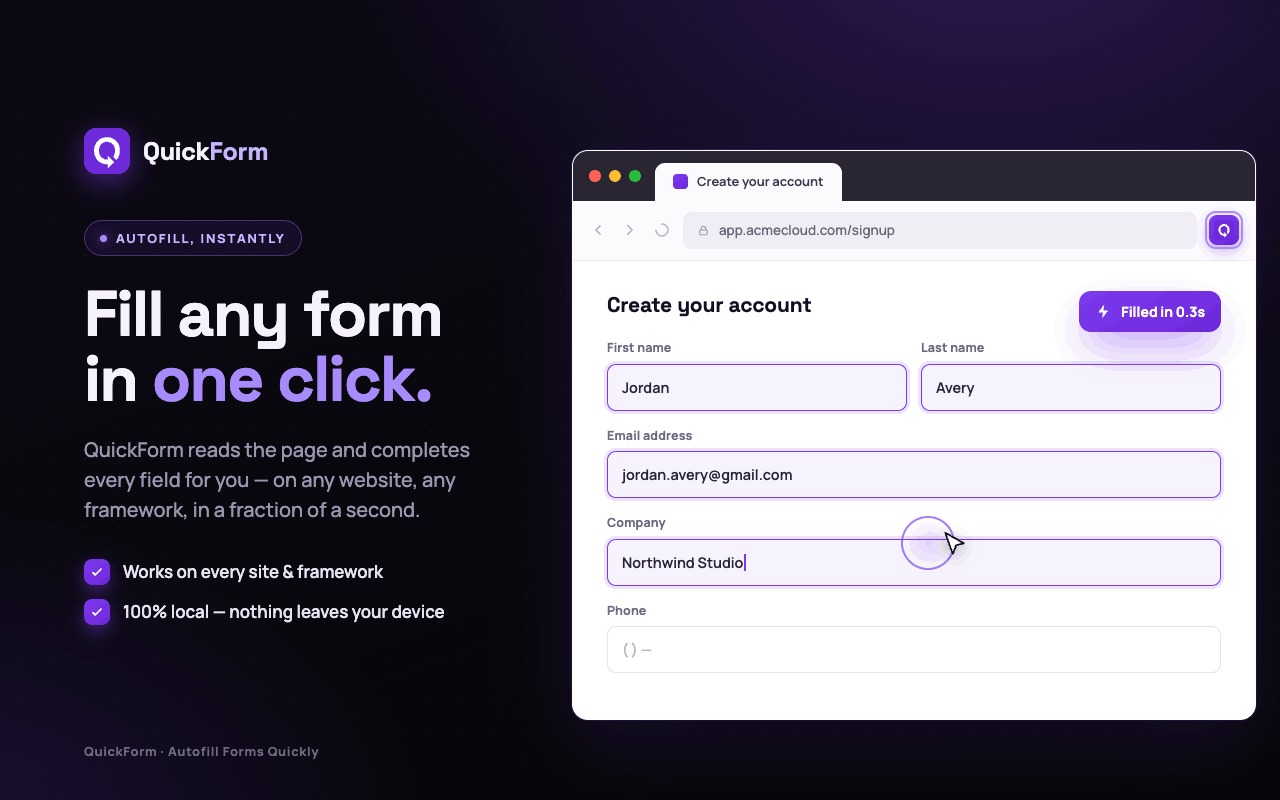
QuickForm is an efficient Chrome extension designed to simplify and speed up the form-filling process on any website. This powerful form filler enhances productivity by streamlining data entry for individuals who repeatedly interact with online forms. It is ideal for QA testers, developers, power users, or anyone who needs to repeatedly fill out similar forms daily, such as internal tools, staging environments, or admin panels.
Beyond development, QuickForm empowers power users and those managing internal tools. Individuals who frequently interact with company-specific applications, CRM systems, or administrative dashboards can automate repetitive data entry. This streamlines daily workflows, reduces human error, and frees up time for more critical tasks, making routine operations much more efficient and less tedious.
Key Features ✨
- Autofill in One Click: Precisely fills matching form structures with a single click, eliminating repetitive typing.
- Record Mode: Automatically saves form inputs as you fill, enabling quick creation of new autofill profiles.
- Advanced Profile Options: Supports custom settings like specific form field filling, auto-click actions, and adjustable delays between steps.
- Local Data Storage: All autofill profiles and display settings are stored locally in your browser, ensuring privacy and security.
- Broad Compatibility: Works seamlessly across various websites and modern JavaScript frameworks including React, Vue, and Angular.
Use Cases 🎯
QuickForm is invaluable for professionals in quality assurance and software development. QA testers can rapidly populate forms with predefined data, ensuring consistent and repeatable test scenarios without manual re-entry. Developers can leverage it to quickly set up staging environments or admin panels, saving significant time during development and debugging cycles, thereby accelerating the testing and deployment pipeline.Beyond development, QuickForm empowers power users and those managing internal tools. Individuals who frequently interact with company-specific applications, CRM systems, or administrative dashboards can automate repetitive data entry. This streamlines daily workflows, reduces human error, and frees up time for more critical tasks, making routine operations much more efficient and less tedious.
Pricing Information 💰
While specific pricing tiers are not detailed in the provided content, QuickForm is available for installation via the Chrome Web Store. Given its "powerful" features and "advanced profile options," it is likely offered on a freemium model, providing core functionalities for free with premium features available through a paid upgrade.User Experience and Support 🤝
QuickForm offers a straightforward user experience, starting with a simple installation process from the Chrome Web Store. Users can easily set up and manage autofill profiles through an intuitive "Profile Settings" interface. Customization options such as auto-click, adjustable delays, and autofill animation duration allow users to tailor the experience to their specific needs. The presence of "Documentation," "FAQ," and "Support" links on the QuickForm website indicates a commitment to providing comprehensive user guidance and assistance.Technical Details ⚙️
QuickForm operates as a dedicated Chrome autofill extension for desktop browsers. It is engineered to support autofill functionality across a wide array of websites and popular front-end frameworks, including React, Vue, and Angular, ensuring broad applicability. A key aspect of its design is user privacy, with all autofill profiles and display settings stored securely and locally within the user's browser.Pros and Cons ✅❌
- Pros:
- Significantly accelerates repetitive form filling and data entry.
- Highly customizable with advanced features like auto-click and custom delays.
- Intuitive Record Mode for effortless profile creation.
- Prioritizes user privacy by storing data locally.
- Extensive compatibility with modern web frameworks.
- Boosts productivity for QA, development, and administrative tasks.
- Cons:
- Currently exclusive to Chrome desktop browsers.
- May encounter challenges with certain "select" dropdown field implementations.
- Designed for precise matching forms, not a generic autofill for all websites.
Conclusion 🚀
QuickForm stands out as an indispensable Chrome extension for anyone looking to optimize their form-filling workflows. Its blend of speed, precision, and extensive customization capabilities makes it a powerful productivity enhancer for a diverse range of users. Install QuickForm today to experience effortless form automation and reclaim valuable time.Comments
Publisher

Launch Date2026-10-05
Platformweb
Pricingfree
Tech Stack
#web
Sponsors

Product Hunt Email Scraper
Scraper Email for Product Hunt Daily leaderboard and peerlist, tinylaunch, uneed.
Become a Sponsor
Get your brand featured here
Outbid
View🥇 🥈
🥈 🥉
🥉
Want this spot? Pay what you wantBest Launch Directories: launch directories with DR, traffic and pricing
Launch directories, product launch platforms and startup listing sites in one table, with Domain Rating by Ahrefs, traffic where known, pricing and link type for each.
$50
Boost Your Domain Rating — DoFollow Backlinks (DR 30–70) from $30
Raise your Ahrefs Domain Rating with 5 - 50 dofollow backlinks from DR 30–60 sites — from $50, guaranteed to improve your DR or your money back.
$45
DirEasy - The Best Directory Boilerplate with AI | DirEasy
The best directory boilerplate, packed with AI, Listings, Payment, Submission, CMS, Blog, Authentication, Newsletter, SEO and more.
$41