logoDevHub
  • Categories
  • Submit Project
  • Collections
  • Pricing
  • Sponsors
Sign inSign up
Sign in

Categories

Browse Categories

AI783 projectsAPIs & Integrations65 projectsAR/VR7 projectsAuthentication14 projectsBlockchain & Crypto19 projectsBoilerplates53 projectsBusiness Analytics112 projectsCI3 projectsCMS21 projectsCharts9 projectsCloud24 projectsCode15 projectsData Science & Analytics24 projectsDatabases23 projectsDesign Tools182 projectsDevOps17 projectsDeveloper Tools272 projectsE-commerce70 projectsEducation Tech70 projectsEmails32 projectsFinance & FinTech63 projectsGaming Tech33 projectsGraphics & Illustration80 projectsGreen Tech6 projectsHardware3 projectsHealth Tech34 projectsHelpers90 projectsHosting & Infrastructure13 projectsIDE7 projectsInternet of Things (IoT)6 projectsMachine Learning56 projectsMarketing Tools344 projectsMobile Development39 projectsMonitoring23 projectsNatural Language Processing26 projectsNo-Code61 projectsOpen Source58 projectsPayment Gateways26 projectsPlatforms & Frameworks97 projectsProductivity435 projectsProject Management28 projectsPrototyping4 projectsRobotics1 projectsSaaS585 projectsSales Tools56 projectsSecurity51 projectsServerless13 projectsTesting & QA20 projectsUI & Libraries22 projectsWearables1 projectsWeb Development162 projectsWeb329 projectsWorkflow Automation101 projects

Quick Access

Trending NowTop of Last Month
Company LogoDevHub

Product Hunt alternative for startups

© 2026 DevHub. All rights reserved.

Build with ❤️ by DirEasy

Discover

  • Trending
  • Categories
  • Submit Project

Resources

  • FAQs
  • Pricing
  • Sponsors
  • Blog
  • Help Center

Legal

  • Terms of Service
  • Privacy Policy

Connect

  • GitHub
  • Twitter / X

Products

  • ShipThing
  • SaasHunt
  • 1000 Tools
  • 1000 Saas
  • 1000 AI
  • TinyHunt
  • LinkSalad
  • AIChatOne
  • Launch01
DevHub - AI-powered directory boilerplate | Product HuntUneed POTD1 BadgeDevHub - AI-powered directory boilerplate | Startup FameGood AI ToolsListed on Turbo0Monitor your Domain Rating with DRChecker ToolsFine.com-Best AI Tools and AI App in 2024Featured on Dofollow.ToolsAiTop10 Tools DiresctorySimilarLabs Embed BadgeLaunched on LaunchBoard - Product Launch Platform yo.directory

AI

The SaaS Ads Studio logo

The SaaS Ads Studio

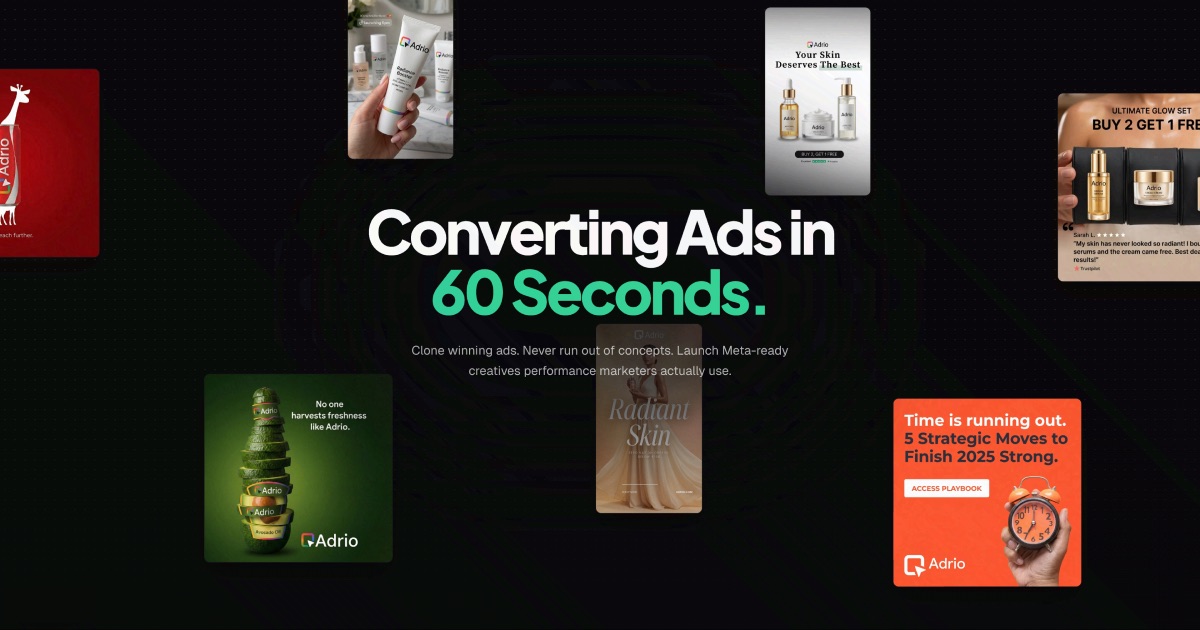
A complete solution for launching and managing Google Ads and other paid media all the way to profitability!

AIMarketing ToolsSaaS
Nano AI logo

Nano AI

Nano AI is an all-in-one creative platform designed to revolutionize AI image generation, editing, and sharing. Powered by the innovative Nano Banana AI model, it enables users to draft, polish, and share visual ideas with unprecedented speed and precision, targeting professionals and teams across diverse industries. Key Features AI Image Generation: Seamlessly transform text into stunning visuals and iterate on existing images with advanced image-to-image capabilities. Nano Banana AI Model: Experience flash-speed inference and a model that understands nuanced prompts, delivering consistent results without complex engineering. Sub-10-Second Renders: Orchestrates the full pipeline for near-instant visual output, keeping you in the creative flow. Deep Style Tuning: Gain granular control over lighting, texture, and composition by simply describing your desired aesthetic. Magic Edit: Inpaint, outpaint, and reimagine specific image regions using natural language, from changing colors to expanding backgrounds. 4K Neural Upscaling (Coming Soon): Enhance drafts into production-ready assets by adding believable detail and texture density for billboard-sized prints. Use Cases Nano AI serves as an indispensable tool for various professional applications. Architects can bridge abstract concepts to photorealistic renders, maintaining consistent lighting and material cues throughout iterations. Film & TV professionals leverage it for cinematic storyboarding, ensuring consistent character styling and atmospheric lighting references before cameras roll. Marketing teams can generate infinite campaign variations and localized assets aligned with brand tone, while game developers can unblock asset pipelines with seamless texture generation and consistent NPC prompts. Fashion designers stage virtual photoshoots, and product designers visualize form factors and colorways in seconds, ensuring style language adherence without extra tweaks. Pricing Information Nano AI operates on a paid subscription model, offering various plans including "Pro" and "Studio" tiers. These plans unlock advanced features like 4K upscaling, priority support, and full commercial rights for generated images. Specific pricing details are available by viewing their pricing page. User Experience and Support The platform boasts a deceptively simple, single-tap interface that removes manual setup, making it accessible for anyone to create fast. The workflow, especially when paired with the Nano Banana AI model, feels effortless. Priority support is available for Pro users, and upcoming features like Prompt Labs, Galleries, and Editors will further enhance the integrated creative workspace. Technical Details At its core, Nano AI is powered by Google's Gemini 2.5 Flash engine, affectionately dubbed "Nano Banana." This advanced AI model is optimized for flash-speed inference and robust performance, capable of interpreting complex, layered instructions. Studio accounts also gain access to the Nano AI API and Nano Banana model endpoints for custom integrations. Pros and Cons Pros: All-in-one creative platform; lightning-fast, sub-10-second renders; powerful and intuitive Nano Banana AI model; deep style control and Magic Edit features; industry-specific solutions; supports multiple languages; commercial rights on paid plans. Cons: Key features like 4K Neural Upscaling and Prompt Labs are "coming soon"; specific pricing tiers and details are not fully transparent in the provided overview; no explicit free tier or trial mentioned. Conclusion Nano AI, with its intelligent Nano Banana model, stands as a cutting-edge creative platform that significantly accelerates the visual content creation process. Its blend of speed, advanced AI capabilities, and integrated tools makes it an invaluable asset for professionals seeking to bring their visions to life efficiently. Explore Nano AI today to elevate your creative workflow.

AIDesign ToolsGraphics & Illustration
Imgezy logo

Imgezy

Imgezy is an innovative AI photo editor designed to simplify and enhance image manipulation for users of all skill levels. It leverages advanced artificial intelligence to perform complex editing tasks, making professional-grade photo adjustments accessible without requiring design experience.This SaaS is ideal for a broad audience, including casual users, small businesses, e-commerce shop owners, content creators, photographers, and social media influencers who need quick, high-quality image edits.Key Features:Object Removal: Intelligently identifies and removes unwanted elements, people, or distractions with pixel-perfect accuracy.Background Replacement: Instantly changes photo backgrounds to solid colors or stunning landscapes.Photo Enhancement: Automatically improves colors, lighting, and sharpness for visually appealing results.Batch Processing: Edit multiple photos simultaneously, saving significant time on large projects.High-Quality Output: Download edited images in full resolution without any loss of quality.Smart Repair: Automatically repairs damaged or blurry areas to restore clarity to photos.Use Cases:Imgezy excels in scenarios where visual perfection is paramount. E-commerce businesses can create professional, marketplace-compliant product images in bulk, significantly reducing photography costs and boosting sales. Content creators and social media influencers can generate unique, engaging visuals, clear crowds from landmark photos, or experiment with new looks for profile pictures, leading to increased engagement.Photography enthusiasts and individuals can restore old family photos by removing imperfections or unwanted objects, preserving cherished memories. Its ease of use makes it perfect for anyone looking to quickly enhance personal photos for sharing or archiving without investing in complex software or professional services.Pricing Information:Imgezy offers a freemium model, allowing users to edit one image for free. For more extensive needs, premium plans are available: the Basic plan at $9.99 USD/month (80 credits) and the Pro plan at $19.99 USD/month (500 credits), with discounts for annual billing. Both plans offer flexible cancellation.User Experience and Support:The platform boasts an intuitive interface, emphasizing "no skills required" and "just your creativity." Users simply upload an image and describe their desired transformation. The Pro plan includes priority support for bulk work and priority email support, ensuring assistance for professional users. The FAQ section provides clear guidance on achieving optimal results.Technical Details:While specific programming languages or frameworks are not detailed, Imgezy leverages advanced AI models like Nano Banana Pro, Nano Banana AI, Seedream 4.5, and Flux Kontext for its powerful image editing capabilities. It supports common image formats such as JPG, PNG, HEIC, and WebP, recommending up to 4K resolution for optimal performance.Pros:AI-powered, professional-grade results without manual effort.Extremely easy to use, requiring no prior editing skills.Instant results, saving significant time compared to traditional editing.Versatile features including object removal, background change, and enhancement.High-quality output suitable for commercial and personal use.Cost-effective solution for businesses needing bulk image processing.Cons:Requires sign-in and credits for full AI model access.Free plan is limited to a single image edit.Reliance on AI might limit very specific, nuanced manual control.No explicit mention of a money-back guarantee.Conclusion:Imgezy stands out as a powerful and user-friendly AI image editor, transforming complex photo editing into a simple, descriptive process. It's an invaluable tool for anyone seeking to produce stunning visuals quickly and efficiently. Explore Imgezy today to experience the future of AI-powered photo editing and unlock your creative potential.

AIDesign ToolsGraphics & Illustration
Clean Paste logo

Clean Paste

Clean Paste is a powerful, 100% free online tool designed to meticulously remove invisible characters, hidden metadata, and AI watermarks from text. It offers an instant solution for users to clean their content without any sign-up requirements or usage limits. This essential SaaS is trusted by a diverse user base, including students, content creators, bloggers, SEO specialists, freelance writers, and project managers who frequently work with AI-assisted text and need to ensure its authenticity and undetectability. Key Features: Invisible Character Removal: Deep-scans and eliminates zero-width spaces and other hidden formatting artifacts. AI Watermark Stripping: Effectively removes AI watermarks, helping content pass detection tests while preserving natural quality. Hidden Metadata Elimination: Cleans text by stripping out embedded metadata that could reveal its origin. 100% Free & Unlimited: Offers all features completely free of charge, with no paywalls, trials, or usage limits. Instant & Real-time Processing: Provides immediate results upon pasting content, with an auto-paste option for quick cleaning. No Sign-up Required: Users can access and utilize the tool instantly without the need for account creation. Use Cases: Clean Paste is an invaluable asset for students aiming to submit essays with confidence, ensuring that AI-assisted drafts are free from hidden characters and metadata that could flag their work. It helps maintain academic integrity by providing a clean, human-like output. For content creators and bloggers, Clean Paste ensures brand authenticity and helps maintain a natural, engaging tone. By removing AI watermarks and invisible characters, it allows creators to confidently publish AI-assisted content that resonates with their audience and passes various AI detection tests, safeguarding their reputation and SEO efforts. Professionals, such as project managers and freelance writers, leverage Clean Paste to refine AI-generated communications. It's particularly useful for non-native English speakers who use AI for drafting emails or reports, making the text undetectable by AI detectors and ensuring it sounds more natural and professional. Pricing Information: Clean Paste operates on a completely free model. There are no hidden costs, premium features, usage limits, or subscription requirements. The tool is designed to be accessible to everyone, providing full functionality without any financial commitment. User Experience and Support: The platform boasts an exceptionally user-friendly interface, allowing users to clean their text in two simple steps: paste and click clean. Its real-time and auto-paste features ensure instant processing, making the experience seamless and efficient. While specific documentation or direct support channels aren't detailed, the intuitive design and instant results minimize the need for extensive assistance. Technical Details: Clean Paste employs advanced algorithms to detect and strip various types of invisible characters, zero-width spaces, hidden metadata, and AI watermarks. The processing is instant and happens entirely online, leveraging web-based technologies to deliver its core functionality. Pros and Cons: Pros: Completely 100% free with no hidden costs or limits. No sign-up or account creation required for instant access. Effectively removes AI watermarks, improving content undetectability. Strips various invisible characters and hidden metadata. Provides instant processing and real-time results. Trusted by a large user base (480,000+ users). Cons: Specific technical details (e.g., programming languages) are not disclosed. No explicit mention of advanced customization options for cleaning. Lacks direct support channels or extensive documentation mentioned in the provided text. Conclusion: Clean Paste stands out as an indispensable, free online tool for anyone needing to purify text from invisible characters, hidden metadata, and AI watermarks. Its ease of use, instant results, and robust cleaning capabilities make it a go-to solution for ensuring content authenticity and undetectability. Explore Clean Paste today to effortlessly clean your text and enhance your content's integrity.

AIHelpersProductivity
URL to Any logo

URL to Any

URL to Any is a comprehensive, 100% free online platform offering a powerful suite of tools for converting web content into various formats. It simplifies the process of saving, sharing, and referencing webpages, making it an essential resource for a wide range of users. This versatile SaaS is ideal for content creators, researchers, developers, marketers, and anyone needing to transform URLs into structured data, documents, or media efficiently. Key Features Extensive Conversion Options: Convert URLs to Markdown, PDF, high-quality Images (PNG, JPEG, WebP), pure Text, structured JSON, and XML. Advanced Encoding & Decoding: Supports URL, Base64, HTML entities, JWT, Hex, Unicode, Binary, and ROT13 encoding/decoding. AI-Powered Summarization: Instantly summarize any webpage content using advanced AI technology. SEO & Data Extraction Tools: Extract all URLs from a website, analyze meta tags (SEO, Open Graph, Twitter Cards), and extract headings for in-depth analysis. Utility Tools: Generate QR codes from URLs for easy sharing and open multiple URLs simultaneously. Browser Extension: Install a browser extension for quick access to all features. Use Cases For Documentation & Research: Researchers and students can easily convert articles and academic papers into clean Markdown or PDF formats for offline reading, annotation, and organized note-taking. The URL to Text feature allows for extracting pure content, perfect for analysis without formatting distractions. The AI Summarizer is invaluable for quickly grasping the essence of long articles. For Developers & Marketers: Developers can leverage the URL to JSON/XML conversion for data scraping and integration, while the URL Encode/Decode tools are crucial for various programming tasks. Marketers and SEO specialists will find the URL Meta Tags Extractor and URL Heading Extractor indispensable for competitive analysis, SEO audits, and ensuring optimal webpage structure. The URL Extractor helps in quickly gathering all links from a domain. For Content Sharing & Productivity: Anyone looking to share web content effectively can utilize the URL to Image converter for social media posts or presentations, or generate QR codes for quick physical sharing. The URL Opener boosts productivity by allowing users to open multiple links at once, streamlining research or content review workflows. Pricing Information URL to Any is proudly 100% free to use, with no hidden fees, subscriptions, or premium tiers. This commitment to accessibility makes it a highly valuable and cost-effective solution for all users. User Experience and Support The platform features a simple, intuitive, and clean interface, ensuring that converting web content is effortless for users of all technical levels. Its fully responsive design guarantees seamless functionality across any device, including smartphones and tablets. While direct customer support channels are not explicitly detailed, the comprehensive FAQ section addresses common queries, and users can reach out via email or social media for further assistance. Technical Details URL to Any operates entirely in the cloud, meaning no software installation is required, and users can access its powerful tools from anywhere, anytime, on any device. The service emphasizes instant processing through an optimized engine, delivering converted content in seconds. A strong focus on security and privacy ensures that all data is processed securely and never stored on their servers, protecting user information and content. Pros and Cons Pros: Completely 100% Free to use. Extremely wide range of conversion formats (PDF, Markdown, Image, JSON, XML, Text, etc.). User-friendly and intuitive interface. Lightning-fast processing speeds. Strong commitment to security and user privacy (data never stored). Cloud-based, accessible from any device without installation. Includes AI-powered summarization and advanced SEO tools. Cons: Cannot convert content behind logins or paywalls due to security/privacy. May have limitations for extremely large or complex webpages in certain formats. Specific direct customer support channels are not prominently highlighted beyond general contact options. Conclusion URL to Any stands out as an exceptionally versatile and free toolkit for anyone needing efficient web content transformation. Its comprehensive features, user-friendly design, and unwavering commitment to privacy make it an invaluable resource for streamlining daily tasks across various professional and personal needs. Explore URL to Any today to unlock a new level of web content management efficiency.

AIDeveloper ToolsProductivity
Code Meter logo

Code Meter

Code MeterA macOS menu bar app that tracks your Claude Code and Minimax Token Plan usage limits in real-time, so you never get blindsided by a rate limit again.The ProblemWhen you're deep in a Claude Code session, especially with multiple subagents running or switching between Opus and Sonnet, there's no warning before you hit your 5-hour or weekly limit. You just stop, mid-task.Code Meter fixes that.What It DoesUsage gauges : 5-hour and 7-day utilization, always visible in your menu barPer-model breakdown : see your Opus vs Sonnet split, plus Extra Usage if enabledBurn rate projections : predicts when your quota will exhaust based on current paceSmart notifications : alerts at 50%, 75%, 90%, and 100% so you can pace yourselfDesktop widgets : WidgetKit-powered, always in viewShareable screenshot card : flex your usage on socialHow It WorksCode Meter reads your existing Claude Code credentials directly from Keychain - no API key setup, no extra login. Polling is adaptive: more frequent when usage is actively changing, backed off when things are stable.When your token refreshes, you'll need to re-authorise Keychain access. A minor friction worth the security trade-off.Tech StackSwiftUI · macOS 26+ · Liquid Glass · WidgetKit · Swift 6 strict concurrencyBuilt entirely with Claude Code.PricingFree 1-day trial · $0.99 lifetime · No subscriptionApp Store: apps.apple.com/app/id6760511858

PromotedAPIs & IntegrationsDeveloper ToolsMonitoring
Sketch To logo

Sketch To

Sketch To is a powerful AI-driven platform designed to effortlessly convert images into stunning sketches and, for advanced users, transform sketches into realistic images. It caters to a broad audience, from casual hobbyists and students to professional artists, designers, and businesses seeking high-quality visual transformations. Key Features AI-Powered Image to Sketch Conversion: Transform photos into beautiful pencil sketches with advanced AI technology. Sketch to Image AI (Pro Model): Convert hand-drawn sketches into incredibly detailed and realistic images. Standard Model with Trial Credits: Get started with fantastic results for personal use, social media, and school projects. Professional Quality Output: Unlock world-class realism, superior detail, and texture with the Pro model for commercial applications. Instant Processing: Leverage powerful cloud-based AI for rapid image and sketch conversions in seconds. High-Resolution Downloads: Obtain creations in high resolution, suitable for print and professional use. Use Cases Sketch To is an invaluable tool for various creative and professional scenarios. Bloggers and content creators can quickly generate unique visual assets for their posts and social media, adding an artistic touch to their narratives. Art students and hobbyists can utilize the standard model to experiment with different artistic styles, convert reference photos for coursework, or simply enjoy transforming personal images into captivating sketches. For digital artists, graphic designers, and marketing professionals, the Professional model offers unparalleled capabilities. It enables the creation of highly detailed and realistic images from initial sketches, streamlining design workflows for client projects, product visualizations, and marketing campaigns. The ability to convert images to sketches also serves as an excellent starting point for further artistic manipulation or for presenting concepts in a distinct, illustrative style. Pricing Information Sketch To operates on a freemium model. New users receive trial credits for the Standard model, allowing them to experience its capabilities without initial cost. For more extensive use and professional features, paid plans are available, including Basic and Pro tiers, which can be billed monthly or annually. The Pro plan offers significant savings when billed annually and includes a commercial license and priority support. User Experience and Support The platform boasts an intuitive and easy-to-use interface, allowing users to transform images in just three simple steps: upload, preview, and download. The drag-to-compare feature provides immediate visual feedback. While the platform is designed for ease of use, Pro users benefit from priority email support, ensuring timely assistance for their critical projects. The FAQ section also addresses common queries, enhancing the self-service experience. Technical Details Sketch To is built upon advanced AI technology, leveraging powerful cloud-based processing infrastructure to deliver instant conversions. This ensures high performance and scalability, handling numerous image transformations efficiently. The platform supports major image formats including JPG, PNG, and WEBP, with uploads up to 10MB, catering to a wide range of user needs. Pros and Cons Pros: Powerful AI for high-quality conversions. User-friendly interface with instant processing. Flexible models (Standard & Pro) for diverse needs. Trial credits available for new users. High-resolution output and commercial license for Pro users. Supports multiple image formats. Cons: Sign-in required to use AI models. Max 10MB file size limit for uploads. Advanced features (Sketch to Image AI) are exclusive to the Pro model. Conclusion Sketch To stands out as a versatile and robust AI sketch generator, offering exceptional image-to-sketch and sketch-to-image conversion capabilities. Its blend of accessibility for casual users and advanced features for professionals makes it an indispensable tool for enhancing creativity and streamlining visual workflows. Explore Sketch To today to transform your images and unleash your artistic potential.

AIDesign ToolsGraphics & Illustration
Nano Banana Prompt logo

Nano Banana Prompt

Nano Banana Prompt is the ultimate prompt library for the Nano Banana AI model, designed to empower users with professional-grade AI image generation. It offers a comprehensive collection of curated, high-quality templates to unlock creative potential and achieve stunning visual results.This SaaS is ideal for developers, digital artists, e-commerce marketing directors, indie game developers, architectural visualizers, social media managers, and freelance designers seeking to master AI image generation and maintain character consistency.Key FeaturesCurated Prompt Library: Access thousands of professionally crafted prompts optimized for Nano Banana's unique capabilities.Character Consistency Mastery: Specialized prompts and techniques for maintaining consistent character appearance across multiple images.E-commerce Optimization: Product photography prompts tailored for commercial use and marketing campaigns.Creative Workflows: Supports 28 different application categories, from anime creation to architectural visualization.Multi-Platform Support: Optimized for LMArena, Google Gemini, AI Studio, and other Nano Banana platforms.Instant Results: Copy and use tested prompts immediately for professional-quality image generation.Use CasesNano Banana Prompt revolutionizes various creative and professional workflows. Digital artists and content creators can effortlessly generate cohesive visual stories, ensuring character consistency across different scenes and poses. E-commerce businesses can dramatically improve their product photography, saving hours of work while delivering professional, high-quality images for marketing campaigns.Indie game developers and architectural visualizers benefit from rapid prototyping and visualization capabilities. Character concepts can be generated in minutes, and detailed architectural renderings achieve remarkable quality and consistency. Social media managers can create engaging visuals that maintain brand consistency across all platforms, enhancing their online presence and audience engagement.Pricing InformationWhile specific pricing tiers are not detailed, Nano Banana Prompt is positioned as a professional tool for mastering AI image generation, suggesting a paid subscription model. Users are encouraged to sign in to explore the platform's capabilities.User Experience and SupportThe platform emphasizes user-friendliness, with prompts designed to be ready-to-use. Users can simply copy and apply prompts with Nano Banana AI models on supported platforms. The community-driven nature, with contributions from 50,000+ active developers, implies a robust ecosystem for shared knowledge and continuous improvement. Direct email support is available at support@nanobanana.com.Technical DetailsNano Banana Prompt functions as a prompt library, providing optimized inputs for AI models like Nano Banana AI, which runs on platforms such as LMArena, Google Gemini, and Google AI Studio. The service itself is likely a web-based application, offering a user interface for browsing, selecting, and customizing prompts.Pros and ConsPros:Exceptional character consistency across images.Vast library of professionally curated and tested prompts.Supports a wide range of creative and commercial applications (28 categories).Optimized for leading AI platforms (LMArena, Google Gemini, AI Studio).Saves significant time in image generation workflows.Community-driven with continuous updates.Cons:Specific pricing details are not explicitly provided.Requires access to the Nano Banana AI model on a supported platform.May have a learning curve for advanced customization, though basic use is simple.Relies on the capabilities and limitations of the underlying Nano Banana AI model.ConclusionNano Banana Prompt offers an invaluable resource for anyone looking to elevate their AI image generation capabilities, particularly in achieving unparalleled character consistency. With its extensive library and proven techniques, it's an essential tool for professional visual content creation. Explore Nano Banana Prompt today to transform your creative workflow and generate stunning, consistent AI images.

AIDesign ToolsMarketing Tools
Evolbot logo

Evolbot

Evolbot: Your AI Assistant for Automated Customer EngagementEvolbot is a powerful, configurable AI chatbot widget designed to seamlessly integrate with any website, enabling businesses to automate customer support, streamline operations, and enhance user engagement in minutes. It provides intelligent assistants that understand your business and evolve with your needs, significantly reducing operational costs and improving customer satisfaction.This SaaS is ideal for SMBs and enterprises across various industries looking to deploy 24/7 automated customer support, generate qualified leads, and automate internal processes without human intervention.Key Features Easy Installation & No-Code Customization: Add an AI chat to your site with a simple copy-paste script and customize its style, messages, and knowledge base from a dashboard without any coding. Advanced RAG (Retrieval-Augmented Generation): Upload documents, connect databases, or crawl your website to provide your assistants with access to the most up-to-date information for accurate, data-driven responses. Integrated Actions: Connect your AI assistants to external systems via API to automate tasks like booking appointments, updating inventories, or sending notifications. Configurable AI Assistants: Tailor every aspect of your assistant, including personality, knowledge, skills, and response capabilities, to perfectly match your company's specific needs. SEO & Performance Optimized: Features a lightweight script, lazy loading, and crawl control for optimal website performance.Use CasesEvolbot empowers businesses to evolve customer care across multiple sectors. For E-commerce, it automates customer support, order management, and after-sales. B2B Companies leverage it for qualified lead generation and managing business appointments. In Financial Services, Evolbot provides instant answers to FAQs and basic advice. The Tourism & Hospitality sector benefits from booking management and guest assistance. Additionally, Education can deploy personal tutors, and Human Resources can simplify candidate screening and answer FAQs about company benefits.Pricing InformationEvolbot offers flexible pricing with a freemium model, including a "Free Trial" for complete plans and an "Autonomous Free" option for users with their own OpenAI API keys. Paid plans are available as "Complete Plans" (Starter, Basic, Pro) and "Autonomous Plans" (Basic Auto, Pro Auto), with options for monthly or yearly billing (offering 2 months free annually). A 14-day money-back guarantee is provided for purchases.User Experience and SupportThe platform is designed for ease of use, allowing most customers to configure and launch their first AI assistant in less than a week, with basic assistants up and running in just a few hours. The widget is fully customizable to match brand identity. Comprehensive documentation and an FAQ section are available, along with direct support to assist users.Technical DetailsEvolbot integrates with advanced AI models, notably allowing users on "Autonomous Plans" to utilize their personal OpenAI API keys for maximum cost control. The widget itself is implemented as a lightweight, lazy-loading script, ensuring minimal impact on website performance and SEO. Its RAG system efficiently analyzes and indexes documents to generate accurate, contextually relevant answers.Pros and Cons Pros: Handles 80% of questions without human intervention, reducing operational costs by up to 30%. Provides 24/7 automated customer support, increasing customer satisfaction. Quick and easy setup, with a highly customizable widget and AI assistant. Powerful features like Advanced RAG and Integrated Actions. Flexible freemium and paid plans. Cons: Autonomous plans require users to manage their own OpenAI API keys and associated costs. Advanced integrations via Actions might require some technical understanding.ConclusionEvolbot stands out as a comprehensive and user-friendly platform for deploying personalized AI assistants, offering significant benefits in terms of cost reduction, efficiency, and customer experience. Its robust features and flexible pricing make it an an excellent choice for businesses aiming to leverage artificial intelligence for competitive advantage. Explore Evolbot today and transform your customer engagement.

AINo-CodeWorkflow Automation
PUNKU.AI logo

PUNKU.AI

Describe what you want automated in plain English. PUNKU.AI builds, improves, and monitors your AI Automations. No coding required.

AINo-CodeProductivity
KaiCalls logo

KaiCalls

Never miss a call again. Kaicalls uses AI voice agents to answer calls, qualify leads, send texts, and book appointments, all while you sleep.

AI
Code Meter logo

Code Meter

Code MeterA macOS menu bar app that tracks your Claude Code and Minimax Token Plan usage limits in real-time, so you never get blindsided by a rate limit again.The ProblemWhen you're deep in a Claude Code session, especially with multiple subagents running or switching between Opus and Sonnet, there's no warning before you hit your 5-hour or weekly limit. You just stop, mid-task.Code Meter fixes that.What It DoesUsage gauges : 5-hour and 7-day utilization, always visible in your menu barPer-model breakdown : see your Opus vs Sonnet split, plus Extra Usage if enabledBurn rate projections : predicts when your quota will exhaust based on current paceSmart notifications : alerts at 50%, 75%, 90%, and 100% so you can pace yourselfDesktop widgets : WidgetKit-powered, always in viewShareable screenshot card : flex your usage on socialHow It WorksCode Meter reads your existing Claude Code credentials directly from Keychain - no API key setup, no extra login. Polling is adaptive: more frequent when usage is actively changing, backed off when things are stable.When your token refreshes, you'll need to re-authorise Keychain access. A minor friction worth the security trade-off.Tech StackSwiftUI · macOS 26+ · Liquid Glass · WidgetKit · Swift 6 strict concurrencyBuilt entirely with Claude Code.PricingFree 1-day trial · $0.99 lifetime · No subscriptionApp Store: apps.apple.com/app/id6760511858

PromotedAPIs & IntegrationsDeveloper ToolsMonitoring
Autopilot Vacay  logo

Autopilot Vacay

Planning a trip shouldn't take hours of research.

AIDeveloper ToolsMarketing Tools
PixExtender logo

PixExtender

PixExtender is an AI-powered image extender that uncrops and expands images seamlessly without losing quality. It uses context-aware outpainting to match lighting, texture, and depth, creating natural, professional visuals perfect for social media, ads, and e-commerce. Users can extend images up to 4096x4096 pixels with preset or custom aspect ratios.Batch processing of up to 20 images saves time for large projects. The tool works directly in browsers—no software needed—and exports extended images in JPG, PNG, or WEBP formats, fitting smoothly into any design or publishing workflow.Ideal for photographers, marketers, and creators, PixExtender preserves the original image composition while intelligently adding realistic content beyond the edges. This makes it simple to adapt images for multiple platforms without manual editing.

AIDesign ToolsGraphics & Illustration
ImagineX Video logo

ImagineX Video

ImagineX: AI-Powered Visual Content CreationImagineX is a professional AI content generation platform designed to empower creators, marketers, and businesses to produce stunning videos and images with unparalleled ease and speed. Its core purpose is to deliver high-quality visual assets, significantly streamlining the content creation workflow.Target Audience & Use CasesThis platform is perfectly suited for individuals and organizations that require efficient and high-quality visual content. Whether you're a digital marketer needing engaging ad creatives, a content creator producing visuals for your blog or social media, or a business aiming to enhance your brand's visual presence, ImagineX provides a robust solution.Key FeaturesAI-powered video generation for dynamic visual storytelling.Advanced AI image creation for captivating static visuals.Professional-grade output ensuring high-quality results.Rapid content generation to meet tight deadlines.Intuitive interface designed for ease of use.Versatile application across various content types and industries.Use CasesFor marketers, ImagineX serves as an invaluable tool for rapidly generating diverse visual content for campaigns across social media, email marketing, and websites. It eliminates the need for extensive design expertise or costly external agencies, allowing for quick iteration and deployment of visually appealing advertisements and promotional materials.Content creators, including bloggers, YouTubers, and social media influencers, can leverage ImagineX to produce unique and high-quality visuals that stand out. From eye-catching thumbnails to engaging short video clips, the platform enables creators to maintain a consistent and professional aesthetic without a steep learning curve in graphic design or video editing software.Businesses can utilize ImagineX to maintain brand consistency and create compelling visual assets for product launches, internal communications, and corporate branding. It empowers teams to quickly generate professional-looking presentations, training materials, and marketing collateral, ensuring a cohesive and impactful brand message across all touchpoints.Pricing InformationSpecific pricing details for ImagineX are not provided in the available information. Typically, professional AI content generation platforms offer various subscription tiers, potentially including free trials or freemium options, to cater to different user needs and usage volumes. Users are encouraged to visit the official ImagineX website for the most current pricing structure.User Experience and SupportImagineX emphasizes an "easy" user experience, suggesting a well-designed and intuitive interface that allows users to quickly get started with AI content generation. While specific details on documentation, tutorials, or direct support channels are not provided, platforms focused on ease of use generally offer comprehensive resources to assist users in maximizing their creative potential.Technical DetailsThe underlying technical architecture, including specific programming languages, frameworks, or AI models utilized by ImagineX, is not disclosed in the provided content. As an AI content generation platform, it likely leverages advanced machine learning algorithms and cloud-based infrastructure to process and generate visual media efficiently.Pros and ConsPros:Generates high-quality videos and images using AI.Significantly speeds up content creation processes.User-friendly interface suitable for non-designers.Versatile for various professional and creative applications.Reduces reliance on traditional design tools and expertise.Cons:Specific pricing and subscription models are not detailed.Potential learning curve for mastering advanced AI customization.Customization options might be limited compared to manual design.No explicit information on customer support or documentation.Reliance on AI might limit truly unique artistic expression in some cases.ConclusionImagineX stands out as a powerful and accessible AI content generation platform, offering a streamlined solution for creating stunning visual content. Its focus on speed, quality, and ease of use makes it an excellent choice for creators, marketers, and businesses looking to elevate their digital presence. Explore ImagineX today to unlock your creative potential and transform your content production.

AIMarketing ToolsProductivity
Wan 2.6 Cinematic AI Video logo

Wan 2.6 Cinematic AI Video

Wan 2.6 is an advanced image-to-video AI that turns static visuals into dynamic, intelligently storyboarded clips. It supports smart multi-shot sequencing for coherent narrative flow, high-quality audio generation with natural, realistic tones, and stable multi-speaker dialogue. With up to 15 seconds of output, Wan 2.6 empowers creators to produce expressive, engaging short videos from simple images.

AIWeb3
ZoeMD logo

ZoeMD

Evidence-based clinical AI assistant that finds guidelines and research fast, then summarizes them into clear, actionable answers for physicians.

AISaaS
Code Meter logo

Code Meter

Code MeterA macOS menu bar app that tracks your Claude Code and Minimax Token Plan usage limits in real-time, so you never get blindsided by a rate limit again.The ProblemWhen you're deep in a Claude Code session, especially with multiple subagents running or switching between Opus and Sonnet, there's no warning before you hit your 5-hour or weekly limit. You just stop, mid-task.Code Meter fixes that.What It DoesUsage gauges : 5-hour and 7-day utilization, always visible in your menu barPer-model breakdown : see your Opus vs Sonnet split, plus Extra Usage if enabledBurn rate projections : predicts when your quota will exhaust based on current paceSmart notifications : alerts at 50%, 75%, 90%, and 100% so you can pace yourselfDesktop widgets : WidgetKit-powered, always in viewShareable screenshot card : flex your usage on socialHow It WorksCode Meter reads your existing Claude Code credentials directly from Keychain - no API key setup, no extra login. Polling is adaptive: more frequent when usage is actively changing, backed off when things are stable.When your token refreshes, you'll need to re-authorise Keychain access. A minor friction worth the security trade-off.Tech StackSwiftUI · macOS 26+ · Liquid Glass · WidgetKit · Swift 6 strict concurrencyBuilt entirely with Claude Code.PricingFree 1-day trial · $0.99 lifetime · No subscriptionApp Store: apps.apple.com/app/id6760511858

PromotedAPIs & IntegrationsDeveloper ToolsMonitoring
Cartographer logo

Cartographer

Cartographer: Automated Code Documentation with AICartographer is an innovative SaaS solution that revolutionizes how development teams manage their documentation. It automatically generates and continuously updates comprehensive documentation directly from your codebase, ensuring your team always has access to accurate, up-to-date knowledge. This tool is ideal for developers and engineering teams seeking to eliminate outdated documentation and streamline knowledge sharing across any programming language.Key FeaturesAutomatic Documentation Generation: Creates detailed documentation directly from your source code.Always Up-to-Date: Detects code changes and automatically updates existing documentation and generates new docs, including visual diagrams.Language Agnostic: Works seamlessly with any programming language.Seamless Integrations: Syncs AI-generated documentation directly into popular knowledge bases like Confluence, Notion, GitHub, and more.Developer-First Knowledge Base: Offers a standalone option for teams preferring a dedicated, developer-centric knowledge platform.Use CasesCartographer solves the pervasive problem of outdated and time-consuming manual documentation. It ensures every code change is immediately reflected in your documentation, freeing developers from manual updates and allowing them to focus on coding. This leads to accurate, always-synced knowledge, improving onboarding for new team members and fostering better collaboration by providing a single source of truth for system understanding.Pricing InformationCartographer offers a freemium model, allowing users to create a free account and start documenting their systems in minutes. The "Get Started Free" option indicates accessibility for initial exploration.User Experience and SupportThe platform emphasizes an automated and integrated user experience, minimizing manual intervention by directly pulling from the codebase and syncing with existing tools. Its core value is "always-synced knowledge," suggesting a highly intuitive and low-maintenance solution for documentation management.Technical DetailsCartographer is highly flexible, supporting documentation generation for any programming language. It leverages advanced AI to analyze codebases and produce relevant, structured documentation and visual diagrams. Integration capabilities suggest robust APIs or direct connectors to various third-party knowledge management platforms.Eliminates outdated documentation and saves developer time.Provides accurate, always-synced knowledge from code.Supports any programming language.Integrates with popular knowledge management tools.Generates visual diagrams.Offers a free trial.Cartographer is an essential tool for modern development teams, transforming documentation into an automated, accurate, and integrated process. By ensuring your documentation evolves with your code, it empowers teams to maintain a clear understanding of their systems, save time, and foster better collaboration. Explore Cartographer today and experience the future of documentation.

AIDeveloper ToolsWorkflow Automation
AeoBox logo

AeoBox

AEOBox is a cutting-edge SaaS platform designed to significantly boost brand visibility and discoverability across the new generation of AI search platforms, including ChatGPT, Google AI Overview, Perplexity, Grok, Deepseek, Meta AI, and Claude. It empowers businesses to reach millions of consumers actively using AI to discover new products and brands, transforming how companies engage with their audience in the AI-driven digital landscape. The primary purpose of AEOBox is to provide a comprehensive solution for AI visibility, content generation, and performance tracking. It targets businesses, marketing professionals, and brand owners who seek to strengthen their online presence, expand their reach across diverse AI platforms, and convert AI insights into measurable growth. Key Features: AI-Optimized Content Creation & Asset Generation: From strategy to substance, AEOBox creates content that AI can recognize and recommend. Strategic Content Alignment: Content themes are built around real user intent, authentic brand stories, and industry insights, aligning tightly with core services and brand positioning. Proactive Reporting & AI Performance Tracking: Transparent dashboards and reports track AI visibility, content performance, and engagement signals. Competitive Intelligence & AI Visibility Audit: Analyzes how your business appears across major AI systems, benchmarking visibility, competitors, and keyword coverage. Omnichannel Content Creation & Distribution: Ensures consistent brand messaging and presence across multiple AI platforms. Intelligent Automation with Human Precision: Blends automation and human creativity to accelerate content generation, distribution, and optimization. Use Cases: AEOBox is ideal for businesses that struggle with maintaining a consistent online content strategy. Its automated systems provide hassle-free content generation, ensuring that brands are reaching new potential customers daily, regardless of internal resource constraints. This allows companies to focus on their core operations while AEOBox handles the continuous creation and distribution of AI-optimized content. Furthermore, AEOBox serves as a critical tool for brands aiming to expand their presence across the rapidly evolving AI ecosystem. By ensuring visibility on platforms like ChatGPT, Google AI Overview, and Perplexity, businesses can tap into new discovery channels and gain a competitive edge. The platform's ability to track and evaluate AI visibility success metrics and conversion rates provides invaluable insights for refining strategies and achieving better results. For marketing directors and brand managers, AEOBox offers a strategic advantage by connecting brand strategy with day-to-day content execution. It helps in discovering new opportunities to position the brand and ensures every message is aligned with purpose, driving real visibility and not just reports through analytics-driven growth and an omnichannel presence. Pricing Information: While specific pricing tiers are not detailed, AEOBox operates on a paid service model, offering a comprehensive solution for AI visibility and content management. Users are encouraged to "Start Now" or "Get Started" to evaluate their website and presumably discuss service packages tailored to their needs. No free trials or freemium options are explicitly mentioned. User Experience and Support: AEOBox emphasizes a hassle-free experience, with testimonials highlighting "Excellent Service" and "thoughtful support." The platform aims to make content creation easy and reliable, providing steady support and clear updates. Users receive clear guidance on improving AI visibility and benefit from well-crafted content that aligns with their brand goals, suggesting a user-friendly interface backed by strong customer service and strategic insights. Technical Details: The provided information does not specify the underlying programming languages, frameworks, or technologies used by AEOBox. The focus is on the strategic and functional benefits of the platform rather than its technical implementation. Pros and Cons: Pros: Significantly increases brand visibility across multiple leading AI platforms. Automates consistent and strategic content generation. Provides robust analytics and performance tracking for AI visibility. Combines intelligent automation with human precision for optimal results. Offers competitive intelligence and AI visibility audits to uncover growth opportunities. Cons: Specific pricing details are not transparently listed on the provided content. Lack of explicit technical details might be a concern for some tech-savvy users. Potential learning curve for businesses new to AI visibility metrics and strategies. Conclusion: AEOBox stands as a powerful solution for brands seeking to thrive in the evolving landscape of AI search and discovery. By seamlessly integrating strategy, content creation, and advanced analytics, it empowers businesses to achieve measurable growth and establish a strong presence across intelligent platforms. Explore AEOBox today to unlock your brand's full potential in the AI-driven digital world.

AIBusiness AnalyticsMarketing Tools
SmartSolve logo

SmartSolve

SmartSolve: Your AI-Powered Study Assistant for Instant Answers SmartSolve is an advanced AI-driven study assistant designed to provide students with instant, accurate answers across all subjects. Leveraging next-generation AI, it aims to make studying smarter and more efficient for a global student audience. Target Audience & Use Case This powerful SaaS solution is primarily built for students, from college level to general academic use, seeking reliable homework help and comprehensive exam preparation. It's also embraced by teachers, indicating its broad applicability in educational settings. Key Features Instant & Accurate Answers: Boasts a 98.97% accuracy rate for confident problem-solving in subjects like math, science, and history. Universal Compatibility: Works seamlessly on all websites and learning platforms through custom AI integration. Multiple Input Methods: Offers direct integration, highlight-to-solve functionality, and snapshot capabilities for image-based or complex problems. Completely Undetectable: Utilizes proprietary techniques to ensure user privacy and hidden usage while browsing. Multi-Language Support: Supports various languages including Dutch, Hindi, Italian, Norwegian, Polish, Romanian, Russian, Swedish, Turkish, Ukrainian, Vietnamese, and Welsh. Use Cases SmartSolve excels in diverse academic scenarios. Students can utilize it for immediate assistance with challenging homework questions, receiving detailed explanations for complex physics problems in literal seconds. Its high accuracy rate ensures reliable support for exam preparation, allowing users to confidently tackle questions in any subject without extensive manual research. Beyond direct question answering, SmartSolve streamlines the study process by offering flexible interaction methods. Whether a question is embedded on a learning platform, part of an online article, or presented as an image, the tool provides quick solutions, significantly reducing study time and improving comprehension. It acts as a personal tutor, available 24/7, to clarify doubts and reinforce learning across a wide curriculum. Pricing Information While specific pricing tiers are not detailed in the provided content, SmartSolve offers a "Plans" section, suggesting a paid subscription model. Potential users are encouraged to visit the SmartSolve website for current pricing structures and any available trial options. User Experience and Support SmartSolve is designed for exceptional ease of use, offering three intuitive ways to get answers: direct integration with a click, simple highlighting of text, or taking a snapshot of a problem. This ensures universal support and a smooth user experience across various platforms. The product has garnered overwhelmingly positive reviews from both students and teachers, highlighting its effectiveness and user-friendliness. While explicit documentation or direct support channels aren't detailed, the intuitive design and positive feedback imply a robust and self-explanatory system. Technical Details The platform is powered by "next generation AI backed by industry leaders," ensuring high accuracy and detailed responses. It incorporates "proprietary techniques" for undetectable usage, prioritizing customer privacy. While specific programming languages or frameworks are not disclosed, the emphasis on advanced AI and custom solutions points to a sophisticated technological backend. Pros and Cons Pros: Exceptional 98.97% accuracy rate. Instant answers and explanations. Works on all websites and learning platforms. Multiple, flexible input methods (direct, highlight, snapshot). Completely undetectable usage for privacy. Loved by a large user base of students and teachers. Supports multiple languages. Cons: Specific pricing details are not explicitly provided in the content. No explicit mention of direct customer support channels or detailed documentation. No free tier or trial is explicitly stated. Conclusion SmartSolve stands out as an indispensable AI study assistant, empowering students to achieve academic success with unparalleled speed and accuracy. Its versatile functionality and commitment to user privacy make it a top choice for anyone looking to study smarter, not harder. Explore SmartSolve today to transform your learning experience.

AIEducation TechProductivity
DesignPlus SAS logo

DesignPlus SAS

Impulsamos tu crecimiento online con marketing inteligente: atraemos clientes, optimizamos tu web, creamos contenido útil, gestionamos anuncios y automatizamos mensajes. Probamos rápido, medimos todo y trabajamos contigo con claridad, honestidad y enfoque en resultados.

AIBusiness Analytics
RSW Sora 2 AI Studio logo

RSW Sora 2 AI Studio

RSW Sora 2 AI Studio: AI-Powered Watermark Removal & Video GenerationRSW Sora 2 AI Studio is a cutting-edge SaaS platform designed to empower creators by offering lightning-fast, AI-powered watermark removal for Sora AI-generated videos, alongside a robust Sora 2 AI video generator. It targets content creators, marketers, and anyone producing or utilizing AI-generated video content who needs to quickly clean videos or generate new ones without technical hurdles.Key FeaturesIndustry-Leading Speed: Achieve 300% efficiency boost with watermark removal in approximately 3 seconds.Zero Quality Loss: AI-driven removal ensures pristine video quality without sacrificing detail.No Upload Required: Simply paste a public Sora share link; the platform fetches the video directly.Free Tier Available: Start with 2 free watermark removals per day to test the service.Sora 2 AI Video Generator: Transform text into high-quality Sora videos with included credits.Private Watermark-Free Generation: Pro plans offer private generation of Sora videos without watermarks.Use CasesThis SAAS is invaluable for creators who frequently work with AI-generated video content. Imagine a digital marketer needing to quickly repurpose a Sora-generated ad without the distracting watermark for various platforms; RSW Sora 2 AI Studio allows them to clean the video in seconds, maintaining professional quality. Similarly, content creators experimenting with new video ideas can leverage the free tier to test concepts and remove watermarks before committing to a full production.Beyond removal, the integrated Sora 2 AI video generator serves as a powerful tool for rapid content creation. Businesses can generate explainer videos, social media clips, or internal communications from text prompts, significantly reducing production time and costs. This platform streamlines the workflow for anyone looking to integrate AI video seamlessly into their content strategy, from individual creators to large production teams.Pricing InformationRSW Sora 2 AI Studio operates on a freemium model. A free tier offers 2 watermark removals per day. Paid plans include "Pro" ($6.6/month yearly) with 100 removals/day and 2000 credits for Sora 2 video generation, and "Pro Unlimited" ($35/month yearly) offering unlimited removals and 10000 credits. One-time credit packages (Basic, Standard, Ultra) are also available for additional video generation, starting from $29.90.User Experience and SupportThe platform is designed for simplicity and speed. Users can remove watermarks in three easy steps: paste a public share link, click "Remove Sora Watermark," and instantly download the clean video—often without requiring signup for basic use. The interface is intuitive, focusing on a hassle-free experience. Support includes a help center, with priority customer support available for Pro and Pro Unlimited subscribers.Technical DetailsAt its core, RSW Sora 2 AI Studio leverages advanced AI-powered APIs for efficient watermark detection and removal, ensuring zero quality degradation. The video generation capabilities are powered by OpenAI's Sora 2 models, enabling high-quality text-to-video transformations. The system processes videos by fetching them directly from public share links, eliminating the need for user uploads and saving bandwidth.Pros and ConsPros:Extremely fast watermark removal (3 seconds average).Maintains original video quality.Convenient "no upload" link-based processing.Includes a free tier for accessibility.Integrated Sora 2 AI video generation.Privacy-focused (videos not stored).Simple and intuitive user interface.Cons:Free tier has daily removal limits.Advanced features and unlimited use require a subscription."Add Character" and "Storyboard models" are currently "Coming Soon".Relies on public share links, not direct file uploads.ConclusionRSW Sora 2 AI Studio provides an essential, high-efficiency solution for creators working with Sora AI videos, offering both rapid watermark removal and powerful video generation capabilities. Its user-friendly design and robust AI technology make it an indispensable tool for streamlining content workflows. Explore RSW Sora 2 AI Studio today to elevate your AI video production.

AIGraphics & IllustrationMachine Learning
Code Meter logo

Code Meter

Code MeterA macOS menu bar app that tracks your Claude Code and Minimax Token Plan usage limits in real-time, so you never get blindsided by a rate limit again.The ProblemWhen you're deep in a Claude Code session, especially with multiple subagents running or switching between Opus and Sonnet, there's no warning before you hit your 5-hour or weekly limit. You just stop, mid-task.Code Meter fixes that.What It DoesUsage gauges : 5-hour and 7-day utilization, always visible in your menu barPer-model breakdown : see your Opus vs Sonnet split, plus Extra Usage if enabledBurn rate projections : predicts when your quota will exhaust based on current paceSmart notifications : alerts at 50%, 75%, 90%, and 100% so you can pace yourselfDesktop widgets : WidgetKit-powered, always in viewShareable screenshot card : flex your usage on socialHow It WorksCode Meter reads your existing Claude Code credentials directly from Keychain - no API key setup, no extra login. Polling is adaptive: more frequent when usage is actively changing, backed off when things are stable.When your token refreshes, you'll need to re-authorise Keychain access. A minor friction worth the security trade-off.Tech StackSwiftUI · macOS 26+ · Liquid Glass · WidgetKit · Swift 6 strict concurrencyBuilt entirely with Claude Code.PricingFree 1-day trial · $0.99 lifetime · No subscriptionApp Store: apps.apple.com/app/id6760511858

PromotedAPIs & IntegrationsDeveloper ToolsMonitoring
FLUX 2 - AI Image Generator for Text & Consistency logo

FLUX 2 - AI Image Generator for Text & Consistency

Flux 2 Image Generator is an advanced AI-powered SaaS designed to create photorealistic images with unparalleled text rendering and character consistency. It empowers creative professionals and marketing teams to generate high-quality visual content efficiently and reliably. Targeting professional designers, marketing & brand teams, content production studios, product photographers, digital artists, and advertising agencies, Flux 2 streamlines complex visual creation workflows. Key Features Multi-Reference Support: Reference up to 8 images simultaneously for best-in-class character, product, or style consistency. Advanced Text Rendering: Reliably generate complex typography, infographics, memes, and UI mockups with legible fine text. Character & Style Consistency: Preserve unique elements, facial features, and styling details across multiple scenes and environments. 4MP Resolution: Produce high-resolution images up to 4 megapixels for exceptional output versatility. Image Detail & Photorealism: Achieve greater detail, sharper textures, and stable lighting suitable for professional product shots and photography. Enhanced Prompt Following: Improved adherence to complex, structured instructions and compositional constraints for predictable results. Use Cases Flux 2 excels in various professional scenarios. Marketing teams can place products in any context, adapting lighting and physics for realistic visuals, or generate cohesive visual campaigns with consistent character identity across multiple scenes. Product photographers can create photorealistic product shots with stable lighting and sharp textures, generating multiple variants while maintaining visual consistency. The platform also supports background swaps, photo restoration, and virtual outfit previews, making it a versatile tool for e-commerce and creative projects. For content production studios and digital artists, Flux 2 enables the creation of infographics, UI mockups, and complex typography with reliable legibility. Its world knowledge integration ensures more coherent scenes with realistic physics, making it ideal for developing character-consistent artwork across diverse environments and compositions. Pricing Information Flux 2 operates on a paid, credit-based model, with individual generations costing credits (e.g., 4 credits per generation). Specific subscription tiers or detailed pricing plans are available via the "View Pricing" section on their website. No free trial or freemium option is explicitly mentioned in the provided content. User Experience and Support The platform is designed for ease of use, guiding users through a simple three-step process: choose mode, write prompt, and preview & download. This straightforward workflow aims to deliver production-ready output in minutes. While extensive documentation isn't detailed, a comprehensive FAQ section is available to address common user queries and provide guidance. Technical Details Flux 2 is powered by next-generation AI and advanced machine learning models, integrating world knowledge for enhanced realism and logical scene generation. Specific programming languages or frameworks are not disclosed, but the underlying technology focuses on delivering high-fidelity image generation and sophisticated prompt interpretation. Pros and Cons Pros: Industry-leading multi-reference support (up to 8 images), perfect and legible text rendering, strong character and style consistency, high 4MP resolution, exceptional photorealism and detail, reliable prompt adherence, integrated world knowledge for realistic scenes, significant time savings in production workflows. Cons: Specific pricing tiers are not detailed in the provided content, no explicit free trial or freemium option mentioned, potential learning curve for mastering complex multi-part prompts (though prompt adherence is a strength). Conclusion Flux 2 Image Generator offers a powerful and reliable solution for professionals seeking to transform their creative workflows with AI. Its unique combination of multi-reference support, advanced text rendering, and photorealistic output makes it an invaluable tool for generating production-ready visual assets. Explore Flux 2 today to experience industry-leading AI image generation.

AIDesign ToolsGraphics & Illustration
Merry Christmas AI Video Maker logo

Merry Christmas AI Video Maker

Create Christmas videos in minutes with AI. Just pick a template and click to generate, let InfiniteTalk AI handle the scenes, media, voiceovers, and sound effects. Instantly delivers free Christmas video clips with music.

AI
tell me a sheep logo

tell me a sheep

Tell Me a Sheep creates personalized bedtime stories with AI. Parents pick characters, environment and a magic number, and our engine generates a short, child-friendly tale with natural audio narration. Multilingual voices, parental controls and optional premium features make it perfect for nightly routines.

AIEducation TechHelpers
Image Describer logo

Image Describer

Image Describer is an AI tool to describe image or picture, generate detailed descriptions or interpretations.With Image Describer, all you need to do is upload an image, enter your intention to describe image, and finally submit it for analysis. In the end, you'll get a thorough description of the image's content.

AIMarketing ToolsProductivity
PreviousPage 10 of 33Next