logoDevHub
  • Categories
  • Submit Project
  • Collections
  • Pricing
  • Sponsors
Sign inSign up
Sign in

Categories

Browse Categories

AI793 projectsAPIs & Integrations66 projectsAR/VR7 projectsAuthentication14 projectsBlockchain & Crypto19 projectsBoilerplates53 projectsBusiness Analytics113 projectsCI3 projectsCMS21 projectsCharts10 projectsCloud24 projectsCode15 projectsData Science & Analytics24 projectsDatabases23 projectsDesign Tools185 projectsDevOps17 projectsDeveloper Tools273 projectsE-commerce70 projectsEducation Tech70 projectsEmails32 projectsFinance & FinTech64 projectsGaming Tech33 projectsGraphics & Illustration84 projectsGreen Tech6 projectsHardware3 projectsHealth Tech34 projectsHelpers91 projectsHosting & Infrastructure13 projectsIDE7 projectsInternet of Things (IoT)6 projectsMachine Learning56 projectsMarketing Tools345 projectsMobile Development39 projectsMonitoring24 projectsNatural Language Processing26 projectsNo-Code61 projectsOpen Source58 projectsPayment Gateways26 projectsPlatforms & Frameworks98 projectsProductivity437 projectsProject Management28 projectsPrototyping4 projectsRobotics1 projectsSaaS590 projectsSales Tools56 projectsSecurity52 projectsServerless13 projectsTesting & QA20 projectsUI & Libraries23 projectsWearables1 projectsWeb Development163 projectsWeb329 projectsWorkflow Automation101 projects

Quick Access

Trending NowTop of Last Month
Company LogoDevHub

Product Hunt alternative for startups

© 2026 DevHub. All rights reserved.

Build with ❤️ by DirEasy

Discover

  • Trending
  • Categories
  • Submit Project

Resources

  • FAQs
  • Pricing
  • Sponsors
  • Blog
  • Help Center

Legal

  • Terms of Service
  • Privacy Policy

Connect

  • GitHub
  • Twitter / X

Products

  • ShipThing
  • SaasHunt
  • 1000 Tools
  • 1000 Saas
  • 1000 AI
  • TinyHunt
  • LinkSalad
  • AIChatOne
  • Launch01
DevHub - AI-powered directory boilerplate | Product HuntUneed POTD1 BadgeDevHub - AI-powered directory boilerplate | Startup FameGood AI ToolsListed on Turbo0Monitor your Domain Rating with DRChecker ToolsFine.com-Best AI Tools and AI App in 2024Featured on Dofollow.ToolsAiTop10 Tools DiresctorySimilarLabs Embed BadgeLaunched on LaunchBoard - Product Launch Platform yo.directory

Design Tools

Inspix AI logo

Inspix AI

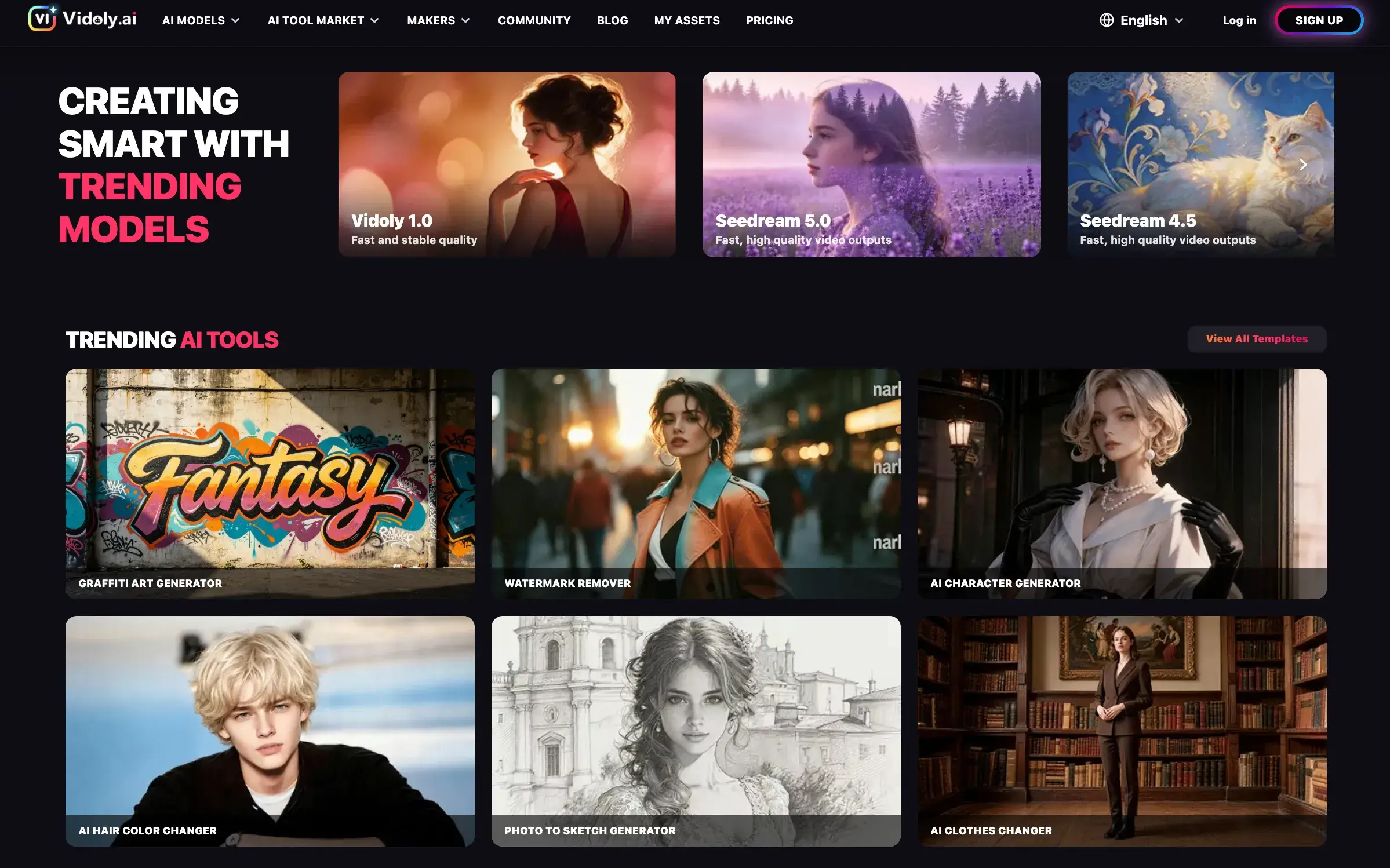
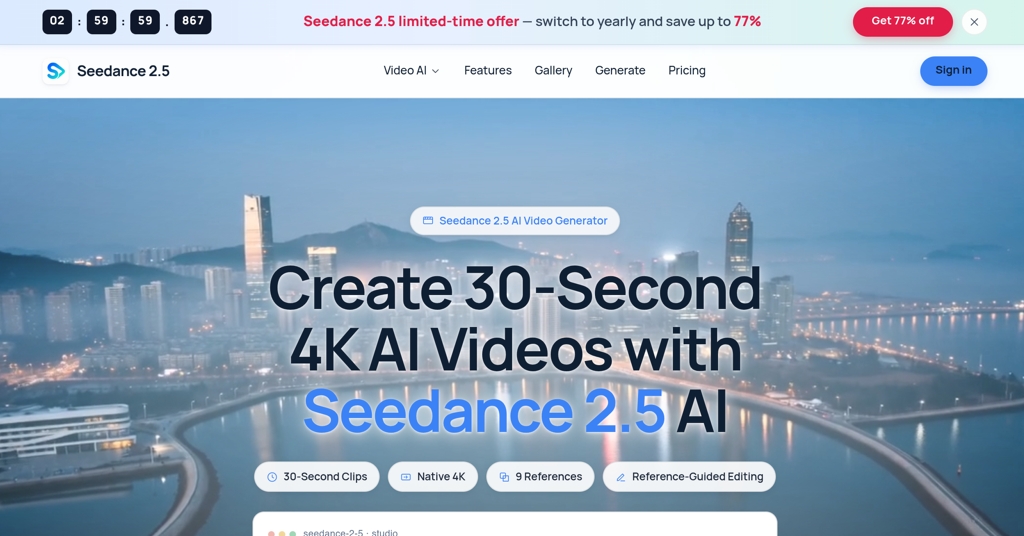
Inspix AI is a cutting-edge all-in-one platform for creating cinematic-quality videos and stunning images using advanced AI models. Users can transform text prompts or static images into dynamic videos in seconds, ideal for social media like TikTok, Instagram Reels, and YouTube Shorts. It supports text-to-video, image-to-video, AI effects remixing, and high-resolution outputs up to 1080p

AIDesign Tools
NSketch AI logo

NSketch AI

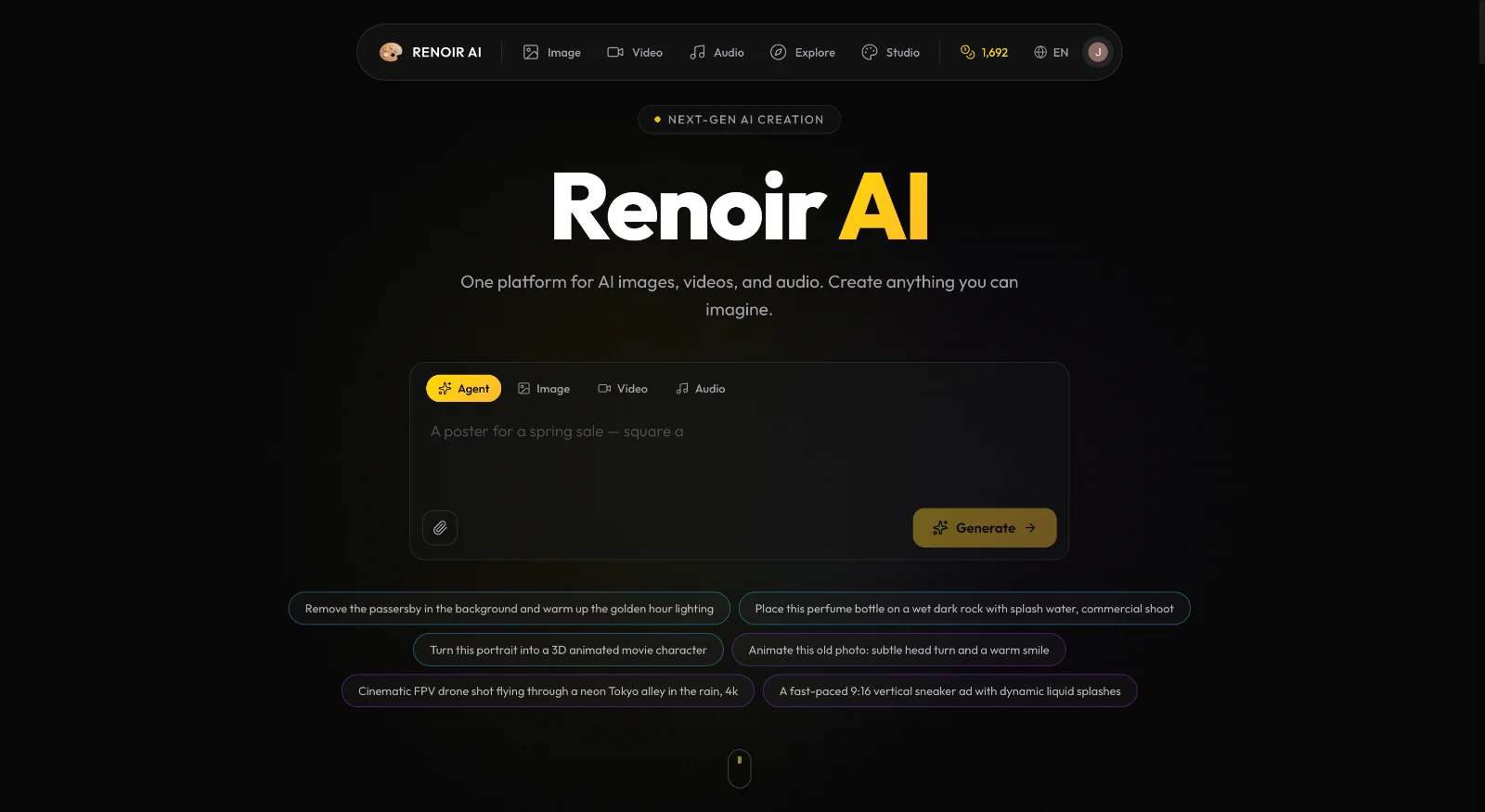
Nsketch AI is an All-in-one AI creative studio with 15+ models SOTA models such as Sora 2, Veo 3.1, Nano Banan Pro, Kling O1 and Kling 2.6 and many more. Generate videos with built-in celebrity cameos, create realistic lip sync Videos and Talking Images, clone voices, upscale to 8K, and more. One platform for all viral AI content creation.

AIDesign ToolsGraphics & Illustration
PatentFig AI logo

PatentFig AI

PatentFig AI is the world's first AI-native patent drawing platform, revolutionizing the creation of compliant patent figures from text and images. It automates the generation of line art, 3D renderings, and flowcharts, ensuring readiness for major patent offices worldwide. This innovative SaaS targets patent attorneys, agents, IP operations managers, and inventors seeking to streamline their patent application workflows. Key Features AI-Powered Figure Generation: Automatically creates clean, labeled line drawings, 3D renderings, and flowcharts from various inputs. Multi-Office Compliance: Supports USPTO, CNIPA, EPO, JPO, KIPO, and PCT/WIPO-oriented formatting workflows. Chat-to-Modify: Edit figures using natural language commands, instantly applying changes like 'make the arrow thicker' or 'add a cross-section view'. Multi-Modal Input: Accepts reference photos, sketches, CAD screenshots, or text descriptions of the invention. Version Control & Project Management: Tracks all figure versions and organizes them by patent application, facilitating easy comparison and reversion. Professional Export: Exports ready-to-use files in PDF, PNG, SVG, or TIFF formats, adhering to exact patent office specifications. Use Cases PatentFig AI significantly accelerates the initial drafting phase of patent applications, especially for complex multi-view figure sets. It empowers patent professionals to quickly generate reviewable first drafts, drastically reducing the time spent on manual markups and redrawing. This speed allows for faster iteration cycles, enabling inventors to provide feedback on cleaner visuals without delays. The platform also plays a crucial role in standardizing figure packages for internal handoffs and external counsel, minimizing avoidable back-and-forth. Its ability to maintain consistency across various views (front, rear, top, perspective) ensures a cohesive visual representation of the invention. Furthermore, PatentFig AI transforms rough client materials, such as photos or basic sketches, into professional-grade figure drafts, enhancing communication and collaboration. Pricing Information PatentFig AI offers a flexible pricing model, including a "Free" tier with 20 credits/month for evaluation, making it a freemium service. Paid plans like "Basic" ($20/month), "Pro" ($40/month), and "Enterprise" ($80/month) provide increasing credit allowances and features tailored for individual inventors up to high-volume organizational needs. User Experience and Support The user experience is designed for efficiency, guiding users through a simple three-step process: describe/upload, choose views, and export. The intuitive "Chat-to-Modify" feature allows for natural language edits, making adjustments quick and accessible. Robust version control and project management tools ensure that all figure sets, versions, and compliance statuses are tracked in one centralized location, simplifying workflow and collaboration. Technical Details Built as an AI-native platform, PatentFig AI leverages advanced artificial intelligence to interpret diverse inputs and generate patent-compliant drawings with high precision. Its core capabilities are rooted in AI algorithms that understand patent office conventions, enabling automatic addition of reference numerals and leader lines. Pros and Cons Pros: Significantly reduces time for initial drafts and revisions. Ensures compliance with multiple international patent offices. Offers consistent visual outputs across different views. Facilitates quick iterations and feedback loops. Supports diverse input types (text, images, sketches, CAD). Streamlines project management and version control. Enables natural language editing for quick modifications. Cons: Requires human final checks, as AI is an acceleration layer, not a full replacement for judgment. May have a slight learning curve for users new to AI-powered drafting tools. Reliance on credit system might require careful usage planning for high-volume users. Conclusion PatentFig AI stands as a groundbreaking solution for patent professionals, dramatically cutting down the time and effort involved in creating compliant patent drawings. By combining AI precision with user-friendly features, it enhances efficiency, ensures consistency, and accelerates the entire patent filing process. Explore PatentFig AI today to transform your patent drafting workflow.

AIDesign ToolsWorkflow Automation
SciDraw AI logo

SciDraw AI

SciDraw AI is an AI-powered scientific graphics platform designed to help researchers and PhD students create publication-ready figures and data charts. It combines illustration and visualization capabilities into one intuitive platform, trusted by over 10,000 researchers worldwide. This SaaS targets academics, scientists, and research institutions looking to streamline their figure generation process for journal submissions, grant proposals, and presentations. Key Features AI-powered Text to Image: Describe scientific concepts, and AI generates professional illustrations. Sketch/Image Edit: Transform hand-drawn sketches or reference images into polished visuals. Smart Data Charts: Upload CSV/Excel data to generate publication-ready charts with automatic Python matplotlib/seaborn code. SVG Vector Export: Download editable SVG files for modification in Adobe Illustrator, Inkscape, or Figma. Journal Style Presets: One-click formatting for Nature, Science, Cell, PLOS, and ACS standards. Multi-round AI Optimization: Refine generated figures through conversational interaction for precise adjustments. Use Cases Researchers can significantly accelerate their publication workflow by using SciDraw AI to generate complex scientific illustrations such as quantum wave-particle duality or DNA CRISPR gene editing visualizations. This platform saves up to 90% of drawing time, enabling the creation of all figures for a Nature paper in days instead of weeks, and ensures that visuals perfectly capture intricate scientific concepts. For data visualization, SciDraw AI transforms raw CSV/Excel data into a variety of publication-ready charts, ensuring figures meet rigorous academic standards with built-in journal style presets and colorblind-friendly palettes, thereby improving reviewer impressions and acceptance rates for research papers and grant proposals. Pricing Information SciDraw AI operates on a flexible, credit-based freemium model. Users receive 10 free credits upon registration and 5 daily free credits. Paid plans (Standard, Premium, Enterprise) offer increased monthly credits (from 300 to 2,000), faster image generation, and priority technical support, with subscriptions starting from $10 per month. User Experience and Support The platform is designed for a zero learning curve, featuring a conversational interface and real-time preview. Users with no prior design experience can create professional figures in minutes. Multi-round AI optimization facilitates precise adjustments, and priority technical support is available for paid subscribers. Technical Details SciDraw AI leverages advanced AI models for both illustration generation and data visualization, including automatic Python matplotlib/seaborn code generation for charts. It supports high-quality SVG vector export, allowing users to maintain clarity at any scale and modify elements like color, position, and size in external vector graphics software. Pros and Cons Pros: Saves 90% drawing time and 95% costs; improves paper acceptance rates; zero learning curve; SVG vector export; journal style presets; AI-powered accuracy. Cons: Credit-based system may require monitoring for heavy usage; optimal AI prompting might have a slight learning curve. Conclusion SciDraw AI offers an unparalleled solution for scientific illustration and data visualization, empowering researchers to produce high-quality, publication-ready graphics efficiently and affordably. Its blend of AI innovation and user-friendly design makes it an essential tool for modern scientific communication. Try it for free and transform your research visuals today.

AIDesign ToolsGraphics & Illustration
pixelb.in logo

pixelb.in

pixelb.in is a powerful, free online platform offering a comprehensive suite of browser-based image manipulation tools. It empowers users to transform their images with ease, providing solutions for resizing, compressing, converting, and generating various image assets directly within their web browser. This toolkit is ideal for web developers optimizing assets, UI/UX designers preparing visuals, content creators enhancing their media, marketing teams streamlining campaigns, and casual users looking to quickly edit their photos. Key Features 100% Browser-Based Processing: All image manipulation occurs locally on your device, ensuring complete privacy and no server uploads. Lightning-Fast Performance: Utilizes WebAssembly for instant processing without delays. Comprehensive Toolset: Offers 8 distinct tools including Image Resizer, Compressor, WebP Converter, QR Generator, Favicon Generator, Base64 Encoder, Color Extractor, and SVG Converter. No Registration or Installation: Access and use all tools instantly without creating an account or downloading software. Wide Format Support: Supports JPG, PNG, WebP, AVIF, GIF, SVG, and ICO formats. Privacy-Focused: Guarantees no data collection, tracking, or analytics, keeping your files secure. Use Cases pixelb.in is an invaluable resource for optimizing website performance by compressing and converting images to modern formats like WebP and AVIF, significantly reducing load times. Web developers can efficiently generate favicons for their projects, encode images to Base64 for embedding directly into CSS or HTML, and convert raster images to SVG vectors for scalability. Designers and content creators can leverage the Image Resizer for social media presets, extract dominant colors to build harmonious palettes, and generate custom QR codes with integrated logos for marketing materials. The platform simplifies routine image tasks, allowing professionals to focus on their core creative work while ensuring high-quality, optimized visuals. Pricing Information pixelb.in is completely free to use. There are no hidden fees, subscriptions, usage limits, or premium features. All 8 tools are available to everyone without any cost. User Experience and Support The platform boasts a clean, intuitive user interface designed for ease of use. With no installation required, users can simply visit the website and start processing images instantly. It supports modern browsers, ensuring accessibility and a smooth experience across various devices. While direct support channels aren't explicitly mentioned, the straightforward nature of the tools minimizes the need for extensive documentation. Technical Details The core of pixelb.in's performance and privacy lies in its architecture, which leverages WebAssembly. This technology enables all image processing to happen client-side, directly within the user's browser. This approach eliminates the need for server-side computations, enhancing speed and ensuring that user files never leave their device. Pros and Cons Pros: 100% free with no hidden costs. Exceptional privacy; files never leave your device. Lightning-fast processing due to WebAssembly. No account registration or software installation needed. Versatile toolkit covering a wide range of image needs. Supports multiple popular image formats. Cons: Limited to browser capabilities; not suitable for extremely large batch processing that might overwhelm browser resources. No cloud storage or synchronization features (inherent to its privacy model). No advanced photo editing features beyond basic transformations. Conclusion pixelb.in stands out as an indispensable, privacy-focused online image toolkit for anyone needing quick, efficient, and secure image manipulation. Its commitment to local processing and a comprehensive suite of free tools makes it a top choice for optimizing web assets, preparing visuals, and generating essential image components. Explore pixelb.in today to experience seamless image processing directly in your browser.

Design ToolsDeveloper ToolsGraphics & Illustration
Visual Sentinel logo

Visual Sentinel

Visual Sentinel offers a comprehensive 6-layer website monitoring solution that goes beyond traditional uptime checks. It's designed to catch critical issues that standard monitoring tools miss, ensuring your website's integrity and performance.This SaaS is ideal for WordPress & CMS users, E-Commerce businesses, SaaS & App developers, and Agencies managing multiple client websites. It helps teams ship fast with confidence, preventing customer-facing issues before they impact users or sales.Key Features:6-Layer Monitoring: Monitors Uptime, Performance, SSL, DNS, Visual, and Content, providing a holistic view of your site's health.Visual Change Detection: Utilizes AI-powered visual diffs and screenshot comparison to instantly detect layout breaks or regressions, even if HTTP returns 200 OK.SSL Certificate Tracking: Proactively alerts 30 days before expiry, preventing silent failures and site blocks.DNS Monitoring: Detects unauthorized DNS record changes or migration mistakes before they affect users.Performance Tracking: Monitors TTFB, Core Web Vitals, and response time trends, identifying performance degradation after deploys.Smart Diagnostics & Integrations: Correlates uptime with Google Analytics, Cloudflare, and server agent data, providing root cause analysis in alerts.Use Cases:For WordPress & CMS sites, Visual Sentinel is invaluable. It catches plugin updates that break layouts, theme changes that shift content, and SSL certificate expirations on shared hosting, ensuring your content remains pristine and accessible.E-Commerce businesses can prevent significant revenue loss by detecting broken checkout pages, missing product images, or payment form issues that traditional monitors overlook. Every minute a checkout page is down costs sales, and Visual Sentinel ensures these critical paths are always functional.SaaS & App teams can deploy with greater confidence. Visual regression detection identifies CSS breaks, missing components, and layout shifts immediately, allowing developers to fix issues before users encounter them and file support tickets. Agencies benefit from a centralized dashboard to monitor all client websites, with options for whitelabel status pages and branded reports.Pricing Information:Visual Sentinel offers a flexible pricing model, including a free plan with 3 monitors, HTTP + SSL checks, and 10-minute intervals. All paid plans come with a free trial: 7 days full-feature without a credit card, or 10 days with a card on file. Paid plans start at $6/month for the Solo plan, with annual billing offering significant discounts.User Experience and Support:Setting up Visual Sentinel is straightforward, requiring no code changes, agents, or browser extensions; simply paste your URL, and setup takes under 60 seconds. Alerts are delivered within 60 seconds via 11 notification channels, including Email, Slack, Discord, WhatsApp, Telegram, PagerDuty, and more. Each alert is enriched with screenshots and diagnostic data, providing clear, actionable insights into the root cause of issues.Technical Details:The platform leverages AI-powered visual diffs for precise screenshot comparison. It integrates seamlessly with Google Analytics & Search Console for traffic correlation and offers Cloudflare one-click import for easy setup with origin-IP resolution. Optional server agents auto-link monitors to hosts, providing CPU, RAM, and disk stats for comprehensive root cause analysis.Pros and Cons:Pros:Comprehensive 6-layer monitoring catches issues traditional tools miss.Fast alerts (under 60 seconds) across 11 notification channels.AI-powered visual regression detection for pixel-level accuracy.Deep integrations with GA, Cloudflare, and server agents for root cause analysis.Easy setup with no installation required.Cons:No explicit cons mentioned in the provided text.Potential learning curve for leveraging all advanced integration features.Cost for advanced features beyond the free plan.Conclusion:Visual Sentinel provides an unparalleled level of website monitoring, ensuring that critical issues are detected and diagnosed before they impact your users or business. Its multi-layered approach and intelligent diagnostics make it an essential tool for any team serious about website reliability and performance. Explore Visual Sentinel today to experience monitoring that truly sees everything.

PromotedMonitoringSecurityWeb Development
Nana Banana logo

Nana Banana

Nana Banana is an advanced AI image editor designed to effortlessly transform any image using simple text prompts. It stands out by offering precise character consistency and seamless scene preservation, outperforming competitors like Flux Kontext. This SaaS is ideal for content creators, marketers, social media managers, digital artists, and businesses looking to generate high-quality, consistent AI-powered visuals. Key Features: Natural Language Understanding: Comprehends complex text prompts like GPT to transform ideas into stunning visuals. Character Consistency: Maintains perfect character details across multiple images, crucial for AI influencers and brand content. One-Shot Editing Perfection: Delivers perfect results in a single attempt, solving complex image editing challenges effortlessly. Scene Preservation Excellence: Seamlessly blends edits with original backgrounds, providing superior scene fusion. Advanced Object Editor: Add, remove, or modify objects intelligently with understanding of lighting and perspective. Professional Photo Editor: Enhances details, corrects colors, and improves image quality with professional-grade capabilities. Use Cases: Nana Banana empowers users to generate stunning AI images for a wide range of applications. Content creators can quickly turn their concepts into high-quality visuals, while marketing directors can cut design time by up to 90% for campaigns. Social media managers can boost engagement by creating consistent and captivating AI-generated content, ensuring brand messaging is always on point. Digital artists can bring their concepts to life instantly with one-shot editing, and startup founders can generate professional product imagery without extensive resources. Influencers benefit from effortless content creation, maintaining a consistent visual identity across all their posts. The platform's ability to process multiple images simultaneously and maintain consistency makes it invaluable for large-scale content production and brand storytelling. Pricing Information: Nana Banana operates on a credit-based pricing model, offering significant savings compared to market prices. Users can claim daily free credits to try the service. Paid plans are available monthly or annually, with annual subscriptions offering a 30% discount. Plans range from Basic (100 credits/month) to Pro Max (1500 credits/month), all including forever cloud storage, watermark removal, priority processing, and commercial usage rights. A holiday offer provides 20-50% off on Artta.ai, though this seems external to Nana Banana's direct pricing. User Experience and Support: The platform is designed for ease of use, allowing users to generate AI images in four simple steps: enter a prompt or upload an image, choose a style, and then download and share. The interface supports uploading up to 5 images simultaneously. Support is available via email at support@nanaimage.ai, and the website provides tips for better results, indicating a focus on user guidance. Technical Details: Nana Banana leverages an advanced AI model for state-of-the-art image generation. It features natural language understanding akin to GPT, allowing it to interpret complex text prompts with precision. The underlying "Nana Banana technology" and "Advanced Image Editor technology" ensure superior quality, consistency, and creative control, delivering professional-grade output up to 4K+ resolution with generation speeds under 10 seconds. Pros and Cons: Pros: Advanced AI for superior image quality and consistency. Exceptional natural language understanding for precise prompt interpretation. Perfect character consistency across multiple images. One-shot editing perfection, reducing iteration time. Seamless scene preservation and advanced object editing. High-speed generation (<10s) and professional-grade 4K+ output. Daily free credits and commercial usage rights on paid plans. Cons: Optimal results require specific and detailed text prompts, which might have a slight learning curve for new users. While powerful, mastering all advanced features like object editing or style transfer may require some exploration. The provided information does not explicitly detail any significant limitations or customization challenges beyond prompt specificity. Conclusion: Nana Banana offers a powerful and intuitive AI image editing solution, setting a new standard for quality, consistency, and creative control. Its advanced features and user-friendly interface make it an indispensable tool for anyone looking to leverage AI for stunning visual content. Explore Nana Banana today to unlock your creative potential and experience the future of AI image generation.

AIDesign ToolsGraphics & Illustration
Image to Image AI logo

Image to Image AI

Image to Image AI is an innovative online AI-powered platform designed to effortlessly transform, stylize, and recreate any image using intuitive text prompts. This versatile tool acts as a powerful photo editor, enabling users to generate professional-quality image variations with remarkable efficiency. It caters to a broad audience, including designers seeking to visualize concepts, marketers creating diverse campaign assets, and creative enthusiasts experimenting with artistic styles and visual transformations. Key Features Maintain Original Structure: Unlike many AI tools, it intelligently preserves the basic composition and key elements of your source image while applying transformations, ensuring recognizable and consistent results. Fast and Efficient Processing: Generate multiple creative variations in mere seconds, allowing for rapid exploration of different artistic directions without lengthy waiting times. Versatile Style Applications: Transform images into a wide array of artistic styles, from classic oil paintings to modern cyberpunk aesthetics, or easily modify elements like colors, time of day, and surrounding environments. Professional-Quality Results: Produce high-resolution transformed images suitable for commercial use in marketing materials, product visualizations, website content, and social media campaigns. Intuitive Workflow: A simple 4-step process (Upload, Describe, Adjust Settings, Generate & Download) makes image transformation accessible to everyone, regardless of design skills. Use Cases For designers, Image to Image AI serves as an invaluable asset for rapid prototyping and concept visualization. Easily experiment with different aesthetic styles for a single design element or generate multiple iterations of a product image to present diverse options to clients. This accelerates the creative process and fosters innovation. Marketers can leverage the platform to quickly produce a multitude of campaign assets tailored for various platforms and audiences. Whether it's adapting an image for a social media ad, an email newsletter, or a website banner, the AI ensures brand consistency while offering stylistic flexibility. It's perfect for A/B testing different visual approaches to optimize engagement. Creative enthusiasts will find endless possibilities for artistic expression. Transform personal photos into unique art pieces, explore fantasy landscapes, or simply experiment with different moods and atmospheres for their visual content. The tool empowers anyone to become a digital artist without needing complex software. Pricing Information Image to Image AI operates on a freemium model. While it offers a "free online photo editor" experience, specific advanced features or models, such as Google's efficient image generation model, may require credits (e.g., "3 credits per image"). This allows users to start transforming images without upfront costs and scale their usage as needed. User Experience and Support The platform boasts a user-friendly interface designed for ease of use, making image transformation "quick and intuitive" with "no design skills required." Users follow a straightforward 4-step process from uploading an image to downloading the final result. For any inquiries or assistance, dedicated support is available via email at support@imagetoimageai.live. Technical Details While specific programming languages or frameworks are not explicitly detailed, Image to Image AI leverages advanced artificial intelligence models for its image generation and transformation capabilities. The platform is accessible directly through a web browser, indicating a robust web-based architecture. Pros and Cons Pros: Preserves original image structure; extremely fast processing; wide range of versatile style applications; generates professional, high-resolution output; very easy to use for all skill levels; initial free access. Cons: Specific advanced models or higher usage may require credits; detailed technical specifications are not publicly disclosed; potential learning curve for crafting highly specific prompts to achieve desired results. Conclusion Image to Image AI offers a powerful yet accessible solution for anyone looking to harness the potential of AI for image transformation. Its ability to maintain original structure while applying diverse styles makes it a standout tool for creative professionals and hobbyists alike. Start transforming your images today and unlock new creative possibilities with this intuitive AI generator.

AIDesign ToolsGraphics & Illustration
FLUX AI logo

FLUX AI

🎨 Core FeaturesAI-Driven Image GenerationFlux Klein uses optimized AI models to transform natural language prompts into detailed, professional-grade images. Users can describe their ideas clearly and intuitively, without the need for complex prompt engineering.Fast & Lightweight PerformanceBuilt for efficiency, Flux Klein delivers rapid image generation even on standard or low-resource hardware. This lightweight design enables faster iteration and smoother creative workflows.High-Quality Visual OutputDespite its efficient architecture, Flux Klein produces images with sharp details, balanced composition, and refined artistic quality suitable for professional and commercial use.Consistent Style Across GenerationsFlux Klein supports consistent visual styles across multiple image generations, making it ideal for brand assets, campaign visuals, and cohesive design projects.Flexible Workflow IntegrationFlux Klein adapts easily to different creative pipelines, supporting scalable usage for individuals, teams, and automated workflows.Prompt-Friendly InterfaceWith a clean and intuitive interface, Flux Klein allows users of all skill levels to generate high-quality images using simple natural language descriptions.🚀 Key BenefitsRapid Image CreationGenerate professional-quality images in seconds, significantly faster than traditional design or illustration workflows.Resource-Efficient & Cost-EffectiveFlux Klein reduces reliance on expensive hardware and infrastructure, making advanced AI image generation more affordable.Beginner-Friendly ExperienceNo technical background is required. Flux Klein simplifies the entire process from prompt to final image.Scalable for Projects & TeamsFrom single-image generation to batch creation for large campaigns, Flux Klein scales effortlessly with your creative needs.🎯 Who Should Use Flux KleinDesigners & Digital ArtistsAccelerate concept art, visual exploration, and design iteration without sacrificing quality.Marketing Teams & AgenciesCreate promotional visuals, banners, and campaign assets quickly and consistently.Product & UX DesignersVisualize product concepts, interface designs, and user experiences with minimal effort.Content Creators & InfluencersProduce eye-catching imagery for blogs, social media, and digital platforms.Developers & Creative TechnologistsIntegrate AI image generation into applications, tools, and automated workflows.

AIDesign ToolsGraphics & Illustration
AI Character Generator logo

AI Character Generator

AI Character Generator lets you create fictional virtual characters and generate consistent photos and videos of the same character across different scenes.

Design Tools
Editaimg logo

Editaimg

Editaimg is an advanced AI Image Editor designed to simplify and enhance photo editing for everyone, from casual users to professionals. It leverages artificial intelligence to provide powerful editing capabilities, making professional-level results accessible without requiring specialized skills. This SAAS is ideal for content creators, e-commerce businesses, marketers, and anyone looking to quickly and efficiently transform their images. It streamlines image workflows by offering instant previews and one-click exports, saving valuable time and effort. Key Features: AI-Powered Editing: Offers background removal, cleanup/inpainting, upscaling, and promptable transforms. Object Replacement: Seamlessly swap objects within an image to match creative visions. Realistic Product Shots: Transform simple product images into professional, contextualized scenes. Unwanted Object Removal: Effortlessly erase people, clutter, or distractions from photos. Style Transforms: Apply artistic styles, color grading, and lighting adjustments instantly. Non-Destructive Editing: Edit images without altering the original file, ensuring flexibility. Use Cases: Editaimg excels in various practical scenarios. For e-commerce, businesses can create stunning, realistic product shots by placing items from a white background onto a kitchen sink, enhancing visual appeal. Travel enthusiasts can perfect photos by effortlessly erasing distracting elements like utility poles or other people, resulting in clean, uncluttered images. The platform also allows for subtle alterations, such as swapping a coffee cup for a teacup, providing precise control over image details. Pricing Information: Editaimg offers a straightforward, one-time payment model. Users can choose from three tiers: Basic ($9.9 USD for 160 credits), Standard ($29.9 USD for 800 credits), and Pro ($49.9 USD for 4000 credits). All plans include priority generation queue, have no expiration date for credits, and require no subscription, offering flexible usage for various needs. User Experience and Support: The platform is designed for ease of use, emphasizing that "no pro skills required." Users simply drag and drop images, describe edits via a prompt box, fine-tune settings, and generate results in seconds. The interface provides instant previews in a clean grid, followed by one-click download or sharing. Editaimg also provides expert tutorials and guides to help users master AI image editing. Technical Details: Editaimg operates as an AI-powered, cloud-based image editing platform. It utilizes advanced artificial intelligence algorithms for tasks such as background removal, object detection and reconstruction, image upscaling, and style application, processing images efficiently in the cloud. Pros and Cons: Pros: AI-powered, professional-grade editing without requiring pro skills; instant results and previews; versatile capabilities (background removal, cleanup, upscaling, style transforms, object replacement); one-time payment model with no credit expiration; non-destructive editing. Cons: Specific programming languages or frameworks are not disclosed; reliance on AI prompts might require some learning for optimal results; credit-based system might not suit extremely high-volume, continuous usage without careful planning. Conclusion: Editaimg stands out as a powerful and accessible AI Image Editor that democratizes professional-level photo enhancement. Its intuitive interface and robust AI capabilities empower users to create stunning visuals quickly and efficiently. Explore Editaimg today to transform your images with unparalleled ease and creativity.

AIDesign ToolsGraphics & Illustration
Code Meter logo

Code Meter

Code MeterA macOS menu bar app that tracks your Claude Code and Minimax Token Plan usage limits in real-time, so you never get blindsided by a rate limit again.The ProblemWhen you're deep in a Claude Code session, especially with multiple subagents running or switching between Opus and Sonnet, there's no warning before you hit your 5-hour or weekly limit. You just stop, mid-task.Code Meter fixes that.What It DoesUsage gauges : 5-hour and 7-day utilization, always visible in your menu barPer-model breakdown : see your Opus vs Sonnet split, plus Extra Usage if enabledBurn rate projections : predicts when your quota will exhaust based on current paceSmart notifications : alerts at 50%, 75%, 90%, and 100% so you can pace yourselfDesktop widgets : WidgetKit-powered, always in viewShareable screenshot card : flex your usage on socialHow It WorksCode Meter reads your existing Claude Code credentials directly from Keychain - no API key setup, no extra login. Polling is adaptive: more frequent when usage is actively changing, backed off when things are stable.When your token refreshes, you'll need to re-authorise Keychain access. A minor friction worth the security trade-off.Tech StackSwiftUI · macOS 26+ · Liquid Glass · WidgetKit · Swift 6 strict concurrencyBuilt entirely with Claude Code.PricingFree 1-day trial · $0.99 lifetime · No subscriptionApp Store: apps.apple.com/app/id6760511858

PromotedAPIs & IntegrationsDeveloper ToolsMonitoring
ColorArt.AI logo

ColorArt.AI

ColorArt.AI is the premier AI Coloring Page Creator, designed to effortlessly transform any idea, photo, or sketch into beautiful, printable coloring adventures. This innovative SaaS platform caters to a wide audience, from parents seeking engaging activities for their children to professional artists and businesses looking to generate high-quality coloring content.Key Features:Text to Coloring Page: Generate intricate coloring pages instantly from simple text descriptions.Photo to Coloring Page: Convert cherished memories, family photos, or even children's artwork into detailed coloring outlines.Photo Quality Enhancement: Upscale low-definition images to printable quality for crisp coloring pages.Background Removal: Isolate subjects for cleaner, more focused coloring pages.High Definition Printable Output: Ensure all generated pages are ready for high-quality printing.Sketch to Detailed Coloring Page: Turn simple sketches into polished, ready-to-color designs.Use Cases:Families can unleash creativity by generating custom coloring pages featuring dinosaurs having tea parties or superheroes learning to read, making imagination tangible. Parents can transform special family photos, vacation sunsets, or their child's artwork into unique coloring activities, preserving memories in a fun, interactive way. For creators, ColorArt.AI provides a powerful tool to quickly produce unique coloring pages for sale or personal projects, saving hours of manual drawing. Businesses can leverage the platform for high-volume content creation, from marketing materials to educational resources, ensuring a steady supply of engaging coloring pages.Pricing Information:ColorArt.AI offers a tiered subscription model with both monthly and yearly options (saving 25% annually). Plans range from "Starter" at $6.99/month for up to 150 pages, to "Business" at $69.99/month for up to 5000 pages, with features like photo conversion and priority access available in higher tiers. While the core generator operates on a paid subscription, the platform also provides a selection of free coloring pages for download.User Experience and Support:The platform is designed for ease of use, allowing users to generate complex coloring pages with simple inputs. Its "smart AI" captures precise details from images, making the transformation process seamless. Email support is available across all plans, with "Business" tier subscribers having access to optional one-on-one custom service for tailored assistance.Technical Details:ColorArt.AI leverages advanced AI technologies to detect outlines, enhance image quality, and generate creative content from text prompts. While specific programming languages or frameworks are not disclosed, the platform's capabilities highlight a robust backend powered by sophisticated machine learning algorithms.Pros and Cons:Pros: Transforms diverse inputs (text, photo, sketch) into coloring pages; High-quality, printable output; Caters to personal, creative, and business needs; Instant generation saves significant time; Fosters creativity and engagement; Offers a selection of free coloring pages.Cons: Primarily a paid service with usage limits per plan; Specific underlying technical details are not publicly disclosed; Initial "Completely Free!" claim might be perceived as misleading if users expect unlimited free generation.Conclusion:ColorArt.AI stands out as a versatile and powerful AI-driven tool for generating custom coloring pages, making creativity accessible to everyone. Its ability to convert various inputs into high-quality, printable outlines offers immense value for families, artists, and businesses alike. Explore ColorArt.AI today to turn your ideas and memories into vibrant coloring adventures.

AIDesign ToolsSaaS
Filtrix AI logo

Filtrix AI

Reimagine Your Images with Filtrix AI Filtrix is an innovative AI-powered image editor and generator designed to transform and enhance photos instantly, eliminating the need for complex prompts. It specializes in creating unique artistic styles and professional-grade visuals, making advanced AI image manipulation accessible to everyone. Filtrix caters to a broad audience, including e-commerce businesses looking to optimize product photography, marketers seeking unique visual content, and individuals wanting to reimagine personal photos with creative AI effects. Key Features Prompt-Free AI Transformation: Design instantly by choosing styles, without writing complex prompts. Specialized Style Transformations: Offers unique styles like Studio Ghibli, Sesame Street, and Pixar AI filters, setting it apart from generic AI tools. E-commerce Optimization Focus: Provides features specifically designed to enhance product photos and drive sales. AI Hug & Image to Video Generators: Create dynamic video content from static images using advanced AI. Celebrity Photo Generator: Generate memorable photos with famous personalities. Instant Results & High Quality: Delivers immediate transformations while maintaining professional-grade output. Use Cases Filtrix is particularly beneficial for e-commerce businesses aiming to elevate their product photography. Instead of costly photoshoots or generic stock images, businesses can use Filtrix to transform ordinary product shots into eye-catching visuals with realistic effects, boosting online sales and brand appeal. Its specialized styles can also be leveraged for unique marketing campaigns, creating distinctive content that captures audience attention. For creative professionals and individuals, Filtrix offers a playground for artistic expression. Users can convert personal photos into beloved cartoon styles like Studio Ghibli or Pixar, generate unique Pokémon trainer avatars, or design professional album covers. This allows for rapid prototyping of visual ideas and the creation of personalized, shareable content without requiring advanced design skills. Pricing Information While specific pricing tiers are not fully detailed, Filtrix operates on a model that includes premium offerings, as indicated by "Nano Banana Pro is live!" and the invitation to "Try Now." Early access members are promised exclusive benefits and features, suggesting a paid subscription or freemium model with advanced features behind a paywall. User Experience and Support Filtrix emphasizes a "simplified creative process" and "instant transformations without the wait," highlighting its user-friendly interface and efficiency. The platform is designed for ease of use, requiring "no complex workflows or steep learning curves." While explicit documentation or support channels aren't detailed, the focus on intuitive design suggests a smooth user experience. Technical Details The provided information does not specify the underlying programming languages, frameworks, or specific AI models (beyond "Nano Banana Pro," "Gemini 2.5 Flash Image," etc., which are model names, not tech stacks). The platform leverages "powerful Filtrix AI" and "cutting-edge AI technology" for its image and video generation capabilities. Pros and Cons Pros: Eliminates the need for complex AI prompts, simplifying image generation. Offers highly specialized and unique artistic styles (e.g., Ghibli, Sesame Street). Strong focus on e-commerce optimization for product photography. Provides instant results, saving time and accelerating creative workflows. Includes advanced features like AI image-to-video and celebrity generators. Cons: Specific pricing details are not explicitly outlined in the provided text. No explicit mention of customer support channels or extensive documentation. Lack of information regarding technical stack for developers. May have a learning curve for maximizing the potential of all specialized styles. Conclusion Filtrix stands out as a powerful and user-friendly AI image and video generator that redefines how users create and enhance visual content. Its unique style transformations and e-commerce-focused features make it an invaluable tool for both personal and professional use. Explore Filtrix today to effortlessly transform your images and unlock new creative possibilities.

AIDesign ToolsE-commerce
AI Mockup Generator logo

AI Mockup Generator

AI Mockup Generator is a powerful SaaS platform designed to simplify the creation of professional product mockups for e-commerce stores, print-on-demand businesses, and Etsy shops. Leveraging advanced AI image generation, it enables users to produce stunning listing images and ad creatives quickly and efficiently, without requiring any design skills. Key Features AI-Powered Generation: Create professional product mockups in minutes using advanced AI. Multiple Resolutions: Generate mockups in 1K, 2K, or 4K resolution. Customizable Settings: Control model appearance, backgrounds, and upload reference images. Organize & Manage: Save mockups, organize in folders, and create unlimited variations. Instant Download: Download high-resolution, watermark-free mockups immediately. Commercial License: Use generated mockups for any commercial purpose. Use Cases This SAAS is ideal for e-commerce entrepreneurs seeking to elevate product presentation without the high costs and time of traditional photography. Small business owners can quickly generate diverse, visually appealing mockups for new launches or marketing, ensuring a professional brand image. Print-on-demand sellers benefit from creating dozens of unique mockups for various designs in minutes, streamlining their workflow. Etsy shop owners can enhance listings with high-quality, engaging images to attract more customers and drive sales in a competitive marketplace. Pricing Information AI Mockup Generator offers transparent pricing, starting with 20 free credits (no credit card required). The "Starter" plan is $29/month for 80 credits, while "Pro" costs $49/month for 160 credits (15% cheaper per credit). Both include all resolutions, unlimited variations, and email support (priority for Pro). User Experience and Support The platform features a simple, 4-step process, making it user-friendly even for non-designers. Users upload product images, set criteria, generate mockups, and download instantly. Email support is available for Starter users, with priority support for Pro subscribers. Technical Details AI Mockup Generator's core relies on advanced AI image generation technology for realistic, professional mockups. While specific programming languages are not disclosed, its functionality is delivered via a web-based interface, accessible from any modern browser. Pros and Cons Pros: Cost-effective alternative to traditional photography. Time-saving, generating mockups rapidly. No design skills required for professional results. High-quality, customizable, and watermark-free outputs. Includes commercial license for broad usage. Free credits available to start. Cons: Credit-based system may limit very high-volume usage. Advanced editing beyond specified customizations not detailed. No explicit API for external integrations mentioned. Results depend on AI interpretation, potentially requiring multiple variations. Conclusion AI Mockup Generator provides an invaluable solution for professional product visuals without traditional overhead. Its AI-powered capabilities empower e-commerce entrepreneurs and small businesses to create stunning, high-quality mockups efficiently, boosting online presence and sales. Start with 20 free credits today to transform your product listings.

AIDesign ToolsSaaS
Nana AI logo

Nana AI

Nana AI is an advanced AI-powered platform designed for comprehensive image generation and editing. It empowers users to create stunning visuals from text prompts and intelligently modify existing images using natural language commands. This SaaS is ideal for creators, marketers, designers, and content creators seeking to streamline their visual content production. Key Features AI Image Generation: Create high-quality images from text descriptions with an advanced AI model. Intelligent Image Editing: Edit existing images using natural language prompts for tasks like background removal or style changes. Character Consistency: Maintain consistent character features across multiple generated images, perfect for branding or AI influencers. Multi-Image Blending: Seamlessly combine different images with intelligent context understanding. Precise Local Edits: Make targeted, surgical changes to specific parts of an image without affecting its integrity. Professional Quality: Delivers high-resolution outputs with accurate text rendering, suitable for commercial use. Use Cases Nana AI revolutionizes visual content creation by allowing users to transform abstract ideas into professional-grade images instantly. Whether you need to generate unique artwork for a marketing campaign, create consistent visuals for a brand mascot, or quickly iterate on design concepts, Nana AI provides the tools to achieve these goals efficiently. Its ability to generate images from text prompts significantly reduces the time and effort traditionally required for visual asset creation. Beyond generation, Nana AI excels in intelligent image editing. Users can simply describe the desired changes, such as "remove the background," "change the person's outfit," or "add a vintage filter," and the AI will execute these complex instructions. This capability is invaluable for rapid prototyping, content repurposing, and achieving specific aesthetic goals without needing advanced graphic design software skills. Pricing Information Nana AI operates on a paid model, offering various pricing plans to suit different user needs. Specific plan details are available on their "Pricing" page, indicating a tiered structure for professional AI image generation and editing services. User Experience and Support The platform emphasizes ease of use, allowing users to transform and enhance images with simple text prompts. Its intuitive interface is designed for quick adjustments and optimizations. For support, users can reach out via email at support@nanabananaai.com, and a comprehensive Frequently Asked Questions (FAQ) section is available to address common queries. Technical Details Nana AI is powered by the proprietary Banana AI Image Model, an advanced artificial intelligence engine specifically developed for image generation and editing. This underlying technology enables its superior capabilities in understanding natural language and producing high-quality visual outputs. Pros and Cons Pros: Advanced AI model for superior generation and editing; Natural language editing for ease of use; Excellent character consistency; Seamless multi-image blending; Precise local editing capabilities; High-resolution, professional-quality outputs; Fast generation compared to alternatives. Cons: Specific pricing details not immediately transparent; No explicit free trial mentioned; Being an independent product, it lacks the brand recognition of larger AI companies. Conclusion Nana AI stands out as a powerful and versatile AI image generator and editor, offering unmatched capabilities for transforming ideas into professional visuals and intelligently modifying existing images. Trusted by thousands of creators, it's an essential tool for anyone looking to enhance their visual content workflow. Explore Nana AI today to revolutionize your image creation and editing process!

AIDesign ToolsGraphics & Illustration
Image to Text Extractor logo

Image to Text Extractor

Image to Text Extractor is a tool that quickly converts text from images into editable and copyable text.

Design ToolsOpen SourceServerless
Visual Sentinel logo

Visual Sentinel

Visual Sentinel offers a comprehensive 6-layer website monitoring solution that goes beyond traditional uptime checks. It's designed to catch critical issues that standard monitoring tools miss, ensuring your website's integrity and performance.This SaaS is ideal for WordPress & CMS users, E-Commerce businesses, SaaS & App developers, and Agencies managing multiple client websites. It helps teams ship fast with confidence, preventing customer-facing issues before they impact users or sales.Key Features:6-Layer Monitoring: Monitors Uptime, Performance, SSL, DNS, Visual, and Content, providing a holistic view of your site's health.Visual Change Detection: Utilizes AI-powered visual diffs and screenshot comparison to instantly detect layout breaks or regressions, even if HTTP returns 200 OK.SSL Certificate Tracking: Proactively alerts 30 days before expiry, preventing silent failures and site blocks.DNS Monitoring: Detects unauthorized DNS record changes or migration mistakes before they affect users.Performance Tracking: Monitors TTFB, Core Web Vitals, and response time trends, identifying performance degradation after deploys.Smart Diagnostics & Integrations: Correlates uptime with Google Analytics, Cloudflare, and server agent data, providing root cause analysis in alerts.Use Cases:For WordPress & CMS sites, Visual Sentinel is invaluable. It catches plugin updates that break layouts, theme changes that shift content, and SSL certificate expirations on shared hosting, ensuring your content remains pristine and accessible.E-Commerce businesses can prevent significant revenue loss by detecting broken checkout pages, missing product images, or payment form issues that traditional monitors overlook. Every minute a checkout page is down costs sales, and Visual Sentinel ensures these critical paths are always functional.SaaS & App teams can deploy with greater confidence. Visual regression detection identifies CSS breaks, missing components, and layout shifts immediately, allowing developers to fix issues before users encounter them and file support tickets. Agencies benefit from a centralized dashboard to monitor all client websites, with options for whitelabel status pages and branded reports.Pricing Information:Visual Sentinel offers a flexible pricing model, including a free plan with 3 monitors, HTTP + SSL checks, and 10-minute intervals. All paid plans come with a free trial: 7 days full-feature without a credit card, or 10 days with a card on file. Paid plans start at $6/month for the Solo plan, with annual billing offering significant discounts.User Experience and Support:Setting up Visual Sentinel is straightforward, requiring no code changes, agents, or browser extensions; simply paste your URL, and setup takes under 60 seconds. Alerts are delivered within 60 seconds via 11 notification channels, including Email, Slack, Discord, WhatsApp, Telegram, PagerDuty, and more. Each alert is enriched with screenshots and diagnostic data, providing clear, actionable insights into the root cause of issues.Technical Details:The platform leverages AI-powered visual diffs for precise screenshot comparison. It integrates seamlessly with Google Analytics & Search Console for traffic correlation and offers Cloudflare one-click import for easy setup with origin-IP resolution. Optional server agents auto-link monitors to hosts, providing CPU, RAM, and disk stats for comprehensive root cause analysis.Pros and Cons:Pros:Comprehensive 6-layer monitoring catches issues traditional tools miss.Fast alerts (under 60 seconds) across 11 notification channels.AI-powered visual regression detection for pixel-level accuracy.Deep integrations with GA, Cloudflare, and server agents for root cause analysis.Easy setup with no installation required.Cons:No explicit cons mentioned in the provided text.Potential learning curve for leveraging all advanced integration features.Cost for advanced features beyond the free plan.Conclusion:Visual Sentinel provides an unparalleled level of website monitoring, ensuring that critical issues are detected and diagnosed before they impact your users or business. Its multi-layered approach and intelligent diagnostics make it an essential tool for any team serious about website reliability and performance. Explore Visual Sentinel today to experience monitoring that truly sees everything.

PromotedMonitoringSecurityWeb Development
Marble AI logo

Marble AI

Marble AI, developed by World Labs, is a cutting-edge spatial intelligence platform designed to transform single 2D images into persistent, explorable 3D environments. It empowers creators across various industries to rapidly generate immersive virtual worlds, streamlining prototyping and content creation workflows.Key Features:AI-Powered Persistent World Generation: Creates stable, complete 3D assets from images, ensuring consistent geometry without morphing.Multimodal Intelligence: Accepts diverse inputs including single photos, multiple images, video, panoramas, or text descriptions to infer and extend 3D structures.Chisel Editor: An AI-native 3D editor allowing users to block out spatial layouts with primitives and apply text prompts for detailed visuals and textures.Professional Export Options: Exports as Gaussian splats for web, 3D meshes (OBJ, FBX) for Unity/Unreal/Blender, and video walkthroughs.VR Ready: Offers native support for Vision Pro and Quest 3 headsets for immersive exploration.Lightning Fast Generation: Generates complex 3D worlds in just 2-5 minutes, eliminating long waiting times.Use Cases:Marble AI is a game-changer for creators seeking to accelerate their 3D content production. Game developers can leverage it to generate background environments and ambient spaces, importing them into engines like Unity or Unreal for further interaction and logic. This significantly speeds up rapid level prototyping, providing production-ready assets that integrate seamlessly into existing pipelines.Beyond gaming, Marble AI is invaluable for VR experience designers, allowing them to quickly create explorable concepts for clients. Architectural visualization professionals can use the Chisel editor to define structures and let AI handle the visual details, drastically reducing presentation preparation time. VFX supervisors benefit from persistent worlds for virtual scouting and pre-visualization, solving common issues found in other generative tools.Pricing Information:Marble AI offers a flexible pricing model, starting with a "Free" tier that includes 50 monthly credits and basic world generation. The "Pro" tier, priced at $9.9/month, provides 1000 credits, HD generation, VR/mesh export, and a commercial use license. A "Lifetime" option is available for $199, offering all Pro features, 1000 monthly credits forever, priority generation, and dedicated support.User Experience and Support:The platform emphasizes ease of use, allowing users to "Start Creating Free" without complex setup. The Chisel editor provides intuitive control over 3D structures. While specific documentation or tutorial details aren't provided, the "Blog" and "FAQ" sections on their website suggest resources are available. Community support is included with the free tier, with dedicated support for Lifetime users.Technical Details:Marble AI leverages advanced AI and spatial intelligence to understand depth, geometry, and spatial relationships from 2D inputs. It generates stable 3D assets, indicating sophisticated algorithms for 3D reconstruction and text-to-3D synthesis. The export capabilities to formats like OBJ, FBX, and Gaussian splats highlight its interoperability with standard 3D and web technologies.Pros and Cons:Pros: Transforms 2D images into explorable 3D worlds rapidly (2-5 minutes).AI-powered persistent world generation ensures stable geometry.Multimodal input flexibility (images, video, text).Intuitive Chisel editor for structure-before-style control.Comprehensive export options for various platforms (web, game engines, VR).Native VR support for Vision Pro and Quest 3.Freemium model allows free exploration.Cons: Not designed to replace the entire gaming pipeline, but to provide assets.Credit-based system might limit extensive free usage.Specific learning curve for Chisel editor or advanced features not detailed.No explicit mention of API access for deeper integration.Conclusion:Marble AI stands out as a powerful spatial intelligence platform that democratizes 3D world creation, enabling rapid prototyping and content generation from simple inputs. Its unique blend of AI-driven persistence, multimodal intelligence, and professional export capabilities makes it an essential tool for game developers, VR creators, and visualization professionals. Explore Marble AI today to transform your creative workflow and bring your 2D visions to life in immersive 3D.

AIAR/VRDesign Tools
GLM Image logo

GLM Image

IntroductionGLM Image is Z.AI's cutting-edge cognitive image generation model, specifically engineered for dense-knowledge and text-intensive scenarios. It empowers users to create professional-grade visuals for poster layouts, PPTs, commercial graphics, and scientific illustrations with unparalleled accuracy and semantic understanding.Key FeaturesEdit images effortlessly using simple natural language commands.Leverage up to four reference images to guide style, layout, and subject details.Maintain consistent identity and key elements like faces, characters, and products across edits.Execute precise and controllable changes, avoiding unwanted alterations.Generate high-quality, realistic, and visually faithful image results.Achieve SOTA text rendering for multilingual content and multi-region accuracy.Use CasesGLM Image excels in applications where clarity, structure, and information conveyance are paramount. For commercial posters and promotional images, it ensures complete composition, clear visual hierarchy, and precise text embedding, making it ideal for brand communication. In popular science illustrations, it adeptly creates schematic diagrams with complex logical relationships and text annotations, clearly conveying knowledge structures while maintaining aesthetic appeal.Furthermore, GLM Image is invaluable for multi-panel drawings, such as e-commerce displays or story comics, by consistently maintaining overall content style and subject identity. Its robust text generation capabilities ensure coherence across multiple panels. It also streamlines the creation of social media graphics with complex layouts and diverse expressions, enhancing efficiency and visual richness.Pricing InformationGLM Image operates on a straightforward credit-based system, where 6 credits equate to one generated image. Users can purchase credit packs with one-time payments, ensuring no subscription lock-in. Credits never expire for individual usage, offering flexible and predictable cost management.User Experience and SupportDesigned for simplicity, GLM Image allows users to interact and edit images using plain language, eliminating the need for complex tools. Its outputs are delivered via URL, facilitating seamless integration into various digital platforms and workflows. For assistance, email support is available at support@glmimageai.co.Technical DetailsAt its core, GLM Image employs a hybrid architecture, combining a 9B autoregressive reasoning module, which inherits semantic capabilities from GLM-4-9B-0414, with a 7B DiT diffusion decoder. This unique combination enables it to determine global composition and visual hierarchy while reconstructing high-frequency textures. A lightweight glyph encoder further ensures clean, legible multilingual text rendering, crucial for its specialized applications. GLM Image is also fully open-source, promoting transparency and community development.Pros and ConsPros:Optimized for dense-knowledge and text-intensive scenarios.Achieves State-of-the-Art (SOTA) text rendering among open-source models.Offers efficient, predictable, and scalable production with credit-based pricing.Fully open-source and ecosystem-friendly, available on GitHub and HuggingFace.Maintains structural relationships and cognitive alignment.Supports multilingual text and identity-preserving generation.Cons:Specialized focus on "cognitive alignment" might not be ideal for purely abstract or non-text-intensive aesthetic generation.While intuitive, mastering advanced control for highly specific outcomes may require some familiarity.ConclusionGLM Image redefines cognitive image generation by prioritizing semantic accuracy and structural integrity alongside visual quality. It's an indispensable tool for professionals and creators needing to convey complex information clearly and beautifully. Explore GLM Image today to transform your visual communication.

AIDesign ToolsGraphics & Illustration
ProBatchResizer | Multiple Image Resizer logo

ProBatchResizer | Multiple Image Resizer

ProBatchResizer is a privacy-first online multiple image resizer designed for creators, marketers, and web professionals. It enables users to instantly resize, convert, compress, and edit images in bulk directly within their browser, ensuring speed and security without uploading files to a server. Key Features: Privacy-First Processing: All image processing occurs locally on your device, ensuring your images never leave your browser. Blazing Fast Performance: Powered by WebAssembly and multi-threading for instant conversions and a smooth user experience. 130+ Smart Presets: Offers a vast library of ready-made presets for social media (Instagram, Facebook), print (A4, US Letter), e-commerce (Amazon, Shopify), and web (favicons, ad sizes). Pro Quality Image Control: Advanced resampling maintains image sharpness, smart compression, format conversion (JPG, PNG, WEBP), and background color options for transparency loss. In-Browser Editing Tools: Quickly crop, flip, rotate, and zoom images after resizing for perfect framing. Precision Batch Resizing: Resize multiple images with pixel-perfect precision using units like px, %, in, cm, or mm. Use Cases: ProBatchResizer is ideal for social media managers needing to prepare consistent image batches for various platforms like Instagram, Facebook, and YouTube thumbnails. E-commerce businesses can effortlessly generate product images for Amazon, Shopify, and Etsy, ensuring a clean and uniform look across all listings. Web developers and UI designers can create favicons, hero images, and common ad sizes in bulk, streamlining their workflow. Beyond digital applications, the tool supports print-ready artwork with presets for A4, US Letter, flyers, and posters, handling DPI automatically. It also significantly contributes to website optimization by reducing image file sizes and ensuring correct dimensions, thereby improving page load times, Core Web Vitals, and overall SEO performance. Pricing Information: ProBatchResizer operates on a freemium model. The Starter plan is free forever, allowing users to process up to 10 images per batch with standard speed and export to JPG, PNG, and WEBP. The Pro plan, priced at $5/month, offers increased limits (up to 100 images per batch), high-priority processing, smart image optimization, and upcoming AI background removal/change features. A Business plan with API access and team controls is also planned. No credit card is required for the free tier. User Experience and Support: The platform boasts an intuitive drag-and-drop interface, making it incredibly easy to use without any software installation or account creation. Users can start resizing images instantly in their browser. While direct live chat support isn't always available, users can leave a message for email assistance. The clear step-by-step process from upload to download ensures a smooth user journey. Technical Details: ProBatchResizer leverages modern web technologies like WebAssembly and multi-threading to perform all image processing client-side. This architectural choice ensures that images remain on the user's device, guaranteeing privacy and delivering blazing-fast performance without relying on server-side computations. Pros and Cons: Pros: Privacy-first (local processing), extremely fast, extensive smart presets, high-quality output, in-browser editing, free tier available, no account/installation needed, improves SEO. Cons: Free plan limited to 10 images per batch, Pro plan has a batch limit (100 images), some advanced features (AI background removal) are "coming soon." Conclusion: ProBatchResizer stands out as a robust, privacy-conscious, and highly efficient online image resizer. Its comprehensive features, from bulk processing to smart presets and in-browser editing, make it an indispensable tool for anyone looking to optimize images for various digital and print needs. Explore ProBatchResizer today to streamline your image workflow and enhance your online presence.

Design ToolsMarketing ToolsWeb Development
ArchRender logo

ArchRender

ArchRender is an innovative AI-powered rendering platform designed specifically for architects and designers. It enables users to generate photorealistic visualisations of their 3D models in seconds, eliminating the need for complex lighting and scene setups typically associated with traditional rendering software. Targeting architectural professionals and interior designers, ArchRender offers a streamlined workflow for rapid iteration and high-quality output. Key Features Photorealistic AI Rendering: Generate stunning visuals quickly without extensive setup. 3D Model Import: Supports OBJ, FBX, and GPL file types from popular architectural software. Environmental Controls: Adjust season, time of day, and surrounding environments. Mood Board Integration: AI interprets inspiration boards to apply colors, finishes, and styles. 4K Upscaling: Transform renders into crisp, high-resolution 4K for professional use. Prompt-Driven Control: Use natural language to guide materials, style, mood, and lighting. Project-Based Workflows: Organize all renders and source files, facilitating version control. Use Cases ArchRender is invaluable for architects and designers seeking to accelerate their visualization process. It facilitates rapid prototyping and client presentations, allowing professionals to quickly demonstrate how a design appears in various seasons or lighting conditions. For instance, a designer can import a 3D model, set a winter environment, and generate a photorealistic render instantly, providing clients with a comprehensive understanding of the project's year-round appeal. The platform's mood board integration ensures design consistency, as the AI translates desired aesthetics into the final render. This is particularly beneficial for interior designers needing to convey specific material palettes. Moreover, ArchRender's project-based workflow supports efficient design iteration, enabling users to generate multiple versions and compare results without overwriting previous work, thus streamlining the refinement process. Pricing Information ArchRender operates on a freemium model, offering a free tier to start. Paid plans are available monthly or annually (with a 20% discount). The "Basic" plan starts at $29/month (yearly) for 150 credits and 5 projects, "Pro" at $49/month (yearly) for 300 credits and 20 projects, and "Studio" at $119/month (yearly) for 1000 credits and unlimited projects. All paid tiers include 3D model import and 4K upscaling, with higher plans offering increased storage and priority support. User Experience and Support The user experience is designed for simplicity: users choose to render or edit, define their style and prompt (or upload a mood board), then generate and iterate. This straightforward process makes it accessible even for those new to rendering. Support options range from basic to priority, depending on the chosen plan. Technical Details ArchRender utilizes advanced AI for its photorealistic output. It supports standard 3D model formats like OBJ, FBX, and GPL, ensuring compatibility with various architectural design software. The AI interprets both natural language prompts and visual mood boards to guide the rendering process. Pros and Cons Pros: Rapid photorealistic rendering; Simplified setup; AI-driven style interpretation; Extensive environmental controls; 4K output; Robust project management; Intuitive workflow. Cons: Credit-based usage might be a limitation; Supports specific 3D file types; Tiered pricing could be a factor for some users. Conclusion ArchRender revolutionizes architectural visualization by providing an AI-powered solution that delivers high-quality, photorealistic renders with exceptional speed and ease. It empowers architects and designers to explore, iterate, and present their designs more effectively, transforming complex rendering tasks into a simple, prompt-driven process. Discover ArchRender to bring your architectural visions to life in seconds.

AIDesign ToolsGraphics & Illustration
Ahmad Free Tools logo

Ahmad Free Tools

Ahmad Free Tools Offers Fast, Reliable, And Free Online Tools For Everyday Needs. From Calculators, Converters, And SEO Utilities To Sports, Education, Digital Tools, Social Tools, Productivity Tools, And Games—Everything Is Simple, Useful, And User-Friendly.

AIChartsDesign Tools
Code Meter logo

Code Meter

Code MeterA macOS menu bar app that tracks your Claude Code and Minimax Token Plan usage limits in real-time, so you never get blindsided by a rate limit again.The ProblemWhen you're deep in a Claude Code session, especially with multiple subagents running or switching between Opus and Sonnet, there's no warning before you hit your 5-hour or weekly limit. You just stop, mid-task.Code Meter fixes that.What It DoesUsage gauges : 5-hour and 7-day utilization, always visible in your menu barPer-model breakdown : see your Opus vs Sonnet split, plus Extra Usage if enabledBurn rate projections : predicts when your quota will exhaust based on current paceSmart notifications : alerts at 50%, 75%, 90%, and 100% so you can pace yourselfDesktop widgets : WidgetKit-powered, always in viewShareable screenshot card : flex your usage on socialHow It WorksCode Meter reads your existing Claude Code credentials directly from Keychain - no API key setup, no extra login. Polling is adaptive: more frequent when usage is actively changing, backed off when things are stable.When your token refreshes, you'll need to re-authorise Keychain access. A minor friction worth the security trade-off.Tech StackSwiftUI · macOS 26+ · Liquid Glass · WidgetKit · Swift 6 strict concurrencyBuilt entirely with Claude Code.PricingFree 1-day trial · $0.99 lifetime · No subscriptionApp Store: apps.apple.com/app/id6760511858

PromotedAPIs & IntegrationsDeveloper ToolsMonitoring
Field Site logo

Field Site

Field Site is the easiest way to create a website. Create clean, modern sites using structured content and editorial templates — without complexity.

Design ToolsNo-CodeWeb Development
AI Photo Editor - Online AI Image Editor & Enhancer logo

AI Photo Editor - Online AI Image Editor & Enhancer

Supercharge Your Images with the Best AI Photo EditorAI Photo Editor is a powerful, web-based SaaS leveraging Google's Gemini 3 Pro model to provide instant, automatic photo editing and generation capabilities. It's designed for anyone looking to enhance, transform, and create stunning visuals without needing design skills, targeting social media managers, e-commerce sellers, digital marketers, graphic designers, and small business owners.Key FeaturesAI Background Remover: Automatically detects subjects and creates transparent backgrounds in seconds.Magic Eraser / Object Removal: Clean up photos by naturally removing unwanted elements or watermarks.AI Image Upscaler: Transforms blurry, low-resolution images into crisp, HD photos without losing quality.Generative Fill / AI Filters: Apply comprehensive style transfers, change lighting, and mood effortlessly.Batch Processing: Edit multiple photos at once, applying the same edits automatically.Privacy First: Images are processed securely and automatically deleted from servers.Use CasesAI Photo Editor empowers professionals across various fields. Designers can achieve flawless typography integration for magazine covers and posters, while marketers maintain unified visual identity and adapt campaigns for global markets with seamless multilingual text translation. It also enables consistent character generation for storytelling and instant prototype visualization, turning sketches into photorealistic renders.For everyday users, the platform is invaluable. Social media managers can create viral content, e-commerce sellers achieve professional product photography, and digital marketers produce high-performing ad creatives. Real estate agents can showcase properties in their best light, graphic designers can speed up workflows by automating tedious tasks, and small business owners can build a strong brand visual identity with ease.Pricing InformationAI Photo Editor operates on a freemium model, offering free tools for users to try and make professional photo editing accessible. Advanced features and flagship image editing capabilities powered by Gemini 3 Pro are available through subscription, with generation costs indicated by a credit system (e.g., "4 Credits"). Specific pricing tiers are available via a "View Pricing" option.User Experience and SupportThe platform is 100% web-based, accessible from any device (PC, Mac, iPhone, Android) and browser (Chrome, Safari, Edge), ensuring a seamless user experience. It boasts a simple 3-step process: Upload Your Photo, Choose Your AI Tool, and Download & Share, requiring no design skills. A comprehensive FAQ section addresses common questions, making it user-friendly for both beginners and professionals.Technical DetailsPowered by Google's advanced Gemini 3 Pro model, AI Photo Editor focuses on automatic, AI-driven image processing. It supports popular image formats including PNG, JPG, JPEG, and WEBP, with a maximum upload size of 10MB per image. The platform allows for multiple image uploads, enhancing efficiency for batch operations.Pros and ConsPros:100% automatic, no design skills needed.Powered by advanced AI (Google's Gemini 3 Pro).Web-based and accessible from any device.Comprehensive suite of editing tools (background remover, magic eraser, upscaler, generative fill).Batch processing for increased efficiency.Strong emphasis on user privacy.Versatile for a wide range of professional and personal use cases.Offers free tools for initial access.Cons:Maximum 10MB per image upload limit.Generation costs are credit-based, which might require monitoring.Detailed feature breakdowns for paid plans are not fully elaborated in the provided text.No explicit mention of API access for developers.Limited information on direct customer support channels beyond FAQs.ConclusionAI Photo Editor provides an intuitive and powerful solution for anyone looking to leverage AI for image enhancement and creation. Its blend of advanced features and user-friendly design makes professional-grade photo editing accessible to all, from individual creators to large enterprises. Explore its capabilities today to supercharge your visual content and streamline your creative workflow.

AIDesign ToolsGraphics & Illustration
Gomotion logo

Gomotion

AI-powered motion graphics generation for creators and marketers.

Design Tools
Onion AI logo

Onion AI

OnionAI is your AI-powered poster and content creator.Just type a short prompt — OnionAI instantly designs eye-catching posters and writes matching copy for you.From marketing visuals to social posts, everything is ready in seconds.Edit freely with built-in tools, explore stylish templates, and make your ideas shine — no design skills needed.

Design Tools
PreviousPage 1 of 8Next