logoDevHub
  • Categories
  • Submit Project
  • Collections
  • Pricing
  • Sponsors
Sign inSign up
Sign in

Categories

Browse Categories

AI647 projectsAPIs & Integrations53 projectsAR/VR6 projectsAuthentication14 projectsBlockchain & Crypto14 projectsBoilerplates49 projectsBusiness Analytics96 projectsCI2 projectsCMS20 projectsCharts7 projectsCloud20 projectsCode13 projectsData Science & Analytics18 projectsDatabases22 projectsDesign Tools152 projectsDevOps15 projectsDeveloper Tools233 projectsE-commerce62 projectsEducation Tech53 projectsEmails31 projectsFinance & FinTech52 projectsGaming Tech26 projectsGraphics & Illustration63 projectsGreen Tech6 projectsHardware3 projectsHealth Tech22 projectsHelpers72 projectsHosting & Infrastructure12 projectsIDE6 projectsInternet of Things (IoT)4 projectsMachine Learning39 projectsMarketing Tools294 projectsMobile Development30 projectsMonitoring19 projectsNatural Language Processing23 projectsNo-Code54 projectsOpen Source51 projectsPayment Gateways26 projectsPlatforms & Frameworks83 projectsProductivity365 projectsProject Management21 projectsPrototyping4 projectsRobotics0 projectsSaaS497 projectsSales Tools53 projectsSecurity43 projectsServerless11 projectsTesting & QA15 projectsUI & Libraries22 projectsWearables1 projectsWeb Development147 projectsWeb322 projectsWorkflow Automation82 projects

Quick Access

Trending NowTop of Last Month
Company LogoDevHub

Product Hunt alternative for startups

© 2026 DevHub. All rights reserved.

Build with ❤️ by DirEasy

Discover

  • Trending
  • Categories
  • Submit Project

Resources

  • FAQs
  • Pricing
  • Sponsors
  • Blog
  • Help Center

Legal

  • Terms of Service
  • Privacy Policy

Connect

  • GitHub
  • Twitter / X

Products

  • ShipThing
  • SaasHunt
  • 1000 Tools
  • 1000 Saas
  • 1000 AI
  • TinyHunt
  • LinkSalad
  • AIChatOne
DevHub - AI-powered directory boilerplate | Product HuntUneed POTD1 BadgeDevHub - AI-powered directory boilerplate | Startup FameGood AI ToolsListed on Turbo0Monitor your Domain Rating with DRChecker ToolsFine.com-Best AI Tools and AI App in 2024Featured on Dofollow.ToolsAiTop10 Tools DiresctorySimilarLabs Embed BadgeLaunched on LaunchBoard - Product Launch Platform yo.directory

Emails

ace.me logo

ace.me

Forget Linktree, Gmail & DropboxCreate amazing sites. No skills requiredThe simple but powerful editor supports everything from links, images, videos to embedded social media postsEmails you will enjoy. Yes, reallyThe first email compatible messenger: ordered by sender, not individual mails. With clean, minimal UI. Never get distracted againRock-solid securityOut of the box. You can sleep easyPricingFree, forever. You can purchase short tags if you want, but that's entirely optionalSign up now!

CloudEmailsWeb Development
JungleMail logo

JungleMail

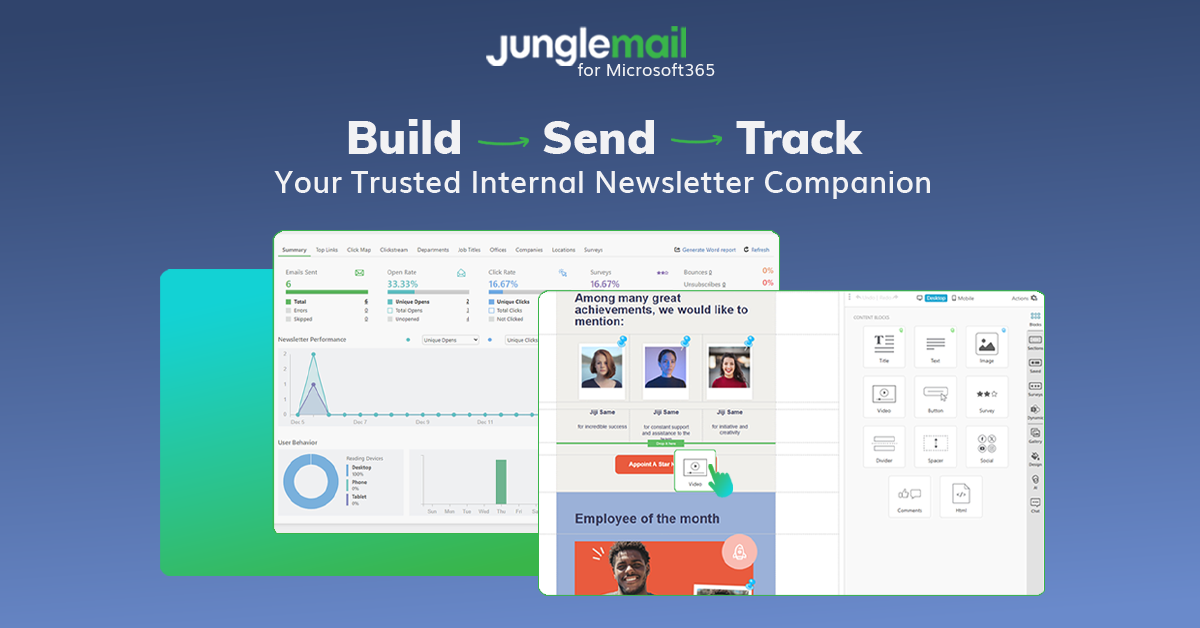
JungleMail is internal newsletter software for Microsoft 365 and SharePoint that helps teams design stunning templates, plan communications, send securely, and measure employee engagement with smart analytics. Its unique SharePoint connection goes beyond archiving, letting you embed SharePoint news directly into newsletters for a truly connected intranet-to-inbox experience.

EmailsMonitoringSaaS
SafeSender Guide logo

SafeSender Guide

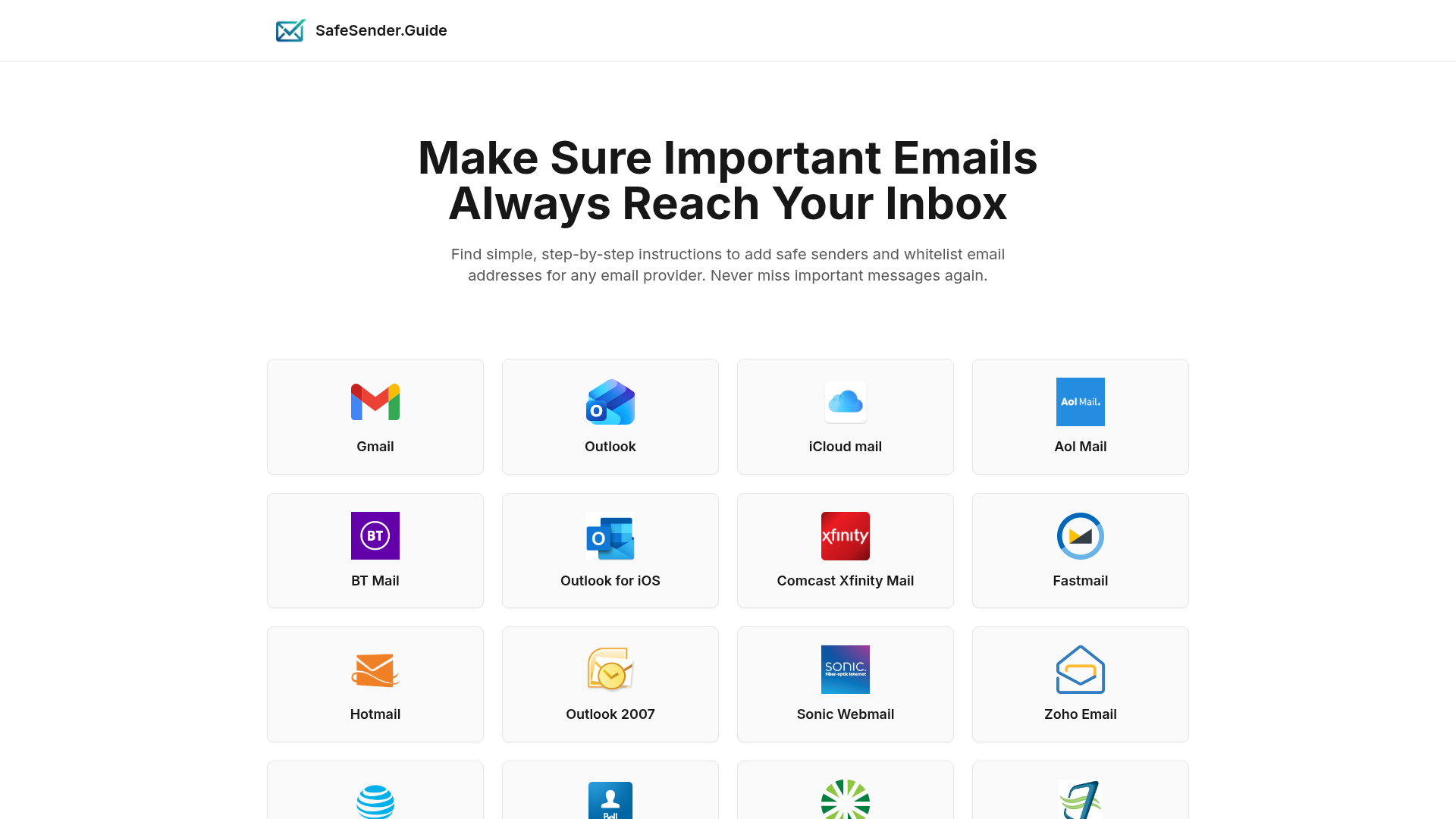
Introduction to SafeSender.guide SafeSender.guide is a dedicated online resource designed to help users ensure that important emails consistently reach their inbox. It provides simple, step-by-step instructions for adding safe senders and whitelisting email addresses across a vast array of email providers, effectively preventing crucial messages from being misdirected to spam or junk folders. This essential guide targets anyone who relies on email for critical communications, from individuals managing personal correspondence to professionals handling business-critical alerts, confirmations, and newsletters. It's particularly valuable for users experiencing issues with email delivery from trusted sources. Key Features Extensive Provider Coverage: Offers detailed instructions for over 40 popular email services, including Gmail, Outlook, iCloud Mail, Yahoo Mail, and ProtonMail. Simple, Step-by-Step Guides: Each guide is crafted to be easy to follow, making the whitelisting process accessible to all technical skill levels. Prevent Missed Emails: Directly addresses the common problem of important emails landing in spam, ensuring timely receipt of critical information. Free Resource: Provides valuable email deliverability solutions without any cost to the user. Use Cases SafeSender.guide is indispensable in scenarios where email deliverability is paramount. For instance, a small business owner expecting client inquiries or order confirmations can use the guide to whitelist their e-commerce platform's notification email, guaranteeing they never miss a sale. Individuals subscribing to important newsletters, financial alerts, or educational content can ensure these valuable communications always arrive as intended. It's also crucial for receiving critical account updates, password reset links, or two-factor authentication codes. By following SafeSender.guide's instructions, users can whitelist sender addresses for these services, significantly enhancing security and access to essential online accounts. This proactive measure helps maintain a reliable inbox, fostering better communication and reducing the risk of missing time-sensitive information. Pricing Information SafeSender.guide is offered as a completely free online resource. There are no subscription fees, hidden costs, or premium tiers for accessing its comprehensive library of whitelisting instructions. It serves as a valuable, no-cost companion site to Gaggle Mail, focusing solely on empowering users with the knowledge to manage their email deliverability effectively. User Experience and Support The platform is designed with user-friendliness at its core, emphasizing a clean layout and intuitive navigation. Users can easily find their specific email provider and access clear, concise, step-by-step instructions. The focus on "simple, step-by-step instructions" ensures a smooth user experience, even for those less familiar with email settings. While direct support for the guide itself isn't explicitly mentioned, the self-service nature of the detailed instructions minimizes the need for external assistance. Technical Details Based on the provided content, SafeSender.guide functions as a web-based informational platform. No specific programming languages, frameworks, or underlying technologies are detailed. Its primary function is content delivery through a user-friendly web interface, making it accessible via any standard web browser. Pros and Cons Pros: Comprehensive coverage, easy-to-understand instructions, completely free, prevents important emails from going to spam, improves email reliability. Cons: Requires manual user action, not an automated SaaS solution, no direct in-app support, information is static. Conclusion SafeSender.guide is an invaluable, free online resource for anyone looking to take control of their email inbox and ensure critical messages are always delivered. By offering clear, actionable instructions for whitelisting across a wide range of email providers, it effectively solves the common problem of missed important emails. Explore SafeSender.guide today to enhance your email deliverability and never miss an important message again.

EmailsHelpersProductivity
SafeTemp.email logo

SafeTemp.email

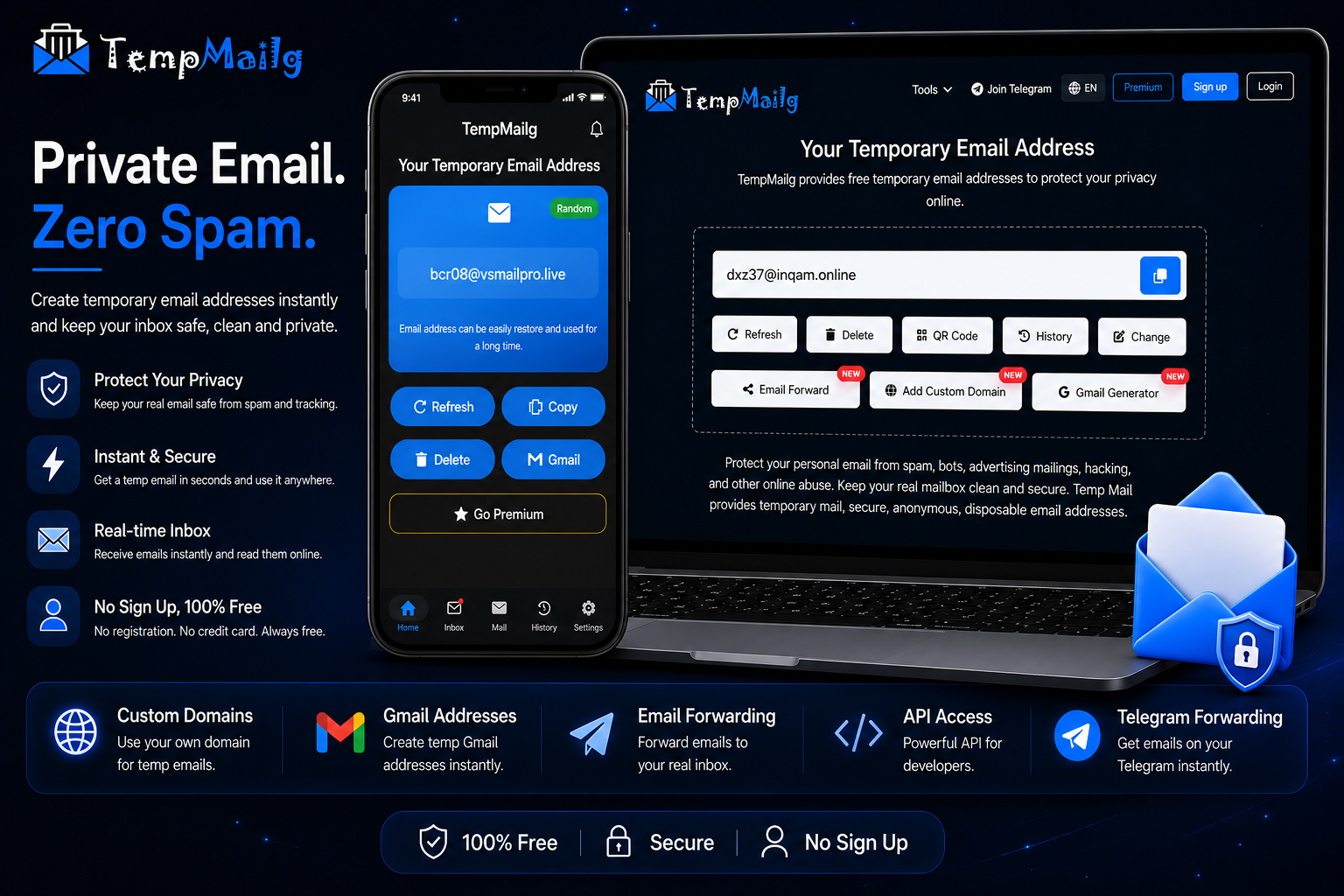
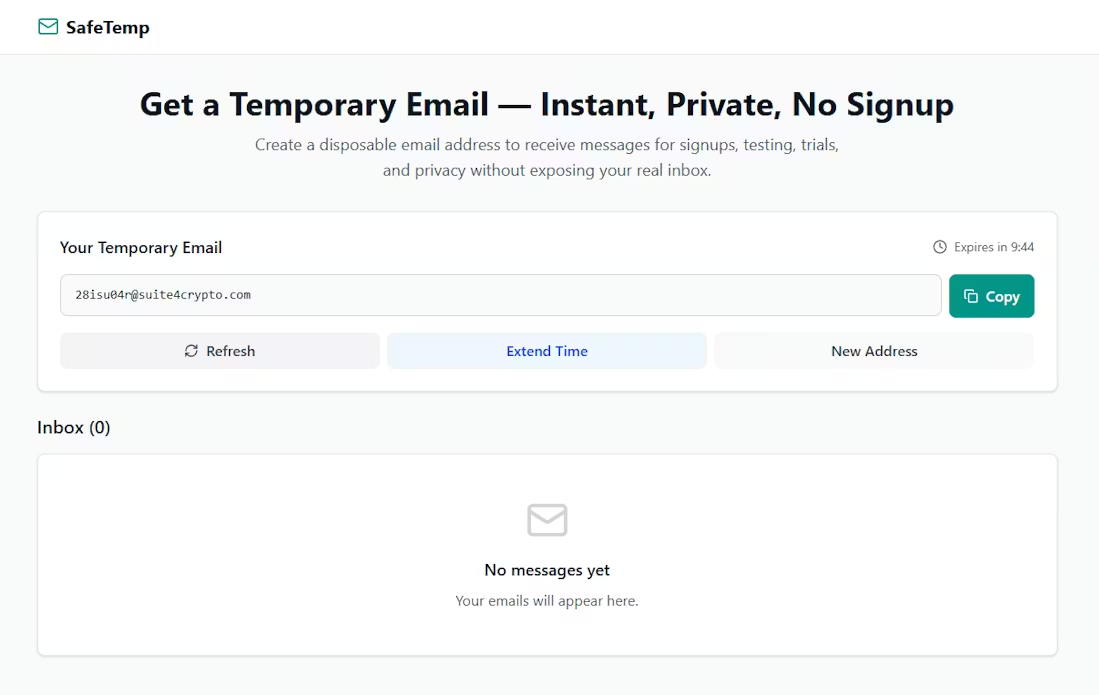
SafeTemp.email lets you create free disposable temporary email addresses (temp mail) in seconds. Receive verification emails anonymously, block spam, and protect your real inbox. No signup required. Unlike most temp mail services, SafeTemp.email also offers extended email lifetimes, email content download, and a cleaner, faster inbox experience. Built for privacy, speed, and real-world usability beyond the typical “10-minute email”.

EmailsTesting & QAWeb Development
TrashMail.dev — Temporary Email API logo

TrashMail.dev — Temporary Email API

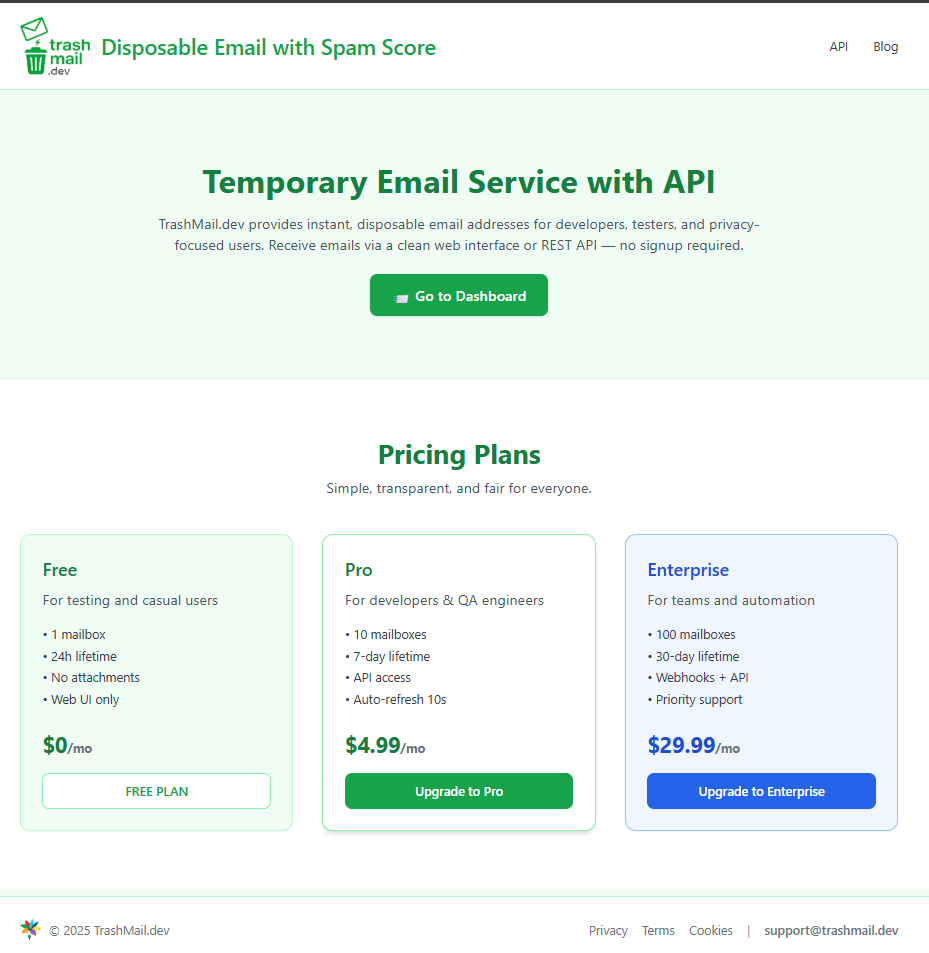
TrashMail.dev lets you instantly create temporary email inboxes with a simple web UI or API. Perfect for testing, automation, or protecting your real email from spam. No registration, no data stored — just clean, private email on demand.

APIs & IntegrationsEmailsProductivity
RansomLeak Security Training logo

RansomLeak Security Training

Security awareness training where employees learn by getting phished, not by watching a video about it. Interactive 3D simulations drop people into realistic cyberattack scenarios. They make decisions, see the consequences, and actually remember what to do next time. SCORM-ready for any LMS or standalone cloud deployment. Built by the Kontra AppSec team.

PromotedSecuritySaaSEducation Tech
 NovaExpress.ai logo

NovaExpress.ai

AI-powered email marketing that writes, designs, and sends for you. No code. No limits. Unlimited contacts & sends, starting from $20/month.

Marketing ToolsEmailsSaaS
Enginemailer logo

Enginemailer

Introduction Enginemailer is a comprehensive email marketing platform designed to help businesses of all sizes manage contacts, create engaging campaigns, and drive growth. It provides a unified dashboard for organizing subscribers, building beautiful marketing assets, and delivering personalized communications. Key Features Manage, add, filter, and organize subscribers and email lists with ease. Create stunning email campaigns, landing pages, and lead capture forms. Personalize, target, and send emails to the right audience at the optimal time. Monitor campaign performance with dashboard reports and real-time analytics. Streamline process flows and integrate with other systems using REST APIs. Access hundreds of customizable templates to reflect your brand identity. Use Cases Enginemailer is perfect for Freelancers looking to connect personally with their audience, send regular updates, and effortlessly grow their database. SMEs can tailor messages to specific audience interests, keeping customers informed about new products, services, promotions, and events. For Enterprises, the platform enables communication with customers and prospects at scale, delivering personalized content that drives conversions and fosters customer loyalty. Pricing Information Enginemailer operates on a freemium model, allowing users to send up to 10,000 free emails monthly with unlimited subscribers. A free trial is available, and no credit card is required to get started. User Experience and Support Users consistently praise Enginemailer for its ease of use, great layout, and intuitive interface. The platform offers a robust Technical Resource Centre with User Guides, FAQs, and Integration APIs. Additionally, users can open Support Tickets for assistance, and "Enginemailer 101" provides a perfect starting point for new users to maximize the platform's features. Customer service is highlighted as very responsive and supportive. Technical Details The platform supports streamlining process flows through the use of REST APIs, enabling seamless integration and automation capabilities for managing contacts and other marketing activities. Pros and Cons Pros: Easy to use with a great layout and intuitive interface. Offers a generous free tier (10,000 emails/month, unlimited subscribers). Highly responsive and supportive customer service. High email send rate, improving inbox deliverability. Can replace multiple marketing applications, offering an all-in-one solution. Affordable and provides excellent value for money. Saves time with a simple email editor and numerous ready-to-use templates. Cons: Specific programming languages or frameworks are not detailed in the provided content. No explicit cons are mentioned by users, indicating high satisfaction. Conclusion Enginemailer stands out as a powerful, user-friendly, and affordable email marketing solution suitable for any business aiming to enhance its customer engagement and growth. With its comprehensive features, excellent support, and flexible pricing, it's an ideal choice for effective email communication. Try it for free today and start building your marketing journey!

EmailsMarketing ToolsBusiness Analytics
TinkMail logo

TinkMail

IntroductionTinkMail is a secure and free email service designed for both personal and business users. It offers a user-friendly experience with robust security features, making it an ideal choice for anyone seeking reliable email communication.Key Features10GB free storage for personal use.Enterprise-grade security with advanced spam & phishing protection.Secure authentication system and complete email domain protection.Smart file management tools for efficient inbox organization.Seamless access across modern web interface, mobile, and desktop apps.Real-time notifications to stay connected.Use CasesTinkMail is perfect for individuals looking for a private and secure personal email address, offering ample free storage and strong spam filters. Businesses can leverage its enterprise-grade security and domain protection for compliant and secure internal and external communications. It's also suitable for small teams needing a reliable, accessible email solution across various devices without significant upfront costs.Pricing InformationTinkMail operates on a freemium model, offering 10GB of free storage for personal use. Additionally, there's a limited-time offer providing the Business E1 Plan FREE for life, indicating paid tiers exist for advanced business needs.User Experience and SupportUsers can expect a modern, user-friendly interface accessible via web, mobile, and desktop applications, ensuring a consistent experience. The platform emphasizes ease of use with intelligent organization tools. Support options include documentation, FAQ, and a contact us section, suggesting comprehensive assistance is available.

EmailsSecuritySaaS
IG Email Scraper logo

IG Email Scraper

IG Email Scraper is a powerful Chrome extension designed to effortlessly extract Instagram emails for various business and marketing needs. It serves as an essential tool for professionals, marketers, and businesses looking to build targeted email lists and enhance their outreach strategies directly from Instagram. Key Features One-Click Email Extraction: Instantly scrape emails with a single click, eliminating manual effort. Multiple Data Sources: Extract emails from followers, followings, hashtags, locations, post commenters, and likers. Flexible Export Formats: Download data in Excel, CSV, or JSON for maximum compatibility and ease of use. Smart Error Handling: Features built-in protection against common Instagram errors (403, 429, 400) with automatic retry logic. Random Intervals & No Bans: Utilizes intelligent timing and advanced algorithms to avoid detection and keep your Instagram account safe from restrictions. Duplicate Email Elimination: Automatically removes duplicate emails from your extracted data. Use Cases Digital Marketing & E-commerce Growth: Marketers and online store owners can leverage IG Email Scraper to build highly targeted email lists from Instagram audiences. This enables them to find potential customers, identify influencers in their niche, and boost sales through direct marketing campaigns. Lead Generation & Influencer Outreach: Sales teams and brand managers can generate high-quality leads from Instagram users interested in their industry. It's also perfect for connecting with influencers and content creators for collaboration opportunities, expanding brand reach and engagement. Business Development & Email Marketing: Entrepreneurs and content creators can identify and reach out to potential business partners and clients, fostering new growth opportunities. The tool facilitates the creation of comprehensive email lists for newsletters, promotional campaigns, and direct communication, streamlining email marketing efforts. Pricing Information IG Email Scraper offers a flexible pricing model, starting with a Free Basic plan that allows users to extract up to 50 emails. For unlimited extraction and advanced features, the Professional plan is available at $12.99 per user/month. All plans come with a 7-day money-back guarantee, and no credit card is required for the free plan. User Experience and Support The SAAS boasts a user-friendly interface, operating as a simple Chrome extension that can be installed with one click. The extraction process is straightforward, involving just four steps from installation to data download. Users benefit from 24/7 support and a comprehensive FAQ section to address common queries. The extension is designed for ease of use, making Instagram email extraction accessible to everyone. Technical Details Operating as a Chrome browser extension, IG Email Scraper integrates directly with Instagram pages. It employs sophisticated algorithms for "Random Intervals" and "Smart Error Handling" to manage network requests effectively, preventing IP blocks and ensuring continuous operation. While specific programming languages are not disclosed, its functionality is optimized for secure and efficient data extraction within the web browser environment. Pros and Cons Pros: Extremely easy to install and use (one-click operation). Supports multiple Instagram data sources for comprehensive scraping. Offers various export formats (Excel, CSV, JSON). Advanced features like smart error handling and random intervals prevent account bans. Free plan available for initial testing. 7-day money-back guarantee for paid plans. Automatically eliminates duplicate emails. Cons: Browser performance may degrade or crash when exporting over 1 million rows of data. Frequent network requests can lead to temporary IP blocks, requiring pauses. Relies on Instagram's public data, which can change. Conclusion IG Email Scraper stands out as an an indispensable tool for anyone looking to harness Instagram's vast user base for marketing and business growth. Its blend of powerful features, ease of use, and robust safety measures makes it a reliable choice for targeted email extraction. Get started today with the free plan and unlock new opportunities for your business.

Marketing ToolsEmailsSales Tools
temfy.app logo

temfy.app

temfy AI helps you write perfect emails and replies in seconds. Just type your idea, pick a tone, and get a polished result instantly. Supports 7 languages, multiple tones, 3 free emails or replies per day, and a Chrome extension with auto-insert.

Emails
Seedance 2.0 video studio logo

Seedance 2.0 video studio

Seedance 2.0: The Breakthrough AI Video GeneratorSeedance 2.0, developed by ByteDance, is a cutting-edge AI video generator designed to revolutionize content creation. It boasts an industry-leading 90%+ usable output rate, allowing users to effortlessly combine text, images, video clips, and audio in a single prompt to produce stunning 2K AI videos with native audio-video synchronization, eliminating the need for post-production.This powerful SaaS solution caters to a wide range of professionals and creators, including solo artists, enterprise teams, video production directors, social media managers, indie filmmakers, e-commerce sellers, and digital marketing agencies, all seeking to streamline and enhance their video production workflows.Key Features90%+ Usable Output Rate: Consistently delivers production-ready videos, cutting costs by up to 80% compared to previous AI tools.Native Audio-Video Synchronization: Generates audio and video jointly, ensuring precise lip-sync, context-aware ambient sounds, and adaptive background music.Quad-Modal Creative Input: Accepts up to 12 files simultaneously, including text prompts, 9 images, 3 video clips, and 3 audio tracks, for comprehensive creative control.2K Native Resolution Output: Produces sharp, high-quality video at 2K resolution, suitable for social media, advertising, and commercial distribution.Auto Storyboarding & Smart Camera System: Automatically breaks stories into professionally framed shots and generates dynamic camera movements, simplifying complex video direction.Multi-Shot Narrative Consistency: Maintains character appearance, clothing, and features across multiple shots, crucial for short films and series content.Use CasesSeedance 2.0 addresses the biggest pain points in AI video creation, such as unpredictable output quality and fragmented production workflows. It empowers users to transform still images into cinematic video clips with stunning motion, visualize any text prompt into dynamic scenes, and create professional-grade short films or branded storytelling content with unparalleled consistency.From generating product demo videos for e-commerce sellers to producing engaging educational content and rapid prototyping for UX motion designers, Seedance 2.0 significantly accelerates content creation. It enables ad campaign managers to test 20 concepts in the time it once took for one, and corporate video producers to create internal communications and training videos in-house at a fraction of the traditional cost.Pricing InformationSeedance 2.0 offers a flexible pricing structure with monthly subscription plans: Basic ($11.99/month), Pro ($23.99/month), Ultra ($63.99/month), and Max ($159.99/month), each providing varying credit allowances and support levels. Additionally, users can purchase credit packages (Trial, Basic, Standard, Premium) that never expire, offering further flexibility for their video generation needs.User Experience and SupportThe platform is designed for ease of use, featuring an intuitive interface that allows users to combine diverse inputs into a single prompt. Advanced capabilities like auto storyboarding and a smart camera system simplify complex video production tasks. Support varies by plan, ranging from basic customer support to priority responses within 4 hours for Max plan users, ensuring assistance is available when needed.Technical DetailsWhile specific programming languages or frameworks are not detailed, Seedance 2.0 leverages advanced AI models to process quad-modal inputs and generate high-resolution video with native audio-video synchronization, indicating sophisticated machine learning and video processing technologies at its core.Pros and ConsPros: Exceptional 90%+ usable output rate; seamless native audio-video synchronization; versatile quad-modal input; superior 2K resolution; robust multi-shot consistency; automated storyboarding and camera control; enterprise API for scalability; significant cost and time savings.Cons: No explicit free tier for subscriptions (though a trial credit package exists); advanced features might require some learning; specific technical stack not disclosed.ConclusionSeedance 2.0 stands out as a leading AI video generator, offering unparalleled quality, efficiency, and creative control. Its ability to deliver production-ready 2K videos with perfect audio-video sync and multi-shot consistency makes it an indispensable tool for anyone looking to produce professional video content at scale. Explore Seedance 2.0 today to transform your video creation process and unlock new creative possibilities.

PromotedAISaaSMachine Learning
EmailListVerify logo

EmailListVerify

Introduction EmailListVerify is a leading SaaS platform designed to help businesses and marketers maintain clean, high-performing email lists. Its primary purpose is to eliminate invalid, risky, and low-quality email addresses, ensuring maximum deliverability and campaign effectiveness. It's an essential tool for anyone looking to optimize their email marketing ROI and protect their sender reputation. Key Features Domain & SMTP Validation: Identifies and removes emails with invalid, inactive, or parked domains and accounts. Spam Trap & Disposable Email Cleaner: Automatically detects and removes spam traps and temporary email addresses that can harm sender reputation. Hard Bounce & Syntax Error Checker: Verifies email existence and correct formatting, preventing messages from bouncing. MTA & MX Record Validation: Ensures the presence of a valid email server responsible for accepting messages. Email Duplicates Remover: Eliminates redundant entries to save credits and streamline campaigns. Real-time API: Allows for instant email verification at the point of entry, such as registration forms or newsletter sign-ups. Use Cases EmailListVerify is invaluable for a variety of scenarios. For email marketers, it ensures that campaigns reach real people, significantly increasing open rates, click-through rates, and overall conversion. By removing spam traps and hard bounces, it protects the sender's domain reputation, preventing emails from landing in spam folders and improving deliverability. Businesses can integrate EmailListVerify's real-time API into their website registration processes, newsletter signup forms, or CRM systems. This proactive approach catches bad emails before they even enter the database, saving money on email marketing platforms (by sending fewer emails) and ensuring data quality from the outset. It's also crucial for maintaining a high ROI on email campaigns by focusing resources only on engaged, valid subscribers. Pricing Information EmailListVerify offers flexible pricing options, including a "Pay as you go" model for those who need occasional verification and a "Monthly subscription" for ongoing needs, which offers a 10% saving. All plans include API access. New users can get started with 100 FREE email verifications to test the service's effectiveness. User Experience and Support The platform is praised for its ease of use and intuitive user interface, making it simple to upload dirty lists (CSV, XLS, TXT) and download clean ones within minutes. Customer testimonials highlight its reliability, accuracy (over 99.7% accuracy reported), and affordability. While specific support documentation isn't detailed, the presence of an FAQ, API Documentation, and a contact email (contact@emaillistverify.com) suggests comprehensive support resources. Technical Details EmailListVerify operates as a web-based SaaS, providing both a user-friendly web interface for bulk verification and a robust API for real-time integration. The service performs advanced checks including Domain & SMTP validation, MX record validation, and undetectable verifications to ensure high accuracy. Pros and Cons Pros: Ensures 99% deliverability and improves sender reputation. Significantly increases ROI by reducing wasted spend on bad emails. Easy to use with a simple upload/download process. Offers a generous 100 FREE verifications to start. Comprehensive verification checks (spam traps, disposables, hard bounces, syntax, duplicates). Cons: No specific cons are highlighted in the provided text, indicating a strong focus on benefits. Integration of the API requires some technical knowledge, though documentation is provided. Conclusion EmailListVerify stands out as an affordable, accurate, and reliable solution for maintaining pristine email lists. By leveraging its advanced verification capabilities, businesses can drastically improve their email marketing performance, protect their domain reputation, and achieve a higher return on investment. Start cleaning your email lists today with their 100 free verifications and experience the difference.

EmailsMarketing ToolsAPIs & Integrations
SumyTube logo

SumyTube

Get AI email summaries of new YouTube videos.

AIEducation TechEmails
Voicci logo

Voicci

I built Voicci to stop paying for so many subscriptions. It blows my previous voice to text subscription out the water, has all the features I need to be as productive as I can be, and I made it a one-time payment, covering all future versions and updates for life!

SaaSProductivityEmails
TCube Mass Mail logo

TCube Mass Mail

Introduction Welcome to TCube Mass Mail Service, a high-quality mass mailing software designed to streamline email marketing for businesses of all sizes. It enables users to effortlessly create, manage, and send email campaigns through a user-friendly interface. Key Features Bulk Contacts Import: Seamlessly integrate existing subscriber data to quickly launch campaigns. High Inbox Delivery Rate: Ensures emails reach the inbox, maximizing marketing efforts and avoiding spam folders. Drag & Drop Editor: Design visually appealing emails without coding skills using an intuitive drag-and-drop interface. Automated Workflows: Save time with automated email triggers based on user actions, keeping audiences engaged. Actionable Analytics & Reports: Track performance with detailed statistics, conversion rates, and delivery reports to optimize strategies. 24/7 Live Support: Access world-class customer support via chat and phone from highly skilled experts anytime. Use Cases TCube Mass Mail is ideal for businesses looking to organize, manage, and execute their email campaigns swiftly and efficiently. It helps users connect with their audience, achieve marketing goals, and boost business success. Specific scenarios include launching new product announcements, sending newsletters, nurturing leads through automated sequences, and re-engaging inactive customers. The platform simplifies the entire email marketing process, from list management and content creation to performance tracking and optimization. Pricing Information TCube Mass Mail operates on a freemium model, offering a free tier that allows users to send 200 emails per month for up to 500 contacts, enabling them to start free email campaigns immediately. Beyond the free trial, flexible plans are available to fit various business needs and budgets, ensuring scalability as marketing efforts grow. User Experience and Support The platform boasts an intuitive and user-friendly interface, making it easy for anyone to create and manage campaigns without requiring coding skills. Its simple 3-step process allows users to launch their first email campaign in as little as 15 minutes. TCube Mass Mail provides world-class 24/7 live customer support through chat and phone, ensuring users receive professional assistance and quick issue resolution from highly skilled experts whenever needed. Technical Details TCube Mass Mail ensures secure email transmissions using a secure SSL connection, protecting user data with strong encryption and stringent privacy measures. While specific programming languages or frameworks are not detailed, the service emphasizes lightning-fast delivery and robust data security protocols. Pros and Cons Pros: User-friendly interface and intuitive drag-and-drop editor. High inbox delivery rate ensures effective reach. Powerful automation features for engaging workflows. Comprehensive analytics and reporting for optimization. 24/7 live customer support via multiple channels. Affordable excellence with flexible pricing plans. Strong data encryption and privacy measures. AI assistant for email copy and visuals (mentioned in "Most flexible email builder"). Cons: Specific technical stack details are not provided. No explicit mention of advanced integrations beyond contact import. Conclusion TCube Mass Mail offers a powerful yet accessible solution for businesses aiming to elevate their email marketing strategy. With its comprehensive features, intuitive design, and dedicated support, it empowers users to connect with their audience effectively and achieve outstanding marketing results. Explore TCube Mass Mail today to experience the difference and take your email campaigns to the next level.

EmailsMarketing ToolsSaaS
Lero - Email Validator logo

Lero - Email Validator

Enterprise-grade email validation for founders. Check any address in 50 ms with 97.3 % accuracy. Pay-as-you-go from $0.0003/email—first 500 checks free. Stop overpaying for bounces.

EmailsMarketing ToolsSales Tools
RansomLeak Security Training logo

RansomLeak Security Training

Security awareness training where employees learn by getting phished, not by watching a video about it. Interactive 3D simulations drop people into realistic cyberattack scenarios. They make decisions, see the consequences, and actually remember what to do next time. SCORM-ready for any LMS or standalone cloud deployment. Built by the Kontra AppSec team.

PromotedSecuritySaaSEducation Tech
Warmup Inbox logo

Warmup Inbox

Introduction Warmup Inbox is a dedicated email warmup tool designed to significantly improve email deliverability and sender reputation for cold email campaigns. It's an essential solution for sales professionals, marketers, lead generation experts, and recruiters aiming to ensure their messages consistently reach prospects' inboxes, not spam folders. Key Features Actively improves email deliverability and sender reputation. Helps avoid spam folders and blacklists by reversing deliverability issues. Calculates and monitors a Reputation Score against community benchmarks. Ensures emails land in Gmail's Primary Inbox, boosting open rates. Provides email alerts when Reputation Score drops, preventing campaign damage. Utilizes a network of real user inboxes for authentic interaction. Use Cases For Marketers, Warmup Inbox ensures promotional emails land effectively in inboxes, maximizing product visibility and campaign ROI. Sales experts leveraging cold email campaigns can maintain optimal inbox health, ensuring their outreach efforts are not wasted due to poor deliverability. Lead generation professionals will find their email lead generation efforts more effective, with increased deliverability leading to more successful connections. Recruiters can confidently reach out to potential candidates without the constant worry of damaging their sender reputation, ensuring their important messages are seen. Essentially, anyone relying on cold email outreach for business growth will benefit from Warmup Inbox's ability to maintain a healthy sender reputation and high deliverability. Pricing Information Warmup Inbox offers a straightforward pricing model, starting with a 7-day free trial that requires no credit card. After the trial, the service is priced at $19 per inbox per month, with a discounted rate of $15 per inbox per month when paid annually. It operates on a pay-as-you-go basis with no long-term commitments. User Experience and Support The tool is praised for its simplicity and ease of use, allowing users to set it up quickly without hassle. An API is available for managing multiple inboxes efficiently. Customer testimonials highlight excellent support, with prompt responses typically within several hours, ensuring users receive assistance whenever needed. Technical Details Warmup Inbox operates as a web-based SaaS solution. It functions by sending emails from the user's account to a network of real user inboxes, where automated actions like opening, replying, and marking as important are performed. This simulates natural email activity to build sender reputation. Pros and Cons Pros: Significantly improves email deliverability and open rates. Effectively prevents emails from landing in spam or promotions folders. Provides valuable sender reputation monitoring and alerts. Uses a network of real inboxes for authentic warming. Highly affordable and transparent pricing. Easy to set up and user-friendly interface. Responsive and helpful customer support. Cons: Requires a continuous warming process for optimal results. No explicit mention of advanced customization options for warming profiles. Relies on a network, which might raise privacy concerns for some (though stated as real users). Conclusion Warmup Inbox stands out as an effective and affordable solution for anyone looking to maximize the success of their cold email campaigns by ensuring high deliverability. Its focus on real user interactions and comprehensive reputation management makes it a valuable asset. Start your 7-day free trial today to experience improved email outreach.

EmailsMarketing ToolsSales Tools
Hiver logo

Hiver

Introduction Hiver is an AI-first customer service platform designed to streamline support across multiple channels like live chat and email. It transforms your existing inbox into a powerful, intuitive helpdesk, ideal for customer service, finance, IT, and HR teams seeking efficient communication and collaboration. Key Features Hiver AI: Leverages AI to assist, respond to, and resolve customer queries at scale, trained on your specific data. Omnichannel Inbox: Unifies conversations from email, live chat, WhatsApp, and phone into a single, centralized view. Shared Inboxes: Enables collaborative management of group emails (e.g., info@, help@), ensuring clear ownership and tracking. Workflow Automation: Automates routine tasks like conversation routing and categorization, boosting team efficiency. 100+ Integrations: Connects with numerous apps to provide customer context and data directly within Hiver. Self-service Options: Includes an AI chatbot, Knowledge Base, and Customer Portal for empowering customers. Actionable Analytics: Provides insights into key metrics such as response times, support volume, and CSAT. Use Cases Hiver excels in Email Management by converting shared inboxes into robust ticketing systems, preventing missed queries and enhancing visibility. Teams collaborate seamlessly using Shared Drafts, @mentions, and internal Notes. For Customer Service, Hiver unifies interactions across all channels, enabling consistent, high-quality support. Its AI capabilities scale human-like service, automating responses and resolutions. In Live Chat, AI-powered bots deflect repetitive queries and automate message routing, speeding up resolutions and improving the customer experience. Beyond customer-facing roles, Hiver streamlines internal operations. Finance and Payroll teams manage shared inboxes, automate approval workflows, and improve cash collection. IT and Operations can transform their inbox into an IT help desk, offering an employee portal for request tracking. Human Resources efficiently manages people operations, assigning and tracking hiring, onboarding, and employee engagement queries within a centralized inbox. Pricing Information Hiver offers a freemium model, including a Free plan for unlimited users with no credit card required. Paid plans for advanced features and scalability start from an accessible $19 per month, providing transparent and cost-effective solutions. User Experience and Support Designed for familiarity, Hiver's interface mirrors your existing email inbox, making it intuitive and easy to adopt, with quick setup. Hiver provides "5-star customer support," including free onboarding, implementation, success guidance, and 24/7 support across all plans. Its strong ratings (4.6/5 on G2, Capterra, Chrome Web store) reflect its market leadership and commitment to user success. Technical Details Hiver operates as a web-based SaaS platform, primarily integrated via a Chrome extension for Gmail users, offering a seamless workflow. A standalone web-based customer service platform is also under development. It supports integrations with over 100 third-party applications to centralize customer data and streamline operations. Pros and Cons Pros: Intuitive, inbox-like user interface. Powerful AI for automation and support. Comprehensive omnichannel communication. Robust collaboration tools. Extensive third-party integrations. Detailed analytics for performance insights. Excellent 24/7 customer support. Cost-effective with a valuable free plan. Cons: Standalone web application is still in development. Primarily optimized for Gmail users via extension. Conclusion Hiver is an innovative, AI-first customer service platform that seamlessly integrates into your existing inbox, transforming it into a powerful, collaborative support hub. Its blend of intuitive design, advanced AI, and extensive features makes it an indispensable tool for enhancing efficiency, improving customer satisfaction, and scaling support operations across various departments. Explore Hiver to revolutionize your team's customer service.

AISaaSEmails
Superhuman logo

Superhuman

Superhuman is an AI-native email application designed to revolutionize how teams manage their inboxes, primarily for users of Gmail and Outlook. Its core purpose is to dramatically enhance productivity and collaboration, aiming to save users significant time each week.Key Features:Superhuman AI: An intelligent inbox assistant that organizes emails, ensures no tasks are dropped, drafts, and even sends emails, and executes complete workflows end-to-end.Split Inbox: Automatically triages incoming emails, allowing users to focus on urgent and important messages from teams, VIPs, or integrated tools like Google Docs and Notion.Follow-up Reminders: Automated reminders to follow up on crucial emails if no response is received by a specified time.Team Collaboration: Share live views of emails with team members, enabling real-time commenting and faster unblocking of progress.Snippets: Automate typing by inserting pre-defined phrases, paragraphs, or entire emails, including attachments and CC/BCC, shareable across teams for consistent messaging.Read Statuses: See when recipients open emails and on which device, with statuses shared across teams to improve communication and handoffs.Autocorrect: Advanced autocorrection that fixes errors as you type, boosting typing speed by 30-50%.Calendar Integration: Seamlessly check calendars and schedule events directly from email, even finding optimal times for team meetings.Social Insights: Integrates insights from LinkedIn, Facebook, and X to help users personalize interactions and grow their network.Use Cases:Superhuman is ideal for professionals and teams overwhelmed by email volume, who frequently miss follow-ups, or struggle with slow internal communication. It addresses the common problem of email being a time sink, leading to lost opportunities, blocked workflows, and missed goals.For sales teams, it helps in closing high-value deals by ensuring timely follow-ups and providing read statuses. For leadership and product teams, it enables faster decision-making and higher-quality responses. Customer success teams can use it to be more responsive and ensure client feedback is addressed promptly.By automating routine tasks, triaging important messages, and facilitating real-time collaboration, Superhuman transforms email from a burden into a powerful productivity tool, allowing users to focus on more meaningful work.Pricing Information:Specific pricing tiers are not detailed in the provided content. However, the emphasis on professional features and team-wide benefits, along with "Get Started" calls to action, suggests that Superhuman operates on a paid subscription model. There is no mention of a free trial, freemium option, or money-back guarantee.User Experience and Support:Superhuman is designed for speed and efficiency, promising users can "Fly through your email twice as fast as before" and achieve "effortless productivity." The mention of "keyboard shortcuts" and "Instant Reply" indicates a highly optimized and responsive user interface. Support is available through a "Help Center" and "Tutorials," suggesting comprehensive resources for users to master the application.Technical Details:The application is explicitly "Built for teams that use Gmail or Outlook," indicating deep integration with these popular email platforms. It leverages "AI-native email" capabilities, implying the use of advanced artificial intelligence and machine learning technologies to power features like drafting, workflow automation, and inbox organization. Specific programming languages or frameworks are not disclosed.Pros and Cons:Pros:Significantly reduces time spent on email (saves 4 hours/person/week).AI-powered features automate tasks and enhance productivity.Improves team collaboration with shared email views and commenting.Ensures timely follow-ups and prevents dropping the ball.Provides valuable insights into email engagement (read statuses).Seamless integration with Gmail and Outlook.Advanced autocorrect boosts typing speed.Integrated calendar and social insights streamline workflows.Cons:Specific pricing details are not provided, which might be a barrier for some users.May require a learning curve to master all keyboard shortcuts and advanced features.No explicit mention of a free trial or freemium model.Conclusion:Superhuman stands out as the most productive email app ever made, offering a comprehensive suite of AI-powered features designed to transform email management for individuals and teams. By addressing the inefficiencies of traditional email, it empowers users to save time, collaborate more effectively, and achieve their goals faster. Explore Superhuman to unlock unparalleled email productivity.

AIEmailsProductivity
Mailchimp logo

Mailchimp

IntroductionMailchimp is a leading all-in-one email marketing and automation platform designed to help businesses of all sizes connect with their audience, drive engagement, and increase sales. It empowers users to create personalized campaigns, automate customer journeys, and leverage data-driven insights to optimize their marketing efforts.Key FeaturesEmail Marketing: Send personalized emails that convert, with a focus on driving opens, clicks, and sales.SMS Marketing: Reach customers on every device with seamlessly integrated SMS campaigns.Marketing Automation: Deliver the right message at the right time through advanced automation workflows.AI Marketing Tools: Utilize generative AI for content creation and an AI growth assistant to optimize campaigns.Reporting & Analytics: Track sales, campaign performance, and gain insights with funnel visualizations and industry benchmarking.Audience Management: Target and segment customers effectively to personalize communication.Lead Generation Platform: Grow your audience with high-quality leads using tools like customizable popup forms and social media ad integrations.Use CasesMailchimp is highly beneficial for e-commerce and retail businesses looking to synchronize customer data from platforms like Shopify and WooCommerce, automate abandoned cart reminders, and send targeted promotions. Start-ups and small businesses can leverage its user-friendly interface and AI tools to quickly create professional marketing content and generate leads. For agencies and freelancers, it offers a centralized platform to manage multiple client accounts, streamline marketing operations, and provide detailed performance reports.Pricing InformationMailchimp operates on a freemium model, offering a Free plan for basic needs. Paid plans include Essentials, Standard, and Premium, with pricing scaling based on contact count and email send limits. New users can try the Standard plan for just $1 for 14 days. Businesses with 10,000+ contacts can also save 15% on their first 12 months. Overages apply if limits are exceeded.User Experience and SupportMailchimp is designed for ease of use, offering a personalized product tour and onboarding services for paid plans. Comprehensive support is provided through a Help Center, Case Studies, Events, and Professional Services, including options to Hire an Expert and dedicated Customer Success teams.Technical DetailsMailchimp offers extensive integration capabilities, connecting with over 300 popular platforms such as Shopify, WooCommerce, Canva, Zapier, and Salesforce. For developers, it provides API documentation, webhooks, a Marketing API, and a Transactional API, allowing for deep customization and data synchronization.Pros and ConsPros: Comprehensive email and SMS marketing; powerful automation and AI tools; extensive integrations (300+); robust analytics; user-friendly with onboarding support; freemium option.Cons: SMS is an add-on with limitations; some features are in beta/limited availability; onboarding restricted to higher tiers; pricing scales with contacts; overages may apply.ConclusionMailchimp stands out as a robust and versatile marketing automation platform, empowering businesses to effectively engage customers and drive revenue through its integrated email, SMS, and AI-powered tools. With its extensive features, integrations, and focus on user experience, it's an excellent choice for businesses aiming to scale their marketing efforts. Explore Mailchimp today to unlock your growth potential.

EmailsMarketing ToolsAI
MailerLite logo

MailerLite

IntroductionMailerLite is a comprehensive digital marketing SaaS platform designed to empower businesses, creators, and e-commerce stores to grow their audience and boost revenue. It provides an intuitive suite of tools for email marketing, website building, and lead generation, making complex digital strategies accessible to everyone.Key FeaturesEmail Marketing & Automation: Create engaging email campaigns with an AI-powered drag & drop editor and automate perfectly-timed, targeted emails.Website & Blog Builder: Easily build stunning websites and engaging blogs to establish a strong online presence.Lead Generation Tools: Design high-converting landing pages, signup forms, and use the iPad Subscribe App to collect leads online and offline.Product Sales & Subscriptions: Sell digital products like e-books, integrate with e-commerce stores, and set up paid newsletter subscriptions.Email List Management: Optimize email deliverability with an integrated email verifier.Templates & Examples: Access expertly-designed templates for newsletters, websites, landing pages, and pop-ups, along with inspiring examples.Use CasesMailerLite is ideal for a diverse range of users. E-commerce businesses can seamlessly integrate their online stores to automate sales-boosting email campaigns and sell digital products directly. Creators and authors can leverage the platform to build a loyal subscriber base, offer exclusive paid content, and distribute their digital works. Small businesses can establish a professional online presence with the website builder, capture leads through customizable forms, and nurture customer relationships with automated email sequences. Agencies can efficiently manage multiple client accounts, streamlining their digital marketing efforts across various industries.Pricing InformationMailerLite operates on a freemium model, allowing users to sign up for free to get started. Additionally, it offers a free 14-day trial of its premium features, requiring no credit card to begin exploring advanced capabilities.User Experience and SupportThe platform is distinguished by its "simple, beautiful UI" and commitment to ease of use, making it accessible even for beginners. MailerLite provides "24/7 award-winning support" with a "97% satisfaction rate" and an average live chat response time of 5 minutes. Users can access a comprehensive Knowledge Base, Video Tutorials, Live Learning Sessions, and an Academy for self-paced learning, or even hire approved experts for personalized assistance.Technical DetailsMailerLite offers robust integration capabilities, allowing users to connect with popular third-party applications such as Stripe, Make, Zapier, Shopify, WordPress, WooCommerce, and Canva. While specific programming languages are not mentioned, its seamless integrations facilitate streamlined workflows and enhanced customer experiences.Pros and ConsPros:Intuitive and user-friendly interface (UI).Comprehensive suite of digital marketing tools (email, websites, selling).Excellent 24/7 customer support with high satisfaction.AI-powered drag & drop editors simplify design.Extensive template library and integration options.Cons:No specific cons are highlighted in the provided text, suggesting a strong user experience.ConclusionMailerLite stands out as a powerful yet accessible digital marketing solution, simplifying the complexities of audience growth and revenue generation. Its blend of comprehensive features, intuitive design, and exceptional support makes it an invaluable asset for any business or creator looking to thrive online. Explore MailerLite today and experience the difference of a truly "Lite" approach to digital marketing.

EmailsMarketing ToolsNo-Code
Seedance 2.0 video studio logo

Seedance 2.0 video studio

Seedance 2.0: The Breakthrough AI Video GeneratorSeedance 2.0, developed by ByteDance, is a cutting-edge AI video generator designed to revolutionize content creation. It boasts an industry-leading 90%+ usable output rate, allowing users to effortlessly combine text, images, video clips, and audio in a single prompt to produce stunning 2K AI videos with native audio-video synchronization, eliminating the need for post-production.This powerful SaaS solution caters to a wide range of professionals and creators, including solo artists, enterprise teams, video production directors, social media managers, indie filmmakers, e-commerce sellers, and digital marketing agencies, all seeking to streamline and enhance their video production workflows.Key Features90%+ Usable Output Rate: Consistently delivers production-ready videos, cutting costs by up to 80% compared to previous AI tools.Native Audio-Video Synchronization: Generates audio and video jointly, ensuring precise lip-sync, context-aware ambient sounds, and adaptive background music.Quad-Modal Creative Input: Accepts up to 12 files simultaneously, including text prompts, 9 images, 3 video clips, and 3 audio tracks, for comprehensive creative control.2K Native Resolution Output: Produces sharp, high-quality video at 2K resolution, suitable for social media, advertising, and commercial distribution.Auto Storyboarding & Smart Camera System: Automatically breaks stories into professionally framed shots and generates dynamic camera movements, simplifying complex video direction.Multi-Shot Narrative Consistency: Maintains character appearance, clothing, and features across multiple shots, crucial for short films and series content.Use CasesSeedance 2.0 addresses the biggest pain points in AI video creation, such as unpredictable output quality and fragmented production workflows. It empowers users to transform still images into cinematic video clips with stunning motion, visualize any text prompt into dynamic scenes, and create professional-grade short films or branded storytelling content with unparalleled consistency.From generating product demo videos for e-commerce sellers to producing engaging educational content and rapid prototyping for UX motion designers, Seedance 2.0 significantly accelerates content creation. It enables ad campaign managers to test 20 concepts in the time it once took for one, and corporate video producers to create internal communications and training videos in-house at a fraction of the traditional cost.Pricing InformationSeedance 2.0 offers a flexible pricing structure with monthly subscription plans: Basic ($11.99/month), Pro ($23.99/month), Ultra ($63.99/month), and Max ($159.99/month), each providing varying credit allowances and support levels. Additionally, users can purchase credit packages (Trial, Basic, Standard, Premium) that never expire, offering further flexibility for their video generation needs.User Experience and SupportThe platform is designed for ease of use, featuring an intuitive interface that allows users to combine diverse inputs into a single prompt. Advanced capabilities like auto storyboarding and a smart camera system simplify complex video production tasks. Support varies by plan, ranging from basic customer support to priority responses within 4 hours for Max plan users, ensuring assistance is available when needed.Technical DetailsWhile specific programming languages or frameworks are not detailed, Seedance 2.0 leverages advanced AI models to process quad-modal inputs and generate high-resolution video with native audio-video synchronization, indicating sophisticated machine learning and video processing technologies at its core.Pros and ConsPros: Exceptional 90%+ usable output rate; seamless native audio-video synchronization; versatile quad-modal input; superior 2K resolution; robust multi-shot consistency; automated storyboarding and camera control; enterprise API for scalability; significant cost and time savings.Cons: No explicit free tier for subscriptions (though a trial credit package exists); advanced features might require some learning; specific technical stack not disclosed.ConclusionSeedance 2.0 stands out as a leading AI video generator, offering unparalleled quality, efficiency, and creative control. Its ability to deliver production-ready 2K videos with perfect audio-video sync and multi-shot consistency makes it an indispensable tool for anyone looking to produce professional video content at scale. Explore Seedance 2.0 today to transform your video creation process and unlock new creative possibilities.

PromotedAISaaSMachine Learning
Salesforge logo

Salesforge

Salesforge is a cutting-edge cold outreach platform designed to revolutionize sales pipeline generation by seamlessly blending human sales efforts with advanced AI Agents. It caters to sales leaders, agencies, recruiters, and businesses aiming to scale their outreach efficiently and cost-effectively. The platform offers a comprehensive suite of tools within the "Forge Ecosystem" to cover every aspect of successful outreach, from lead generation to email deliverability and automated follow-ups. Key Features AI-powered personalization and autonomous AI Agents (Agent Frank) for prospecting, message crafting, and meeting booking. Integrated ecosystem with Leadsforge (lead search engine), Mailforge (distributed email infrastructure), Infraforge (private email infrastructure), and Warmforge (email deliverability booster). Centralized management of all mailboxes and sequences from a single dashboard. Advanced email deliverability features, including domain reputation monitoring and inbox placement tests. Multi-language outreach capabilities, allowing unique messages in various languages without translators. Robust integrations with popular tools like Slack, Clay, Webhooks, and Zapier. Use Cases Salesforge is ideal for businesses looking to significantly increase their sales pipeline without proportionally increasing their team size. For instance, an agency can leverage Agent Frank to autonomously handle initial outreach, freeing up human SDRs to focus on qualified leads and closing deals. This automation extends to crafting highly personalized messages, ensuring higher engagement and response rates. Furthermore, companies struggling with email deliverability can utilize Warmforge, Mailforge, and Infraforge to build and maintain a strong sender reputation, ensuring their messages land in the inbox rather than spam folders. The platform also simplifies the complex process of setting up email infrastructure, making it accessible even for beginners. For sales teams, Salesforge provides a unified dashboard to manage all outreach activities, validate contacts, and optimize sequence performance. This holistic approach ensures maximum pipeline coverage and efficient lead nurturing. Pricing Information Salesforge offers a flexible pricing model, including options to "Try it free" and "Start a free trial." New users can also benefit from a "Limited Time Offer" of 100 free credits with Leadsforge.ai, indicating a freemium or trial-based approach to get started. User Experience and Support The platform is designed for ease of use, allowing users to quickly connect mailboxes, add contacts, and craft messages with AI. Salesforge prides itself on "Superior Customer Support," offering assistance not only with technical issues but also with optimizing outreach strategies. Resources like a Help Desk, Video Tutorials, Salesforge Academy, and a Slack community ("Salesforge HQ Community") are available to guide users and foster collaboration among sales professionals. Technical Details While specific programming languages are not mentioned, Salesforge operates as a web-based application with a robust backend supporting private and distributed email infrastructure. It offers an API, Webhooks, and Zapier integrations, indicating a modern, extensible architecture designed for seamless connectivity with other business tools. The emphasis on email deliverability suggests sophisticated algorithms and infrastructure for managing sender reputation and inbox placement. Pros and Cons Pros: Significant scalability through AI Agents without increasing headcount. Exceptional email deliverability and sender reputation management. Comprehensive all-in-one solution for cold outreach. Highly personalized messaging capabilities with AI. Strong customer support and community resources. Cost-effective lead acquisition. Cons: Requires a demo to access Agent Frank, which might add an initial step. Potential learning curve for new users to fully leverage all integrated "Forges." No explicit mention of mobile apps for full functionality (though Primebox App is mentioned as "Now on Mobile!"). Conclusion Salesforge stands out as a powerful and innovative platform that empowers businesses to achieve unprecedented sales pipeline growth by intelligently combining human expertise with AI automation. Its focus on deliverability, personalization, and an integrated ecosystem makes it a must-have for anyone serious about scaling cold outreach. Explore Salesforge today to transform your sales process and unlock new levels of efficiency.

AISales ToolsEmails
Sender logo

Sender

Sender is a comprehensive email and SMS marketing platform designed to help businesses effortlessly grow their audience, nurture leads, and drive sales. It caters to businesses of all sizes, offering a powerful suite of tools to transform curious visitors into devoted fans without incurring high costs. Key Features Free Forever Plan: Generous free tier supporting up to 2,500 subscribers and 15,000 emails per month. Intuitive Drag-and-Drop Builder: Create responsive email campaigns and popups with ease, no design or coding knowledge required. Omnichannel Marketing: Seamlessly combine email and SMS marketing for a powerful, integrated communication strategy. Advanced Automation & Segmentation: Effortlessly set up automated email and text sequences, and segment your audience for highly targeted messages. Free Templates & Resources: Access a vast library of responsive email templates, popups, forms, and educational content like email subject lines and content ideas. Robust Integrations: Connect with popular platforms like WordPress, WooCommerce, Shopify, PrestaShop, Zapier, and via API. Use Cases Sender is ideal for businesses looking to streamline their lead generation and customer nurturing processes. With its free popups and forms, companies can efficiently capture new leads. These leads can then be guided through automated email and SMS sequences, ensuring timely and relevant communication that converts prospects into loyal customers. For e-commerce businesses and online stores, Sender serves as a sales powerhouse. By leveraging advanced segmentation, businesses can send highly personalized email and SMS campaigns, promoting products, announcing sales, or recovering abandoned carts. This targeted approach significantly boosts engagement and maximizes revenue from marketing efforts. Furthermore, Sender empowers marketers to work smarter, not harder. Its marketing automation capabilities allow for the creation of complex multi-channel workflows in minutes. This reduces manual effort, improves efficiency, and ensures consistent communication across different touchpoints, making it perfect for scaling marketing operations without increasing operational expenses. Pricing Information Sender operates on a freemium model, offering a robust "Free Forever" plan that includes support for up to 2,500 subscribers and allows sending up to 15,000 emails per month. This plan requires no credit card to get started and users can cancel anytime, providing a risk-free entry point to powerful email and SMS marketing. User Experience and Support The platform boasts an intuitive drag-and-drop interface, simplifying the journey from lead capture to customer loyalty. Users don't need to be marketing pros to succeed, as Sender handles the heavy lifting. Support is a key highlight, with 24/7 availability, an average response time of 10 seconds, and a 99% satisfaction rate, complemented by a comprehensive help center, training videos, and migration services. Technical Details Sender is a web-based SaaS application, providing a centralized dashboard for managing all marketing activities. While specific programming languages or frameworks are not detailed, its robust API allows for seamless integration with a wide array of third-party applications and platforms, ensuring flexibility and extensibility for diverse business needs. Pros and Cons Pros: Generous and feature-rich Free Forever plan. User-friendly drag-and-drop email and form builder. Powerful omnichannel (Email & SMS) marketing capabilities. Extensive automation and segmentation features. Exceptional 24/7 customer support with quick response times. Seamless integration with popular e-commerce and CMS platforms. Cons: While intuitive, leveraging all advanced automation and segmentation features might require a slight learning curve for new users. Specific technical stack details (e.g., programming languages) are not explicitly provided in the public documentation. Conclusion Sender stands out as a highly effective and cost-efficient solution for businesses aiming to enhance their digital marketing efforts. Its blend of powerful features, user-friendliness, and dedicated support makes it an invaluable tool for acquiring leads, nurturing customers, and driving sales. Explore Sender today to transform your marketing strategy and achieve remarkable growth.

EmailsMarketing ToolsSaaS
Mailgun logo

Mailgun

Mailgun is a robust email API and SMTP service designed for developers and businesses to send, receive, and track emails effortlessly. It provides a comprehensive suite of tools to ensure high deliverability and optimize email campaigns at scale. Key Features: Email API & SMTP services for sending, receiving, and tracking. Advanced tools for email deliverability optimization and reputation management. Fast and accurate email list validation via API or bulk upload. Mailgun Inspect for previewing and testing emails, including accessibility checks. Transactional Email Platform for critical automated communications. Email Template Builder for efficient email creation. Use Cases: Mailgun is ideal for businesses requiring reliable and scalable email infrastructure, such as sending transactional emails like password resets, order confirmations, or shipping notifications. It also serves marketing teams looking to improve campaign performance by optimizing deliverability, avoiding spam folders, and cleaning their email lists to reach more customers effectively. Developers can seamlessly integrate Mailgun's APIs into their applications to automate email workflows, parse incoming messages, and connect email data with other systems like CRMs, ensuring emails reach their destination every time. Pricing Information: Mailgun operates on a freemium model, allowing users to "Start For Free" and send up to 100 emails per day without cost. For higher volumes and advanced features, various paid plans are available, encouraging users to "Explore Pricing" on their website. User Experience and Support: Built by developers for developers, Mailgun emphasizes seamless integration and ease of use for technical users. The platform offers extensive "Documentation: API resources" to guide implementation, along with a "Help Center" and direct "Contact Support" for assistance. This ensures users have the resources needed to build and maintain high-ROI email programs. Technical Details: Mailgun provides powerful "Email API" and "SMTP Relay" services, designed for high-volume email sending and receiving. Its adaptable and scalable APIs allow for deep integration into existing systems, supporting complex email workflows and data management. While specific programming languages aren't mentioned, the focus is on API-driven integration. Pros and Cons: Pros: Industry-leading reliability and scalability for high-volume sending. Comprehensive suite covering sending, optimization, validation, and testing. Developer-friendly APIs and extensive documentation. Proven results in decreasing bounces and increasing open/click rates. Integration with Email on Acid tools for quality assurance. Cons: No explicit cons mentioned in the provided text. Conclusion: Mailgun stands out as a complete, reliable, and scalable email delivery platform, empowering businesses to build connected experiences and ensure their messages reach the inbox. With its robust API, deliverability tools, and validation services, it's an essential partner for any organization serious about their email program. Get started for free today and experience the difference.

EmailsAPIs & IntegrationsDeveloper Tools
Postmark logo

Postmark

IntroductionPostmark is a highly reliable and fast email delivery service designed primarily for developers and businesses of all sizes. It specializes in ensuring that transactional and promotional emails reach the inbox consistently, allowing users to focus on building their core products without worrying about email deliverability.Key FeaturesStellar Deliverability: Achieves high inbox placement through careful sender vetting and adherence to best practices, without requiring dedicated IPs.Message Streams: Separates transactional and promotional emails into distinct sending infrastructures to protect the deliverability of critical transactional messages.Comprehensive API & SMTP Service: Offers robust API libraries for various programming languages (Ruby, PHP, .NET, Node.js, etc.) and an SMTP service for seamless integration.Blazing Fast Delivery: Users report emails arriving in less than 1 second, significantly faster than many competitors.Exceptional Customer Support: Provides knowledgeable and responsive customer success without extra charges for premium support, boasting an 86% customer happiness rating.In-depth Analytics & Retention: Offers tools for tracking email performance and understanding user engagement.Use CasesPostmark is ideal for any application or business that relies on critical email communication. It excels in scenarios requiring fast and reliable delivery of transactional emails such as password resets, order confirmations, user notifications, and account alerts. By ensuring these crucial messages arrive promptly, Postmark helps maintain a smooth user experience and reduces customer support inquiries related to missing emails.Beyond transactional emails, Postmark also supports promotional messages like newsletters, routing them through a separate infrastructure to protect the deliverability of time-sensitive transactional emails. This dual-stream approach makes it a versatile solution for managing all types of email communication from a single, trusted platform, allowing developers to integrate email functionality quickly and confidently.Pricing InformationPostmark offers a flexible pricing model that includes a free trial, allowing users to get started without requiring a credit card. Specific pricing tiers are not detailed in the provided content, but the "Start free trial" option suggests a freemium or trial-based approach leading to paid plans for higher volumes.User Experience and SupportUsers consistently praise Postmark for its ease of use, with many reporting implementation in just minutes. The platform provides clear documentation and API guides, making integration straightforward for developers. Its customer support is highlighted as "next level," with a knowledgeable and responsive team available without additional premium support fees, contributing to a high customer satisfaction rate.Technical DetailsPostmark provides extensive API libraries and integration guides for a wide array of programming languages and frameworks, including `curl` for direct API calls, Ruby (Rails Gem, Ruby Gem), .NET, PHP, and Node.js (Postmark.js). This broad support ensures that Postmark can be seamlessly integrated into virtually any existing tech stack.Pros and ConsPros:Exceptional email deliverability and speed.Separate sending streams for transactional and promotional emails.User-friendly interface and easy integration with comprehensive API libraries.Highly responsive and free customer support.Strong focus on stability and reliability, leading to peace of mind.Cons:While easy, initial API integration still requires developer involvement.Specific pricing tiers are not transparently displayed in the provided content, requiring further inquiry.Primarily focused on email delivery, not a full-suite marketing automation platform.ConclusionPostmark stands out as a top-tier email delivery service, offering unparalleled reliability, speed, and support for businesses that depend on critical email communication. Its commitment to deliverability and developer-friendly tools makes it an excellent choice for ensuring your emails always reach the inbox. Explore Postmark today and experience the difference in email delivery.

EmailsAPIs & IntegrationsDeveloper Tools
PreviousPage 1 of 2Next