logoDevHub
  • Categories
  • Submit Project
  • Collections
  • Pricing
  • Sponsors
Sign inSign up
Sign in

Categories

Browse Categories

AI896 projectsAPIs & Integrations76 projectsAR/VR9 projectsAuthentication14 projectsBlockchain & Crypto19 projectsBoilerplates56 projectsBusiness Analytics125 projectsCI3 projectsCMS21 projectsCharts10 projectsCloud25 projectsCode16 projectsData Science & Analytics28 projectsDatabases24 projectsDesign Tools207 projectsDevOps20 projectsDeveloper Tools294 projectsE-commerce76 projectsEducation Tech78 projectsEmails36 projectsFinance & FinTech75 projectsGaming Tech36 projectsGraphics & Illustration102 projectsGreen Tech8 projectsHardware3 projectsHealth Tech37 projectsHelpers100 projectsHosting & Infrastructure14 projectsIDE7 projectsInternet of Things (IoT)7 projectsMachine Learning72 projectsMarketing Tools387 projectsMobile Development45 projectsMonitoring28 projectsNatural Language Processing30 projectsNo-Code65 projectsOpen Source61 projectsPayment Gateways30 projectsPlatforms & Frameworks104 projectsProductivity478 projectsProject Management32 projectsPrototyping4 projectsRobotics3 projectsSaaS648 projectsSales Tools59 projectsSecurity57 projectsServerless15 projectsTesting & QA21 projectsUI & Libraries23 projectsWearables1 projectsWeb Development170 projectsWeb330 projectsWorkflow Automation120 projects

Quick Access

Trending NowTop of Last Month
Company LogoDevHub

Product Hunt alternative for startups

© 2026 DevHub. All rights reserved.

Build with ❤️ by DirEasy

Discover

  • Trending
  • Categories
  • Submit Project

Resources

  • FAQs
  • Pricing
  • Sponsors
  • Blog
  • Help Center

Legal

  • Terms of Service
  • Privacy Policy

Connect

  • GitHub
  • Twitter / X

Products

  • ShipThing
  • SaasHunt
  • 1000 Tools
  • 1000 Saas
  • 1000 AI
  • TinyHunt
  • LinkSalad
  • AIChatOne
  • Launch01

Friends

  • ZEROAI
DevHub - AI-powered directory boilerplate | Product HuntUneed POTD1 BadgeDevHub - AI-powered directory boilerplate | Startup FameGood AI ToolsListed on Turbo0Monitor your Domain Rating with DRChecker ToolsFine.com-Best AI Tools and AI App in 2024Featured on Dofollow.ToolsAiTop10 Tools DiresctorySimilarLabs Embed BadgeLaunched on LaunchBoard - Product Launch Platform yo.directory Featured on Wired BusinessFeatured on saasfame.com

Developer Tools

GCS Cheats logo

GCS Cheats

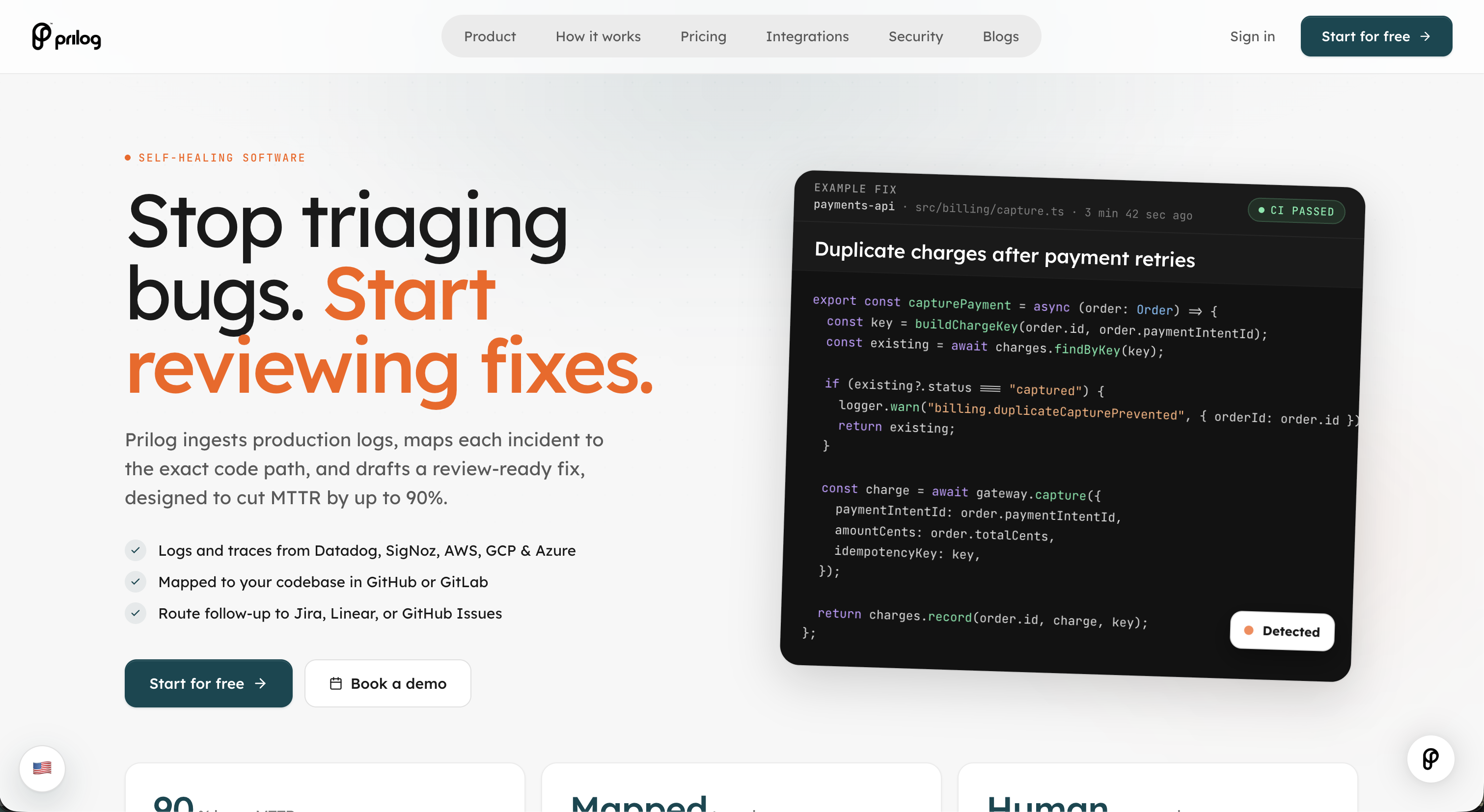
GCS Cheats is a premier platform offering advanced software solutions designed to give online gamers a significant competitive advantage. It empowers players to dominate competitive lobbies and overcome opponents who may also be using software advantages across popular titles. Targeting competitive online gamers in FPS, Battle Royale, and Survival genres (e.g., CS2, Fortnite, Rust), GCS Cheats helps users enhance gameplay and rapidly climb ranks. Key Features Aimbot: Achieve perfect accuracy with advanced aim assist and adjustable FOV for precise headshots. Wallhack (ESP): Gain full situational awareness, seeing enemies through walls with Chams, Tracers, and Box ESP. Triggerbot: Automatically fire precise shots when your crosshair aligns with a target, eliminating reaction time. Auto-Bunnyhop: Maintain high mobility and confuse enemies with seamless movement and strafing. Skinchanger: Customize your in-game inventory for free, unlocking diverse skins, knives, and gloves. Radar Hack: Provides real-time enemy locations on your minimap for complete map awareness. Use Cases GCS Cheats is ideal for players aiming to rapidly climb competitive ranks by winning more gunfights and making superior tactical rotations. It helps level the playing field against other cheaters, ensuring a more dominant and enjoyable experience. Beyond competitive play, it enhances casual gaming by allowing users to impress friends and create highlight clips. Pricing Information GCS Cheats operates on a paid model, with individual game cheats priced competitively (e.g., CS2 at $2.00, Valorant at $9.99). Purchases include seamless, automated instant delivery of license keys within seconds of payment confirmation, 24/7. No free trials or freemium options are offered for premium cheats. User Experience and Support The platform ensures a straightforward user experience with instant delivery and clear setup instructions. GCS Cheats provides real customer support, including a Discord community with over 6,000 members offering 24/7 assistance, ensuring users have resources and help readily available. Technical Details GCS Cheats employs advanced technical solutions for undetectability, utilizing kernel-level and driver-based bypass methods. The software is regularly updated to counter anti-cheat systems like VAC, EAC, and BattlEye. It offers internal, external, and DMA (hardware-based) cheat types, allowing users to select based on their security needs. Pros and Cons Pros: Competitive edge, faster rank progression, regularly updated, undetectable (with responsible use), various cheat types, instant delivery, 24/7 support, "legit configs." Cons: Paid service, residual ban risk, ethical considerations, requires responsible usage, DMA needs extra hardware. Conclusion GCS Cheats offers a robust and actively maintained suite of tools for online gamers seeking a decisive advantage and a way to combat cheaters. With its focus on security, regular updates, and comprehensive features, it provides a powerful solution for dominating the competition. Explore GCS Cheats today to elevate your gameplay and secure your victories.

Developer ToolsGaming TechSaaS
ByteThirst logo

ByteThirst

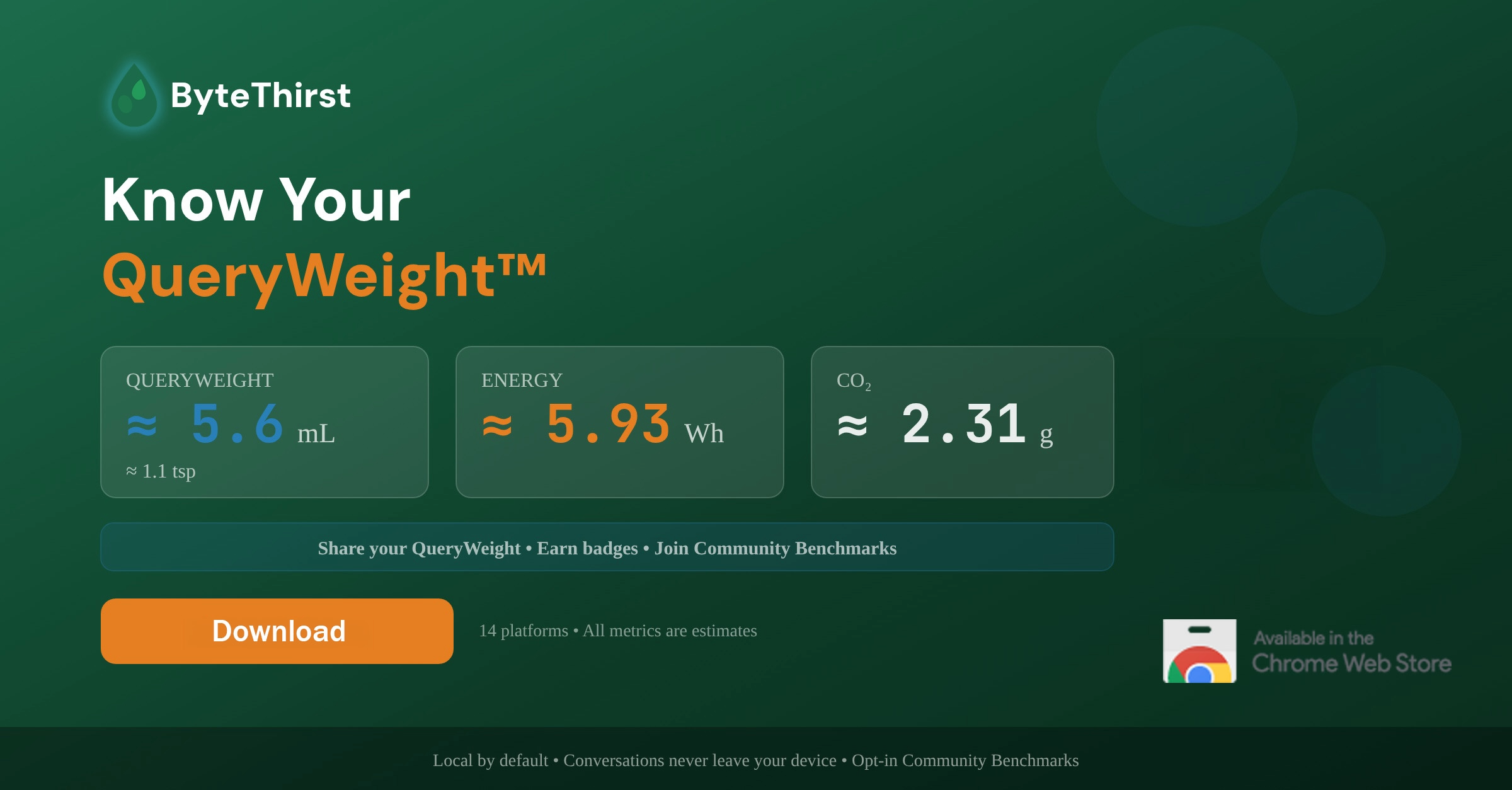
ByteThirst is an innovative SaaS that provides estimated environmental impact metrics for AI usage. It helps individuals and teams understand the water, energy, and CO₂ cost of their AI prompts across 14 different platforms, promoting sustainable AI practices.Target Audience: Ideal for developers, AI enthusiasts, and organizations committed to sustainability, ByteThirst offers a unique way to visualize and manage their AI footprint.Key Features:Comprehensive QueryWeight™ metrics: Estimated water, energy, and CO₂ cost per AI interaction.Broad platform support: Tracks usage across 14 popular AI tools, including ChatGPT, Claude, Gemini, and various code generation platforms.Dual access: Available as a Chrome Extension for browser-based AI and a CLI tool for terminal-based AI.Privacy-first design: All calculations are local, ensuring no prompts or personal data are collected or shared.Impact visualization: Daily/weekly dashboards, shareable social impact cards, and achievement badges.Team collaboration: Features for organizations to track collective QueryWeight, set goals, and gain admin insights.Use Cases:Individual Sustainability Tracking: Users can effortlessly monitor their personal AI environmental footprint, gaining insights into how different AI activities, like text chat versus "vibe coding," consume resources. This helps in making more conscious AI usage decisions.Developer Impact Awareness: Developers utilizing CLI-based AI tools such as GitHub Copilot CLI or Aider can track the environmental cost of their coding sessions, fostering a greener development workflow.Organizational ESG Reporting: Companies can leverage ByteThirst Teams to aggregate their collective AI impact, set sustainability goals, and potentially contribute to Scope 3 emissions reporting, aligning with corporate environmental, social, and governance (ESG) initiatives.Pricing Information: ByteThirst operates on a freemium model. A robust Free Tier offers essential tracking forever. Premium and Collaborative (Teams) tiers provide advanced analytics and team-specific features, available through monthly or annual subscriptions. Enterprise solutions with SSO and API access are also available upon contact. Free trials are offered for paid tiers.User Experience and Support: The Chrome Extension is designed for a "set it and forget it" experience, running silently in the background without requiring setup or an account for the free tier. Users can easily access their QueryWeight dashboard via a popup. The platform emphasizes transparency with a detailed methodology available, ensuring users understand how estimates are derived.Technical Details: ByteThirst employs a local-first architecture, performing all QueryWeight calculations directly on the user's device to ensure maximum privacy. Its methodology converts token estimations into energy, water, and CO₂ impacts, sourcing data from reputable studies by Epoch AI, OpenAI, and EPA eGRID.Pros and Cons:Pros:Comprehensive environmental impact tracking (water, energy, CO₂).Extensive support for 14 popular AI platforms.Strong commitment to user privacy with local-first processing.User-friendly Chrome Extension and powerful CLI tool.Transparent and science-backed methodology.Team features for collective impact management.Cons:Impact figures are estimates, not direct measurements.Advanced analytics and team features require paid subscriptions.Minimum seat requirement for the Collaborative tier.Conclusion: ByteThirst offers an indispensable tool for anyone looking to understand and mitigate the environmental footprint of their AI usage. By providing clear, actionable insights into AI's resource consumption, it empowers users to make more sustainable choices. Explore ByteThirst today to know your QueryWeight™ and contribute to a greener AI future.

AIDeveloper ToolsGreen Tech
Code Meter logo

Code Meter

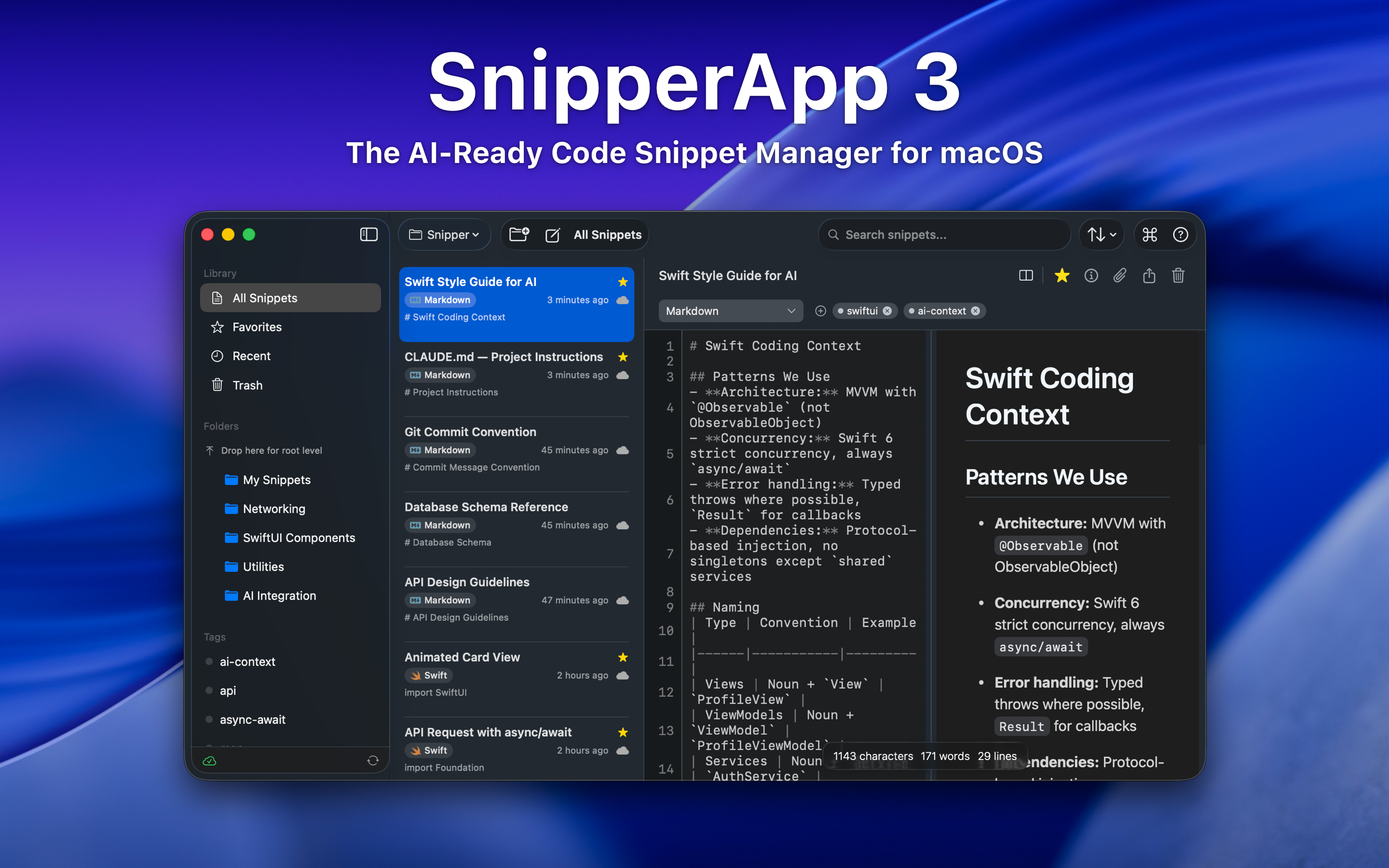
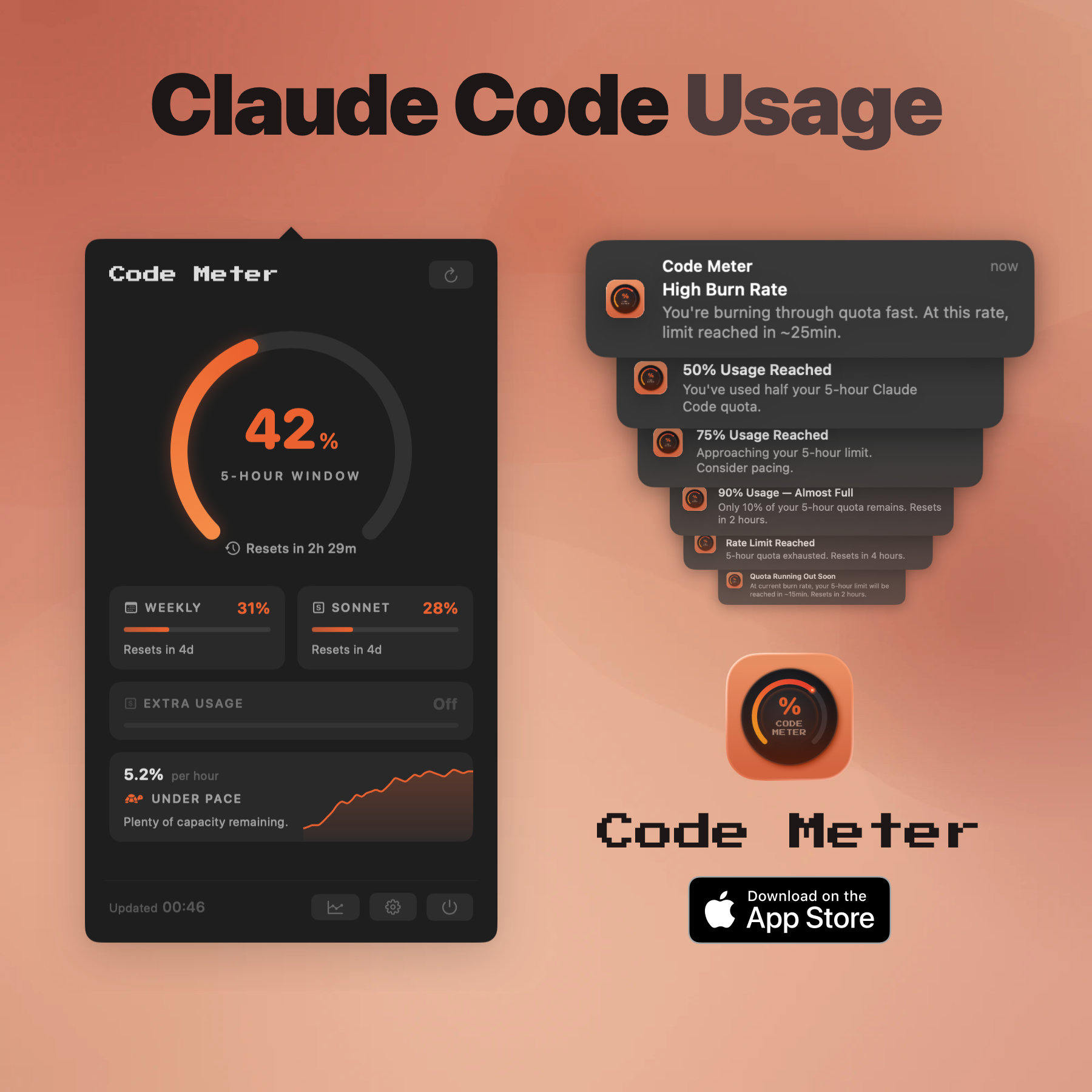
Code MeterA macOS menu bar app that tracks your Claude Code and Minimax Token Plan usage limits in real-time, so you never get blindsided by a rate limit again.The ProblemWhen you're deep in a Claude Code session, especially with multiple subagents running or switching between Opus and Sonnet, there's no warning before you hit your 5-hour or weekly limit. You just stop, mid-task.Code Meter fixes that.What It DoesUsage gauges : 5-hour and 7-day utilization, always visible in your menu barPer-model breakdown : see your Opus vs Sonnet split, plus Extra Usage if enabledBurn rate projections : predicts when your quota will exhaust based on current paceSmart notifications : alerts at 50%, 75%, 90%, and 100% so you can pace yourselfDesktop widgets : WidgetKit-powered, always in viewShareable screenshot card : flex your usage on socialHow It WorksCode Meter reads your existing Claude Code credentials directly from Keychain - no API key setup, no extra login. Polling is adaptive: more frequent when usage is actively changing, backed off when things are stable.When your token refreshes, you'll need to re-authorise Keychain access. A minor friction worth the security trade-off.Tech StackSwiftUI · macOS 26+ · Liquid Glass · WidgetKit · Swift 6 strict concurrencyBuilt entirely with Claude Code.PricingFree 1-day trial · $0.99 lifetime · No subscriptionApp Store: apps.apple.com/app/id6760511858

APIs & IntegrationsDeveloper ToolsMonitoring
NoCodeExport logo

NoCodeExport

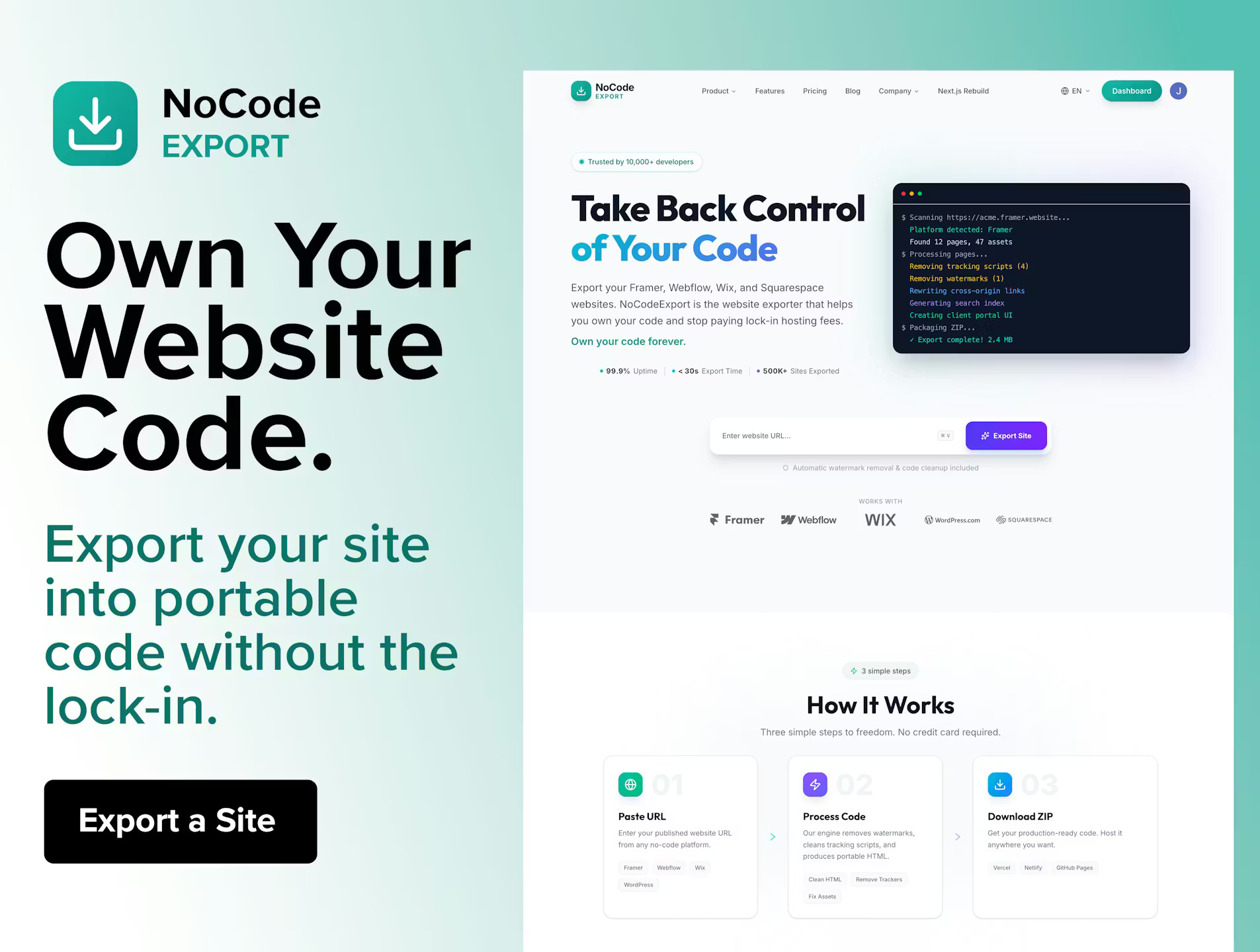
NoCodeExport lets you turn websites built with Framer, Webflow, Wix, Squarespace, or WordPress into clean, portable HTML/CSS/JS. Most no-code platforms trap your website inside their hosting. If you stop paying, your site disappears. NoCodeExport fixes that. Paste your website URL and our export engine renders every page using a headless browser, collects assets, removes platform scripts, and packages everything into a clean ZIP archive you can host anywhere.

Developer ToolsNo-CodeSaaS
yaSEO - Free SEO Analyzer logo

yaSEO - Free SEO Analyzer

Introduction This SaaS offers a free, no-login required SEO website analyzer and audit tool. It provides users with a quick and comprehensive assessment of their website's search engine optimization performance and health. It is ideal for website owners, digital marketers, web developers, and SEO professionals who need instant insights into their site's technical SEO and on-page elements without any commitment. Key Features Checks critical meta tags (title, description) for optimization. Analyzes heading structure (H1-H6) for content hierarchy. Evaluates page speed performance for user experience and SEO. Identifies and reports broken links to maintain site integrity. Provides instant SEO scores for a quick overview of performance. Offers actionable recommendations to improve search engine visibility. Use Cases This SEO audit tool is invaluable for various scenarios. Website owners can use it to perform a quick health check on their site before launching new content or making design changes, ensuring fundamental SEO elements are in place. Digital marketers can leverage it for competitive analysis, quickly auditing competitor sites to identify strengths and weaknesses in their SEO strategy. Developers can utilize the tool to pinpoint technical SEO issues such as broken links or slow page load times that might be impacting user experience and search rankings. Furthermore, it serves as an excellent educational resource for those new to SEO, providing clear recommendations on how to improve their website's search engine friendliness. Pricing Information The service is completely free to use, requiring no login or subscription. This makes it an accessible and cost-effective solution for anyone looking to perform basic SEO audits. User Experience and Support The user experience is designed for simplicity and speed, with no login required to access its core functionalities. Users can simply input a URL and receive instant results, making it highly convenient. While specific documentation or dedicated support channels are not explicitly mentioned, the tool's intuitive nature and clear recommendations aim to guide users effectively. Technical Details As a web-based tool, it likely leverages standard web technologies for crawling and analyzing website data. While specific programming languages or frameworks are not disclosed, it operates as a front-end accessible utility, processing website information to generate SEO reports and recommendations efficiently. Pros and Cons Pros: Free to use, no login required, instant results, comprehensive basic SEO checks, actionable recommendations, user-friendly interface. Cons: Lacks advanced features (e.g., keyword tracking, backlink analysis), no explicit customer support, limited customization options, not suitable for in-depth enterprise-level audits. Conclusion This free SEO website analyzer offers significant value by providing quick, actionable insights into a website's SEO health without any barriers to entry. It's an excellent starting point for anyone looking to improve their site's search engine performance. Explore its capabilities today to uncover opportunities for better online visibility!

Business AnalyticsDeveloper ToolsMarketing Tools
Manifest logo

Manifest

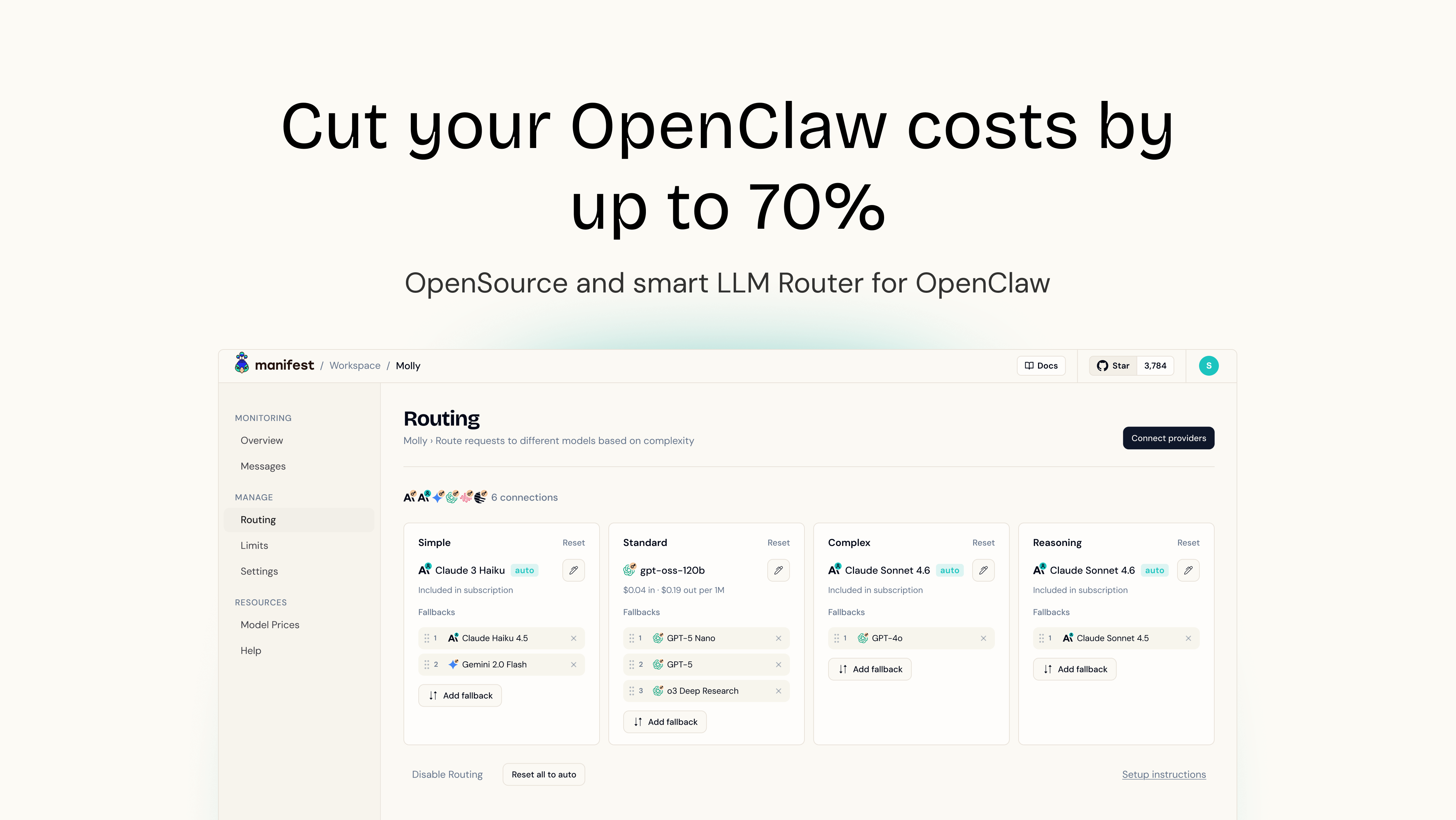
Manifest: Intelligent AI Model Routing for Cost Savings & PrivacyManifest is an innovative SaaS solution designed to drastically cut your Large Language Model (LLM) costs, specifically for platforms like OpenClaw, by up to 70%. It achieves this by intelligently routing each query to the most cost-effective and appropriate AI model, all while operating directly on your machine to ensure unparalleled data privacy.This tool is ideal for OPenClaw users who are looking to optimize their spending, prevent over-provisioning of powerful models for simple tasks, and maintain strict control over their sensitive data.Key FeaturesUp to 70% Cost Reduction: Dynamically routes queries to the most cost-effective AI model.Local Query Analysis: Analyzes each query locally in less than 2ms, ensuring speed and privacy.Enhanced Data Privacy: Query scoring is performed on your machine; the cloud version acts as a blind proxy.Comprehensive Cost Tracking: Analyze costs per message, set budget limits, and receive alerts.Truly Open & Transparent: Fully Open Source and uses OpenTelemetry for data export.Native OpenClaw Plugin: Easy, one-command installation with no coding required for OpenClaw users.Pricing InformationAlways Free and Open Source.We will soon propose a paid plan to allow people to use all the available models without subscribing to each of them.User Experience and SupportManifest emphasizes ease of use with its "one command to install, no coding required" approach, particularly for its native OpenClaw plugin. Its open-source nature allows for inspection, extension, or self-hosting, catering to both users seeking a plug-and-play solution and those requiring deep customization. The focus on transparency and control suggests a user-centric design.Technical DetailsManifest leverages the OpenTelemetry standard for collecting and exporting telemetry data, ensuring compatibility and data ownership. Being fully Open Source, it offers complete transparency and allows users to inspect, extend, or self-host the solution. Its core functionality involves local query analysis to intelligently route requests to various AI models.Pros and ConsPros: Up to 70% cost savings on AI models, superior data privacy with local processing, full transparency as an Open Source project, easy integration with OpenClaw, detailed cost monitoring and control.Cons: Fresh new brand. But already with a community of 3800+ stagazers, 1600+ users, dozens of contributors and 8000+ downloads. Join us,try it, and give us feedbackConclusionManifest stands out as a crucial tool for any OpenClaw user looking to optimize their AI expenditures without compromising performance. By intelligently redirecting your requests to the right model, it delivers substantial savings and peace of mind.

AIDeveloper ToolsOpen Source
Geekflare API logo

Geekflare API

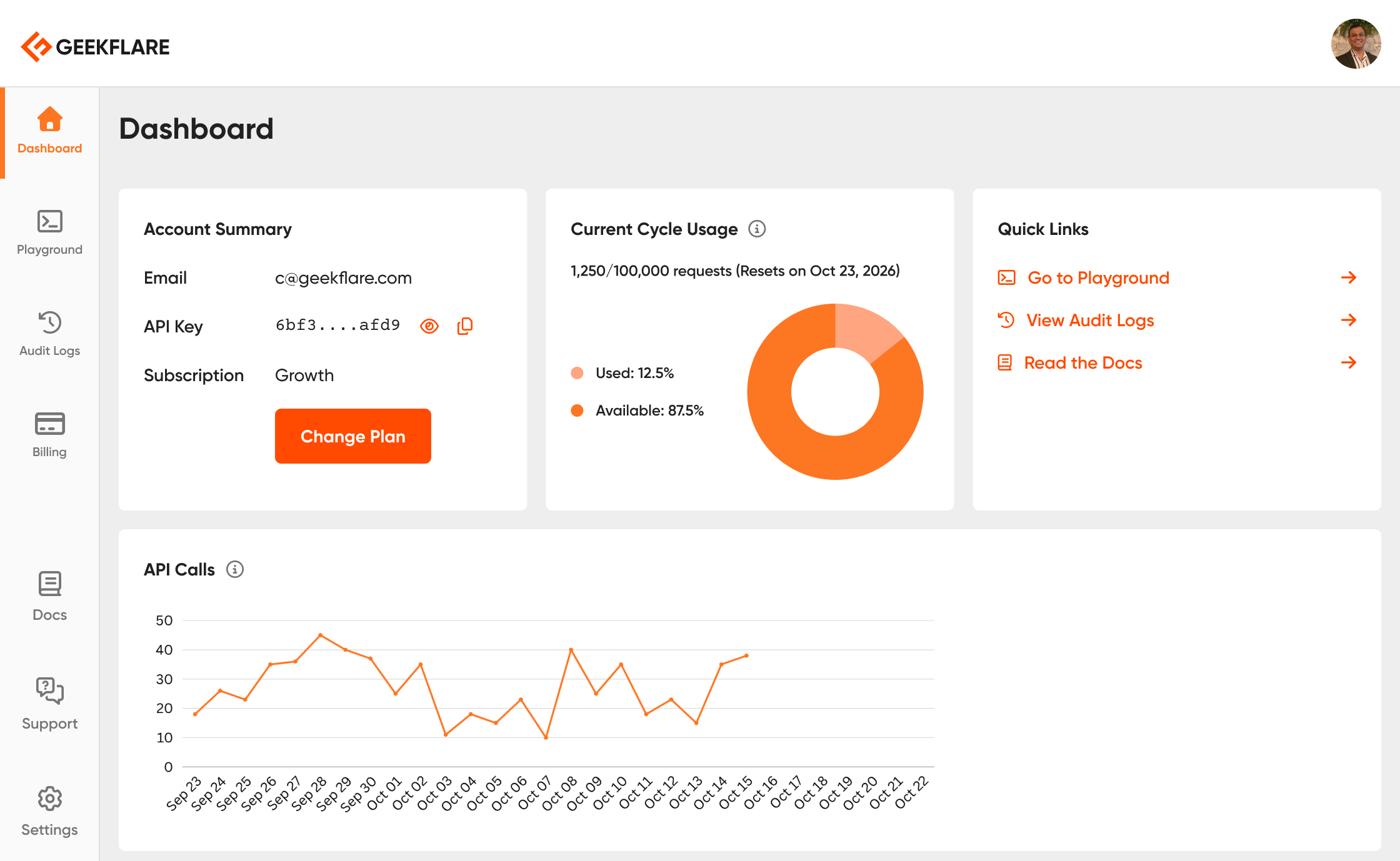
Geekflare API is a suite of 10+ developer-friendly APIs for web scraping, screenshot generation, PDF conversion, and site auditing to empower businesses of all sizes.

APIs & IntegrationsDeveloper Tools
WebTest SEO AEO Domain Reports logo

WebTest SEO AEO Domain Reports

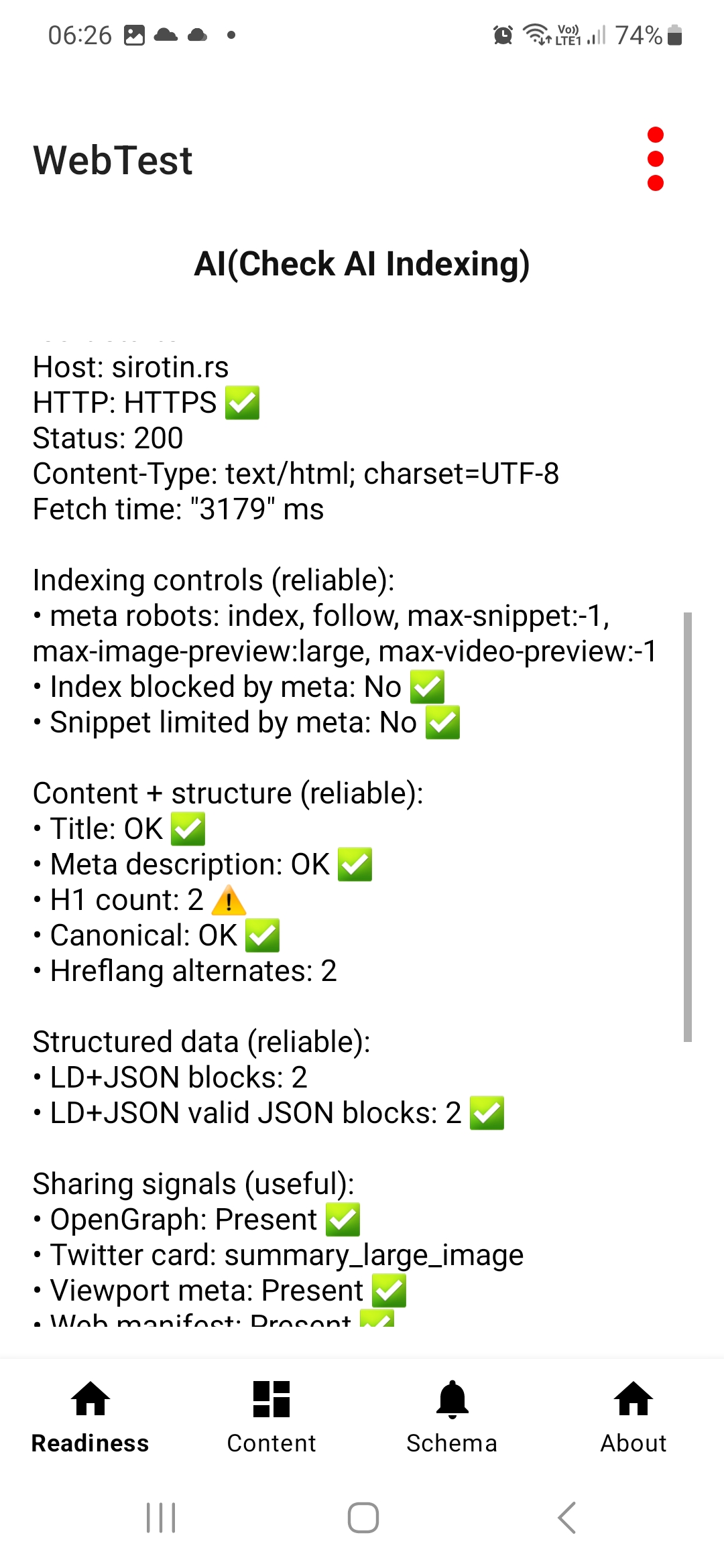
WebTest measures important performance indicators that affect user experience and search rankings. The application retrieves speed metrics from Google's PageSpeed Insights system and displays key indicators such as page performance score and other related performance data.These metrics help users understand how efficiently a page loads and whether performance optimizations may be needed.SEO Technical AnalysisWebTest evaluates several important technical SEO signals that influence how search engines interpret and index a website.The analysis includes checks related to page metadata, indexing signals, and other technical elements that can impact search visibility.The results help users quickly identify potential SEO weaknesses or missing technical configurations.AEO (Answer Engine Optimization)Modern search increasingly relies on AI systems and answer-based engines. WebTest includes basic analysis that highlights signals related to Answer Engine Optimization (AEO).These checks help determine whether a website provides signals that can be useful for AI-driven search results and answer generation systems.Domain and Infrastructure DataWebTest retrieves important domain-level information that helps users understand how a website is configured at the infrastructure level.The application analyzes technical signals such as domain configuration, response behavior, and other server-related data that may influence accessibility and performance.PWA DetectionThe application checks whether a website is configured as a Progressive Web App (PWA). It detects important PWA indicators such as manifest configuration and other elements associated with modern web application capabilities.This helps developers understand whether the site supports modern web app behavior.Technical Page SignalsWebTest performs additional technical checks on page behavior and configuration. These checks may reveal technical issues such as redirects, server response characteristics, and other signals that can affect accessibility and search indexing.Extraction ToolsWebTest includes extraction tools that allow users to identify and extract specific technical elements from a webpage.These tools help detect and display information such as:• page metadata• links and references• technical signals from the page source• selected HTML elements and attributesThis functionality is useful for developers and SEO specialists who need quick technical insights without manually inspecting the page source.AI Readiness SignalsWebTest highlights technical signals that indicate whether a website may be compatible with modern AI indexing systems.These signals help determine if a page provides useful structured information that can potentially be used by AI-based search assistants and answer engines.Clean and Lightweight InterfaceThe interface is designed to provide fast analysis and clear results. The application focuses on simplicity and speed, allowing users to quickly run diagnostics and understand the most important technical findings.PRO FEATURESFull Page Technical Report (PRO)Advanced SEO Report (PRO)WebTest PRO unlocks a full technical analysis report that combines multiple analysis modules into a single overview.The report aggregates performance metrics, SEO signals, domain information, AI readiness indicators, and additional technical checks into a structured report that helps users quickly evaluate the overall technical condition of a webpage.

AIDeveloper ToolsWeb Development
Faultry logo

Faultry

Faultry is an innovative website audit tool designed to put your site through a rigorous "car crash test" before launch or for ongoing maintenance. It goes beyond traditional performance checks to audit critical aspects like mobile responsiveness, social media card previews, security headers, and AI discoverability, ensuring your website is robust and ready for the modern web. This SaaS is ideal for web developers, site owners, and marketing professionals who need to ensure their online presence is flawless, secure, and easily discoverable by both users and AI crawlers. Key Features Comprehensive 6-Point Audit: Deep checks on security, mobile viewport, social cards, AI visibility, console errors, and performance (Core Web Vitals). Stack-Specific Fixes: Generates copy-paste code snippets tailored for popular frameworks like Next.js, React, SvelteKit, Nuxt, Vue, and Express. Real-World Mobile Rendering: Verifies actual mobile viewport behavior, including horizontal overflow, touch targets, and font zoom risks, not just a responsive design checkbox. Social Card Previews: Shows exactly how your links will appear when shared on platforms like Twitter, LinkedIn, Discord, and Slack. AI Discoverability Checks: Audits llms.txt, robots.txt, sitemap accessibility, and detects cloaking to ensure AI crawlers can find and understand your content. Advanced Security Header Analysis: Goes beyond mere presence to check the effectiveness of HSTS, CSP, X-Frame-Options, DNSSEC, CAA, and Mixed Content. Use Cases Faultry is an indispensable tool for ensuring a smooth website launch. Developers can leverage its deep checks to identify and rectify critical issues such as security vulnerabilities, mobile display glitches, or broken social sharing previews before their site goes live, preventing potential user frustration and reputational damage. For established websites, Faultry serves as a powerful ongoing optimization and maintenance solution. Site owners can regularly audit their platforms to maintain peak performance, bolster security, and enhance AI visibility, ensuring their content remains discoverable and provides an optimal user experience. It's also excellent for quickly troubleshooting common problems like console errors, performance bottlenecks, or inaccurate social media link previews, providing actionable insights and direct fixes. Pricing Information Faultry operates on a freemium model. Your first comprehensive audit is completely free, requiring no signup, and provides a full letter grade along with detailed results for all six checks. Access to stack-specific fix code is available through the Developer Fix Kit, suggesting a paid tier for advanced remediation tools. User Experience and Support The platform is designed for ease of use: simply paste your URL into the terminal to initiate an audit. The process is quick, with most audits completing in under 15 seconds. Results are presented as an AI assessment, offering clear insights and actionable recommendations. All audit reports are private by default, accessible via a secure magic link, ensuring data confidentiality. Users can flag specific reports for admin review if needed, and the Developer Fix Kit provides ready-to-use code snippets for immediate implementation. Technical Details Faultry performs a multi-layered analysis, including HTTP checks for security headers (HSTS, CSP, DNSSEC) and browser-based rendering for mobile and console errors. It specifically examines Open Graph (OG) tags for social media previews and AI-specific files like llms.txt and robots.txt. Performance metrics include Core Web Vitals such as LCP, CLS, TTFB, FCP, Speed Index, and TBT. The platform intelligently auto-detects your site's tech stack to generate tailored fixes for frameworks including Next.js, React, SvelteKit, Nuxt, Vue, and Express. Pros and Cons Pros: More comprehensive than Lighthouse, covering crucial areas like security, social cards, and AI visibility. Provides stack-specific, copy-paste code fixes, significantly speeding up remediation. Offers a free initial audit without requiring signup, making it accessible for quick checks. Ensures data privacy with reports being private by default. Fast audit completion, delivering results in under 15 seconds. Focuses on real-world issues and actionable insights for launch readiness. Cons: The Developer Fix Kit, containing stack-specific code, is likely a paid feature, which isn't explicitly stated as free. While reports can be flagged for admin review, direct customer support channels aren't detailed. Implementing some advanced fixes might still require developer expertise, despite provided code snippets. Conclusion Faultry stands out as an essential "car crash test" for any website, offering unparalleled depth in auditing critical aspects often overlooked by standard tools. By providing actionable, stack-specific fixes and focusing on real-world performance, security, and discoverability, it empowers developers and site owners to launch and maintain truly robust online experiences. Explore Faultry today to ensure your website doesn't just launch, but thrives.

Developer ToolsSecurityTesting & QA
TinyHunt logo

TinyHunt

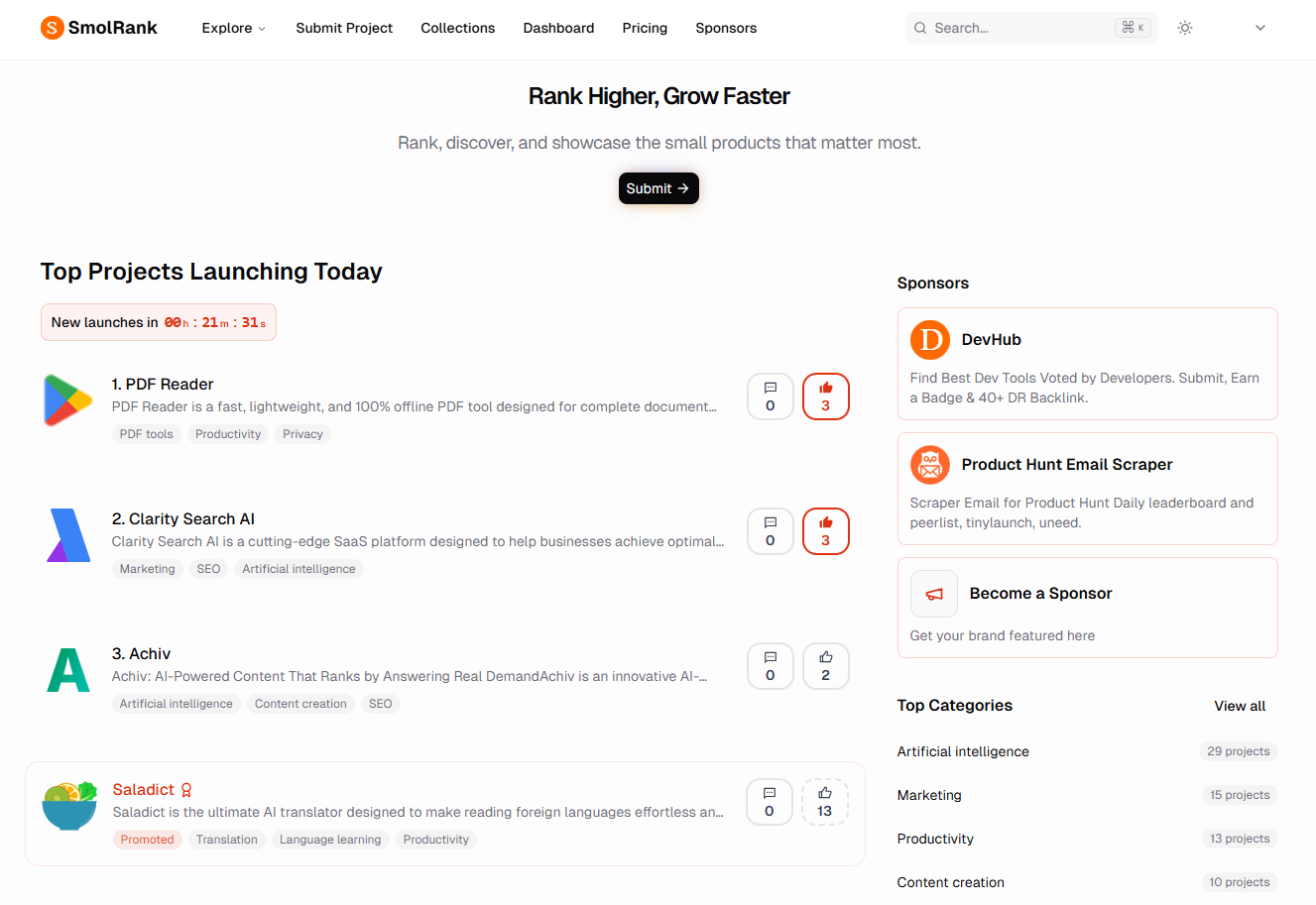
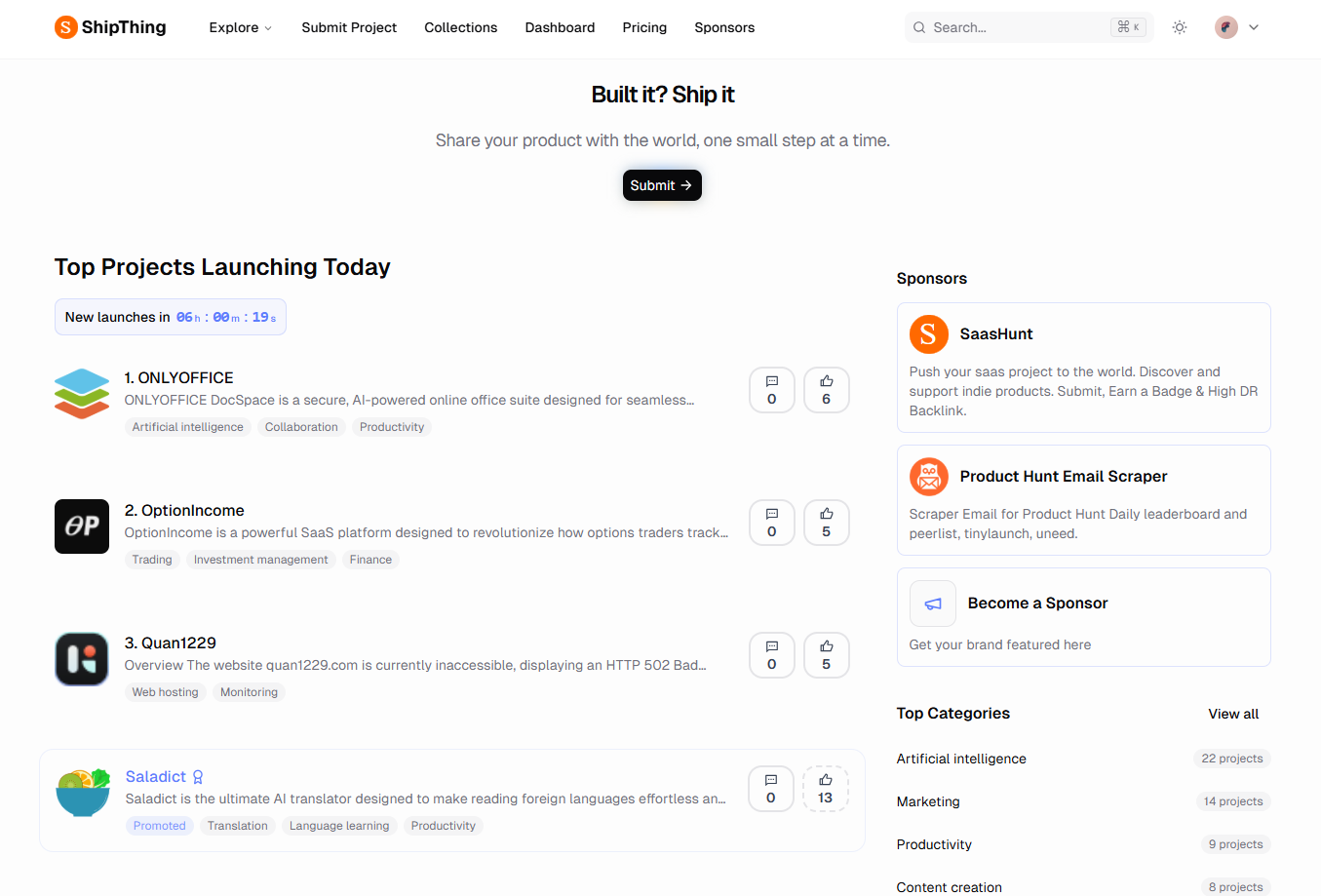
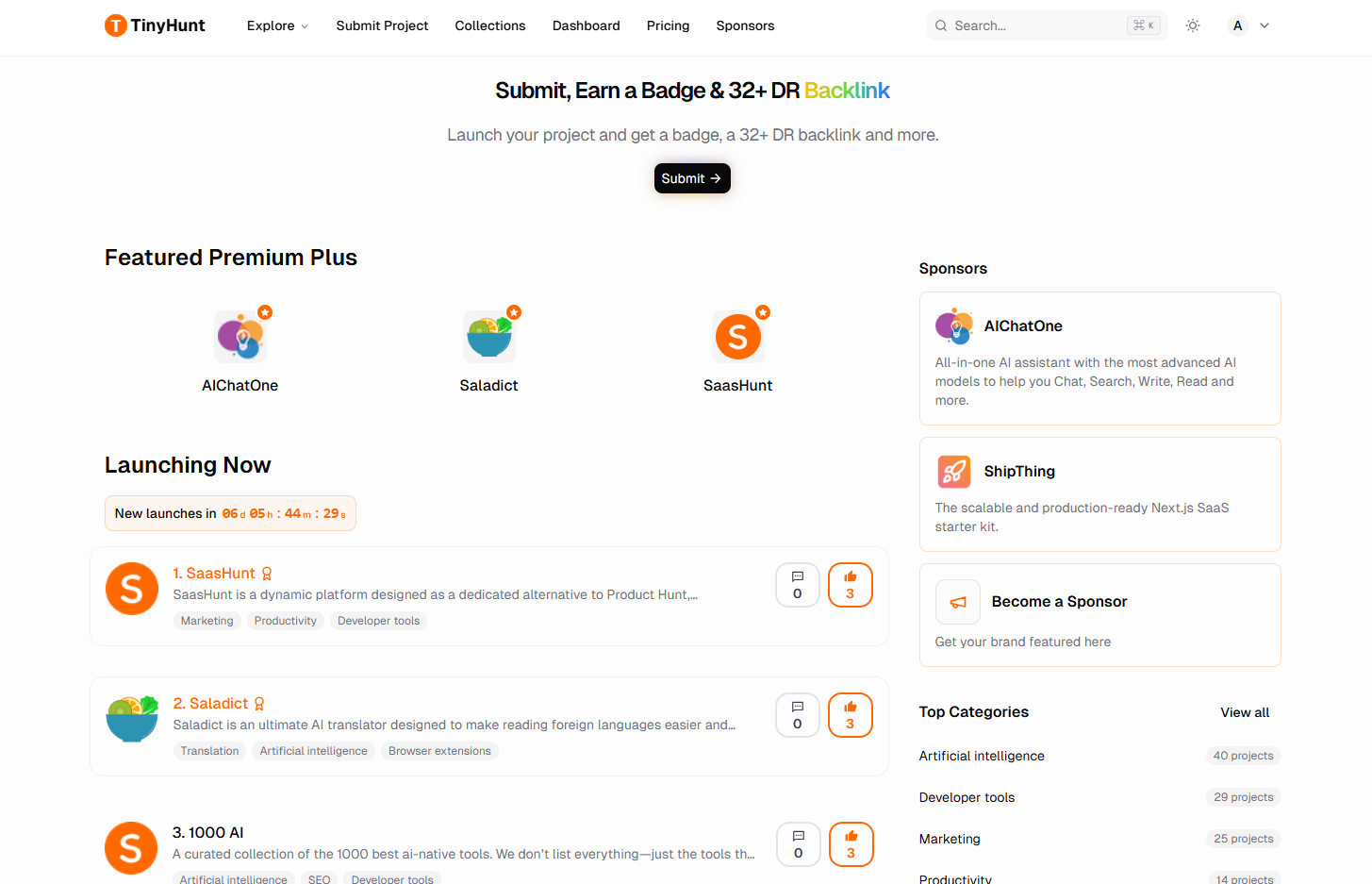
TinyHunt is a dynamic online platform designed as a dedicated alternative to Product Hunt, specifically for discovering and launching new tech products, with a strong emphasis on SaaS solutions. It serves as a crucial launchpad for indie products, enabling creators to push their projects to the world and gain significant visibility. This platform is ideal for SaaS founders, marketing teams, and individuals looking to discover and support innovative software solutions.Key FeaturesProject Submission: Easily submit new tech and SaaS projects for global exposure.Badge & Backlink Earning: Earn a badge and a valuable 32+ DR backlink upon successful submission.Daily Launch Tracking: Discover new products launching today in real-time.Curated Collections: Explore various product collections and top launches across different categories.Community Engagement: Support indie products and engage with a vibrant community of creators and users.Sponsor Opportunities: Feature brands and products through prominent sponsorship placements.Use CasesFor SaaS founders and creators, TinyHunt provides a crucial platform to announce new product launches, gain initial traction, and acquire valuable backlinks for SEO. It helps them reach a targeted audience genuinely interested in innovative software solutions, effectively cutting through the noise of larger, more general product directories. This focused exposure can be instrumental in early-stage growth and user acquisition.For users and businesses, TinyHunt acts as an efficient discovery engine for cutting-edge tech tools across various categories like AI & Machine Learning, Productivity, Marketing, and Developer Tools. It allows them to stay updated on the latest innovations, find tailored solutions to specific problems, and actively support independent creators and their ventures.Pricing InformationThe TinyHunt platform is generally free for users to browse and discover products. Submitting a project is also free, with opportunities to earn badges and backlinks. The presence of "Promoted" listings and "Sponsors" indicates that there are paid options available for increased visibility and brand featuring.User Experience and SupportTinyHunt features a clean, intuitive interface that makes it easy to navigate and discover products. Products are clearly categorized and presented, with options to view daily, weekly, and monthly top launches. The platform encourages community interaction and provides resources such as FAQs and a help center to assist users and creators.Technical DetailsWhile the specific internal programming languages or frameworks for TinyHunt are not explicitly detailed, the footer mentions "Build with ❤️ by DirEasy" and the sponsor section promotes "ShipThing" as a "Next.js SaaS starter kit," implying a modern web development stack, likely utilizing Next.js for its robust capabilities.Pros and ConsPros: Dedicated platform for new tech/SaaS products, offering focused exposure; Valuable SEO benefits (backlinks) for submitted projects; Easy discovery of new and indie tools; Clear categorization and leaderboards; Community-driven support for new products.Cons: Specific pricing for "Promoted" listings is not detailed in the provided text; Relies on user submissions for content, which can vary in quality; No explicit mention of advanced filtering or search capabilities beyond categories.ConclusionTinyHunt is an indispensable resource for both tech creators seeking visibility and users looking for innovative software solutions. Its dedicated focus on indie products and strong community support makes it a vibrant hub for the tech ecosystem. Explore TinyHunt today to launch your next project or discover your new favorite tool.

Developer ToolsMarketing ToolsSaaS
1000 Saas logo

1000 Saas

A curated collection of the 1000 best saas tools. We don’t list everything—just the tools that truly matter.🔍 Every product is handpicked, vetted, and maintained by humans. 🧠 No fluff, no noise—just 1000 saas tools worth your time. 💡 Whether you're building, designing, automating, or scaling—we’ve already done the filtering for you.🎯 Submit your tool. Get discovered. 📦 Only 1000 spots. No more, no less.

CloudDeveloper ToolsHosting & Infrastructure
Saladict Compare Translator logo

Saladict Compare Translator

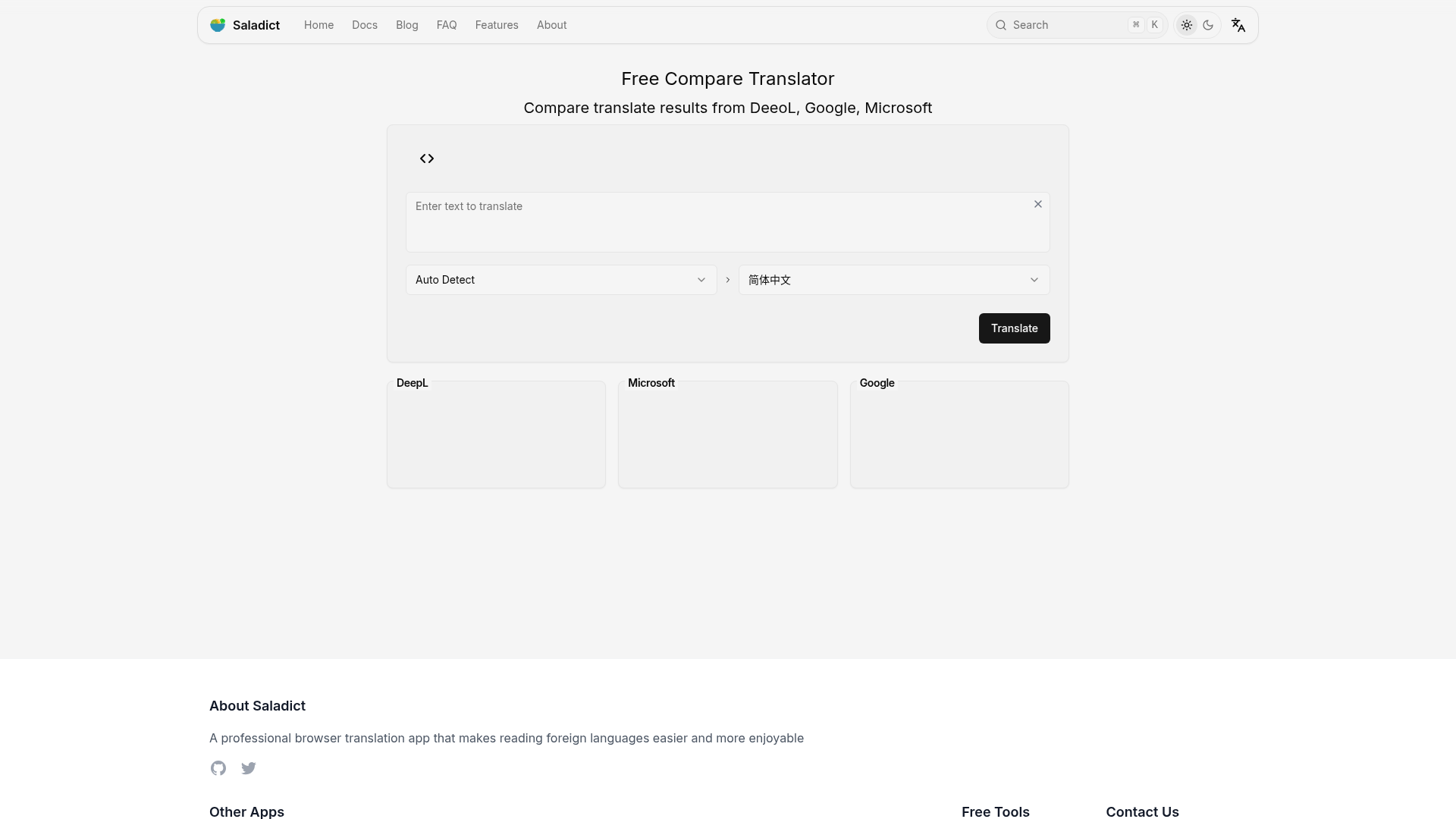
Saladict Compare Translator is a free tool that display multiple translation services (DeepL、 Google、 Microsoft) at once to compare and copy the results.

AIDeveloper ToolsProductivity
KeyAPI logo

KeyAPI

KeyAPI is an AI-ready unified social media API platform designed to provide seamless access to data from over 20 global platforms. It serves as a single, powerful REST API for developers, AI builders, and automation engineers looking to integrate comprehensive social intelligence into their applications and systems. This SaaS is ideal for businesses and individuals who need to gather, analyze, and leverage social media data for various purposes, including AI model training, market intelligence, content analysis, and autonomous agent development. Key Features Unified Platform Coverage: Access data from 20+ major social platforms with a single API key, eliminating fragmented integrations and multi-token management. AI Agent First Architecture: Purpose-built for LLM workflows, automation frameworks, and autonomous agents, providing AI-ready data. Real-Time + Historical Data: Stream live data and access deep historical archives (up to 1,000 days) for richer analytics and trend tracking. 99.9% Uptime SLA: Ensures high reliability and consistent data access for critical applications. Easy to Use: Simple integration with a single Authorization: Bearer <token> header, requiring no complex SDKs or setup. Comprehensive Data Types: Retrieve profiles, posts, analytics, videos, comments, transcripts, commerce signals, and more. Use Cases KeyAPI empowers developers to build next-generation automation and LLM pipelines by providing structured, clean social media data. For instance, an AI agent can use KeyAPI to fetch real-time TikTok user profiles and analytics, or an automation system can monitor Twitter/X trends and user timelines without managing multiple platform-specific APIs. Businesses can leverage KeyAPI for market intelligence, tracking competitor activity, analyzing consumer sentiment across various platforms, and identifying emerging trends. Data scientists can utilize the extensive historical archives for training machine learning models, understanding long-term social dynamics, and performing in-depth research. Pricing Information KeyAPI operates on a subscription-based model with credits that reset every 31 days. It offers a Free tier providing 100 credits for 7 days, perfect for testing. Paid plans include Basic ($59/month for 20,000 credits), Pro ($199/month for 100,000 credits with priority support and AI Agent endpoints), and Ultra ($699/month for 500,000 credits with dedicated support and unlimited historical data). No credit card is required to start with the free tier. User Experience and Support KeyAPI emphasizes a developer-friendly experience with its straightforward REST API. Integration is as simple as adding an authorization header, and comprehensive documentation is available to guide users. Direct 1-on-1 developer support is provided, ensuring fast response times and dedicated assistance for scaling needs. Technical Details The platform provides data through a unified REST API, returning clean, structured JSON responses. It is designed for high performance with an average latency of less than 500ms and boasts an auto-scaling infrastructure to handle varying loads. While no specific programming languages or frameworks are mandated, its RESTful nature makes it compatible with virtually any language or tool. Pros and Cons Pros: Single API key for 20+ platforms simplifies integration. AI-ready data specifically designed for LLMs and autonomous agents. Combines real-time and extensive historical data for comprehensive analysis. High reliability with a 99.9% Uptime SLA. Excellent developer experience with easy setup and direct support. Broad coverage of social media data types (profiles, posts, analytics, etc.). Cons: Credit-based system requires usage monitoring, especially for large-scale operations. While easy to use, understanding the breadth of available data across 20+ platforms might have a slight learning curve. Specific customization options beyond API parameters are not explicitly detailed. Conclusion KeyAPI stands out as a robust, AI-first solution for accessing unified social media intelligence. Its comprehensive platform coverage, combined with real-time and historical data capabilities, makes it an invaluable tool for developers and businesses aiming to build advanced AI agents, automation, and data-driven applications. Explore KeyAPI today to unlock unparalleled social media data access and accelerate your projects.

AIAPIs & IntegrationsDeveloper Tools
AppScreens logo

AppScreens

AppScreensApp store screenshot production for serious release workflowsAppScreens turns real app screens into polished, localized, store-ready screenshots for the App Store and Google Play.Developers, founders, ASO teams, agencies, and product teams use AppScreens to create one editable screenshot project, then generate every required device size, language, variant, export, and upload-ready asset without rebuilding files by hand.Built for mobile app releasesA simple screenshot update can become hundreds of files once you add iOS and Android device sizes, tablets, feature graphics, localizations, ASO variants, and future UI changes.With AppScreens, teams can:- Generate App Store and Google Play screenshots from real app UI- Create iOS, Android, tablet, feature graphic, and custom sizes- Add AI captions, device frames, templates, and brand styling- Localize screenshots across 80+ localizations with RTL support- Create ASO variants for Product Page Optimization, Custom Product Pages, and Google Play experiments- Export high-resolution PNGs or upload through App Store Connect and Google Play workflowsWhy developers use AppScreensRaw screenshots show the interface, but they are not finished store creative. AppScreens helps teams turn app captures into polished screenshots that explain the value, support localization, and stay editable for future launches, app updates, campaigns, and ASO tests.Trusted by 150k+ app pros with 10M+ screenshots exported.

AIDesign ToolsDeveloper Tools
pixelb.in logo

pixelb.in

pixelb.in is a powerful, free online platform offering a comprehensive suite of browser-based image manipulation tools. It empowers users to transform their images with ease, providing solutions for resizing, compressing, converting, and generating various image assets directly within their web browser. This toolkit is ideal for web developers optimizing assets, UI/UX designers preparing visuals, content creators enhancing their media, marketing teams streamlining campaigns, and casual users looking to quickly edit their photos. Key Features 100% Browser-Based Processing: All image manipulation occurs locally on your device, ensuring complete privacy and no server uploads. Lightning-Fast Performance: Utilizes WebAssembly for instant processing without delays. Comprehensive Toolset: Offers 8 distinct tools including Image Resizer, Compressor, WebP Converter, QR Generator, Favicon Generator, Base64 Encoder, Color Extractor, and SVG Converter. No Registration or Installation: Access and use all tools instantly without creating an account or downloading software. Wide Format Support: Supports JPG, PNG, WebP, AVIF, GIF, SVG, and ICO formats. Privacy-Focused: Guarantees no data collection, tracking, or analytics, keeping your files secure. Use Cases pixelb.in is an invaluable resource for optimizing website performance by compressing and converting images to modern formats like WebP and AVIF, significantly reducing load times. Web developers can efficiently generate favicons for their projects, encode images to Base64 for embedding directly into CSS or HTML, and convert raster images to SVG vectors for scalability. Designers and content creators can leverage the Image Resizer for social media presets, extract dominant colors to build harmonious palettes, and generate custom QR codes with integrated logos for marketing materials. The platform simplifies routine image tasks, allowing professionals to focus on their core creative work while ensuring high-quality, optimized visuals. Pricing Information pixelb.in is completely free to use. There are no hidden fees, subscriptions, usage limits, or premium features. All 8 tools are available to everyone without any cost. User Experience and Support The platform boasts a clean, intuitive user interface designed for ease of use. With no installation required, users can simply visit the website and start processing images instantly. It supports modern browsers, ensuring accessibility and a smooth experience across various devices. While direct support channels aren't explicitly mentioned, the straightforward nature of the tools minimizes the need for extensive documentation. Technical Details The core of pixelb.in's performance and privacy lies in its architecture, which leverages WebAssembly. This technology enables all image processing to happen client-side, directly within the user's browser. This approach eliminates the need for server-side computations, enhancing speed and ensuring that user files never leave their device. Pros and Cons Pros: 100% free with no hidden costs. Exceptional privacy; files never leave your device. Lightning-fast processing due to WebAssembly. No account registration or software installation needed. Versatile toolkit covering a wide range of image needs. Supports multiple popular image formats. Cons: Limited to browser capabilities; not suitable for extremely large batch processing that might overwhelm browser resources. No cloud storage or synchronization features (inherent to its privacy model). No advanced photo editing features beyond basic transformations. Conclusion pixelb.in stands out as an indispensable, privacy-focused online image toolkit for anyone needing quick, efficient, and secure image manipulation. Its commitment to local processing and a comprehensive suite of free tools makes it a top choice for optimizing web assets, preparing visuals, and generating essential image components. Explore pixelb.in today to experience seamless image processing directly in your browser.

Design ToolsDeveloper ToolsGraphics & Illustration
Claw Buff logo

Claw Buff

Claw Buff is the fastest way to deploy and manage AI Agents powered by OpenClaw. Skip the servers, Docker, and SSL headaches — just pick an LLM (GPT-4o, Claude, Gemini, DeepSeek, and more), choose a plan, and your agent goes live in 30 seconds. Every plan includes LLM credits, so there's no need to bring your own API key. Connect your agent to Telegram, Discord, Slack, or WhatsApp with guided setup. Monitor usage, set budgets, and switch models with one click — no downtime. Run multiple agents, each with its own model and budget. Browse pre-built personas in SOUL Hub or build your own. Starting at $4.99/mo.

AICloudDeveloper Tools
Arcadia Age API logo

Arcadia Age API

Arcadia Age API (A3) offers a unified, privacy-first age compliance solution for web, iOS, and Android applications, specifically designed for the US market. It provides frictionless age assurance without requiring identity verification, storing PII, or creating user friction, making it ideal for fast-moving engineering and product teams in high-volume digital environments.A3 is perfect for businesses needing to meet state-level compliance mandates like AB 1043 without sacrificing user acquisition or conversion rates. It's particularly beneficial for ad-supported mobile games, multi-platform communities, and e-commerce platforms where user experience and privacy are paramount.Key Features:Frictionless age estimation using passive behavioral signals.Developer-first integration with a self-serve SDK, deployable in under 10 minutes.Zero PII stored, eliminating data breach liability.Unified API normalizing Apple, Google, and browser age signals into one response.AB 1043 compliance with audit-ready verdicts and cryptographic receipts.Invisible to users with sub-200ms processing and no verification walls.Use Cases:A3 enables companies to achieve robust age compliance effortlessly. It helps protect conversion funnels by avoiding high-friction ID gates, ensuring users can access content without interruption. For instance, a mobile game developer can integrate A3 to confidently serve age-appropriate content and ads, routing estimated minors to compliant contextual ads while maintaining ad revenue for adult users.Furthermore, A3 simplifies the compliance landscape by providing a single API for all platforms, eliminating the need to manage separate solutions for Apple's Declared Age Range API, Google's Play Age Signals, and web browsers. This streamlines development and reduces legal consultation costs, allowing teams to focus on product innovation.Pricing Information:Arcadia Age API operates on a paid model, offering a free API key to get started. Specific pricing details are available on their website, allowing businesses to choose a plan that fits their scale and needs.User Experience and Support:Designed for developers, A3 boasts a "developer-first" approach with an SDK that integrates in under 10 minutes. Comprehensive documentation is available, and a playground allows for easy testing, ensuring a smooth and efficient setup process.Technical Details:A3 utilizes a cross-platform SDK, including a lightweight @a3api/signals SDK (<5KB) for web, to collect passive behavioral signals. It employs a "signal fusion" methodology to normalize age signals from various sources (Apple, Google, browser) into a single, auditable response. The system processes requests in sub-200ms and discards all data immediately, ensuring no PII is stored.Pros and Cons:Pros: Frictionless user experience, zero PII storage and liability, rapid integration (under 10 mins), cross-platform compatibility (Web, iOS, Android), strong AB 1043 compliance, protects conversion rates and ad revenue.Cons: While integration is fast, understanding the nuances of age compliance and signal fusion might require initial learning.Conclusion:Arcadia Age API is an essential tool for any digital business operating in the US market that requires robust, privacy-centric age compliance without compromising user experience or conversion. Its innovative signal fusion technology and developer-friendly design make it a standout solution for modern age assurance. Explore the documentation and try the playground to see how A3 can safeguard your business.

APIs & IntegrationsDeveloper ToolsSecurity
GopServer logo

GopServer

GopServer is a universal REST API server supporting PostgreSQL, MySQL, SQLite, MSSQL and Oracle. Once configured, it automatically exposes full CRUD operations for every table — no extra code, no recompilation required.Configure your database, define your tables in a JSON file, start the server. Your API is ready.JWT authentication, advanced filtering, pagination, CORS — everything included from day one.

APIs & IntegrationsDatabasesDeveloper Tools
Installer Studio logo

Installer Studio

InstallerStudio lets .NET developers build production-ready MSI installers visually — no XML, no $2,000/year subscriptions. Supports files, shortcuts, registry, Windows services, custom actions, file associations, and bootstrapper generation. One-time license, 30-day free trial.

Developer Tools
fastTURN logo

fastTURN

Introduction fastTURN is a cutting-edge SaaS offering ultra-fast, reliable, and secure STUN & TURN services specifically designed for SIP, ICE, and WebRTC applications. It aims to enhance real-time communication by ensuring seamless connectivity and low latency across the globe. This service is ideal for developers, businesses, and anyone building or operating applications that rely on real-time audio, video, or data exchange, providing essential network traversal capabilities. Key Features Global Network: 24 servers worldwide with exclusive IP to GEO location-based auto-routing for the closest server (<30 ms latency). Blazing Fast Performance: Average STUN resolution time of only 49 milliseconds, ensuring super fast handshake times. High Reliability: Guaranteed 99.99% uptime with robust computing resources. Unlimited STUN & Generous TURN: Includes unlimited STUN connections and 25 GB of TURN traffic per month on paid plans. Security & Privacy: Features SSL encryption and a strict no-logging policy. Affordable & Flexible: Competitive pricing with monthly, yearly, and a free developer tier. Use Cases fastTURN is crucial for any application requiring real-time communication, such as VoIP services, video conferencing platforms, online gaming, and peer-to-peer data sharing. It effectively solves common connectivity issues caused by firewalls and Network Address Translators (NATs), allowing direct communication between users regardless of their network configuration. Developers can leverage fastTURN to significantly improve the user experience of their WebRTC and SIP applications. By ensuring low latency and reliable connections, fastTURN helps prevent dropped calls, frozen video streams, and communication delays, leading to more engaging and productive interactions for end-users. Furthermore, its global distribution and auto-routing capabilities make it an excellent choice for services with an international user base, guaranteeing optimal performance by connecting users to the nearest server, thereby minimizing geographical latency. Pricing Information fastTURN operates on a freemium model. A free tier is available for developers and testing, limited to 50,000 tests, located in Germany, and does not include SSL. Paid plans offer worldwide coverage, SSL encryption, no logging, unlimited STUN, and 25 GB of TURN traffic per month. These are priced at $9 monthly or $99 annually, providing a cost-effective solution for production environments. User Experience and Support The service emphasizes ease of integration with its generic “ICE” settings, allowing for straightforward setup. While specific documentation or tutorial details aren’t provided, the “Easy setup” claim suggests a user-friendly integration process. Technical support is included with paid plans, ensuring assistance when needed. Technical Details fastTURN’s infrastructure is built for performance and reliability, utilizing authoritative DNS for low latency and fiber optic connections with location-dependent bandwidth (1-20 GBit/s). It supports both UDP & TCP protocols and secures communications with SSL encryption, ensuring data integrity and privacy. The service’s global server network is designed for exclusive IP to GEO location-based auto-routing, optimizing connection paths. Pros and Cons Pros: Global coverage with auto-routing, ultra-fast STUN resolution, high reliability (99.99% uptime), strong privacy (no logging, SSL), affordable pricing, easy integration, dedicated technical support for paid users. Cons: Free tier is geographically limited (Germany) and lacks SSL, TURN traffic is capped at 25 GB/month (though generous for many), specific details on extensive documentation are not provided. Conclusion fastTURN provides an indispensable, high-performance STUN & TURN service crucial for modern real-time communication applications. Its global reach, speed, reliability, and commitment to privacy make it an excellent choice for enhancing user experience and ensuring seamless connectivity. Explore fastTURN today to elevate your real-time communication applications.

APIs & IntegrationsDeveloper ToolsWeb Development
Aizecs logo

Aizecs

AizecsHire is India's premier Next.js agency, dedicated to helping US and EU founders rapidly launch and scale their digital products. Specializing in AI-driven workflows and modern architecture, they deliver production-ready Minimum Viable Products (MVPs) in as little as 7 days, starting from just $1,000.This service is ideal for startups and established businesses seeking to accelerate product development, enhance existing applications, or rescue complex codebases with the expertise of senior Indian engineers.Key Features7-Day MVP Sprints: Deliver deployable, production-ready MVPs with clean Next.js architecture, auth, dashboards, and API integrations within a week.AI-Driven Workflows: Leverages cutting-edge AI tools like Cursor, v0, Claude code, and Codex to ensure faster development without compromising quality.Next.js Specialization: Deep expertise across the entire Next.js ecosystem, including App Router, Server Components, and Edge Runtime.US & EU Time Zone Overlap: Facilitates real-time collaboration and seamless communication with clients across different geographies.Production-Grade Code: Adheres to best practices with clean architecture, TypeScript, comprehensive testing, and robust CI/CD pipelines.Codebase Rescue & Scale Engineering: Offers services to refactor messy code, fix performance issues, add new features, harden infrastructure, and prepare products for significant growth.Use CasesRapid Product Launch: Founders can transform their ideas into a functional, market-ready MVP within a week. This is perfect for quickly validating concepts, securing early users, or preparing for investor pitches without the typical long development cycles.Scaling and Performance Enhancement: For businesses with existing products, AizecsHire provides "Scale Engineering" to improve performance, integrate new features, and fortify infrastructure. This ensures the application can handle increased user loads and evolving business demands efficiently.Project Revival and Modernization: Companies struggling with abandoned, poorly performing, or outdated codebases can utilize the "Codebase Rescue" service. AizecsHire will refactor, debug, and modernize the stack, bringing the project back to a maintainable and scalable state.Pricing InformationMVP Development starts at $1,000 for a 7-day sprint. Scale Engineering begins at $2,000, with pricing adjusted based on project complexity. Codebase Rescue and Dedicated Developers are offered with custom pricing. A free 30-minute discovery call and a free quote are available to discuss specific project needs.User Experience and SupportAizecsHire employs a streamlined 4-step process: Discovery Call, Proposal & Kickoff, Build Sprint (with daily updates, Loom walkthroughs, and staging previews), and Launch & Handoff. Clients benefit from direct communication with senior engineers via Slack, Zoom, and Loom, ensuring transparency and real-time collaboration throughout the development cycle.Technical DetailsThe agency's core expertise lies in the Next.js framework, utilizing its advanced features like App Router, Server Components, and Edge Runtime. They build with TypeScript for type safety and maintain high code quality through clean architecture, robust testing, and continuous integration/continuous deployment (CI/CD) practices. Their development process is significantly enhanced by integrating AI tools such as Cursor, v0, Claude code, and Codex.Pros and ConsPros:Extremely fast MVP delivery (7 days).Cost-effective entry point for new products.High-quality, production-grade code.Direct access to senior, specialized engineers.Leverages AI for development efficiency.Excellent time zone overlap for US/EU clients.Cons:Primary focus on Next.js may not suit all tech stacks.Custom pricing for larger projects requires initial consultation.Rapid delivery might mean initial MVPs are feature-lean.No explicit mention of long-term maintenance packages.AizecsHire stands out as a highly efficient and reliable partner for founders aiming to build or enhance their web products with speed and quality. Their blend of Next.js expertise, AI-driven workflows, and direct client engagement offers a compelling value proposition for rapid market entry and scalable growth. Explore AizecsHire today to transform your product vision into reality.

Developer ToolsSaaSWeb Development
GMaps To GPX logo

GMaps To GPX

GMaps To GPX is an intuitive online SaaS tool designed to effortlessly convert Google Maps directions into GPX files. It serves as a crucial bridge for users who need to transfer their planned routes from Google Maps to various GPS devices, navigation apps, or development tools. This service is ideal for outdoor enthusiasts, app developers, and even gamers looking to simulate routes. Key Features One-Click Conversion: Quickly transform any Google Maps directions link into a GPX file in seconds. Multi-Stop Route Support: Handles complex routes with multiple destinations, not just simple A to B. Flexible Output Formats: Choose between continuous track format for navigation apps or timestamped waypoint format for specific use cases like Xcode and Pokemon GO. No Software Installation: Entirely web-based, requiring no desktop software, plugins, or installations. Cross-Device Compatibility: Works seamlessly on any device, supporting Android apps, iPhone, Garmin, and more. Privacy-Focused: Route data is processed on their server only when signed in and immediately deleted after GPX generation. Use Cases GMaps To GPX is invaluable for a wide range of applications. Android users can easily import GPX tracks into popular navigation apps like OruxMaps, Locus Map, or OsmAnd for offline navigation and route following. This eliminates the manual effort of recreating routes on different platforms. For iOS developers, the tool provides a convenient way to generate GPX waypoints for Xcode's iOS Simulator, enabling precise location testing for their applications. Pokemon GO players can also leverage the timestamped waypoint format to generate routes for simulation tools, enhancing their gameplay experience. Beyond GPX, the platform offers additional conversion tools for KML, TCX, and FIT formats, catering to Garmin devices, Google Earth, and various fitness platforms, making it a versatile solution for managing geographical data across different ecosystems. Pricing Information GMaps To GPX operates on a freemium model. New accounts receive a small number of free credits to experience the converter without requiring a credit card. Each conversion consumes one credit, and additional credits can be purchased from the pricing page, with credits never expiring. The dedicated format conversion tools (GPX to KML, KML to GPX, etc.) and the GPX viewer are completely free to use without consuming any credits. User Experience and Support The platform emphasizes a straightforward user experience, requiring just three simple steps: paste a Google Maps link, sign in and convert, then download the GPX file. Its web-based nature ensures accessibility from any browser or device. While specific documentation isn't detailed, the clear "How it works" section and FAQs provide ample guidance. Support is available via email at help@gmapstogpx.com. Technical Details The core functionality revolves around converting Google Maps directions into GPX (GPS Exchange Format), an open XML standard widely supported by GPS devices and applications. The service also supports conversions to and from KML (Google Earth), TCX (Garmin Training Center), and FIT (Garmin binary) formats. Conversions are performed on the service's server, ensuring efficiency and privacy, and it handles both full Google Maps URLs and short maps.app.goo.gl links. Pros and Cons Pros: Extremely easy to use with a simple three-step process. No software installation required, fully web-based. Supports multi-stop routes and short Google Maps URLs. Offers both track and timestamped waypoint formats. Strong privacy policy with immediate data deletion. Includes free additional format conversion tools and a GPX viewer. Compatible with a wide range of GPS devices and apps (Garmin, OruxMaps, Xcode, Pokemon GO). Cons: Requires Google sign-in for route conversion. Core conversion feature is credit-based after initial free credits. No explicit mention of API access for programmatic use. Conclusion GMaps To GPX offers a highly efficient and user-friendly solution for anyone needing to convert Google Maps routes into GPX files. Its broad compatibility, privacy-conscious design, and additional format conversion tools make it an indispensable asset for navigation, development, and gaming. Explore GMaps To GPX today to streamline your route planning and data management.

Developer ToolsProductivityWeb Development
Pagersync logo

Pagersync

Pagersync is a powerful SaaS solution designed to streamline on-call management by seamlessly integrating your incident management platform with Slack. It automatically syncs your PagerDuty (or xMatters) on-call roster with Slack User Groups, ensuring your team is always updated and ready to respond instantly to incidents. This tool is primarily aimed at DevOps, SRE, and Support teams looking to enhance their incident response workflows and improve communication efficiency within Slack. Key Features Automated Roster Sync: Syncs PagerDuty on-call schedules directly with Slack User Groups. Real-time On-Call Announcements: Notifies relevant Slack channels when an engineer goes on-call. Slack User Alias Updates: Dynamically changes Slack User Group membership based on the current on-call person from PagerDuty or xMatters. Multi-Team Aliases: Create aliases that span across multiple teams (e.g., frontend, backend) to alert them simultaneously. Reduced Alert Fatigue: Directs alerts only to the on-call engineers, preventing unnecessary notifications for others. Use Cases For DevOps and SRE Teams, Pagersync ensures that critical alerts reach the right person at the right time without overwhelming the entire team. By automatically updating Slack user groups, it eliminates manual overhead and reduces the risk of missed incidents, allowing SREs to focus on resolution rather than coordination. In Incident Management scenarios, the tool acts as a crucial bridge between your incident management system and your communication platform. When an incident occurs, the correct on-call engineer is immediately identified and their Slack alias is updated, facilitating rapid response and clear communication channels. This is especially useful for organizations using PagerDuty or xMatters. Furthermore, Pagersync supports advanced communication strategies through Multi-Team Aliases. This feature allows organizations to define broader alert groups, such as "all frontend teams" or "all backend teams," enabling simultaneous notification of relevant stakeholders across different departments during major incidents, fostering better cross-functional collaboration. Pricing Information Pagersync offers a straightforward pricing model with a "Premium" tier at $25/month, which includes support for up to 25 teams/rotation configurations, multiple PagerDuty schedules, and multiple announcement channels. An "Enterprise" plan is available for higher team rotation counts, analytics, advanced admin features, and custom requirements, requiring direct contact for pricing. A free 7-day trial is available for the Premium plan, allowing teams to experience its benefits before committing. User Experience and Support While specific UI details are not provided, the emphasis on "seamless communication" and "instantly" suggests an intuitive and efficient user experience. Pagersync provides support through a "Help Centre FAQs" section and "Documentation," addressing common queries like schedule configuration issues. Additional support options are also available, ensuring users can get assistance when needed. Technical Details The service integrates directly with PagerDuty and xMatters for incident management and leverages Slack's API for user group and messaging functionalities. While specific programming languages or frameworks are not detailed, its core function revolves around API-driven automation between these critical platforms. Pros and Cons Pros: Automates on-call roster synchronization, saving manual effort. Reduces alert fatigue by targeting only on-call personnel. Enhances incident response speed and communication clarity. Supports multi-team alerting for complex organizational structures. Integrates with leading incident management tools (PagerDuty, xMatters). Cons: Specific learning curve for initial configuration (e.g., schedule dropdown issues). No explicit mention of integration with other incident management platforms beyond PagerDuty and xMatters. Advanced features like analytics are reserved for the Enterprise plan. No free tier, only a trial for the paid plan. Conclusion Pagersync offers a robust and essential solution for modern DevOps and SRE teams seeking to optimize their on-call rotations and incident communication within Slack. By automating critical coordination tasks, it empowers teams to respond faster and more effectively. Explore Pagersync today to bring unparalleled efficiency to your on-call workflows.

Developer ToolsDevOpsWorkflow Automation
TicketsData logo

TicketsData

TicketsData API: Real-Time Event Data for Ticketing Marketplaces TicketsData API provides instant, reliable access to real-time event data from major ticketing platforms like Ticketmaster, StubHub, SeatGeek, Eventbrite, and VividSeats. It eliminates the complexities and risks associated with direct scraping, offering structured JSON data through a clean REST API. This service is ideal for developers, startups, ticket brokers, data analysts, and enterprises who need up-to-the-second information on ticket availability, pricing, and seat maps for various events. Key Features ⚡ Real-Time Data: Fetch seatmaps, prices, and availability instantly across multiple platforms. 📊 Reliable at Scale: Designed to handle 10k+ requests per hour with enterprise-grade reliability. 🛠 Easy Integration: Clean REST API returning structured JSON, with official SDKs for popular languages. 🎯 Customizable: Choose exactly what data you need: seats, prices, offers, or availability only. 🌍 Multi-Marketplace Support: Access data from Ticketmaster, StubHub, SeatGeek, VividSeats, Gametime, TickPick, and Eventbrite. 🔒 Avoid Scraping Headaches: Bypass IP blocks, CAPTCHAs, and legal gray areas associated with direct scraping. Use Cases TicketsData API empowers businesses and developers to build innovative solutions in the ticketing space. Event discovery apps can showcase concerts, sports, theater, and festivals with live data. Brokers, agencies, and venues can utilize pricing dashboards to monitor resale activity, optimize pricing strategies, and gain insights into market demand. Automated systems can track supply, demand, and competitor pricing, while market research platforms can analyze long-term ticketing trends. Whether you're a startup building a new marketplace or an enterprise optimizing existing operations, TicketsData provides the critical data needed for informed decision-making and enhanced user experiences. Pricing Information TicketsData operates on a paid subscription model with several tiers. The Starter plan begins at $499/month for 10,000 requests, while the Pro plan offers 250,000 requests for $2,499/month. Custom Business and Enterprise plans are available for high-volume clients requiring millions of requests, advanced filters, dedicated infrastructure, and SLAs. User Experience and Support Built with developers in mind, TicketsData offers a developer-friendly experience. Endpoints are simple and consistent, delivering structured JSON that's ready for immediate use. Comprehensive documentation includes copy-paste examples for cURL, Python, Node.js, PHP, Ruby, and Go, enabling quick integration. Support ranges from email for Starter plans to priority support for Pro and custom solutions for Enterprise clients. Technical Details The service is delivered via a clean REST API, providing data in a standardized JSON format. Official Client SDKs are available for popular programming languages such as Python, Node.js, PHP, Ruby, and Go, simplifying batch requests, asynchronous calls, retries, and structured output processing. Pros and Cons Pros: Instant access to Ticketmaster and other major ticketing data without lengthy approvals. Real-time, up-to-the-second data on prices, availability, and seat maps. Eliminates the need for complex and risky scraping infrastructure. Supports multiple leading ticketing marketplaces. Scalable for projects from hobbyist to enterprise level. Developer-friendly API with clear documentation and SDKs. Cons: No free tier or freemium option mentioned, starting price may be high for very small projects. Reliance on a third-party API for critical data. Specific rate limits and concurrency apply based on pricing tier. Conclusion TicketsData API offers a robust and reliable solution for accessing real-time event data across the ticketing ecosystem. By providing instant, structured data and eliminating scraping challenges, it allows developers and businesses to focus on building innovative applications and making data-driven decisions. Explore TicketsData today to unlock the full potential of live ticketing information.

APIs & IntegrationsData Science & AnalyticsDeveloper Tools
PreviousPage 1 of 13Next