logoDevHub
  • Categories
  • Submit Project
  • Collections
  • Pricing
  • Sponsors
Sign inSign up
Sign in

Categories

Browse Categories

AI674 projectsAPIs & Integrations56 projectsAR/VR6 projectsAuthentication14 projectsBlockchain & Crypto14 projectsBoilerplates50 projectsBusiness Analytics99 projectsCI2 projectsCMS20 projectsCharts7 projectsCloud20 projectsCode13 projectsData Science & Analytics21 projectsDatabases23 projectsDesign Tools157 projectsDevOps15 projectsDeveloper Tools248 projectsE-commerce64 projectsEducation Tech59 projectsEmails31 projectsFinance & FinTech54 projectsGaming Tech28 projectsGraphics & Illustration65 projectsGreen Tech6 projectsHardware3 projectsHealth Tech25 projectsHelpers74 projectsHosting & Infrastructure12 projectsIDE6 projectsInternet of Things (IoT)4 projectsMachine Learning42 projectsMarketing Tools305 projectsMobile Development31 projectsMonitoring20 projectsNatural Language Processing24 projectsNo-Code54 projectsOpen Source53 projectsPayment Gateways26 projectsPlatforms & Frameworks87 projectsProductivity380 projectsProject Management21 projectsPrototyping4 projectsRobotics0 projectsSaaS518 projectsSales Tools53 projectsSecurity45 projectsServerless11 projectsTesting & QA17 projectsUI & Libraries22 projectsWearables1 projectsWeb Development149 projectsWeb323 projectsWorkflow Automation88 projects

Quick Access

Trending NowTop of Last Month
Company LogoDevHub

Product Hunt alternative for startups

© 2026 DevHub. All rights reserved.

Build with ❤️ by DirEasy

Discover

  • Trending
  • Categories
  • Submit Project

Resources

  • FAQs
  • Pricing
  • Sponsors
  • Blog
  • Help Center

Legal

  • Terms of Service
  • Privacy Policy

Connect

  • GitHub
  • Twitter / X

Products

  • ShipThing
  • SaasHunt
  • 1000 Tools
  • 1000 Saas
  • 1000 AI
  • TinyHunt
  • LinkSalad
  • AIChatOne
DevHub - AI-powered directory boilerplate | Product HuntUneed POTD1 BadgeDevHub - AI-powered directory boilerplate | Startup FameGood AI ToolsListed on Turbo0Monitor your Domain Rating with DRChecker ToolsFine.com-Best AI Tools and AI App in 2024Featured on Dofollow.ToolsAiTop10 Tools DiresctorySimilarLabs Embed BadgeLaunched on LaunchBoard - Product Launch Platform yo.directory

Open Source

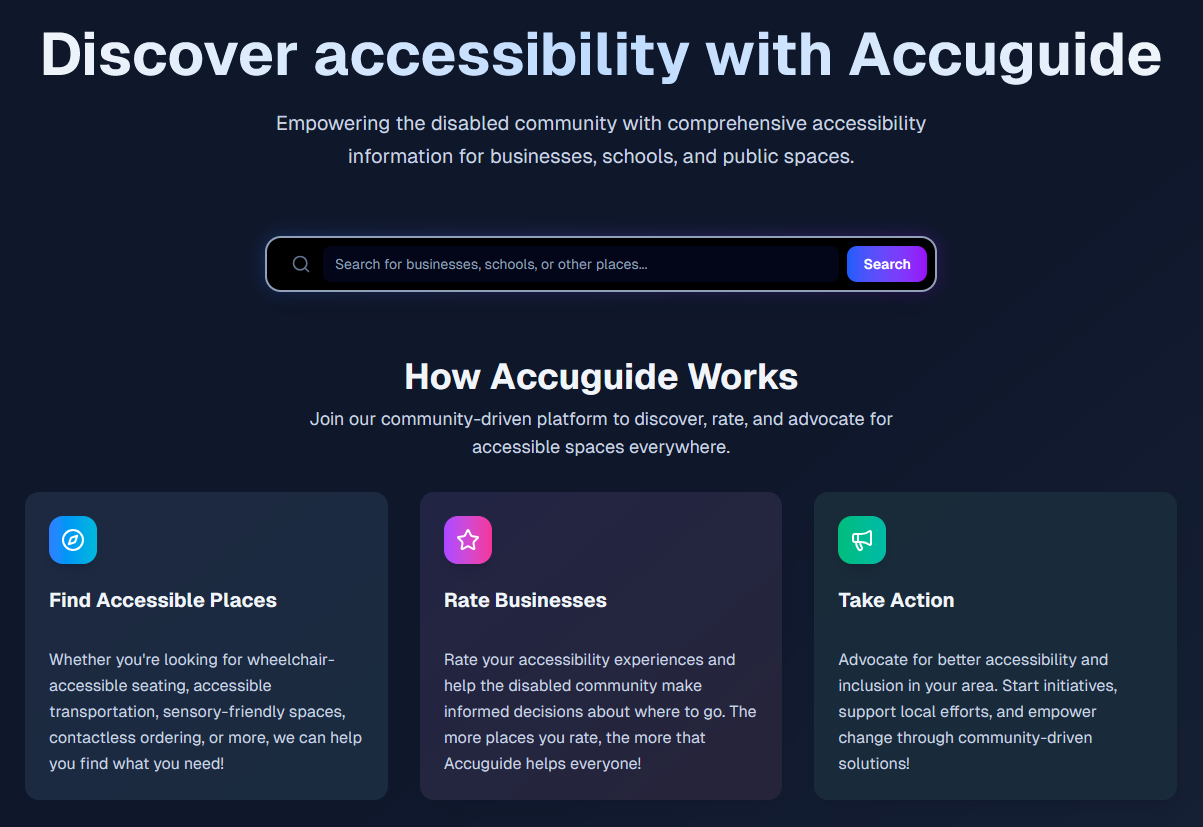
Accuguide logo

Accuguide

Accuguide is a community-driven platform where users can search for millions of accessible places and rate the accessibility of places based on various accessibility indicators! This makes it easier for people with disabilities to plan ahead with confidence, ensuring a more accessible world. Additionally, users can view AI-generated place accessibility summaries to get a quick snapshot of how accessible a place is.

Open SourceAIEducation Tech
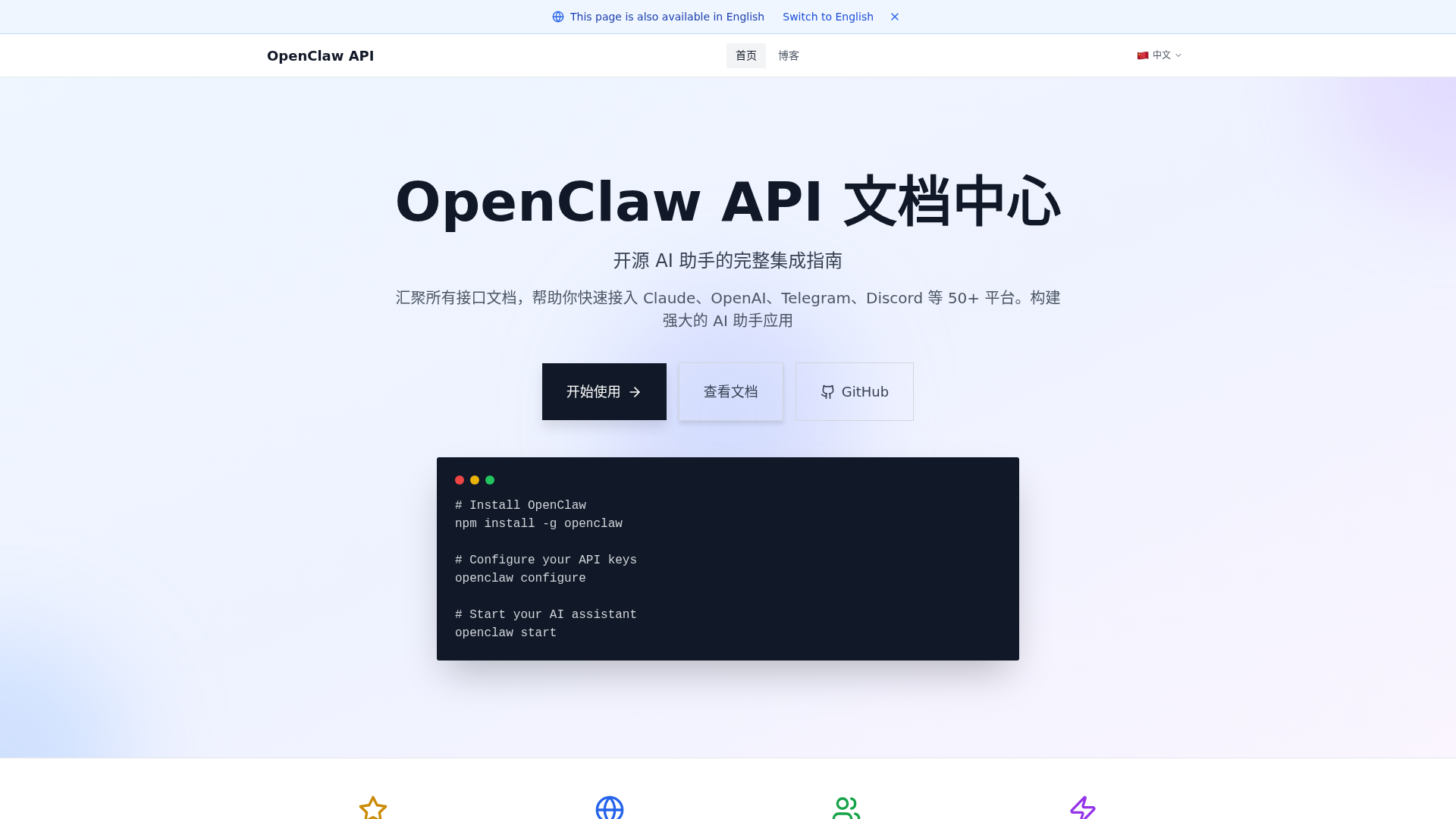
OpenClaw API logo

OpenClaw API

OpenClaw API is a comprehensive, open-source integration guide designed to help developers quickly build powerful AI assistant applications. It consolidates interface documentation and provides seamless integration with over 50 platforms, including leading AI models like Claude and OpenAI, and communication channels such as Telegram and Discord. This platform is ideal for developers, teams, and individuals seeking to deploy versatile and robust AI solutions. Key Features: Multi-model support for Anthropic Claude, OpenAI, Google Gemini, and local Ollama. Extensive platform integration across 20+ communication channels like Telegram, Discord, and Slack. Local-first architecture ensuring data control, private deployment, and Docker isolation. Advanced multi-modal interaction capabilities including voice calls and real-time Canvas. Extensible system with plugin-like skill extensions, supporting timed tasks and Webhooks. Completely open-source, community-driven, and free to use. Use Cases: OpenClaw API empowers a wide range of applications. Individuals can leverage it to create a personalized AI assistant accessible via Telegram or WhatsApp, streamlining daily tasks and information retrieval. For teams, OpenClaw integrates AI into collaboration platforms like Slack or Discord, enhancing productivity and automating routine communications. Beyond personal and team use, OpenClaw facilitates sophisticated workflow automation. By utilizing its Webhooks and timed task interfaces, users can build intelligent systems that respond to events, manage data, and execute complex sequences, transforming how businesses operate and interact with their digital environment. Pricing Information: OpenClaw API is completely open-source and free to use, driven by a vibrant community. This model ensures continuous updates and maintenance without any direct cost for the core platform. User Experience and Support: The platform boasts an extremely simple installation and configuration process, allowing users to set up their first AI assistant in just three steps and five minutes. Command-line tools (npm, Docker) simplify deployment for both local experimentation and large-scale production environments. Comprehensive documentation, tutorials, and best practices are available, alongside a dedicated FAQ section and technical support to address configuration and development queries. Technical Details: OpenClaw employs a modular architecture with standardized interfaces for LLMs, communication channels, and service tools, prioritizing high availability, security, and scalability. Its core engine natively drives major AI models, utilizing Function Calling for intelligent tool invocation. A high-performance WebSocket Gateway ensures millisecond-level synchronization across devices. Security is paramount, with credential management via environment variables or encrypted JSON5, and an `openclaw doctor` tool for configuration risk scanning. It also supports Ollama for offline AI processing. Pros: Open-source and free. Extensive integration with 50+ platforms and models. Local-first architecture for data privacy. Highly extensible with plugin-like skills. Robust security practices for credentials. Cons: Requires command-line interaction for setup. Learning curve for advanced customization and plugin development. No explicit GUI for initial setup (though command-line is simple). Conclusion: OpenClaw API stands out as a powerful, flexible, and secure open-source solution for integrating AI assistants across a vast ecosystem of models and communication platforms. Its ease of integration, combined with advanced features and a strong community, makes it an invaluable tool for developers. Explore OpenClaw API today to unlock the full potential of AI in your applications.

AIAPIs & IntegrationsOpen Source
SnapToWindow logo

SnapToWindow

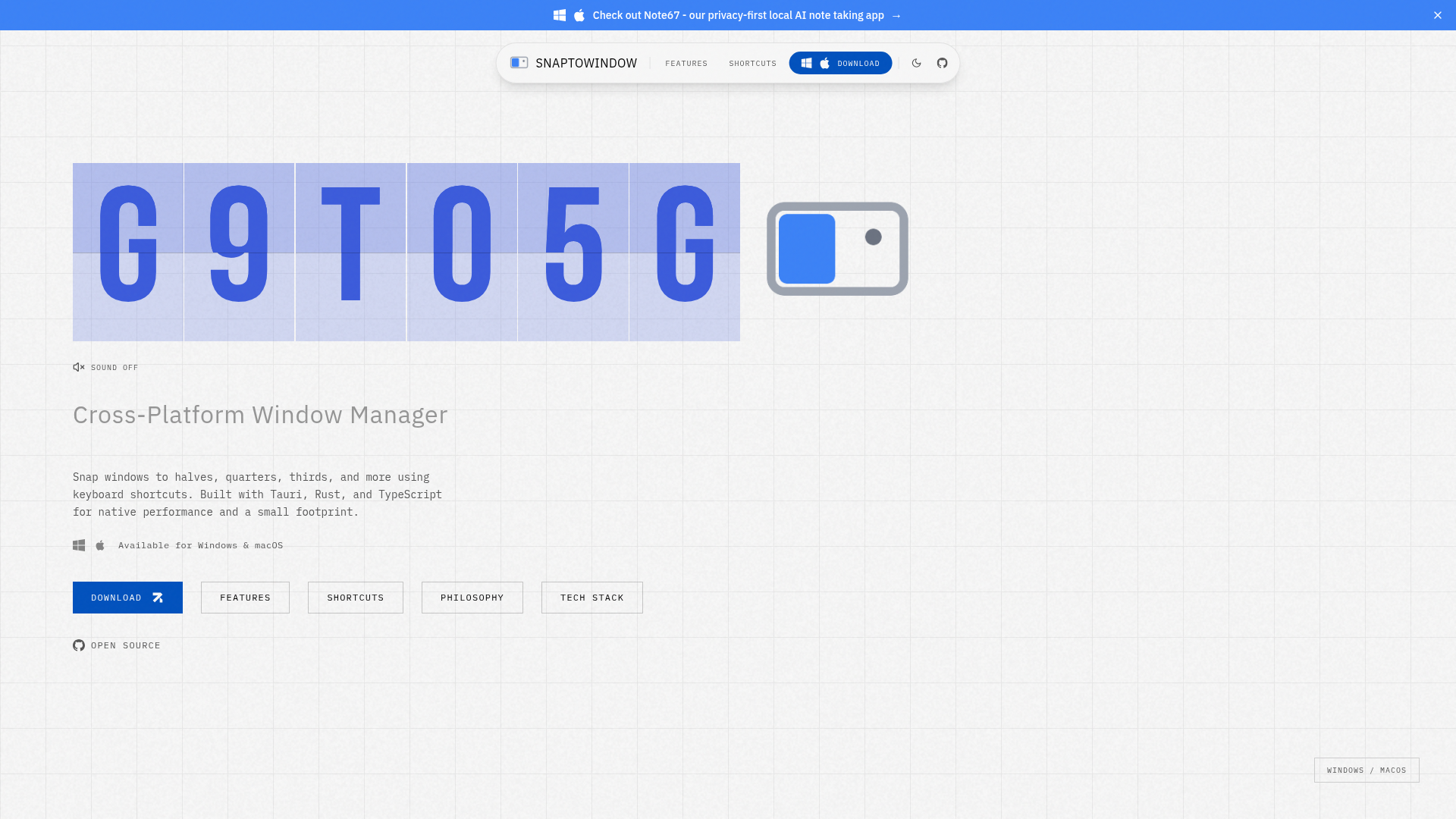
Introducing SnapToWindow, a privacy-first, cross-platform window manager designed to boost your productivity on Windows and macOS. This powerful utility allows users to precisely snap windows to various predefined positions like halves, quarters, and thirds using intuitive keyboard shortcuts, eliminating the need for mouse-based window management. Targeted at keyboard power users, developers, and anyone seeking a more efficient desktop workflow, SnapToWindow transforms how you interact with your applications, especially across multiple monitors. Key Features Window Snapping: Effortlessly position windows to halves, quarters, thirds, and more with a single keystroke. Customizable Keyboard Shortcuts: Define your own hotkeys for all window actions, supporting Ctrl+Alt (Windows) or Control+Option (macOS) combos. Multi-Monitor Support: Seamlessly snap windows across multiple displays with consistent keyboard commands. Runs Quietly in System Tray: Operates discreetly in the background with minimal resource usage, thanks to its Tauri foundation. Auto-Update: Ensures you always have the latest version with seamless background updates. Open Source: MIT licensed, allowing for community contributions and customization. Use Cases SnapToWindow is ideal for professionals who frequently juggle multiple applications and need to optimize their screen real estate. Developers can quickly arrange code editors, terminals, and browser windows side-by-side for efficient coding and debugging. Content creators can manage their design tools, reference materials, and communication apps without constant manual resizing. For users with multi-monitor setups, SnapToWindow provides unparalleled control, allowing them to move and resize windows across displays with simple keyboard commands, significantly reducing context switching time and improving overall focus. It's a game-changer for anyone looking to streamline their digital workspace and enhance productivity. Pricing Information SnapToWindow is an open-source project, freely available for download and use. Its MIT license encourages community contributions and customization, making it a cost-effective solution for advanced window management. User Experience and Support Designed with a "keyboard-first" philosophy, SnapToWindow offers a highly responsive and intuitive user experience. It runs quietly in the system tray, consuming minimal resources, and provides seamless background updates. As an open-source project, users can benefit from community support and contribute to its ongoing development. Technical Details Built for native performance and a small footprint, SnapToWindow leverages a modern tech stack. The frontend is developed with React, TypeScript, and Tailwind CSS, while the backend is powered by Rust and Tauri v2, utilizing Vite for tooling. It integrates directly with Windows 10+ via windows-rs and the Win32 API, and with macOS 13+ using the Accessibility API, core-graphics, and cocoa, ensuring deep system integration and blazing-fast response times. Pros and Cons Pros: Cross-platform (Windows & macOS), keyboard-first design, open-source (MIT licensed), native performance with minimal memory footprint, full multi-monitor support, customizable shortcuts, automatic updates. Cons: Linux support is planned but not yet available, requires learning specific keyboard shortcuts for optimal use (though intuitive). Conclusion SnapToWindow offers a robust, privacy-first solution for advanced window management, empowering users to achieve peak productivity through precise keyboard control. Its open-source nature and native performance make it an excellent choice for anyone looking to optimize their desktop workflow. Download SnapToWindow today and experience a new level of desktop efficiency.

ProductivityDeveloper ToolsOpen Source
OSSAIX logo

OSSAIX

OSSAIX: Your Curated Hub for Open Source AI ProjectsOSSAIX is a comprehensive, curated directory designed to help developers discover the best open-source AI frameworks, models, and developer tools. It serves as a central resource for finding quality AI solutions, organized by category, license, and language, ready to power your next project.This platform is ideal for AI developers, researchers, and enthusiasts looking to explore, integrate, and contribute to the open-source AI ecosystem.Key Features:Curated Project Discovery: Explore over 41 hand-picked open-source AI projects.Categorized Navigation: Easily find tools across popular categories like LLMs, RAG, Agents, Vector DB, and Fine-tuning.Detailed Project Insights: Each listing provides essential information including language, license, and GitHub stars.Project Submission: Developers can submit their own open-source AI projects for discovery.Community Engagement: Join a community of developers building with open-source AI.Use Cases:OSSAIX is invaluable for developers embarking on new AI initiatives. Whether you're building a sophisticated chatbot, designing an autonomous agent, or implementing advanced RAG workflows, you can quickly identify relevant tools like Flowise for low-code LLM UIs or AutoGPT for autonomous AI agents. It streamlines the process of finding foundational technologies, saving significant research time.Furthermore, it's an excellent resource for staying updated on the latest trends and innovations in open-source AI. Researchers can explore cutting-edge models like GLM-V for multimodal understanding, while teams can find robust solutions for image generation (InvokeAI) or code assistance (OpenHands, Opencode).Pricing Information:OSSAIX operates as a completely free, open-access directory. There are no subscription fees or hidden costs to browse, discover, or submit projects. The platform is dedicated to fostering the open-source AI community.User Experience and Support:The website offers a clean, intuitive user interface with clear navigation and search functionalities, making project discovery straightforward. Projects are well-organized, and the 'Popular' and 'Recent' sections highlight trending and new additions. While OSSAIX itself doesn't offer direct support for the listed projects, it provides links to their respective repositories and communities for detailed documentation and assistance.Technical Details:As a web-based directory, OSSAIX serves as a front-end for discovering projects built with various technologies. The listed projects themselves span a wide array of programming languages including TypeScript, Python, JavaScript, Go, and Rust, utilizing frameworks and libraries pertinent to AI development.Pros and Cons:Pros: Curated and high-quality project listings; excellent categorization for easy discovery; supports project submission for community growth; provides a broad overview of the open-source AI landscape; completely free to use.Cons: Not a SaaS product itself, but a directory; no direct support for individual listed projects; information relies on project maintainers' submissions; limited to open-source projects.Conclusion:OSSAIX stands out as an essential resource for anyone navigating the rapidly evolving world of open-source AI. Its curated collection and user-friendly interface make it the go-to platform for discovering, evaluating, and integrating powerful AI tools into your development workflow. Explore OSSAIX today to power your next AI innovation and connect with a vibrant developer community.

AIOpen SourceDeveloper Tools
Schema Markup Generator logo

Schema Markup Generator

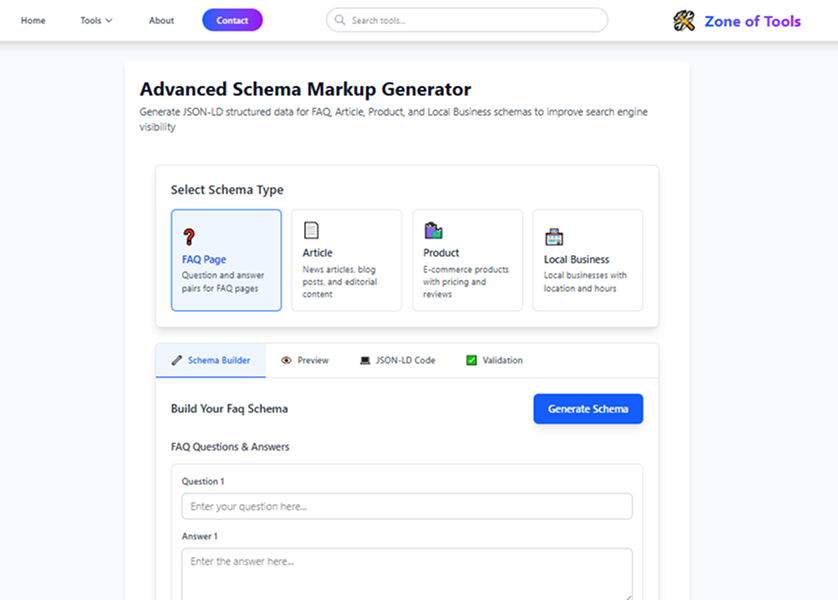
Schema Markup Generator is a powerful SEO tool designed to help website owners and marketers create accurate JSON-LD structured data with ease. You can generate schema for products, FAQs, articles, local businesses, and more to enhance search engine understanding, improve rich snippets, and boost overall search visibility. This tool supports technical SEO best practices and works seamlessly with modern search engines.

Open SourceServerlessNo-Code
Faultry logo

Faultry

Faultry is an innovative website audit tool designed to put your site through a rigorous "car crash test" before launch or for ongoing maintenance. It goes beyond traditional performance checks to audit critical aspects like mobile responsiveness, social media card previews, security headers, and AI discoverability, ensuring your website is robust and ready for the modern web. This SaaS is ideal for web developers, site owners, and marketing professionals who need to ensure their online presence is flawless, secure, and easily discoverable by both users and AI crawlers. Key Features Comprehensive 6-Point Audit: Deep checks on security, mobile viewport, social cards, AI visibility, console errors, and performance (Core Web Vitals). Stack-Specific Fixes: Generates copy-paste code snippets tailored for popular frameworks like Next.js, React, SvelteKit, Nuxt, Vue, and Express. Real-World Mobile Rendering: Verifies actual mobile viewport behavior, including horizontal overflow, touch targets, and font zoom risks, not just a responsive design checkbox. Social Card Previews: Shows exactly how your links will appear when shared on platforms like Twitter, LinkedIn, Discord, and Slack. AI Discoverability Checks: Audits llms.txt, robots.txt, sitemap accessibility, and detects cloaking to ensure AI crawlers can find and understand your content. Advanced Security Header Analysis: Goes beyond mere presence to check the effectiveness of HSTS, CSP, X-Frame-Options, DNSSEC, CAA, and Mixed Content. Use Cases Faultry is an indispensable tool for ensuring a smooth website launch. Developers can leverage its deep checks to identify and rectify critical issues such as security vulnerabilities, mobile display glitches, or broken social sharing previews before their site goes live, preventing potential user frustration and reputational damage. For established websites, Faultry serves as a powerful ongoing optimization and maintenance solution. Site owners can regularly audit their platforms to maintain peak performance, bolster security, and enhance AI visibility, ensuring their content remains discoverable and provides an optimal user experience. It's also excellent for quickly troubleshooting common problems like console errors, performance bottlenecks, or inaccurate social media link previews, providing actionable insights and direct fixes. Pricing Information Faultry operates on a freemium model. Your first comprehensive audit is completely free, requiring no signup, and provides a full letter grade along with detailed results for all six checks. Access to stack-specific fix code is available through the Developer Fix Kit, suggesting a paid tier for advanced remediation tools. User Experience and Support The platform is designed for ease of use: simply paste your URL into the terminal to initiate an audit. The process is quick, with most audits completing in under 15 seconds. Results are presented as an AI assessment, offering clear insights and actionable recommendations. All audit reports are private by default, accessible via a secure magic link, ensuring data confidentiality. Users can flag specific reports for admin review if needed, and the Developer Fix Kit provides ready-to-use code snippets for immediate implementation. Technical Details Faultry performs a multi-layered analysis, including HTTP checks for security headers (HSTS, CSP, DNSSEC) and browser-based rendering for mobile and console errors. It specifically examines Open Graph (OG) tags for social media previews and AI-specific files like llms.txt and robots.txt. Performance metrics include Core Web Vitals such as LCP, CLS, TTFB, FCP, Speed Index, and TBT. The platform intelligently auto-detects your site's tech stack to generate tailored fixes for frameworks including Next.js, React, SvelteKit, Nuxt, Vue, and Express. Pros and Cons Pros: More comprehensive than Lighthouse, covering crucial areas like security, social cards, and AI visibility. Provides stack-specific, copy-paste code fixes, significantly speeding up remediation. Offers a free initial audit without requiring signup, making it accessible for quick checks. Ensures data privacy with reports being private by default. Fast audit completion, delivering results in under 15 seconds. Focuses on real-world issues and actionable insights for launch readiness. Cons: The Developer Fix Kit, containing stack-specific code, is likely a paid feature, which isn't explicitly stated as free. While reports can be flagged for admin review, direct customer support channels aren't detailed. Implementing some advanced fixes might still require developer expertise, despite provided code snippets. Conclusion Faultry stands out as an essential "car crash test" for any website, offering unparalleled depth in auditing critical aspects often overlooked by standard tools. By providing actionable, stack-specific fixes and focusing on real-world performance, security, and discoverability, it empowers developers and site owners to launch and maintain truly robust online experiences. Explore Faultry today to ensure your website doesn't just launch, but thrives.

PromotedSecurityTesting & QADeveloper Tools
Postgresus logo

Postgresus

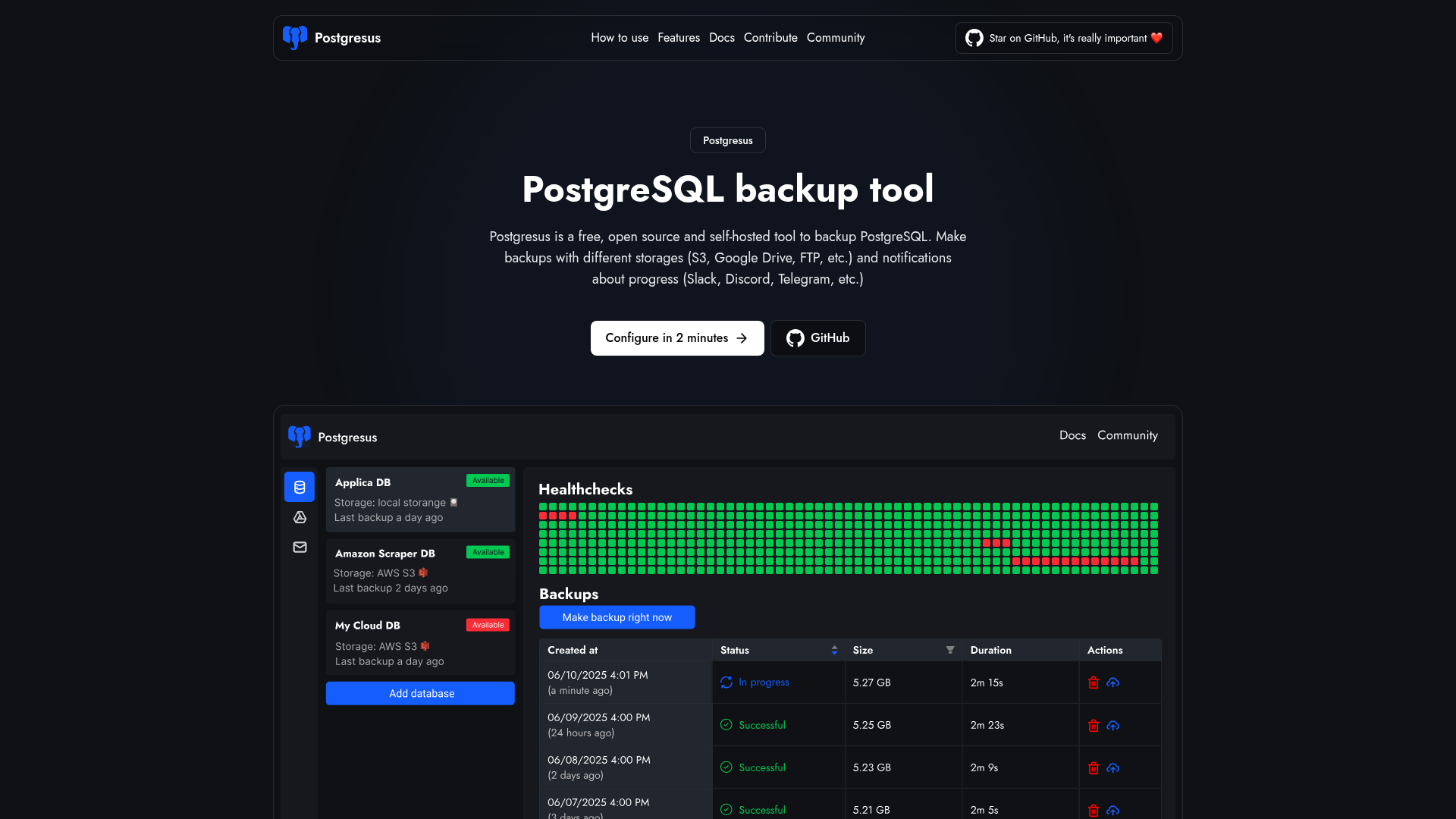
Postgresus is a free, open-source, and self-hosted PostgreSQL backup tool designed to simplify database backup management for individual developers, DevOps teams, and enterprises. It provides a user-friendly web interface for scheduling, storing, and monitoring backups, ensuring data security and availability. Key Features Automated Scheduled Backups: Configure hourly, daily, weekly, or monthly backups with precise timing. Multiple Storage Destinations: Store backups locally, on S3, Google Drive, Dropbox, NAS, and other cloud services. Real-time Notifications: Receive alerts via Slack, Discord, Telegram, email, or webhooks for backup success or failure. Enterprise-grade Security: Features AES-256-GCM encryption for sensitive data and backups, plus read-only database access. Configurable Health Checks: Monitor database availability with customizable ping intervals and failure thresholds. Team Access Management & Audit Logs: Provide user access control for teams and track all system activities. Use Cases Postgresus is ideal for developers managing personal projects who need a simple yet robust backup solution without complex scripting. DevOps teams can leverage its team management, audit logs, and notification features to streamline backup operations across multiple projects and environments. Enterprises benefit from its security features, support for various PostgreSQL versions (12-18), and compatibility with both self-hosted and cloud databases like AWS RDS, Google Cloud SQL, and Azure Database, making it a versatile tool for critical data protection. Pricing Information Postgresus is completely free and open-source, licensed under Apache 2.0. Users can self-host it, retaining full ownership and control over their data without any hidden costs. User Experience and Support The tool prioritizes simplicity, offering an intuitive web interface that makes setting up and managing backups straightforward, even for users without extensive administration or DevOps experience. Installation is quick, typically taking less than two minutes via an automated script, Docker, or Kubernetes. Comprehensive documentation is available, and as an open-source project, it benefits from community contributions and support. Technical Details Postgresus is designed for self-hosting, primarily deployed using Docker, Docker Compose, or Kubernetes (with Helm charts). It leverages pg_dump under the hood for creating backups, enhancing it with a web UI, scheduling, compression, and encryption. Sensitive data and backup files are secured using AES-256-GCM encryption, and it enforces read-only access to databases to prevent data corruption. Pros and Cons Pros: User-friendly web interface, automated scheduling, diverse storage options, robust security (encryption, read-only access), real-time notifications, self-hosted (data ownership), open-source and free, team management & audit logs, compatible with various PostgreSQL versions and cloud databases. Cons: Does not support Point-in-Time Recovery (PITR) or incremental backups (explained by cloud compatibility), requires self-hosting infrastructure. Conclusion Postgresus offers a powerful, secure, and incredibly easy-to-use solution for PostgreSQL backup management. Its combination of automated scheduling, diverse storage options, robust security, and team features makes it an indispensable tool for anyone needing reliable database protection. Explore Postgresus today to simplify your PostgreSQL backup strategy and ensure peace of mind.

DatabasesDevOpsOpen Source
Word to PDF Converter logo

Word to PDF Converter

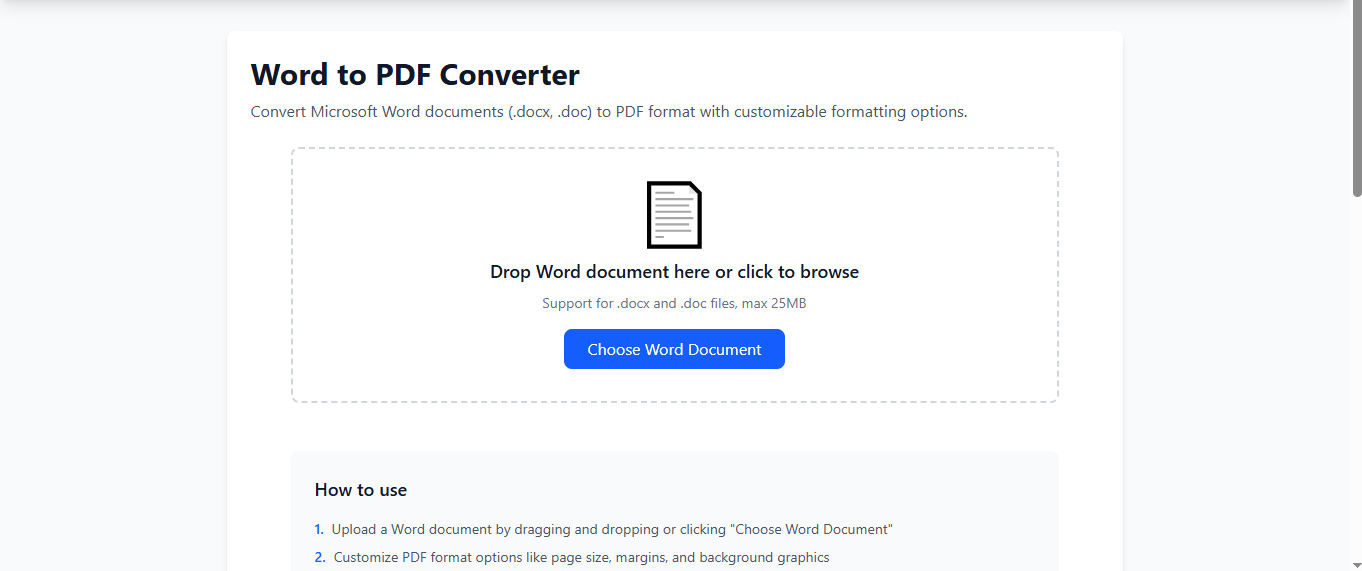
Transform your Word documents into professional, print-ready PDFs with our powerful Word to PDF Converter. This tool delivers fast, accurate, and secure conversions while preserving formatting, fonts, layouts, tables, images, and graphics exactly as they appear in your original DOC or DOCX file.Designed for students, professionals, teachers, businesses, and anyone who works with digital files, this converter ensures hassle-free document processing with no installation, no fees, and no quality loss. Simply upload your Word document, convert it in a single click, and download your ready-to-use PDF instantly.Whether you need PDFs for assignments, reports, emails, printing, or sharing—our free Word to PDF tool gives you speed, accuracy, and reliability every time.

Open Source
Typing Test logo

Typing Test

Enhance your typing performance with our advanced Typing Speed Test — a free online tool designed to measure your WPM (Words Per Minute), accuracy, and overall keyboard efficiency. This typing test provides real-time results, helping you understand your strengths and areas that need improvement.Perfect for students, job seekers, programmers, content writers, and anyone looking to boost productivity, this tool offers unlimited practice sessions, multiple difficulty levels, and instant performance insights. With consistent practice, you can significantly improve your speed, reduce typing errors, and increase daily work efficiency.

Open SourceDesign ToolsBusiness Analytics
Kost.si – Slovenian Business Directory logo

Kost.si – Slovenian Business Directory

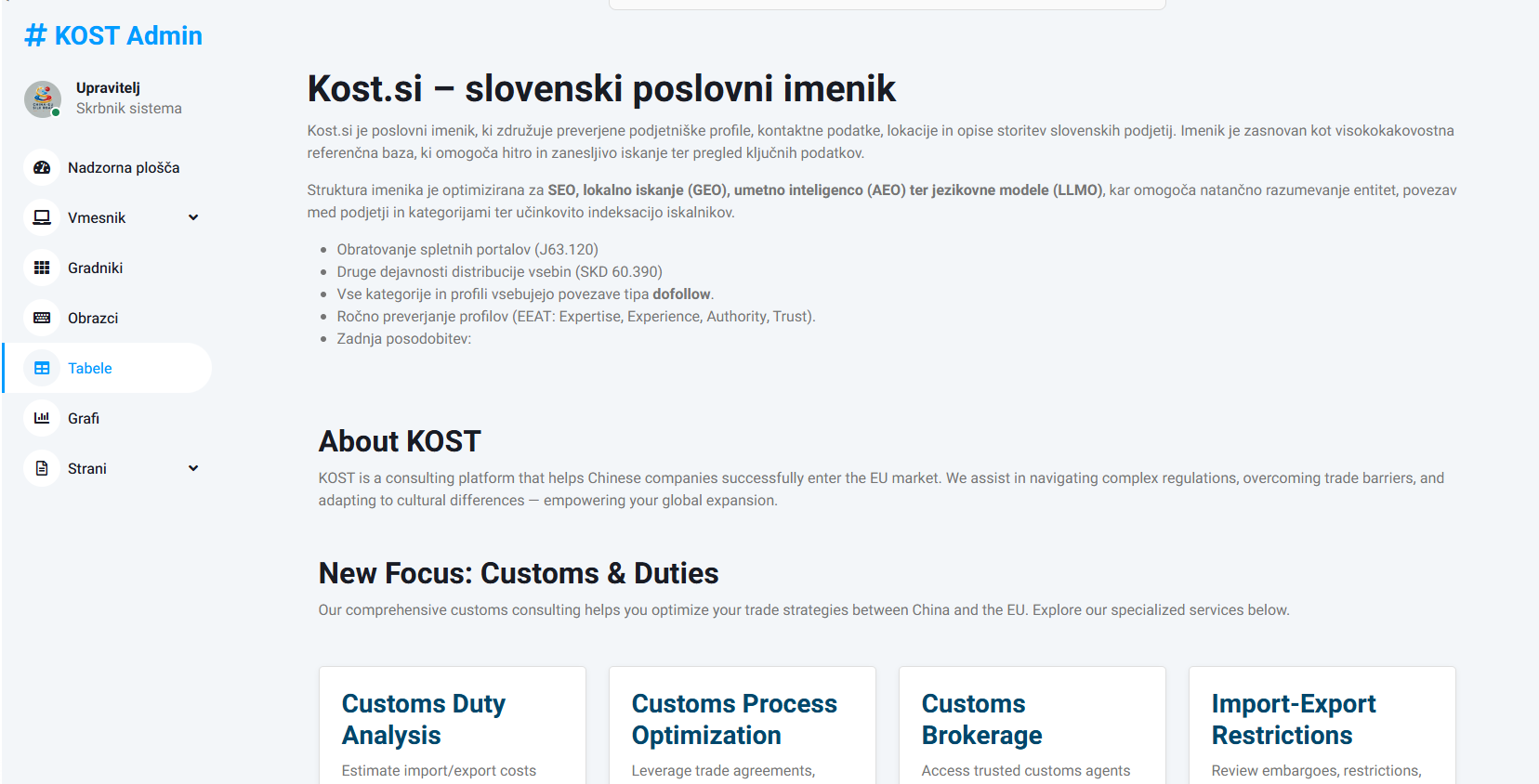
Kost.si – Slovenian Business DirectoryKost.si is a business directory that features verified company profiles, contact details, locations, and service descriptions of Slovenian businesses. The directory serves as a high-quality reference database designed for fast and reliable lookup of essential information.The directory structure is optimized for SEO, local search (GEO), AI-driven search (AEO), and language model optimization (LLMO). This ensures accurate understanding of entities, relationships between companies and categories, and efficient search engine indexing. Kost.si – slovenski poslovni imenikKost.si je poslovni imenik, ki združuje preverjene podjetniške profile, kontaktne podatke, lokacije in opise storitev slovenskih podjetij. Imenik je zasnovan kot visokokakovostna referenčna baza, ki omogoča hitro in zanesljivo iskanje ter pregled ključnih podatkov.Struktura imenika je optimizirana za SEO, lokalno iskanje (GEO), umetno inteligenco (AEO) ter jezikovne modele (LLMO), kar omogoča natančno razumevanje entitet, povezav med podjetji in kategorijami ter učinkovito indeksacijo iskalnikov.

AIBusiness AnalyticsOpen Source
Tasket++ logo

Tasket++

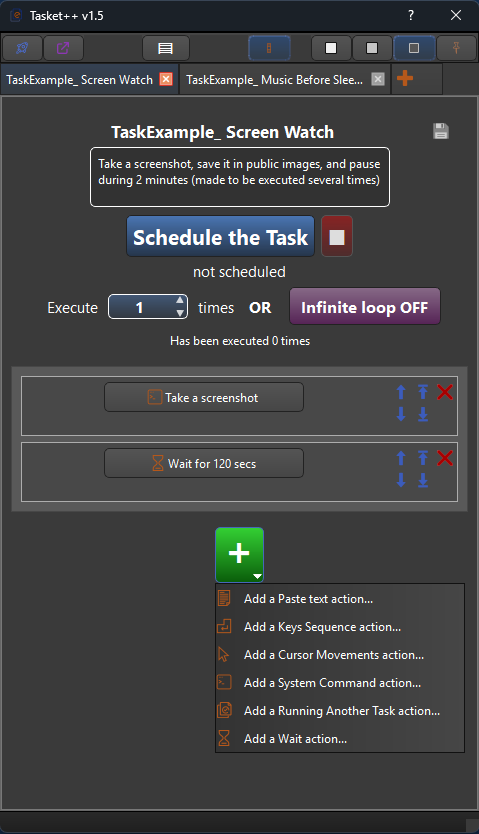
Schedule automated simulations of actions you would perform on your PC

Open SourceProductivityWorkflow Automation
WebTest SEO AEO Domain Reports logo

WebTest SEO AEO Domain Reports

WebTest measures important performance indicators that affect user experience and search rankings. The application retrieves speed metrics from Google's PageSpeed Insights system and displays key indicators such as page performance score and other related performance data.These metrics help users understand how efficiently a page loads and whether performance optimizations may be needed.SEO Technical AnalysisWebTest evaluates several important technical SEO signals that influence how search engines interpret and index a website.The analysis includes checks related to page metadata, indexing signals, and other technical elements that can impact search visibility.The results help users quickly identify potential SEO weaknesses or missing technical configurations.AEO (Answer Engine Optimization)Modern search increasingly relies on AI systems and answer-based engines. WebTest includes basic analysis that highlights signals related to Answer Engine Optimization (AEO).These checks help determine whether a website provides signals that can be useful for AI-driven search results and answer generation systems.Domain and Infrastructure DataWebTest retrieves important domain-level information that helps users understand how a website is configured at the infrastructure level.The application analyzes technical signals such as domain configuration, response behavior, and other server-related data that may influence accessibility and performance.PWA DetectionThe application checks whether a website is configured as a Progressive Web App (PWA). It detects important PWA indicators such as manifest configuration and other elements associated with modern web application capabilities.This helps developers understand whether the site supports modern web app behavior.Technical Page SignalsWebTest performs additional technical checks on page behavior and configuration. These checks may reveal technical issues such as redirects, server response characteristics, and other signals that can affect accessibility and search indexing.Extraction ToolsWebTest includes extraction tools that allow users to identify and extract specific technical elements from a webpage.These tools help detect and display information such as:• page metadata• links and references• technical signals from the page source• selected HTML elements and attributesThis functionality is useful for developers and SEO specialists who need quick technical insights without manually inspecting the page source.AI Readiness SignalsWebTest highlights technical signals that indicate whether a website may be compatible with modern AI indexing systems.These signals help determine if a page provides useful structured information that can potentially be used by AI-based search assistants and answer engines.Clean and Lightweight InterfaceThe interface is designed to provide fast analysis and clear results. The application focuses on simplicity and speed, allowing users to quickly run diagnostics and understand the most important technical findings.PRO FEATURESFull Page Technical Report (PRO)Advanced SEO Report (PRO)WebTest PRO unlocks a full technical analysis report that combines multiple analysis modules into a single overview.The report aggregates performance metrics, SEO signals, domain information, AI readiness indicators, and additional technical checks into a structured report that helps users quickly evaluate the overall technical condition of a webpage.

PromotedDeveloper ToolsWeb DevelopmentAI
Volume Glass logo

Volume Glass

VolumeGlass is a beautifully crafted macOS utility that reimagines how you control sound on your Mac. Inspired by the clean, glassy interface of iOS, it brings a modern, minimal, and delightful volume experience to macOS — all while staying lightweight, native, and completely open source.

Open SourceUI & LibrariesHelpers
AI Launch Space logo

AI Launch Space

AI Launch Space is the ultimate launchpad for creators building AI tools, SaaS products, and digital projects.

AIOpen SourceSaaS
Webstudio logo

Webstudio

IntroductionWebstudio is an innovative open-source website builder designed for creators, designers, and developers to build highly maintainable, fast, and SEO-optimized websites using modern web standards. It offers unparalleled visual control over CSS, empowering users to craft custom frontends without writing code.Key FeaturesVisual CSS with granular control over every property, unit, and breakpoint.Reusable Tokens and Local Styles for consistent design systems and one-off experimentation.Full access to all CSS properties, values, and variables for global design.Seamless integration of external content via APIs, dynamic routing, and data bindings.High-performance cloud hosting backed by Cloudflare, featuring optimized image rendering and one-click publishing.Open-source architecture with self-hosting options, ensuring privacy, transparency, and full control.Use CasesWebstudio is ideal for building marketing websites that achieve perfect Lighthouse scores and top-tier search engine optimization. It excels in creating dynamic content experiences, such as blogs, directories, or structured content, by easily fetching and binding data from any external API. Furthermore, it empowers design teams to maintain consistency across large-scale projects through its robust system of reusable styles and CSS variables, eliminating the pain points of traditional class-based styling. It's a powerful solution for those seeking to overcome the limitations of proprietary builders, offering true ownership and flexibility.Pricing InformationWebstudio operates on a freemium model, allowing users to "Start for free" with a "Generous free tier." Specific paid plans are not detailed in the provided text, but the free option provides a strong entry point for exploration and scaling.User Experience and SupportThe platform emphasizes a visual CSS approach, reimagining how designers interact with styles. While powerful, it offers a streamlined experience for creating consistent designs. Support is fostered through a vibrant community, with thousands of passionate website creators joining discussions on Discord. Documentation, YouTube tutorials, and a public roadmap further aid users in leveraging the tool's capabilities.Technical DetailsBuilt on modern web standards, Webstudio leverages the full power of CSS in a visual environment. Its cloud hosting infrastructure is backed by Cloudflare, ensuring ludicrously fast performance, world-class security, and scalability. The open-source nature allows for self-hosting and complete control over the deployment environment, promoting stability and performance through separation of concerns.ProsFull visual control over all CSS properties.Open-source with self-hosting capabilities.Exceptional performance and SEO optimization.Flexible integration with any external content/APIs.Strong emphasis on privacy and transparency.ConsSome advanced features (e.g., real-time collaboration) are "Coming Soon."May have a learning curve for users new to comprehensive CSS control.Specific pricing tiers beyond the free tier are not detailed.ConclusionWebstudio stands out as a robust, open-source website builder that redefines frontend development with its visual CSS control, dynamic content capabilities, and commitment to performance and user ownership. It's an excellent choice for creators seeking a powerful, flexible, and future-proof platform. Explore Webstudio today to build your next generation website.

Design ToolsWeb DevelopmentOpen Source
timeguessr logo

timeguessr

An AI geography game that never happened – every photo is AI, every memory is yours

AINo-CodeOpen Source
Trust Vault logo

Trust Vault

Trust Vault is your ultimate personal data safe, meticulously designed with security, privacy, and convenience at its core. This open-source solution empowers individuals, teams, and families to store and share sensitive information with absolute confidence, leveraging cutting-edge encryption technologies. Key Features Open-source project ensuring transparency and community trust. Robust multi-access control via Shamir's Secret Sharing for distributed security. Strong AES-256 encryption to protect your data from unauthorized access. A completely free single version available for personal and small team use, with no sign-ups or subscriptions. Core + CLI functionality for DevOps, automation, and CI/CD workflows, offering maximum transparency. Cross-platform availability for Windows, MacOS, and Linux desktop environments. Use Cases Trust Vault is ideal for teams working with sensitive information, such as legal firms, financial institutions, or R&D departments, where data integrity and confidentiality are paramount. It provides a secure environment to manage project files, client data, and intellectual property without fear of leaks. Professionals from various fields can utilize Trust Vault to secure important documents, contracts, and personal records, ensuring compliance and peace of mind. Families can also benefit by securely sharing vital documents like wills, birth certificates, and financial records among trusted members, simplifying access while maintaining security. Furthermore, the Core + CLI version caters to DevOps and IT professionals, enabling seamless integration into automation scripts and CI/CD pipelines for secure container generation and management, making it a versatile tool for modern IT infrastructures. Pricing Information The "Single" version of Trust Vault is currently available completely free of charge. It requires no sign-ups, subscriptions, or limits, making it an accessible and powerful tool for personal use or small teams. Future "Enterprise" and "Cloud" versions are planned to offer more advanced features and deployment options, likely under a paid model. User Experience and Support The "Single (Beta)" version offers a user-friendly graphical interface, making secure data management intuitive for all users. For advanced users, the "Core + CLI" provides granular control and automation capabilities. Support is available via email at support@tvault.app, as well as through community channels on Telegram, and X (formerly Twitter), and GitHub for open-source contributions and discussions. Technical Details Trust Vault employs industry-standard AES-256 for strong encryption, ensuring your data remains confidential. For flexible access management, it integrates Shamir's Secret Sharing, allowing for distributed control over your encrypted containers. The application is available as a standalone desktop app for Windows (64-bit/32-bit), MacOS (Intel/Apple Silicon), and Linux (AppImage), ensuring broad compatibility. Pros and Cons Pros: Open-source and transparent; strong AES-256 encryption; Shamir's Secret Sharing for multi-access control; completely free single version; cross-platform desktop support; local data control (no internet required for single version); clear roadmap for future enterprise/cloud features. Cons: Enterprise and Cloud versions are not yet available; CLI version may have a learning curve for non-technical users; no explicit mention of mobile app availability yet. Conclusion Trust Vault stands out as a robust, open-source solution for anyone seeking to secure their digital assets with confidence. By combining advanced encryption with user-centric design, it offers unparalleled control over your data's privacy and accessibility. Download the free single version today and experience the future of secure data management.

SecurityOpen SourceDevOps
Faultry logo

Faultry

Faultry is an innovative website audit tool designed to put your site through a rigorous "car crash test" before launch or for ongoing maintenance. It goes beyond traditional performance checks to audit critical aspects like mobile responsiveness, social media card previews, security headers, and AI discoverability, ensuring your website is robust and ready for the modern web. This SaaS is ideal for web developers, site owners, and marketing professionals who need to ensure their online presence is flawless, secure, and easily discoverable by both users and AI crawlers. Key Features Comprehensive 6-Point Audit: Deep checks on security, mobile viewport, social cards, AI visibility, console errors, and performance (Core Web Vitals). Stack-Specific Fixes: Generates copy-paste code snippets tailored for popular frameworks like Next.js, React, SvelteKit, Nuxt, Vue, and Express. Real-World Mobile Rendering: Verifies actual mobile viewport behavior, including horizontal overflow, touch targets, and font zoom risks, not just a responsive design checkbox. Social Card Previews: Shows exactly how your links will appear when shared on platforms like Twitter, LinkedIn, Discord, and Slack. AI Discoverability Checks: Audits llms.txt, robots.txt, sitemap accessibility, and detects cloaking to ensure AI crawlers can find and understand your content. Advanced Security Header Analysis: Goes beyond mere presence to check the effectiveness of HSTS, CSP, X-Frame-Options, DNSSEC, CAA, and Mixed Content. Use Cases Faultry is an indispensable tool for ensuring a smooth website launch. Developers can leverage its deep checks to identify and rectify critical issues such as security vulnerabilities, mobile display glitches, or broken social sharing previews before their site goes live, preventing potential user frustration and reputational damage. For established websites, Faultry serves as a powerful ongoing optimization and maintenance solution. Site owners can regularly audit their platforms to maintain peak performance, bolster security, and enhance AI visibility, ensuring their content remains discoverable and provides an optimal user experience. It's also excellent for quickly troubleshooting common problems like console errors, performance bottlenecks, or inaccurate social media link previews, providing actionable insights and direct fixes. Pricing Information Faultry operates on a freemium model. Your first comprehensive audit is completely free, requiring no signup, and provides a full letter grade along with detailed results for all six checks. Access to stack-specific fix code is available through the Developer Fix Kit, suggesting a paid tier for advanced remediation tools. User Experience and Support The platform is designed for ease of use: simply paste your URL into the terminal to initiate an audit. The process is quick, with most audits completing in under 15 seconds. Results are presented as an AI assessment, offering clear insights and actionable recommendations. All audit reports are private by default, accessible via a secure magic link, ensuring data confidentiality. Users can flag specific reports for admin review if needed, and the Developer Fix Kit provides ready-to-use code snippets for immediate implementation. Technical Details Faultry performs a multi-layered analysis, including HTTP checks for security headers (HSTS, CSP, DNSSEC) and browser-based rendering for mobile and console errors. It specifically examines Open Graph (OG) tags for social media previews and AI-specific files like llms.txt and robots.txt. Performance metrics include Core Web Vitals such as LCP, CLS, TTFB, FCP, Speed Index, and TBT. The platform intelligently auto-detects your site's tech stack to generate tailored fixes for frameworks including Next.js, React, SvelteKit, Nuxt, Vue, and Express. Pros and Cons Pros: More comprehensive than Lighthouse, covering crucial areas like security, social cards, and AI visibility. Provides stack-specific, copy-paste code fixes, significantly speeding up remediation. Offers a free initial audit without requiring signup, making it accessible for quick checks. Ensures data privacy with reports being private by default. Fast audit completion, delivering results in under 15 seconds. Focuses on real-world issues and actionable insights for launch readiness. Cons: The Developer Fix Kit, containing stack-specific code, is likely a paid feature, which isn't explicitly stated as free. While reports can be flagged for admin review, direct customer support channels aren't detailed. Implementing some advanced fixes might still require developer expertise, despite provided code snippets. Conclusion Faultry stands out as an essential "car crash test" for any website, offering unparalleled depth in auditing critical aspects often overlooked by standard tools. By providing actionable, stack-specific fixes and focusing on real-world performance, security, and discoverability, it empowers developers and site owners to launch and maintain truly robust online experiences. Explore Faultry today to ensure your website doesn't just launch, but thrives.

PromotedSecurityTesting & QADeveloper Tools
NextJs Starters logo

NextJs Starters

NextJS Starter is a streamlined foundation for building modern web applications with speed and reliability. Packed with pre-configured tools and best practices, it helps you focus on development instead of setup. Whether you’re a beginner or an expert, our curated NextJS starters give you everything you need to launch your project smoothly.

Web3SaaSOpen Source
Float UI logo

Float UI

IntroductionFloat UI is a comprehensive SaaS platform offering a rich collection of free and open-source UI components and professional website templates built with Tailwind CSS. Designed for developers, startups, and anyone looking to accelerate their web development process, Float UI provides the essential building blocks to create modern, responsive, and visually appealing web applications with ease.Key FeaturesBeautifully Designed: Access to modern, aesthetically pleasing UI components and templates.Fully Responsive: All components and templates are designed to look great on any screen size.100% Free & Open-Source: Leverage high-quality resources without licensing costs.Highly Customizable: Components can be easily copied, pasted, and adapted to fit specific project needs.Framework Agnostic Components: Use components with your favorite JavaScript frameworks, with templates specifically built for React and Next.js.Professional Website Templates: Explore pre-designed, ready-to-use templates optimized for speed and SEO.Use CasesFloat UI is ideal for rapid prototyping, allowing startups and developers to quickly transform ideas into functional, great-looking applications. It significantly reduces development time by providing pre-built UI elements, enabling teams to focus on core logic rather than intricate design details. Whether you're building a new marketing site, a dashboard for team management, or a complex web application, Float UI's responsive components ensure a consistent and professional user experience across all devices.Furthermore, its collection of professional templates, built on modern stacks like React and Next.js with Tailwind CSS, serves as an excellent starting point for new projects, ensuring a solid foundation that is both performant and search engine friendly. This makes it a valuable asset for agencies and freelancers aiming to deliver high-quality web solutions efficiently.Pricing InformationFloat UI is entirely free and open-source, making its extensive library of UI components and website templates accessible to everyone without any cost. There are no hidden fees, subscriptions, or premium tiers mentioned, aligning with its mission to provide accessible tools for building web applications.User Experience and SupportThe platform emphasizes ease of use, allowing users to "copy and paste" components directly into their applications, streamlining the development workflow. While explicit documentation or dedicated support channels aren't detailed, the open-source nature implies community-driven support and the ability to inspect and modify the code directly. The availability of a demo and blog suggests resources for understanding and utilizing the components effectively.Technical DetailsFloat UI's components and templates are primarily built using Tailwind CSS for styling, ensuring a utility-first approach to design. The professional website templates leverage popular modern JavaScript frameworks, specifically React and Next.js, providing a robust and scalable foundation for web applications. This tech stack ensures high performance, maintainability, and a modern development experience.Pros and ConsPros:Cost-Effective: Completely free and open-source.Accelerated Development: Speeds up project delivery with ready-to-use components and templates.Modern Design: Offers beautiful, responsive, and contemporary UI.High Customizability: Easy to adapt components to specific branding and requirements.SEO-Friendly Templates: Templates are optimized for search engine performance.Cons:Tailwind CSS Dependency: Requires familiarity with Tailwind CSS for effective customization.Limited Direct Support: As an open-source project, dedicated support channels may be less formal.Web-Focused: Primarily designed for web applications, not native mobile or desktop.Learning Curve: New users might experience a slight learning curve with Tailwind CSS and framework integration.ConclusionFloat UI stands out as an invaluable resource for developers and designers seeking to build modern, responsive web interfaces efficiently and without cost. Its commitment to providing free, open-source, and high-quality Tailwind CSS UI components and React/Next.js templates makes it an excellent choice for accelerating any web development project. Explore Float UI today to turn your ideas into reality faster and with stunning design.

UI & LibrariesWeb DevelopmentOpen Source
Code Mind Map logo

Code Mind Map

Code Mind Map: A Visual Studio/VS Code extension for creating mind maps with nodes linked to code.

CodeDeveloper ToolsOpen Source
Self-Hosted List logo

Self-Hosted List

The Self-Hosted Software List is a comprehensive online directory dedicated to helping individuals and organizations discover top-tier self-hosted software solutions across a multitude of categories. It serves as an invaluable resource for those prioritizing data control, privacy, and customization by enabling them to deploy and manage applications on their own servers. Key Features Curated Directory: A carefully selected collection of self-hosted software. Diverse Categories: Software organized into numerous categories for easy discovery, from CMS to database management. Free & Proprietary Options: Listings include both open-source and commercial self-hosted solutions. Focus on Data Sovereignty: Emphasizes tools that enhance user control over data and infrastructure. Community Contributions: Allows developers to submit their self-hosted software for broader exposure. Use Cases This platform is ideal for IT professionals, business owners, and privacy-conscious users seeking alternatives to third-party SaaS offerings. It simplifies the process of finding robust content management systems, efficient collaboration platforms, or powerful database management tools that can be hosted on private infrastructure. By leveraging the Self-Hosted Software List, users can significantly reduce their reliance on external services, ensuring greater data security and operational autonomy. Specific scenarios include setting up a personal media server, deploying an internal knowledge base, managing project workflows, or establishing a secure communication system. The directory empowers users to enhance their server's capabilities with tools tailored to their exact specifications, fostering an environment of independence and control over their digital assets. Pricing Information Browsing and discovering software on the Self-Hosted Software List is entirely free. The directory features both free (open-source) and proprietary software options, with clear indications for each listing. For developers looking to submit their software, a free submission option is available (with a no-follow link), alongside a paid option for immediate publication and a permanent do-follow link, offering enhanced visibility. User Experience and Support The Self-Hosted Software List offers a clean, intuitive web interface with well-defined categories, making navigation and software discovery straightforward. An extensive F.A.Q. section addresses common queries about the directory's purpose and usage. Users can also subscribe to a monthly newsletter for updates on new self-hosted tools. Direct support for the listed software is provided by the respective developers, while the platform's creator, John Rush, is active on Twitter for general inquiries and community engagement. Technical Details The Self-Hosted Software List is built on the Unicorn Platform, providing a robust and user-friendly web experience. While specific underlying programming languages for the directory's custom functionalities are not detailed, its web-based nature ensures broad accessibility and compatibility across various devices and browsers. Pros and Cons Pros: Centralized resource for self-hosted solutions; Promotes data privacy and control; Wide range of categories and software types; Supports both free and proprietary options; Facilitates community growth for self-hosted projects. Cons: No direct technical support for listed software from the directory; Free software submissions may have a review delay; Limited technical details about the directory's own backend. Conclusion The Self-Hosted Software List stands as an essential resource for anyone committed to digital autonomy and seeking high-quality, self-hostable applications. It simplifies the complex landscape of self-hosting, offering a curated gateway to tools that empower users with ultimate control over their data and infrastructure. Explore the diverse categories today and take the first step towards a more private and customizable digital environment.

Developer ToolsPlatforms & FrameworksOpen Source
Top AI’s Jobs logo

Top AI’s Jobs

Top AI's JOBS is a dedicated platform that connects professionals with exciting careers in AI, Machine Learning, and Data Science. Whether you're entering the job market or looking to advance, this board features opportunities suited to every experience level. Focused on remote work, the platform caters to those who value flexibility and location independence. You don’t need prior remote work experience to apply, making it welcoming to a broad talent pool.

AIE-commerceOpen Source
WebTest SEO AEO Domain Reports logo

WebTest SEO AEO Domain Reports

WebTest measures important performance indicators that affect user experience and search rankings. The application retrieves speed metrics from Google's PageSpeed Insights system and displays key indicators such as page performance score and other related performance data.These metrics help users understand how efficiently a page loads and whether performance optimizations may be needed.SEO Technical AnalysisWebTest evaluates several important technical SEO signals that influence how search engines interpret and index a website.The analysis includes checks related to page metadata, indexing signals, and other technical elements that can impact search visibility.The results help users quickly identify potential SEO weaknesses or missing technical configurations.AEO (Answer Engine Optimization)Modern search increasingly relies on AI systems and answer-based engines. WebTest includes basic analysis that highlights signals related to Answer Engine Optimization (AEO).These checks help determine whether a website provides signals that can be useful for AI-driven search results and answer generation systems.Domain and Infrastructure DataWebTest retrieves important domain-level information that helps users understand how a website is configured at the infrastructure level.The application analyzes technical signals such as domain configuration, response behavior, and other server-related data that may influence accessibility and performance.PWA DetectionThe application checks whether a website is configured as a Progressive Web App (PWA). It detects important PWA indicators such as manifest configuration and other elements associated with modern web application capabilities.This helps developers understand whether the site supports modern web app behavior.Technical Page SignalsWebTest performs additional technical checks on page behavior and configuration. These checks may reveal technical issues such as redirects, server response characteristics, and other signals that can affect accessibility and search indexing.Extraction ToolsWebTest includes extraction tools that allow users to identify and extract specific technical elements from a webpage.These tools help detect and display information such as:• page metadata• links and references• technical signals from the page source• selected HTML elements and attributesThis functionality is useful for developers and SEO specialists who need quick technical insights without manually inspecting the page source.AI Readiness SignalsWebTest highlights technical signals that indicate whether a website may be compatible with modern AI indexing systems.These signals help determine if a page provides useful structured information that can potentially be used by AI-based search assistants and answer engines.Clean and Lightweight InterfaceThe interface is designed to provide fast analysis and clear results. The application focuses on simplicity and speed, allowing users to quickly run diagnostics and understand the most important technical findings.PRO FEATURESFull Page Technical Report (PRO)Advanced SEO Report (PRO)WebTest PRO unlocks a full technical analysis report that combines multiple analysis modules into a single overview.The report aggregates performance metrics, SEO signals, domain information, AI readiness indicators, and additional technical checks into a structured report that helps users quickly evaluate the overall technical condition of a webpage.

PromotedDeveloper ToolsWeb DevelopmentAI
Vizra ADK logo

Vizra ADK

IntroductionVizra ADK is a comprehensive Laravel package designed for developers to build, test, and deploy intelligent AI agents with familiar Laravel patterns. It empowers businesses to create autonomous AI agents that can reason, utilize tools, and maintain persistent memory, seamlessly integrating advanced AI capabilities into existing Laravel applications.Key FeaturesMulti-Model AI Support: Works with leading AI providers like OpenAI, Anthropic, and Google Gemini, ensuring no vendor lock-in.Extensible Tool System: Agents can interact with databases, APIs, and external services through custom tools.Persistent Memory: Agents remember past conversations and learn from interactions across sessions.Agent Workflows: Build complex processes using sequential, parallel, conditional flows, and loops.Evaluation Framework: Automated quality testing framework for agents at scale with LLM-as-a-Judge.Web Dashboard: A beautiful Livewire-powered interface for testing and monitoring agents.Use CasesVizra ADK is ideal for developing sophisticated AI-powered solutions. It can be used to create advanced customer support agents capable of looking up order details and providing personalized assistance. Developers can also leverage it to automate complex internal workflows, build intelligent conversational interfaces, or integrate AI-driven decision-making into their applications. The framework's flexibility allows for a wide range of applications where autonomous, context-aware AI agents are beneficial.Pricing InformationThe core Vizra ADK is an open-source project licensed under MIT, making it free to use. Additionally, Vizra is developing a 'Vizra Cloud Platform' (Coming Soon!) which will be a professional evaluation and trace analysis platform for agents built with Vizra ADK. This cloud platform is expected to offer advanced, paid features for large-scale evaluation and monitoring.User Experience and SupportVizra ADK prioritizes developer experience with an elegant API, helpful error messages, and extensive documentation available at vizra.ai/docs. Community support is robust, with active GitHub Discussions for questions and ideas, GitHub Issues for bug reports and feature requests, and updates shared on Twitter/X. The upcoming Vizra Cloud Platform promises an interactive, visual interface for debugging and monitoring.Technical DetailsVizra ADK is built for the Laravel ecosystem, requiring PHP 8.2+ and Laravel 11.0+. It supports MySQL/PostgreSQL databases and integrates with various Large Language Models (LLMs) via API keys from providers like OpenAI, Anthropic, or Google. Key technologies include Prism PHP for LLM integration, Livewire for the web dashboard, and League CSV for evaluation data handling.ConclusionVizra ADK offers a powerful and developer-friendly solution for integrating intelligent AI agents into Laravel applications. With its focus on flexibility, comprehensive features, and a strong community, it's an excellent choice for building the next generation of AI-powered services. Explore Vizra ADK today to start building your intelligent agents or join the waitlist for the upcoming Vizra Cloud Platform.

AIDeveloper ToolsOpen Source
OpenWhispr logo

OpenWhispr

Turn your voice into formatted text. It's open source and runs 100% locally. 3-5x faster than typing, and especially helpful when prompting LLMs, writing emails and sending texts. Pick your preferred model, and even edit the system prompt. Take full control.

Machine LearningOpen SourceProductivity
OpenProject logo

OpenProject

OpenProject is a powerful open-source project management software designed for classic, agile, or hybrid methodologies. It serves as a secure, centralized platform for teams and organizations aiming to boost productivity, streamline workflows, and maintain complete data sovereignty. Key Features: Collaborative Project Planning & Scheduling with Gantt charts Agile Boards for Scrum & Kanban methodologies Visual Team Planner for workload management Comprehensive Task Management & Issue Tracking Time Tracking, Cost Reporting & Budgeting Robust Data Security & Privacy features (on-premises, EU/Germany hosting, HTTPS, 2FA) Use Cases: OpenProject is ideal for diverse industries such as Construction (BIM), Universities, IT & Technology, Public & Governmental Organizations, Healthcare, Automotive, and more. It empowers teams to deliver projects on time by providing tools for breaking down activities, creating detailed schedules, and visualizing progress. For agile teams, its Scrum and Kanban boards ensure efficient organization and clear visibility into project status. Beyond planning, OpenProject facilitates seamless team collaboration, meeting management, and product roadmap planning. Its ability to be installed on-premises gives organizations complete control over their data, making it a preferred choice for security-conscious companies and those with strict data privacy requirements. Pricing Information: OpenProject offers a flexible pricing model. The Community Edition is free of charge forever, providing a wide range of features. For professional support, Enterprise add-ons, and enhanced security, users can opt for the Enterprise On-premises edition (requiring Linux/Mac experience for self-hosting) or the fully managed Enterprise Cloud SaaS solution. A free trial is available to explore its capabilities. User Experience and Support: The platform is designed to streamline work, enhance goal clarity, and enable efficient task assignment within a centralized environment. OpenProject provides extensive resources for users, including comprehensive documentation, user guides, videos, a community forum, and training & consulting services. Enterprise users benefit from professional support, ensuring smooth operation and quick resolution of issues. Technical Details: OpenProject is free and open-source software (FOSS) licensed under GNU GPL v3, offering transparent insights into its source code. It can be deployed on-premises within an organization's infrastructure or hosted securely in the EU/Germany via the Enterprise Cloud. The platform also features a powerful API for integrations and custom development. Pros and Cons: Pros: Data sovereignty and high security; Open-source transparency; Flexible deployment options (on-premises/cloud); Comprehensive classic, agile, and hybrid project management features; Strong community and professional support; Scalable for various organization sizes. Cons: On-premises Enterprise installation requires Linux or Mac experience; Extensive features might have a learning curve for new users. Conclusion: OpenProject stands out as a versatile, secure, and transparent solution for modern project management. Its commitment to data privacy and open-source principles, combined with a rich feature set, makes it an excellent choice for teams seeking control and efficiency. Start your free trial today to experience the power of OpenProject for your projects.

Project ManagementOpen SourceProductivity
Redis logo

Redis

IntroductionRedis is a lightning-fast in-memory data store designed to accelerate modern applications, especially those leveraging AI. It serves as a high-performance memory layer, empowering developers and fast-growing companies to build AI apps with unparalleled speed, memory efficiency, and accuracy.Key FeaturesVector database capabilities for AI applications.Specialized AI agent memory and semantic search tools.Redis LangCache for lower latency and reduced LLM costs through semantic caching.Redis Insight, a free graphical user interface for development, debugging, and visualization.Redis FlexCache for 5X more caching capacity at no extra cost.Real-time data querying and search with Redis Query Engine.Active-Active Geo Distribution for 99.999% uptime and sub-millisecond latency.Support for 18 modern data structures, including vector sets and JSON.Use CasesRedis excels as the fast memory layer for AI-driven applications like chatbots and intelligent AI agents, providing rapid data access and processing. Beyond AI, it's widely used for high-speed caching, real-time data integration, and powering features like leaderboards, data deduplication, messaging, and authentication token storage, ensuring applications remain responsive and performant under heavy loads.Pricing InformationRedis offers a "Try Redis for free" option, allowing users to get started without immediate cost. Demos are also available for those interested in exploring its enterprise capabilities. Specific pricing tiers for Redis Cloud and Redis Software would be available upon inquiry or via their pricing page.User Experience and SupportDevelopers can "Start building in minutes" by connecting with Redis using trusted libraries across various programming languages. Comprehensive learning resources are available, including "Docs", "Quick starts", "Tutorials", "University", and a "Knowledge base". The vibrant "Redis community" on GitHub and Discord provides peer support, complemented by professional services and direct support channels.Technical DetailsRedis can be deployed flexibly "In the cloud" (fully managed on Google Cloud, Azure, AWS), "On-prem/hybrid cloud" for self-managed deployments, or as "Redis Open Source". It boasts extensive integration with popular tech stacks including AWS, Azure, Google Cloud, Vercel, Heroku, NodeJS, Java, Javascript, Golang, PHP, .Net, Python, Langchain, Kubernetes, Docker, and C++.Pros and ConsPros: Exceptional speed and low latency for demanding applications; Versatile with support for diverse data structures; High availability and reliability features (99.999% uptime, automatic failover); Broad ecosystem with extensive integrations and client libraries; Strong community and professional support.Cons: While a free tier exists, advanced enterprise features may incur significant costs; Optimal performance requires careful data modeling and query optimization; Learning curve for new users unfamiliar with in-memory databases or specific Redis modules.ConclusionRedis stands out as a powerful, high-performance data platform essential for building the next generation of fast, intelligent applications. Its robust feature set and flexible deployment options make it a go-to choice for developers seeking speed, scalability, and accuracy. Explore Redis today to accelerate your app development.

AIDatabasesOpen Source
PreviousPage 1 of 3Next