logoDevHub
  • Categories
  • Submit Project
  • Collections
  • Pricing
  • Sponsors
Sign inSign up
Sign in

Categories

Browse Categories

AI774 projectsAPIs & Integrations65 projectsAR/VR7 projectsAuthentication14 projectsBlockchain & Crypto19 projectsBoilerplates52 projectsBusiness Analytics111 projectsCI3 projectsCMS21 projectsCharts9 projectsCloud24 projectsCode15 projectsData Science & Analytics24 projectsDatabases23 projectsDesign Tools178 projectsDevOps16 projectsDeveloper Tools270 projectsE-commerce70 projectsEducation Tech70 projectsEmails32 projectsFinance & FinTech62 projectsGaming Tech32 projectsGraphics & Illustration77 projectsGreen Tech6 projectsHardware3 projectsHealth Tech33 projectsHelpers89 projectsHosting & Infrastructure13 projectsIDE6 projectsInternet of Things (IoT)6 projectsMachine Learning54 projectsMarketing Tools341 projectsMobile Development37 projectsMonitoring22 projectsNatural Language Processing26 projectsNo-Code60 projectsOpen Source58 projectsPayment Gateways26 projectsPlatforms & Frameworks97 projectsProductivity434 projectsProject Management27 projectsPrototyping4 projectsRobotics1 projectsSaaS580 projectsSales Tools56 projectsSecurity49 projectsServerless13 projectsTesting & QA20 projectsUI & Libraries22 projectsWearables1 projectsWeb Development159 projectsWeb329 projectsWorkflow Automation99 projects

Quick Access

Trending NowTop of Last Month
Company LogoDevHub

Product Hunt alternative for startups

© 2026 DevHub. All rights reserved.

Build with ❤️ by DirEasy

Discover

  • Trending
  • Categories
  • Submit Project

Resources

  • FAQs
  • Pricing
  • Sponsors
  • Blog
  • Help Center

Legal

  • Terms of Service
  • Privacy Policy

Connect

  • GitHub
  • Twitter / X

Products

  • ShipThing
  • SaasHunt
  • 1000 Tools
  • 1000 Saas
  • 1000 AI
  • TinyHunt
  • LinkSalad
  • AIChatOne
  • Launch01
DevHub - AI-powered directory boilerplate | Product HuntUneed POTD1 BadgeDevHub - AI-powered directory boilerplate | Startup FameGood AI ToolsListed on Turbo0Monitor your Domain Rating with DRChecker ToolsFine.com-Best AI Tools and AI App in 2024Featured on Dofollow.ToolsAiTop10 Tools DiresctorySimilarLabs Embed BadgeLaunched on LaunchBoard - Product Launch Platform yo.directory

Productivity

URL to Any logo

URL to Any

URL to Any is a comprehensive, 100% free online platform offering a powerful suite of tools for converting web content into various formats. It simplifies the process of saving, sharing, and referencing webpages, making it an essential resource for a wide range of users. This versatile SaaS is ideal for content creators, researchers, developers, marketers, and anyone needing to transform URLs into structured data, documents, or media efficiently. Key Features Extensive Conversion Options: Convert URLs to Markdown, PDF, high-quality Images (PNG, JPEG, WebP), pure Text, structured JSON, and XML. Advanced Encoding & Decoding: Supports URL, Base64, HTML entities, JWT, Hex, Unicode, Binary, and ROT13 encoding/decoding. AI-Powered Summarization: Instantly summarize any webpage content using advanced AI technology. SEO & Data Extraction Tools: Extract all URLs from a website, analyze meta tags (SEO, Open Graph, Twitter Cards), and extract headings for in-depth analysis. Utility Tools: Generate QR codes from URLs for easy sharing and open multiple URLs simultaneously. Browser Extension: Install a browser extension for quick access to all features. Use Cases For Documentation & Research: Researchers and students can easily convert articles and academic papers into clean Markdown or PDF formats for offline reading, annotation, and organized note-taking. The URL to Text feature allows for extracting pure content, perfect for analysis without formatting distractions. The AI Summarizer is invaluable for quickly grasping the essence of long articles. For Developers & Marketers: Developers can leverage the URL to JSON/XML conversion for data scraping and integration, while the URL Encode/Decode tools are crucial for various programming tasks. Marketers and SEO specialists will find the URL Meta Tags Extractor and URL Heading Extractor indispensable for competitive analysis, SEO audits, and ensuring optimal webpage structure. The URL Extractor helps in quickly gathering all links from a domain. For Content Sharing & Productivity: Anyone looking to share web content effectively can utilize the URL to Image converter for social media posts or presentations, or generate QR codes for quick physical sharing. The URL Opener boosts productivity by allowing users to open multiple links at once, streamlining research or content review workflows. Pricing Information URL to Any is proudly 100% free to use, with no hidden fees, subscriptions, or premium tiers. This commitment to accessibility makes it a highly valuable and cost-effective solution for all users. User Experience and Support The platform features a simple, intuitive, and clean interface, ensuring that converting web content is effortless for users of all technical levels. Its fully responsive design guarantees seamless functionality across any device, including smartphones and tablets. While direct customer support channels are not explicitly detailed, the comprehensive FAQ section addresses common queries, and users can reach out via email or social media for further assistance. Technical Details URL to Any operates entirely in the cloud, meaning no software installation is required, and users can access its powerful tools from anywhere, anytime, on any device. The service emphasizes instant processing through an optimized engine, delivering converted content in seconds. A strong focus on security and privacy ensures that all data is processed securely and never stored on their servers, protecting user information and content. Pros and Cons Pros: Completely 100% Free to use. Extremely wide range of conversion formats (PDF, Markdown, Image, JSON, XML, Text, etc.). User-friendly and intuitive interface. Lightning-fast processing speeds. Strong commitment to security and user privacy (data never stored). Cloud-based, accessible from any device without installation. Includes AI-powered summarization and advanced SEO tools. Cons: Cannot convert content behind logins or paywalls due to security/privacy. May have limitations for extremely large or complex webpages in certain formats. Specific direct customer support channels are not prominently highlighted beyond general contact options. Conclusion URL to Any stands out as an exceptionally versatile and free toolkit for anyone needing efficient web content transformation. Its comprehensive features, user-friendly design, and unwavering commitment to privacy make it an invaluable resource for streamlining daily tasks across various professional and personal needs. Explore URL to Any today to unlock a new level of web content management efficiency.

AIDeveloper ToolsProductivity
invoice Sonic logo

invoice Sonic

If you're looking for a fast, accurate, and beautifully designed way to create an invoice, InvoiceSonic's free invoice generator is built for you. For

ProductivitySaaS
Ads Library Saver logo

Ads Library Saver

Ads Library Saver is a powerful Chrome extension designed for marketers to effortlessly save and organize competitor ads. It streamlines the process of building a comprehensive ad swipefile by instantly capturing ad creatives, copy, and landing page details from major platforms directly into your Google ecosystem.This tool is ideal for digital marketing managers, media buyers, e-commerce founders, creative strategists, and anyone involved in ad research and campaign development.Key FeaturesOne-Click Save: Instantly capture ads from Facebook, TikTok, YouTube, Instagram, LinkedIn, X.com, and more.Auto-Sync to Google Drive: Automatically save high-resolution ad images, videos, and full-page landing page screenshots to your specified Google Drive folders.Google Sheets Integration: All ad metadata, including ad copy, call to action, landing page URL, likes, shares, comments, page name, and ad ID, is automatically organized in a Google Sheet.100% Free Forever: Enjoy all features without any subscription fees or hidden costs.Privacy First: Your data remains entirely within your Google account, ensuring complete privacy and control without third-party servers.Smart Organization: Leverage Google Sheets' filtering, sorting, and sharing capabilities for efficient ad analysis and team collaboration.Use CasesAds Library Saver is invaluable for building and managing a robust ad swipefile. Marketers can quickly gather inspiration, analyze competitor strategies, and identify trending creatives without the tedious manual work of copying and screenshotting. This leads to more informed ad campaign development and improved creative performance.For teams, the seamless integration with Google Sheets and Drive facilitates collaborative ad research. Team members can access, review, and discuss saved ads, creatives, and landing pages in a centralized, organized manner, enhancing workflow efficiency and strategic alignment. It also addresses compliance concerns by ensuring all sensitive research data remains within the company's controlled Google environment.Pricing InformationAds Library Saver is completely free to use, offering all its features at no cost. There are no monthly fees, no credit card requirements, and no hidden charges, making it an accessible solution for all marketers.User Experience and SupportThe extension boasts a user-friendly interface with a simple three-step setup process: install, visit an ad platform, and click save. A quick setup guide is provided to get users started in minutes. Testimonials from over 5000+ marketers highlight its ease of use, time-saving benefits, and excellent video quality. Support is available via email for any further questions.Technical DetailsAds Library Saver operates as a Chrome browser extension, leveraging Google's ecosystem for data storage and organization. It integrates directly with Google Sheets for structured data management and Google Drive for media file storage, ensuring robust and scalable data handling.Pros and ConsPros: 100% Free Forever; Privacy-first approach (data stays in your Google account); Supports all major ad platforms; Automatically captures comprehensive ad data including landing page screenshots; Excellent for team collaboration via Google Sheets/Drive; Eliminates manual ad research tasks.Cons: Exclusively a Chrome extension; Requires a Google account for full functionality; Relies on Google Sheets for advanced analysis rather than built-in analytics.ConclusionAds Library Saver offers an unparalleled, privacy-first solution for marketers to efficiently build and manage their ad swipefiles. By automating the capture of ad creatives and data directly into your Google ecosystem, it saves significant time and enhances collaborative research. Explore Ads Library Saver today and transform your ad research workflow by adding it to Chrome for free.

Marketing ToolsProductivityWorkflow Automation
Stack Online Tools logo

Stack Online Tools

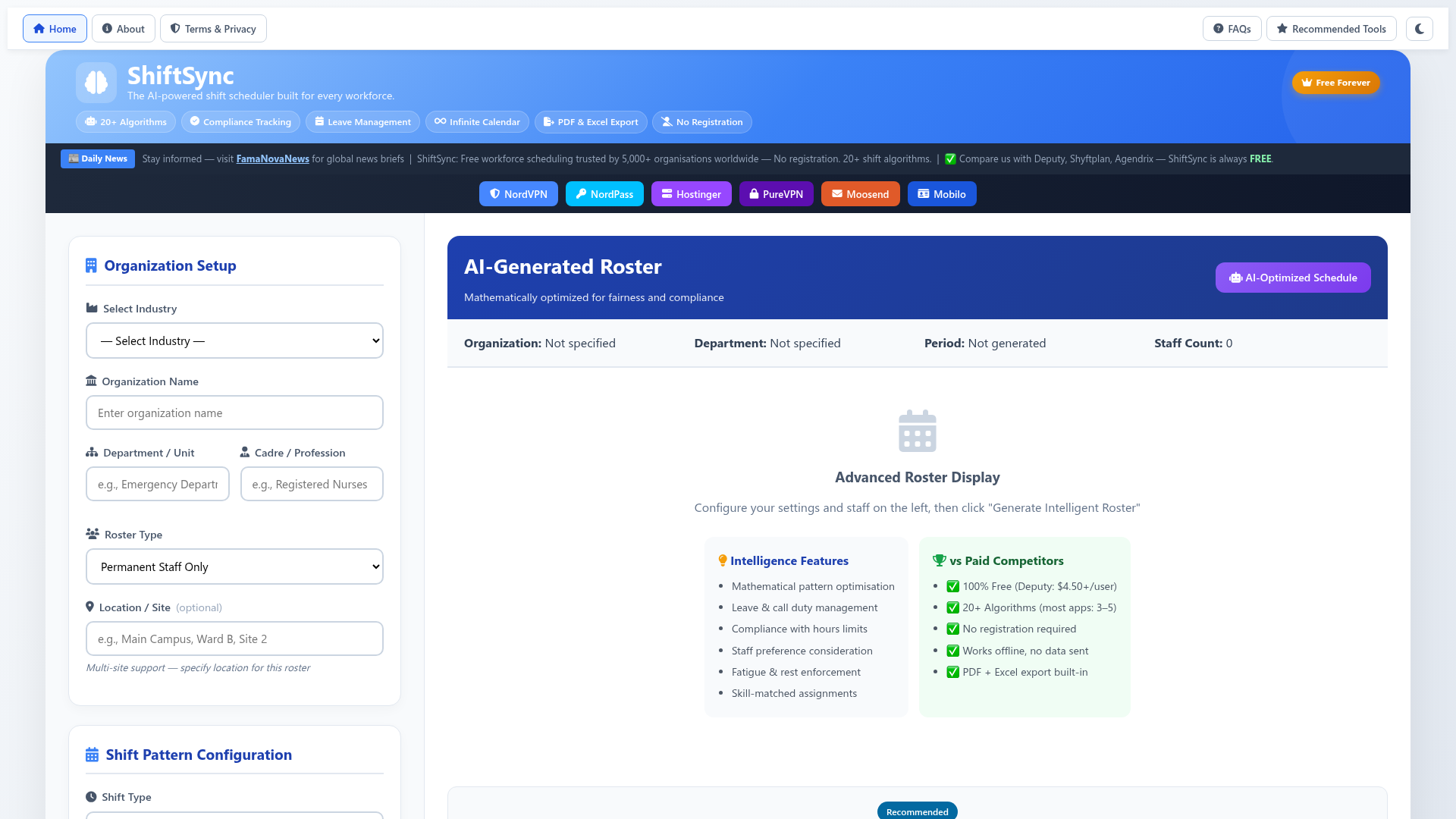
Stack Online Tools is a comprehensive collection of 100+ free web-based utilities designed to boost productivity across development, marketing, content creation, and everyday digital tasks. The platform is neatly organized into intuitive categories, allowing users to quickly access tools for text manipulation, data processing, encoding, security, and media handling.Developers can rely on powerful code tools such as formatters, minifiers, validators, regex testers, and debugging helpers. Marketers and SEO professionals have access to practical resources including meta tag generators, URL slug creators, keyword utilities, and optimization tools. For creators and general users, the platform offers fast image and media tools for conversion, compression, resizing, and optimization.All tools are optimized for speed and ease of use, with most processing handled directly in the browser to ensure strong performance and enhanced privacy. No registration is required, commercial use is allowed, and the platform is actively maintained to continuously expand its growing toolkit—making Stack Online Tools a reliable all-in-one resource for modern digital workflows.

Developer ToolsProductivityWeb Development
PUNKU.AI logo

PUNKU.AI

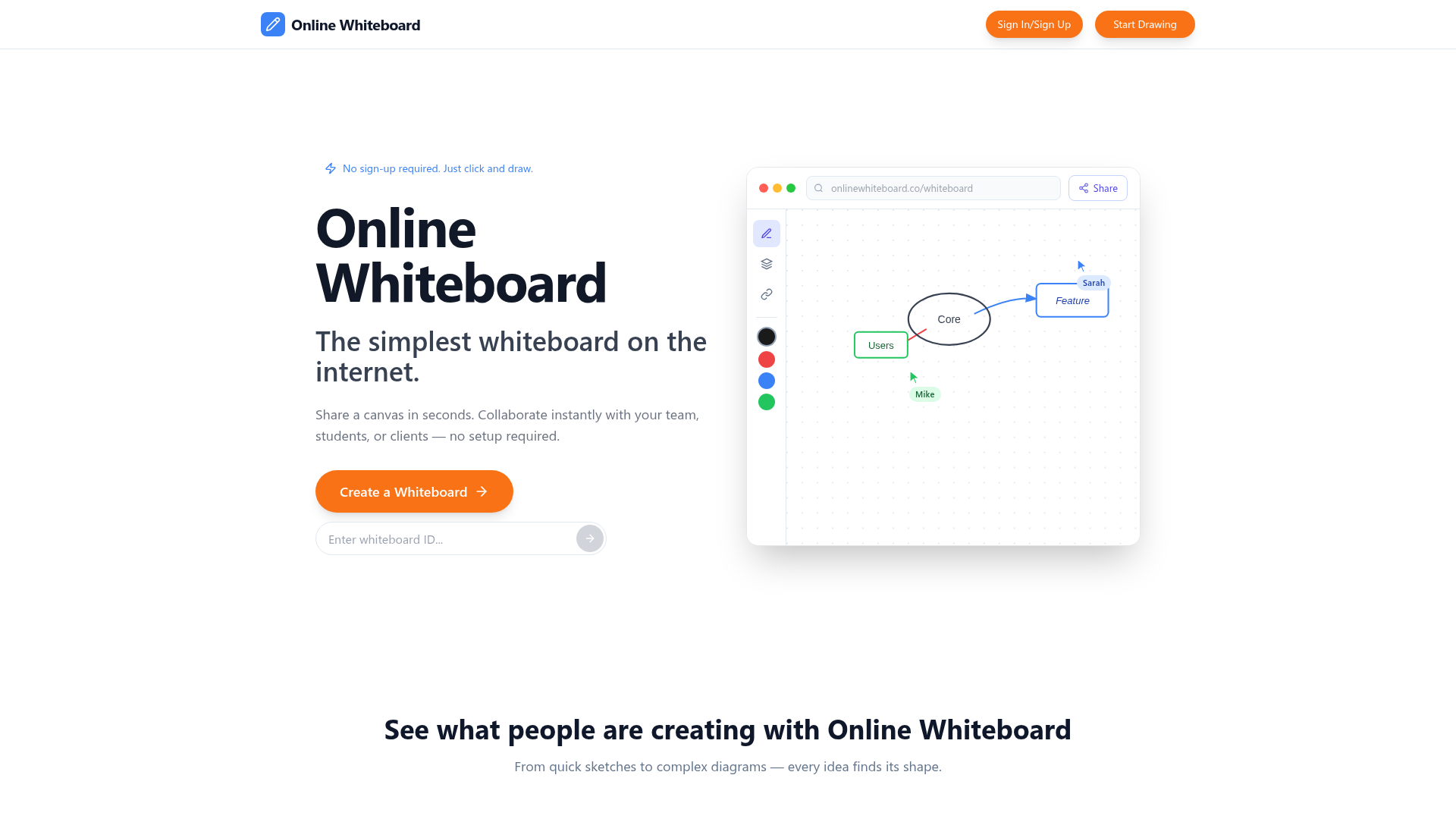
Describe what you want automated in plain English. PUNKU.AI builds, improves, and monitors your AI Automations. No coding required.

AINo-CodeProductivity
Code Meter logo

Code Meter

Code MeterA macOS menu bar app that tracks your Claude Code and Minimax Token Plan usage limits in real-time, so you never get blindsided by a rate limit again.The ProblemWhen you're deep in a Claude Code session, especially with multiple subagents running or switching between Opus and Sonnet, there's no warning before you hit your 5-hour or weekly limit. You just stop, mid-task.Code Meter fixes that.What It DoesUsage gauges : 5-hour and 7-day utilization, always visible in your menu barPer-model breakdown : see your Opus vs Sonnet split, plus Extra Usage if enabledBurn rate projections : predicts when your quota will exhaust based on current paceSmart notifications : alerts at 50%, 75%, 90%, and 100% so you can pace yourselfDesktop widgets : WidgetKit-powered, always in viewShareable screenshot card : flex your usage on socialHow It WorksCode Meter reads your existing Claude Code credentials directly from Keychain - no API key setup, no extra login. Polling is adaptive: more frequent when usage is actively changing, backed off when things are stable.When your token refreshes, you'll need to re-authorise Keychain access. A minor friction worth the security trade-off.Tech StackSwiftUI · macOS 26+ · Liquid Glass · WidgetKit · Swift 6 strict concurrencyBuilt entirely with Claude Code.PricingFree 1-day trial · $0.99 lifetime · No subscriptionApp Store: apps.apple.com/app/id6760511858

PromotedAPIs & IntegrationsDeveloper ToolsMonitoring
BudgetFlow logo

BudgetFlow

IntroductionBudgetFlow is an intuitive SaaS platform designed to simplify personal finance management. It empowers users to effortlessly build budgets, track spending, and automate savings, all without the complexity of traditional spreadsheets.Ideal for individuals and small households seeking a streamlined approach to financial health, BudgetFlow helps users gain control over their money and achieve financial goals.Key FeaturesSimple Budget Creation: Build a budget in minutes.Automated Spending Tracking: Monitor expenditures with ease.Savings Automation: Set and achieve savings goals automatically.60-second Financial Battery Check: Quick financial health assessment.No Spreadsheets Required: User-friendly interface replaces complex tools.Use CasesPersonal Budgeting: Users can quickly set up monthly budgets, allocate funds to different categories like housing, food, and entertainment, and receive real-time updates on their spending. This helps prevent overspending and ensures financial discipline. For instance, a user planning a vacation can easily create a dedicated savings goal and track progress towards it.Expense Management: BudgetFlow simplifies the often tedious task of tracking daily expenses. By automating this process, it eliminates the need for manual data entry, allowing users to see exactly where their money is going. This insight is crucial for identifying areas where spending can be reduced or optimized, leading to better financial decisions.Financial Health Monitoring: The unique "60-second Financial Battery Check" provides a rapid overview of a user's financial standing. This feature is invaluable for quickly assessing financial health, identifying potential issues, and making timely adjustments to budgets or savings plans. It acts as a regular pulse check for one's financial well-being.Pricing InformationWhile specific pricing tiers are not detailed, BudgetFlow is positioned as a comprehensive financial management solution. It likely operates on a subscription-based model, offering various plans tailored to different user needs, potentially with a free trial period to experience its core functionalities.User Experience and SupportBudgetFlow boasts a user-friendly interface designed for simplicity and ease of use, eliminating the need for complex spreadsheets. Its intuitive design ensures a smooth onboarding process and straightforward navigation. Support resources, including documentation or tutorials, are expected to guide users through its features, ensuring a positive experience.Technical DetailsAs a modern web-based SaaS application, BudgetFlow leverages robust cloud infrastructure to provide secure and reliable financial management services. It is accessible directly through web browsers, ensuring broad compatibility and ease of access for users across various devices.Pros and ConsPros:Extremely easy and quick budget creation.Automates spending tracking and savings.Eliminates the need for complex spreadsheets.Provides quick financial health checks.Intuitive and user-friendly interface.Cons:Specific pricing details are not explicitly provided.Advanced customization options might be limited compared to manual spreadsheets.Integration with external financial institutions is not explicitly mentioned.ConclusionBudgetFlow offers a powerful yet simple solution for anyone looking to take control of their personal finances. Its focus on automation and ease of use makes financial management accessible and stress-free. Explore BudgetFlow today to streamline your budgeting, track spending, and achieve your financial goals with confidence.

Finance & FinTechProductivityWorkflow Automation
ImagineX Video logo

ImagineX Video

ImagineX: AI-Powered Visual Content CreationImagineX is a professional AI content generation platform designed to empower creators, marketers, and businesses to produce stunning videos and images with unparalleled ease and speed. Its core purpose is to deliver high-quality visual assets, significantly streamlining the content creation workflow.Target Audience & Use CasesThis platform is perfectly suited for individuals and organizations that require efficient and high-quality visual content. Whether you're a digital marketer needing engaging ad creatives, a content creator producing visuals for your blog or social media, or a business aiming to enhance your brand's visual presence, ImagineX provides a robust solution.Key FeaturesAI-powered video generation for dynamic visual storytelling.Advanced AI image creation for captivating static visuals.Professional-grade output ensuring high-quality results.Rapid content generation to meet tight deadlines.Intuitive interface designed for ease of use.Versatile application across various content types and industries.Use CasesFor marketers, ImagineX serves as an invaluable tool for rapidly generating diverse visual content for campaigns across social media, email marketing, and websites. It eliminates the need for extensive design expertise or costly external agencies, allowing for quick iteration and deployment of visually appealing advertisements and promotional materials.Content creators, including bloggers, YouTubers, and social media influencers, can leverage ImagineX to produce unique and high-quality visuals that stand out. From eye-catching thumbnails to engaging short video clips, the platform enables creators to maintain a consistent and professional aesthetic without a steep learning curve in graphic design or video editing software.Businesses can utilize ImagineX to maintain brand consistency and create compelling visual assets for product launches, internal communications, and corporate branding. It empowers teams to quickly generate professional-looking presentations, training materials, and marketing collateral, ensuring a cohesive and impactful brand message across all touchpoints.Pricing InformationSpecific pricing details for ImagineX are not provided in the available information. Typically, professional AI content generation platforms offer various subscription tiers, potentially including free trials or freemium options, to cater to different user needs and usage volumes. Users are encouraged to visit the official ImagineX website for the most current pricing structure.User Experience and SupportImagineX emphasizes an "easy" user experience, suggesting a well-designed and intuitive interface that allows users to quickly get started with AI content generation. While specific details on documentation, tutorials, or direct support channels are not provided, platforms focused on ease of use generally offer comprehensive resources to assist users in maximizing their creative potential.Technical DetailsThe underlying technical architecture, including specific programming languages, frameworks, or AI models utilized by ImagineX, is not disclosed in the provided content. As an AI content generation platform, it likely leverages advanced machine learning algorithms and cloud-based infrastructure to process and generate visual media efficiently.Pros and ConsPros:Generates high-quality videos and images using AI.Significantly speeds up content creation processes.User-friendly interface suitable for non-designers.Versatile for various professional and creative applications.Reduces reliance on traditional design tools and expertise.Cons:Specific pricing and subscription models are not detailed.Potential learning curve for mastering advanced AI customization.Customization options might be limited compared to manual design.No explicit information on customer support or documentation.Reliance on AI might limit truly unique artistic expression in some cases.ConclusionImagineX stands out as a powerful and accessible AI content generation platform, offering a streamlined solution for creating stunning visual content. Its focus on speed, quality, and ease of use makes it an excellent choice for creators, marketers, and businesses looking to elevate their digital presence. Explore ImagineX today to unlock your creative potential and transform your content production.

AIMarketing ToolsProductivity
ConnectUs logo

ConnectUs

IntroductionConnectUs is an intuitive SaaS platform designed to streamline communication and enhance coordination for families, teams, and community groups. It centralizes live location tracking, in-app messaging, and comprehensive reporting into a single, user-friendly application, eliminating the need for scattered communications.Target AudienceThis powerful tool is ideal for families seeking peace of mind, schools and carpools coordinating daily movements, field operations supervisors needing visibility and documentation, and community groups requiring a unified platform for locations and messaging.Key FeaturesReal-time live location tracking with member filters.Seamless toggle between map and detailed report views for data analysis.Customizable Named Places for clear, context-rich location labeling (e.g., Home, School, Job Site).Integrated in-app messaging with unread indicators for efficient communication.Detailed Member Location History and Member Speed reports for accountability and insights.Robust Group Leader controls for managing tracking permissions and privacy settings.Use CasesConnectUs significantly benefits various groups by solving common coordination challenges. For families and carpools, it provides instant confirmation of arrivals and pickups, allowing parents to see a day's stops without constant calls. Schools and clubs can effortlessly coordinate meetups and events, reducing back-and-forth messages and ensuring everyone is on the same page.In professional settings, field operations teams, including drivers, technicians, and sales representatives, gain invaluable visibility. Supervisors can verify job-site visits, audit routes, and flag high-speed segments, leading to improved documentation and reduced phone time. Dispatchers and supervisors can quickly access status maps and detailed reports, enhancing accountability and operational efficiency.Pricing InformationSpecific pricing details for ConnectUs are not provided in the available information. However, SaaS solutions like ConnectUs typically offer subscription-based models, often with tiered plans based on the number of users or advanced features. Many services in this category also provide free trials to allow users to experience the platform's benefits firsthand.User Experience and SupportConnectUs is designed for clarity and ease of use, featuring an intuitive interface that minimizes taps to find answers. The platform incorporates smart highlights, such as unread message colors and badges, to ensure important information isn't missed. A comprehensive built-in Help System and FAQs are available on every screen, significantly lowering the learning curve for all users, from new members to group leaders. Support options are readily accessible through the app's Settings and Support section for reporting issues.Technical DetailsThe provided content does not specify the programming languages, frameworks, or underlying technologies used in the development of ConnectUs.Pros and ConsPros:Centralized platform for location, messaging, and reports.Enhanced clarity with Named Places and labeled pins.Robust privacy controls for group leaders.Comprehensive reporting for accountability and insights.User-friendly interface with extensive in-app guidance.Cons:Specific pricing details are not publicly available in the provided content.Technical implementation details are not disclosed.No explicit mention of third-party integrations.ConclusionConnectUs offers a powerful, all-in-one solution for groups seeking to improve coordination, communication, and accountability. By consolidating essential tools into a single, easy-to-use app, it empowers users to focus less on logistics and more on their objectives. Explore ConnectUs today to experience seamless group management and enhanced peace of mind.

ProductivitySaaSWorkflow Automation
First100 logo

First100

First100 was born from my own pain point: finding real early adopters for my products. It lets founders list their startups and connect with users who give genuine feedback and real promotion on X. For early users, it’s a way to discover new products first, and get rewarded with lifetime access, discounts, and exclusive perks.

ProductivitySaaSSales Tools
SmartSolve logo

SmartSolve

SmartSolve: Your AI-Powered Study Assistant for Instant Answers SmartSolve is an advanced AI-driven study assistant designed to provide students with instant, accurate answers across all subjects. Leveraging next-generation AI, it aims to make studying smarter and more efficient for a global student audience. Target Audience & Use Case This powerful SaaS solution is primarily built for students, from college level to general academic use, seeking reliable homework help and comprehensive exam preparation. It's also embraced by teachers, indicating its broad applicability in educational settings. Key Features Instant & Accurate Answers: Boasts a 98.97% accuracy rate for confident problem-solving in subjects like math, science, and history. Universal Compatibility: Works seamlessly on all websites and learning platforms through custom AI integration. Multiple Input Methods: Offers direct integration, highlight-to-solve functionality, and snapshot capabilities for image-based or complex problems. Completely Undetectable: Utilizes proprietary techniques to ensure user privacy and hidden usage while browsing. Multi-Language Support: Supports various languages including Dutch, Hindi, Italian, Norwegian, Polish, Romanian, Russian, Swedish, Turkish, Ukrainian, Vietnamese, and Welsh. Use Cases SmartSolve excels in diverse academic scenarios. Students can utilize it for immediate assistance with challenging homework questions, receiving detailed explanations for complex physics problems in literal seconds. Its high accuracy rate ensures reliable support for exam preparation, allowing users to confidently tackle questions in any subject without extensive manual research. Beyond direct question answering, SmartSolve streamlines the study process by offering flexible interaction methods. Whether a question is embedded on a learning platform, part of an online article, or presented as an image, the tool provides quick solutions, significantly reducing study time and improving comprehension. It acts as a personal tutor, available 24/7, to clarify doubts and reinforce learning across a wide curriculum. Pricing Information While specific pricing tiers are not detailed in the provided content, SmartSolve offers a "Plans" section, suggesting a paid subscription model. Potential users are encouraged to visit the SmartSolve website for current pricing structures and any available trial options. User Experience and Support SmartSolve is designed for exceptional ease of use, offering three intuitive ways to get answers: direct integration with a click, simple highlighting of text, or taking a snapshot of a problem. This ensures universal support and a smooth user experience across various platforms. The product has garnered overwhelmingly positive reviews from both students and teachers, highlighting its effectiveness and user-friendliness. While explicit documentation or direct support channels aren't detailed, the intuitive design and positive feedback imply a robust and self-explanatory system. Technical Details The platform is powered by "next generation AI backed by industry leaders," ensuring high accuracy and detailed responses. It incorporates "proprietary techniques" for undetectable usage, prioritizing customer privacy. While specific programming languages or frameworks are not disclosed, the emphasis on advanced AI and custom solutions points to a sophisticated technological backend. Pros and Cons Pros: Exceptional 98.97% accuracy rate. Instant answers and explanations. Works on all websites and learning platforms. Multiple, flexible input methods (direct, highlight, snapshot). Completely undetectable usage for privacy. Loved by a large user base of students and teachers. Supports multiple languages. Cons: Specific pricing details are not explicitly provided in the content. No explicit mention of direct customer support channels or detailed documentation. No free tier or trial is explicitly stated. Conclusion SmartSolve stands out as an indispensable AI study assistant, empowering students to achieve academic success with unparalleled speed and accuracy. Its versatile functionality and commitment to user privacy make it a top choice for anyone looking to study smarter, not harder. Explore SmartSolve today to transform your learning experience.

AIEducation TechProductivity
Code Meter logo

Code Meter

Code MeterA macOS menu bar app that tracks your Claude Code and Minimax Token Plan usage limits in real-time, so you never get blindsided by a rate limit again.The ProblemWhen you're deep in a Claude Code session, especially with multiple subagents running or switching between Opus and Sonnet, there's no warning before you hit your 5-hour or weekly limit. You just stop, mid-task.Code Meter fixes that.What It DoesUsage gauges : 5-hour and 7-day utilization, always visible in your menu barPer-model breakdown : see your Opus vs Sonnet split, plus Extra Usage if enabledBurn rate projections : predicts when your quota will exhaust based on current paceSmart notifications : alerts at 50%, 75%, 90%, and 100% so you can pace yourselfDesktop widgets : WidgetKit-powered, always in viewShareable screenshot card : flex your usage on socialHow It WorksCode Meter reads your existing Claude Code credentials directly from Keychain - no API key setup, no extra login. Polling is adaptive: more frequent when usage is actively changing, backed off when things are stable.When your token refreshes, you'll need to re-authorise Keychain access. A minor friction worth the security trade-off.Tech StackSwiftUI · macOS 26+ · Liquid Glass · WidgetKit · Swift 6 strict concurrencyBuilt entirely with Claude Code.PricingFree 1-day trial · $0.99 lifetime · No subscriptionApp Store: apps.apple.com/app/id6760511858

PromotedAPIs & IntegrationsDeveloper ToolsMonitoring
LunoKid logo

LunoKid

A gamified chore app where kids ages 4-12 complete tasks to care for their AI virtual pet Luno. Parents set chores, kids earn rewards. COPPA compliant

Productivity
Cards Control logo

Cards Control

Comprehensive Digital Business Card SolutionCards Control is an innovative SaaS platform that transforms your smartphone into a powerful, eco-friendly digital business card. It eliminates the need for physical cards by leveraging native NFC emulation on Android devices, offering a comprehensive solution for modern professional networking. This platform is ideal for professionals, sales teams, and businesses looking to modernize their networking, reduce environmental impact, and gain actionable insights from their interactions.Key FeaturesNative NFC Emulation (Android): Share your card instantly with a tap, no physical accessory required.Unlimited Multi-profiles: Create and switch between multiple digital cards for different roles or contexts.Integrated Analytics: Gain insights into who viewed your card, how many saved it, and their geographical location.Smart OCR Scanner: Digitize physical business cards by extracting contact information automatically.Universal Sharing: Share via NFC, QR code, link, email, SMS, or Google Wallet.CRM Synchronization: Seamlessly integrate new contacts directly into over 5000 CRMs.Use CasesNetworking Events & Conferences: Professionals can quickly exchange contact information without carrying stacks of paper cards, ensuring their details are always up-to-date and easily shared. The offline mode guarantees functionality even in areas with poor internet connectivity.Sales & Business Development: Sales teams can leverage CRM integration to automatically add new leads to their pipeline, track engagement with their digital cards, and personalize follow-ups based on analytics. The multi-profile feature allows for tailored cards for different client segments or product lines.Eco-conscious Professionals: Individuals and companies committed to sustainability can significantly reduce their carbon footprint by eliminating plastic or paper business cards, aligning with green initiatives.Pricing InformationCards Control offers a flexible pricing model starting with a "Discovery" free tier, which includes one digital business card and unlimited QR code sharing. Paid plans include "Pro Monthly" (€6.3 excl. VAT/month), "Pro Annual" (€51.45 excl. VAT/year), and a "Lifetime" option (€208.95 excl. VAT/once), offering advanced features like unlimited custom tags, CRM sync, advanced analytics, and priority support.User Experience and SupportThe platform boasts an intuitive mobile app interface, translated into 22 languages, ensuring accessibility for a global user base. Features like remote card deactivation enhance security and control. Support is available via email for free users and priority support for Pro and Lifetime subscribers, with dedicated VIP support for Lifetime members.Technical DetailsCards Control utilizes native NFC emulation (Host Card Emulation - HCE) on Android devices, eliminating the need for external hardware. Security is paramount, featuring AES-256 encryption, JWT authentication, and root detection to protect user data. It's compatible with over 40 NFC tag types and allows importing existing digital cards from competitors.Pros and ConsPros:Zero material cost and environmental impact.Unlimited multi-profiles for diverse professional needs.Comprehensive analytics for tracking networking impact.Seamless CRM integration with 5000+ platforms.High security with AES-256 encryption and remote deactivation.Universal sharing options (NFC, QR, link, etc.).Multi-language support (22 languages).No risk of losing a physical card.Cons:Native NFC emulation is currently Android app only.Some advanced features are locked behind paid tiers.ConclusionCards Control offers a cutting-edge, secure, and environmentally friendly alternative to traditional business cards, empowering professionals with advanced networking tools and actionable insights. Explore Cards Control today to revolutionize your professional connections and streamline your contact management.

Mobile DevelopmentProductivitySales Tools
Image Describer logo

Image Describer

Image Describer is an AI tool to describe image or picture, generate detailed descriptions or interpretations.With Image Describer, all you need to do is upload an image, enter your intention to describe image, and finally submit it for analysis. In the end, you'll get a thorough description of the image's content.

AIMarketing ToolsProductivity
Dynamoi logo

Dynamoi

The operating system for music marketing

Marketing ToolsProductivity
Kikaroo logo

Kikaroo

Chore tracker app for kids

ChartsProductivitySaaS
Code Meter logo

Code Meter

Code MeterA macOS menu bar app that tracks your Claude Code and Minimax Token Plan usage limits in real-time, so you never get blindsided by a rate limit again.The ProblemWhen you're deep in a Claude Code session, especially with multiple subagents running or switching between Opus and Sonnet, there's no warning before you hit your 5-hour or weekly limit. You just stop, mid-task.Code Meter fixes that.What It DoesUsage gauges : 5-hour and 7-day utilization, always visible in your menu barPer-model breakdown : see your Opus vs Sonnet split, plus Extra Usage if enabledBurn rate projections : predicts when your quota will exhaust based on current paceSmart notifications : alerts at 50%, 75%, 90%, and 100% so you can pace yourselfDesktop widgets : WidgetKit-powered, always in viewShareable screenshot card : flex your usage on socialHow It WorksCode Meter reads your existing Claude Code credentials directly from Keychain - no API key setup, no extra login. Polling is adaptive: more frequent when usage is actively changing, backed off when things are stable.When your token refreshes, you'll need to re-authorise Keychain access. A minor friction worth the security trade-off.Tech StackSwiftUI · macOS 26+ · Liquid Glass · WidgetKit · Swift 6 strict concurrencyBuilt entirely with Claude Code.PricingFree 1-day trial · $0.99 lifetime · No subscriptionApp Store: apps.apple.com/app/id6760511858

PromotedAPIs & IntegrationsDeveloper ToolsMonitoring
Simple MP3 to Text Online Tool logo

Simple MP3 to Text Online Tool

Turn lectures, podcasts, and voice notes into clean text with an AI-powered MP3 to text converter.

AIProductivity
SafeSender Guide logo

SafeSender Guide

Introduction to SafeSender.guide SafeSender.guide is a dedicated online resource designed to help users ensure that important emails consistently reach their inbox. It provides simple, step-by-step instructions for adding safe senders and whitelisting email addresses across a vast array of email providers, effectively preventing crucial messages from being misdirected to spam or junk folders. This essential guide targets anyone who relies on email for critical communications, from individuals managing personal correspondence to professionals handling business-critical alerts, confirmations, and newsletters. It's particularly valuable for users experiencing issues with email delivery from trusted sources. Key Features Extensive Provider Coverage: Offers detailed instructions for over 40 popular email services, including Gmail, Outlook, iCloud Mail, Yahoo Mail, and ProtonMail. Simple, Step-by-Step Guides: Each guide is crafted to be easy to follow, making the whitelisting process accessible to all technical skill levels. Prevent Missed Emails: Directly addresses the common problem of important emails landing in spam, ensuring timely receipt of critical information. Free Resource: Provides valuable email deliverability solutions without any cost to the user. Use Cases SafeSender.guide is indispensable in scenarios where email deliverability is paramount. For instance, a small business owner expecting client inquiries or order confirmations can use the guide to whitelist their e-commerce platform's notification email, guaranteeing they never miss a sale. Individuals subscribing to important newsletters, financial alerts, or educational content can ensure these valuable communications always arrive as intended. It's also crucial for receiving critical account updates, password reset links, or two-factor authentication codes. By following SafeSender.guide's instructions, users can whitelist sender addresses for these services, significantly enhancing security and access to essential online accounts. This proactive measure helps maintain a reliable inbox, fostering better communication and reducing the risk of missing time-sensitive information. Pricing Information SafeSender.guide is offered as a completely free online resource. There are no subscription fees, hidden costs, or premium tiers for accessing its comprehensive library of whitelisting instructions. It serves as a valuable, no-cost companion site to Gaggle Mail, focusing solely on empowering users with the knowledge to manage their email deliverability effectively. User Experience and Support The platform is designed with user-friendliness at its core, emphasizing a clean layout and intuitive navigation. Users can easily find their specific email provider and access clear, concise, step-by-step instructions. The focus on "simple, step-by-step instructions" ensures a smooth user experience, even for those less familiar with email settings. While direct support for the guide itself isn't explicitly mentioned, the self-service nature of the detailed instructions minimizes the need for external assistance. Technical Details Based on the provided content, SafeSender.guide functions as a web-based informational platform. No specific programming languages, frameworks, or underlying technologies are detailed. Its primary function is content delivery through a user-friendly web interface, making it accessible via any standard web browser. Pros and Cons Pros: Comprehensive coverage, easy-to-understand instructions, completely free, prevents important emails from going to spam, improves email reliability. Cons: Requires manual user action, not an automated SaaS solution, no direct in-app support, information is static. Conclusion SafeSender.guide is an invaluable, free online resource for anyone looking to take control of their email inbox and ensure critical messages are always delivered. By offering clear, actionable instructions for whitelisting across a wide range of email providers, it effectively solves the common problem of missed important emails. Explore SafeSender.guide today to enhance your email deliverability and never miss an important message again.

EmailsHelpersProductivity
AI Tools Hub logo

AI Tools Hub

AI Tools Hub: Your Gateway to Enhanced Productivity and Creativity with AI AI Tools Hub is a premier online platform dedicated to curating and showcasing the best Artificial Intelligence tools designed to significantly boost productivity, streamline business operations, and ignite creativity. It serves as a central resource for individuals, professionals, and businesses seeking intelligent solutions to accelerate their work and achieve their goals more efficiently. Target Audience & Use Cases This platform is ideal for anyone looking to leverage AI to improve their daily tasks, from content creators and marketers to developers and entrepreneurs. It helps solve common problems like content generation, visual feedback, and video production, improving workflows across various industries. Key Features Comprehensive Curation: A carefully selected collection of top-tier AI tools. Detailed Reviews: In-depth reviews offering insights into functionalities and benefits. Categorized Navigation: Easily browse tools by category (Text, Image, Video). Pricing Transparency: Clear indication of starting prices for listed tools. Productivity & Creativity Focus: Tools specifically chosen to enhance efficiency and foster innovation. Use Cases AI Tools Hub is invaluable for content creators and marketers seeking automated content generation (SEOengine.ai, BlogBuster) and SEO optimization. Businesses can find solutions like BugSmash for visual feedback, streamlining design revisions. Creative professionals benefit from tools such as NanoPhoto.AI, Lanta AI, Opus Clip AI, and Kling O1 for advanced video generation and image editing. Aspirely.ai also assists job seekers by leveraging AI to simplify their career journey. Pricing Information Access to the AI Tools Hub directory itself is free for users to browse and discover tools. The featured AI tools listed on the platform generally operate on a paid model, often starting with monthly subscriptions or one-time purchase options, as indicated by "Mulai dari" (Starting from) pricing. Specific pricing details are available within each tool's detailed review. User Experience and Support The AI Tools Hub offers a clean, intuitive user interface with straightforward navigation. Each tool is presented with a clear title, category, starting price, and a brief description, making discovery effortless. The platform provides essential support resources including a Privacy Policy, Terms & Conditions, and an FAQ section, ensuring a transparent and helpful user experience. Users can also subscribe to a newsletter for weekly updates. Technical Details The provided content does not specify the underlying programming languages, frameworks, or technologies used to build the AI Tools Hub platform itself. Pros and Cons Pros: Extensive and curated selection of AI tools; User-friendly interface and easy navigation; Detailed reviews aid in informed decision-making; Categorization helps in targeted tool discovery; Focus on practical applications for productivity and creativity. Cons: Specific technical details of the hub's infrastructure are not provided; No explicit free tools are highlighted; Pricing models for individual tools vary and require further investigation. Conclusion AI Tools Hub stands as an indispensable resource for anyone looking to harness the power of Artificial Intelligence to enhance their work, business, and creative endeavors. With its carefully curated selection and detailed insights, it simplifies the process of finding the perfect AI solution. Explore AI Tools Hub today to unlock your full potential and stay ahead in the rapidly evolving digital landscape.

AIPlatforms & FrameworksProductivity
Selects logo

Selects

Selects is an AI-powered assembly edit tool that helps creators and teams speed up video prep. It auto syncs video and audio, organizes footage into scenes automatically, and builds a ready-to-edit assembly cut timeline in NLEs, including Premiere Pro, DaVinci Resolve, and Final Cut Pro. Perfect for podcasts, interviews, social content, and more, Selects turns long footage into ready-to-edit timelines. Whether you're batch filming or trying to hit weekly uploads, Selects helps you get into the creative part of editing fast.

Design ToolsDeveloper ToolsProductivity
GeeksKai logo

GeeksKai

GeeksKai is a comprehensive online platform offering a diverse suite of free, professional-grade tools designed to empower developers, creators, and everyday users. It caters to a wide range of professionals including software developers, music producers, designers, content creators, and anyone needing quick, reliable utility conversions or generators. Key Features Instant fractional to decimal inch conversion with visual ruler and precision control. Professional BPM to milliseconds converter for music production and audio engineering. Bidirectional Discord time converter with timezone support and dynamic timestamp generator. Advanced PDF to Markdown and HTML to Markdown conversion with intelligent content extraction. Specialized generators for valid format Social Security Numbers (SSN), Vehicle Identification Numbers (VIN), and creative names. Real-time PERM application processing time tracker and a professional Snow Day Calculator. Use Cases For Developers & Engineers: GeeksKai streamlines development workflows by providing essential tools like the Inches to Decimal converter for manufacturing specifications, Random SSN and VIN Generators for software testing, and JSON to Table Converter for data manipulation. The PDF to Markdown and HTML to Markdown converters are invaluable for documentation and content migration, ensuring clean, properly formatted output. For Content Creators & Communicators: Enhance your online presence with tools like the Discord Timestamp Generator for dynamic event announcements. The PDF to Markdown converter helps transform documents into web-ready content, while creative generators like Chromakopia Name Generator inspire unique personas and branding. For Everyday Productivity & Utilities: Beyond professional use, GeeksKai offers practical utilities such as the Job Worth Calculator for salary analysis, the Snow Day Calculator for accurate predictions, and various unit converters (CM to Tommer, CM to PM). The Board Foot Calculator assists in woodworking and construction projects, making material estimation precise and efficient. Pricing Information GeeksKai proudly offers all its tools completely free, forever. There are no hidden costs, subscriptions, or premium tiers, making it an accessible resource for everyone without requiring any signup. User Experience and Support The platform emphasizes a clean, intuitive user interface designed for ease of use, requiring no signup. Tools provide instant results with precision control, ensuring a smooth user experience. While specific documentation or direct support channels aren't explicitly detailed, the tools are built for instant, self-service operation, and the 'About Me' section highlights the creator's passion for problem-solving. Technical Details The creator, Geeks Kai, is a professional software developer with a core skill in JavaScript. This indicates that the platform's tools are primarily built using modern web technologies, likely leveraging JavaScript-based frameworks to deliver responsive, interactive, and efficient online utilities directly in the browser. Pros and Cons Pros: 100% Free Forever, No Signup Required, Wide Range of Professional Tools, User-Friendly Interface, Instant Results, Privacy-First (e.g., HEIC to PDF conversion in-browser). Cons: Limited explicit documentation/tutorials, No direct customer support mentioned, Specific frameworks/libraries not fully detailed. Conclusion GeeksKai stands out as an invaluable online toolkit, providing powerful, free utilities that streamline workflows and solve common problems across various domains. Its commitment to being free and user-friendly makes it an essential resource for developers, creators, and anyone seeking efficient online tools. Explore GeeksKai today to enhance your productivity and creativity with its diverse suite of expertly crafted tools.

Developer ToolsHelpersProductivity
Code Meter logo

Code Meter

Code MeterA macOS menu bar app that tracks your Claude Code and Minimax Token Plan usage limits in real-time, so you never get blindsided by a rate limit again.The ProblemWhen you're deep in a Claude Code session, especially with multiple subagents running or switching between Opus and Sonnet, there's no warning before you hit your 5-hour or weekly limit. You just stop, mid-task.Code Meter fixes that.What It DoesUsage gauges : 5-hour and 7-day utilization, always visible in your menu barPer-model breakdown : see your Opus vs Sonnet split, plus Extra Usage if enabledBurn rate projections : predicts when your quota will exhaust based on current paceSmart notifications : alerts at 50%, 75%, 90%, and 100% so you can pace yourselfDesktop widgets : WidgetKit-powered, always in viewShareable screenshot card : flex your usage on socialHow It WorksCode Meter reads your existing Claude Code credentials directly from Keychain - no API key setup, no extra login. Polling is adaptive: more frequent when usage is actively changing, backed off when things are stable.When your token refreshes, you'll need to re-authorise Keychain access. A minor friction worth the security trade-off.Tech StackSwiftUI · macOS 26+ · Liquid Glass · WidgetKit · Swift 6 strict concurrencyBuilt entirely with Claude Code.PricingFree 1-day trial · $0.99 lifetime · No subscriptionApp Store: apps.apple.com/app/id6760511858

PromotedAPIs & IntegrationsDeveloper ToolsMonitoring
Coffset logo

Coffset

Coffset is your personal CO2 wallet. Easily track your emissions, monitor progress, and offset your entire carbon footprint with verified projects.

Green TechProductivity
GoVPN logo

GoVPN

Fast and free VPN for Chrome

ProductivitySecurity
Botlyx logo

Botlyx

Botlyx Video Summarizer: Transform YouTube Videos into Actionable Content Botlyx Video Summarizer is an intelligent Chrome Extension designed to revolutionize how creators and marketers interact with YouTube videos. It transforms lengthy video content into actionable insights, enabling users to summarize, chat with, and repurpose videos into various formats like blog posts, social media threads, and mini-videos in minutes. This powerful SaaS targets content creators, digital marketers, students, and professionals who need to quickly extract key information from videos, save time, and efficiently generate diverse content from a single source. Key Features AI-Powered Summaries: Generate concise, detailed, or bullet-point summaries of any YouTube video in seconds. Interactive Chat: Ask questions and receive instant, accurate answers based on the video's content, eliminating manual timeline scrubbing. Automated Content Repurposing: Automatically create optimized Twitter threads, LinkedIn posts, and comprehensive blog articles from video summaries. Mini-Video Generation: (Creator plan) Transform video content into engaging mini-videos for broader reach. Use Cases Botlyx significantly streamlines content creation workflows. Creators can turn a single long-form YouTube video into a week's worth of diverse content – a blog post, tweets, and a LinkedIn post – in a single afternoon, dramatically reducing effort. Marketers can quickly grasp competitor videos or industry webinars, using the interactive chat to pinpoint specific data for targeted campaigns. Students and researchers benefit by rapidly summarizing educational videos, extracting key concepts, and asking questions for more efficient study. Pricing Information Botlyx Video Summarizer offers a freemium model with a "Gratuit" plan (3 summaries/month, AI summaries, 3 modes). Paid plans include "Starter" ($8/month for 50 summaries, automated exports, Twitter threads), "Pro" ($17/month for 200 summaries, all Starter features, interactive Q&A), and "Creator" ($33/month for unlimited summaries, all Pro features, mini-video generation). Users can start free and upgrade as needed. User Experience and Support The platform is designed for ease of use, with user testimonials praising its workflow revolution and accuracy. As a Chrome Extension, it offers seamless integration. While specific documentation isn't detailed, the intuitive nature of AI tools suggests a low learning curve. "Support" is listed on the website for assistance. Technical Details Botlyx leverages advanced Artificial Intelligence (AI) and Natural Language Processing (NLP) for its summarization and interactive chat. Operating as a Chrome Extension and web-based service, it functions within a modern web environment, likely utilizing cloud infrastructure for scalable video processing. Pros and Cons Pros: Significant time-saving for content consumption and creation. Highly accurate and customizable AI-powered video summaries. Efficient content repurposing into multiple formats. Interactive Q&A feature eliminates manual timeline scrubbing. Freemium model allows users to test the service. Cons: Reliance on YouTube as the primary video source. Advanced features are locked behind higher-tier subscriptions. No explicit mention of offline capabilities. Conclusion Botlyx Video Summarizer is an indispensable tool for anyone looking to maximize the value of YouTube video content. By combining cutting-edge AI summarization with robust content repurposing, it empowers users to save time, enhance productivity, and expand their content reach effortlessly. Explore Botlyx today to transform your video workflow and unlock new content possibilities.

AIMarketing ToolsProductivity
Sellerpipe logo

Sellerpipe

sellerpipe gives companies instant access to thousands of pre-vetted commission-based sales talents. We handle the heavy prescreening upfront, so you avoid long hiring or screening cycles and can immediately interview the top candidates tailored to your role.

Marketing ToolsProductivity
PreviousPage 6 of 19Next