logoDevHub
  • Categories
  • Submit Project
  • Collections
  • Pricing
  • Sponsors
Sign inSign up
Sign in

Categories

Browse Categories

AI788 projectsAPIs & Integrations66 projectsAR/VR7 projectsAuthentication14 projectsBlockchain & Crypto19 projectsBoilerplates53 projectsBusiness Analytics112 projectsCI3 projectsCMS21 projectsCharts9 projectsCloud24 projectsCode15 projectsData Science & Analytics24 projectsDatabases23 projectsDesign Tools183 projectsDevOps17 projectsDeveloper Tools272 projectsE-commerce70 projectsEducation Tech70 projectsEmails32 projectsFinance & FinTech63 projectsGaming Tech33 projectsGraphics & Illustration81 projectsGreen Tech6 projectsHardware3 projectsHealth Tech34 projectsHelpers91 projectsHosting & Infrastructure13 projectsIDE7 projectsInternet of Things (IoT)6 projectsMachine Learning56 projectsMarketing Tools344 projectsMobile Development39 projectsMonitoring24 projectsNatural Language Processing26 projectsNo-Code61 projectsOpen Source58 projectsPayment Gateways26 projectsPlatforms & Frameworks97 projectsProductivity435 projectsProject Management28 projectsPrototyping4 projectsRobotics1 projectsSaaS588 projectsSales Tools56 projectsSecurity52 projectsServerless13 projectsTesting & QA20 projectsUI & Libraries22 projectsWearables1 projectsWeb Development163 projectsWeb329 projectsWorkflow Automation101 projects

Quick Access

Trending NowTop of Last Month
Company LogoDevHub

Product Hunt alternative for startups

© 2026 DevHub. All rights reserved.

Build with ❤️ by DirEasy

Discover

  • Trending
  • Categories
  • Submit Project

Resources

  • FAQs
  • Pricing
  • Sponsors
  • Blog
  • Help Center

Legal

  • Terms of Service
  • Privacy Policy

Connect

  • GitHub
  • Twitter / X

Products

  • ShipThing
  • SaasHunt
  • 1000 Tools
  • 1000 Saas
  • 1000 AI
  • TinyHunt
  • LinkSalad
  • AIChatOne
  • Launch01
DevHub - AI-powered directory boilerplate | Product HuntUneed POTD1 BadgeDevHub - AI-powered directory boilerplate | Startup FameGood AI ToolsListed on Turbo0Monitor your Domain Rating with DRChecker ToolsFine.com-Best AI Tools and AI App in 2024Featured on Dofollow.ToolsAiTop10 Tools DiresctorySimilarLabs Embed BadgeLaunched on LaunchBoard - Product Launch Platform yo.directory

AI

StartupDirs logo

StartupDirs

StartupDirs is the leading startup directory platform that accelerates growth through high-authority backlinks, community voting, and global exposure to investors and customers.

AIDesign ToolsDeveloper Tools
Rankai logo

Rankai

AI Marketing Agency. Unlock millions of search traffic from Google, ChatGPT, etc.

AIMarketing ToolsSaaS
Earth Zoom Out AI logo

Earth Zoom Out AI

Introduction to Earth Zoom Out AI Earth Zoom Out AI is an innovative SaaS platform designed to transform ordinary images into captivating, cinematic "Earth Zoom Out" and "Earth Zoom In" videos. Leveraging advanced Higgsfield AI technology, it empowers content creators to generate stunning visual effects effortlessly, making viral video creation accessible to everyone. Target Audience and Use Cases This platform is ideal for social media influencers, business marketers, and anyone looking to enhance their digital content with professional-grade visual effects. It simplifies the process of creating engaging videos for campaigns, personal projects, or social sharing, eliminating the need for complex editing skills. Key Features AI-Powered Earth Zoom Effects: Generate breathtaking zoom in and zoom out videos from a single image. Higgsfield AI Technology: Utilizes advanced AI algorithms for realistic and high-quality video transitions. Multiple Modes: Offers both Earth Zoom In and Earth Zoom Out effects for diverse creative needs. Fast & Secure Processing: Ensures quick video generation with encrypted processes for user privacy. Social-Ready Output: Videos are optimized for instant download and sharing across all social platforms. Free Tier Access: Allows users to try core features risk-free before committing. Pricing Information Earth Zoom Out AI operates on a freemium model, offering a free tier that allows users to explore its core features and generate videos without initial cost. This provides an excellent opportunity to experience the platform's capabilities before considering any premium options. User Experience and Support The platform boasts an intuitive and user-friendly interface, making the creation of spectacular AI videos simple for all users, regardless of their editing expertise. With just a few clicks, users can upload an image, select an effect, and generate their video. Support is available through a "Join Community" option and direct contact via hello@aiearthzoomout.com, ensuring assistance when needed. Technical Details Earth Zoom Out AI is powered by cutting-edge Higgsfield AI technology, employing advanced zoom out AI algorithms to process images and render high-quality video effects. This robust backend ensures efficient and precise visual transformations, delivering professional results. Pros and Cons Pros: Effortless creation of cinematic, viral-ready videos. Accessible to all creators, requiring no prior editing skills. Fast and secure video generation with privacy encryption. Offers a free tier to test features without commitment. Produces realistic and high-quality Earth zoom effects. Cons: Primarily focused on a single type of visual effect (zoom in/out). Limited advanced customization options beyond the core effects. Reliance on a single image input for video generation. Conclusion Earth Zoom Out AI stands out as a powerful and user-friendly tool for anyone looking to create stunning, AI-powered Earth zoom videos. Its combination of advanced technology, ease of use, and a freemium model makes it an invaluable asset for enhancing digital content. Explore Earth Zoom Out AI today to unleash next-gen visual effects and captivate your audience.

AIGraphics & IllustrationMarketing Tools
Crevas logo

Crevas

Crevas: The Unified AI Video Canvas for Filmmakers & Creators Crevas is an innovative AI video canvas designed to streamline and accelerate video production by integrating multiple leading AI video generation models into a single, intuitive workspace. It empowers AI filmmakers, content creators, marketing teams, and studios to transform rough scripts into cinematic-quality videos with unprecedented speed and collaboration. Target Audience & Use Cases Crevas is built for anyone looking to leverage the power of AI in video creation. Filmmakers and storytellers can rapidly transform scripts into cinematic sequences, testing multiple visual styles in parallel and iterating 10x faster. Content creators can produce viral-ready videos daily, maintaining character consistency and shipping standout content. Marketing teams can launch campaigns in days, generating product demos, social ads, and brand stories with consistent visual identity. Studios and agencies can handle significantly more projects without scaling headcount, benefiting from real-time collaboration and version control. Key Features Unified AI Video Canvas: Generate videos using top AI models like Veo 3.1, Sora 2, Kling, Wan 2.5, and more, all within one connected workflow. Script to Video Workflow: Seamlessly convert scripts into detailed shot lists and optimized prompts, accelerating the entire production process. Parallel Generation: Test multiple visual styles and model outputs simultaneously, drastically reducing iteration time. AI Chat & Prompt Assistant: Refine prompts and generate better results with intelligent AI assistance, making prompt engineering more efficient. Real-time Visual Collaboration: Collaborate live with teammates and clients, sharing projects and gathering feedback instantly. Character Consistency: Utilize advanced features for seamless character consistency across different scenes and video generations. Pricing Information Crevas operates on a flexible pay-as-you-go model, offering a "Free" tier with 150 credits for users to start their creative journey and preview generations. The "Crevas Plus" membership is available at $29.00/month, providing 1,000 credits, access to key AI models, and 720p/1080p exports. For professional users, the "Crevas Pro" membership at $199.00/month offers 10,000 credits, 4K upscaled exports, and unlimited projects. Custom "Enterprise" solutions are available for larger teams requiring custom credits, seats, and priority support. User Experience and Support Crevas is designed for ease of use, making professional-grade video accessible even without extensive editing knowledge. Its intuitive interface unifies complex AI tools into a single canvas, simplifying the workflow. Real-time collaboration features allow teammates to co-edit scripts and prompts, while clients can preview videos directly via shared links. The platform supports various aspect ratios and resolutions up to 4K, with features like character consistency tools and image-to-video functionality to enhance creative control. While the text doesn't detail specific support channels, the "Contact Us" link suggests direct support is available. Technical Details Crevas functions as an aggregation platform, integrating and orchestrating various advanced AI video generation models such as Veo 3, Kling 2.5 Turbo, Wan 2.5, Nano Banana, and Sora 2. This multi-model integration allows users to leverage the strengths of different AI technologies within a unified environment, abstracting away the complexities of managing individual AI services. Pros and Cons Pros: Unifies multiple leading AI video models in one canvas. Significantly accelerates script-to-video production workflow. Enables real-time collaboration and version control. Offers intelligent prompt assistance and shot list generation. Supports character consistency across scenes. Provides flexible export options up to 4K resolution. Cons: Reliance on a credit-based system for generation. May require an initial learning curve to master multi-model integration. Specific AI model capabilities are dependent on third-party providers. Conclusion Crevas stands out as a powerful and comprehensive AI video canvas, offering an unparalleled solution for creators to generate, refine, and collaborate on video projects with speed and efficiency. By bringing together the best AI video models and essential filmmaking tools into one intelligent workspace, Crevas empowers users to unlock new creative possibilities. Explore Crevas today to transform your video production workflow.

AIMarketing ToolsWorkflow Automation
PromptKit logo

PromptKit

PromptKit is a cutting-edge SaaS platform designed to empower users to master generative AI by providing a comprehensive suite for creating, organizing, and testing high-quality AI prompts. It serves as a personal AI prompt library, enabling users to unlock the full potential of popular AI models like ChatGPT, Claude, Gemini, and Midjourney.This tool is ideal for anyone looking to enhance their interactions with AI, from individual creators and marketers to developers and businesses aiming to streamline their AI workflows and achieve superior results.Key Features Create Personalized AI Prompts: Generate tailored prompts optimized for various AI tools. Explore Curated Templates: Access a library of 300+ high-quality prompts across 18 categories for diverse tasks. Organize Your Library: Save, categorize, and manage prompts with favorites, keywords, and notes. Preview Results: See expected outcomes before using prompts with your chosen AI tool. One-Click Copy & Share: Instantly copy prompts for use or easily share them with others. Cross-Platform Compatibility: Use prompts seamlessly with ChatGPT, Claude, Gemini, Midjourney, and more.Use CasesPromptKit significantly boosts productivity and creativity by transforming how users interact with AI. For content creators, it provides a rich source of inspiration and optimized prompts for generating articles, social media posts, or marketing copy, saving up to 90% of time per prompt. Developers can leverage it to quickly generate code snippets, test AI model responses, or refine prompts for specific applications.Businesses can streamline their internal processes by creating a standardized library of effective prompts for customer service, data analysis, or report generation, ensuring consistent and high-quality AI outputs across teams. Educators and students can use PromptKit to explore AI capabilities, learn prompt engineering, and enhance research or learning tasks, ultimately developing effective AI usage skills.Pricing InformationWhile specific pricing tiers are not detailed, PromptKit is presented as a premium solution for mastering AI prompts, suggesting a paid subscription model. The platform encourages users to "Download PromptKit today" to unlock its full potential, implying a value-driven offering.User Experience and SupportPromptKit emphasizes an effortless user experience, allowing users to easily create, organize, and test prompts. Its intuitive design aims to streamline AI workflows, making prompt management efficient and effective. The platform is designed to be user-friendly, helping individuals and teams get more out of their AI interactions. No explicit documentation or support channels are mentioned in the provided content.Technical DetailsThe provided information does not specify the programming languages, frameworks, or underlying technologies used to build PromptKit.Pros and ConsPros: Significantly boosts productivity (2-3x) and creativity. Extensive library of 300+ prompt templates across 18 categories. Saves substantial time (up to 90%) per prompt. Achieves superior and consistent results with AI tools. Facilitates the development of effective AI usage skills. Cross-platform compatibility with major AI models.Cons: Specific pricing details are not provided. No explicit mention of customer support channels or documentation. Technical stack details are not disclosed. Potential learning curve for advanced prompt engineering techniques.ConclusionPromptKit offers a powerful and essential toolkit for anyone serious about maximizing their generative AI capabilities. By centralizing prompt creation, organization, and testing, it empowers users to achieve superior results and significantly enhance their AI workflow. Download PromptKit today to transform your AI interactions and unlock new levels of productivity and creativity.

AIProductivityWorkflow Automation
Code Meter logo

Code Meter

Code MeterA macOS menu bar app that tracks your Claude Code and Minimax Token Plan usage limits in real-time, so you never get blindsided by a rate limit again.The ProblemWhen you're deep in a Claude Code session, especially with multiple subagents running or switching between Opus and Sonnet, there's no warning before you hit your 5-hour or weekly limit. You just stop, mid-task.Code Meter fixes that.What It DoesUsage gauges : 5-hour and 7-day utilization, always visible in your menu barPer-model breakdown : see your Opus vs Sonnet split, plus Extra Usage if enabledBurn rate projections : predicts when your quota will exhaust based on current paceSmart notifications : alerts at 50%, 75%, 90%, and 100% so you can pace yourselfDesktop widgets : WidgetKit-powered, always in viewShareable screenshot card : flex your usage on socialHow It WorksCode Meter reads your existing Claude Code credentials directly from Keychain - no API key setup, no extra login. Polling is adaptive: more frequent when usage is actively changing, backed off when things are stable.When your token refreshes, you'll need to re-authorise Keychain access. A minor friction worth the security trade-off.Tech StackSwiftUI · macOS 26+ · Liquid Glass · WidgetKit · Swift 6 strict concurrencyBuilt entirely with Claude Code.PricingFree 1-day trial · $0.99 lifetime · No subscriptionApp Store: apps.apple.com/app/id6760511858

PromotedAPIs & IntegrationsDeveloper ToolsMonitoring
AIclicks logo

AIclicks

AIclicks is a cutting-edge AI Visibility Tracker designed to help brands optimize their presence in AI search results. It enables businesses to track, analyze, and improve their mentions within leading AI tools like ChatGPT, Perplexity, and Gemini, ensuring they are the first brand AI recommends. This SaaS is ideal for brands, agencies, and businesses of all sizes looking to adapt to the new search era where AI tools are becoming the primary source for quick answers and recommendations. Key Features AI Visibility Audit: Get a comprehensive map of your current AI mentions, identify keyword gaps, and see where competitors outperform you. Discover AI Prompts: Uncover the real questions buyers ask AI tools, allowing you to tailor your content to user intent. Done-For-You Action Plan: Receive clear, actionable steps for content creation, mention placement, and fixes, with AI agents handling writing, posting, and tracking. Competitor Benchmarking: Compare your AI rankings and visibility against competitors to identify strategic opportunities. Content Writing Tool: Leverage an integrated tool for generating content optimized for AI responses. Multi-LLM Support: Track visibility across major AI models including ChatGPT, Perplexity, Gemini, Claude, Grok, DeepSeek, and Meta AI. Use Cases AIclicks is essential for any brand aiming to dominate the evolving landscape of AI search. For e-commerce businesses, it ensures that when a user asks an AI for product recommendations, their brand is prominently featured. SaaS companies can use AIclicks to position themselves as the go-to solution when AI users inquire about specific software functionalities or industry challenges. Agencies can utilize AIclicks to offer advanced Generative Engine Optimization (GEO) services to their clients, providing tangible results in AI visibility and lead generation. Local services can also benefit by ensuring AI tools recommend them when users search for services in their area, driving high-intent leads that convert significantly better than traditional search leads. Pricing Information AIclicks offers a tiered pricing model with monthly and yearly options, allowing users to save up to 20% with yearly subscriptions. Plans include Starter ($39/Month for 20 tracked prompts, 1 website), Pro ($89/Month for 50 tracked prompts, 3 websites, country-based monitoring, and 30 AI blogs generated), and Business ($189/Month for 150 tracked prompts, 5 websites, country-based monitoring, 30 AI blogs generated, and unlimited seats). Custom pricing is available for Agencies and Enterprises. User Experience and Support The platform is designed for ease of use, providing clear dashboards that show exact rankings, mentions, and improvement areas. AIclicks emphasizes customer success with 24/7 support, ensuring users get fast assistance. It also fosters a community where brands can share tips and learn best practices for AI search. The "Done-For-You" service further enhances user experience by automating content creation and optimization tasks. Technical Details While specific programming languages or frameworks are not detailed, AIclicks leverages advanced AI agents and data crawling technologies to monitor and analyze brand mentions across various large language models (LLMs). Its engine is built to process website URLs, discover real user prompts, conduct visibility audits, and generate actionable content plans, indicating a robust backend infrastructure for data processing and AI interaction. Pros and Cons Pros: Boosts brand visibility in the rapidly growing AI search ecosystem. Generates high-intent leads that convert 23x better than Google leads. Provides long-term growth through evergreen AI mentions. Works effectively across diverse niches (e-commerce, SaaS, local services). Offers comprehensive tracking, competitor analysis, and actionable insights. Includes done-for-you content creation and optimization by AI agents. Supports a wide range of leading AI platforms. Cons: No explicit free trial or freemium option mentioned, only "Start Audit" for paid plans. Requires continuous content optimization to maintain AI visibility. Reliance on AI agents for content creation might require oversight for brand voice. Pricing tiers might be a barrier for very small businesses with limited budgets. The concept of "Generative Engine Optimization" (GEO) is new and might require user education. Conclusion AIclicks offers a crucial solution for brands navigating the new era of AI-driven search. By providing unparalleled insights into AI visibility and offering actionable, done-for-you optimization, it empowers businesses to be the #1 response in AI and reach millions of consumers. Explore AIclicks today to ensure your brand is recommended first by AI.

AIBusiness AnalyticsMarketing Tools
Veo 3.1- Cinematic AI Video Generator with Realistic Physics logo

Veo 3.1- Cinematic AI Video Generator with Realistic Physics

Veo 3.1: Professional AI Video GenerationVeo 3.1 is a cutting-edge professional AI video generator that transforms text or images into stunning, cinematic videos. Leveraging Google DeepMind's advanced technology, it delivers unparalleled video quality and control, making high-end video creation accessible to everyone.This powerful SaaS is ideal for content creators, marketers, filmmakers, and businesses looking to produce professional-grade video content efficiently without extensive editing skills or resources.Key FeaturesSynchronized Audio & Video: Automatically generates dialogue, sound effects, and ambient audio perfectly matching visuals from a single text prompt.Advanced Physics Engine: Simulates realistic object behavior, ensuring natural movements and interactions.Extended Duration Support: Create high-quality 1080p videos up to 60 seconds with consistent quality.Multi-Shot Scene Control: Direct complex sequences with multiple camera angles, maintaining consistent characters and environment.Camera Control Precision: Offers professional cinematography controls for movements, angles, and transitions.Multiple Style Support: Renders videos in realistic, cinematic, and anime styles.Use CasesVeo 3.1 revolutionizes content creation for marketing, storytelling, and education. Marketers can quickly generate engaging promotional videos or social media content. Filmmakers can prototype scenes and visualize narratives. Businesses can create internal communications, training modules, or compelling presentations, transforming simple text into professional video assets in minutes. Its ability to handle complex prompts and maintain consistency makes it invaluable for narrative-driven video.Pricing InformationVeo 3.1 operates on a paid model, offering professional-grade features for advanced AI video generation. Users are encouraged to visit the pricing section on the official website for detailed plans and subscription options.User Experience and SupportDesigned for ease of use, Veo 3.1 allows users to transform ideas into cinematic videos in minutes. The platform simplifies advanced AI technology, making it accessible. An FAQ section is available to address common queries, supporting a smooth user journey.Technical DetailsPowered by Google DeepMind's breakthrough AI, Veo 3.1 excels in accurately modeling real-world physics and generating synchronized audio. It supports extended video durations up to 60 seconds with 1080p output, representing a significant leap in AI video quality and control.Pros and ConsPros: High-quality 1080p videos (up to 60s), realistic physics, synchronized audio, multi-shot control, various styles, ease of use.Cons: Specific pricing not detailed, potential learning curve for advanced controls, less granular manual control than traditional software.ConclusionVeo 3.1 is a groundbreaking AI video generator, offering professional-grade capabilities for creating stunning, cinematic videos with unprecedented ease and control. Its integration of realistic physics, synchronized audio, and multi-shot storytelling makes it an indispensable tool for modern content creation. Explore Veo 3.1 today and experience the future of video production.

AIGraphics & IllustrationSaaS
SelfieClone logo

SelfieClone

AI-powered professional photography platform. Train your AI twin once, generate high-quality photos forever. Stop paying photographers hundreds - get professional headshots, LinkedIn photos, dating profiles, and social media content with AI.

AIDesign ToolsSaaS
Seedream logo

Seedream

Introduction:Seedream 4.0, developed by ByteDance, is a cutting-edge AI image generator designed to transform creative visions into stunning 4K visuals. It targets creative professionals, marketers, designers, and content creators seeking ultra-high-definition image generation with unparalleled speed and precision.Key Features:Ultra-fast 4K generation, producing images in just 1.8 seconds.Advanced multimodal capabilities including natural language editing and character consistency.Professional text rendering for accurate and high-quality text integration.Batch image processing for efficient generation of multiple outputs simultaneously.Versatile artistic styles, allowing transformation across various aesthetics.Precision image editing tools for detailed modifications and enhancements.Use Cases:Seedream 4.0 is invaluable for diverse creative and professional scenarios. Digital marketing directors can rapidly produce marketing visuals, while graphic designers create professional posters with unmatched text accuracy. Content creators benefit from intuitive natural language editing, transforming ideas into precise visuals. Its character consistency feature is essential for storyboarding, and batch processing streamlines product visualization for e-commerce. Furthermore, knowledge-driven creation supports educational illustrations and technical content.Pricing Information:Seedream 4.0 offers flexible paid plans: Basic ($9.9/month), Standard ($19.9/month), and Premium ($99.9/month). All plans include ultra-fast 4K generation, advanced text rendering, natural language editing, and character consistency, with credits expiring in 30 days. Yearly subscriptions provide significant savings.User Experience and Support:Trusted by thousands of creative professionals, Seedream 4.0 emphasizes ease of use through intuitive natural language editing, making complex image modifications accessible. While specific documentation or direct support channels are not detailed, testimonials highlight a seamless and productive user experience.Technical Details:Powered by ByteDance's advanced technology, Seedream 4.0 operates on a robust 12-billion parameter architecture. This sophisticated AI model enables its rapid 4K generation speed and advanced multimodal capabilities, ensuring professional-grade results for diverse image generation tasks.Pros and Cons:Pros: Blazing-fast 4K generation (1.8s), high-quality ultra-HD output, advanced natural language editing, excellent character consistency, efficient batch processing, versatile artistic styles, knowledge-driven creation.Cons: Monthly credit expiration may limit inconsistent usage, no explicit free trial, limited details on advanced customization.Conclusion:Seedream 4.0 by ByteDance represents the future of AI image generation, combining unmatched speed, quality, and versatility. It empowers creators to transform visions into stunning 4K visuals instantly. Explore Seedream 4.0 today to revolutionize your creative workflow.

AIDesign ToolsGraphics & Illustration
AI Formatter logo

AI Formatter

AI Formatter is an AI-powered platform that transforms raw text or files into professional documents using 1000+ professional templates.

AIProductivitySaaS
Code Meter logo

Code Meter

Code MeterA macOS menu bar app that tracks your Claude Code and Minimax Token Plan usage limits in real-time, so you never get blindsided by a rate limit again.The ProblemWhen you're deep in a Claude Code session, especially with multiple subagents running or switching between Opus and Sonnet, there's no warning before you hit your 5-hour or weekly limit. You just stop, mid-task.Code Meter fixes that.What It DoesUsage gauges : 5-hour and 7-day utilization, always visible in your menu barPer-model breakdown : see your Opus vs Sonnet split, plus Extra Usage if enabledBurn rate projections : predicts when your quota will exhaust based on current paceSmart notifications : alerts at 50%, 75%, 90%, and 100% so you can pace yourselfDesktop widgets : WidgetKit-powered, always in viewShareable screenshot card : flex your usage on socialHow It WorksCode Meter reads your existing Claude Code credentials directly from Keychain - no API key setup, no extra login. Polling is adaptive: more frequent when usage is actively changing, backed off when things are stable.When your token refreshes, you'll need to re-authorise Keychain access. A minor friction worth the security trade-off.Tech StackSwiftUI · macOS 26+ · Liquid Glass · WidgetKit · Swift 6 strict concurrencyBuilt entirely with Claude Code.PricingFree 1-day trial · $0.99 lifetime · No subscriptionApp Store: apps.apple.com/app/id6760511858

PromotedAPIs & IntegrationsDeveloper ToolsMonitoring
Try them on me ! logo

Try them on me !

TryThemOn.Me lets you virtually try any outfit with AI. Upload a photo, pick your style, and see instant, realistic results — no dressing room, no shipping, just fun. Perfect for creators, brands, and anyone who loves to experiment with looks!

AIHelpersWearables
Plexigen AI logo

Plexigen AI

IntroductionPlexigen AI is a cutting-edge AI video generator designed to empower creators, marketers, and businesses to effortlessly transform text descriptions and images into professional, high-quality videos. It stands out by integrating AI-generated, synchronized audio and sound effects, making it an ideal solution for dynamic content creation across various platforms.Key FeaturesAI Video Generator with Sound: Uniquely creates videos complete with matching audio and sound effects, a significant advantage over silent video generators.Text to Video AI & Image to Video: Generates dynamic video content from both detailed text descriptions and uploaded images.Professional AI Video Quality: Delivers high-resolution videos in multiple formats (landscape, portrait, square) suitable for any platform or commercial use.Fast AI Generation: Produces professional-quality videos in just a few minutes, ensuring efficiency and rapid content deployment.Powered by Google VEO 3: Leverages advanced physics, perfect lip-sync capabilities, and native sound for cinematic quality.Easy-to-Use Interface: Features a simple and intuitive interface, allowing users to create videos by merely describing their vision or uploading an image.Use CasesPlexigen AI is perfectly suited for a wide array of applications, including social media content creation, marketing campaigns, business presentations, and diverse creative projects. It addresses the common challenge of producing engaging video content quickly and cost-effectively, especially for individuals or teams without extensive video editing expertise or access to professional audio production resources. By automating the video and audio generation process, Plexigen AI significantly streamlines content workflows, enabling users to bring their visual stories to life with unparalleled ease and speed.Whether you need a captivating ad for Instagram, an informative explainer video for a website, or a cinematic sequence for a creative project, Plexigen AI provides the tools to achieve professional results without the complexity typically associated with video production. Its ability to generate synchronized audio ensures that the final output is not only visually stunning but also audibly immersive.Pricing InformationPlexigen AI operates on a credit-based pricing model. The consumption of credits varies depending on factors such as the chosen AI model, desired video quality, video length, and specific features selected. Users are informed of the credit costs before initiating video generation. The platform does not explicitly mention a free trial, freemium option, or money-back guarantee in the provided content.User Experience and SupportThe platform emphasizes an easy-to-use interface, designed for simplicity and efficiency. Users can quickly generate videos by providing a text description or uploading an image, with the AI handling the complex generation process. While the content highlights the ease of use, specific details regarding documentation, tutorials, or direct customer support channels are not provided.Technical DetailsPlexigen AI is powered by Google VEO 3, an advanced underlying technology that contributes to its ability to produce high-quality, cinematic videos. This integration enables features like advanced physics simulation, perfect lip-sync for generated audio, and native sound generation, ensuring a superior output. The core functionality relies on sophisticated AI models for both text-to-video and image-to-video transformations.Pros and ConsPros:Generates videos with synchronized AI-generated audio and sound effects.Supports both text-to-video & image-to-video generation.Produces high-resolution, professional-quality videos in multiple formats.Fast generation times, delivering videos in minutes.User-friendly and intuitive interface.Powered by Google VEO 3 for advanced capabilities.Cons:Credit-based pricing model, with variable costs.No explicit mention of a free tier or trial.Limited information on advanced customization options.Specific support channels or extensive documentation not detailed.ConclusionPlexigen AI offers a robust and innovative solution for anyone looking to create professional-grade videos with integrated, AI-generated sound. Its unique capabilities, powered by Google VEO 3, make it a standout tool for efficient and high-quality video production across various digital platforms. Explore Plexigen AI today to transform your creative vision into stunning, audibly rich video content.

AIDesign ToolsSaaS
Nano Banana AI — AI Image Generator & Editor logo

Nano Banana AI — AI Image Generator & Editor

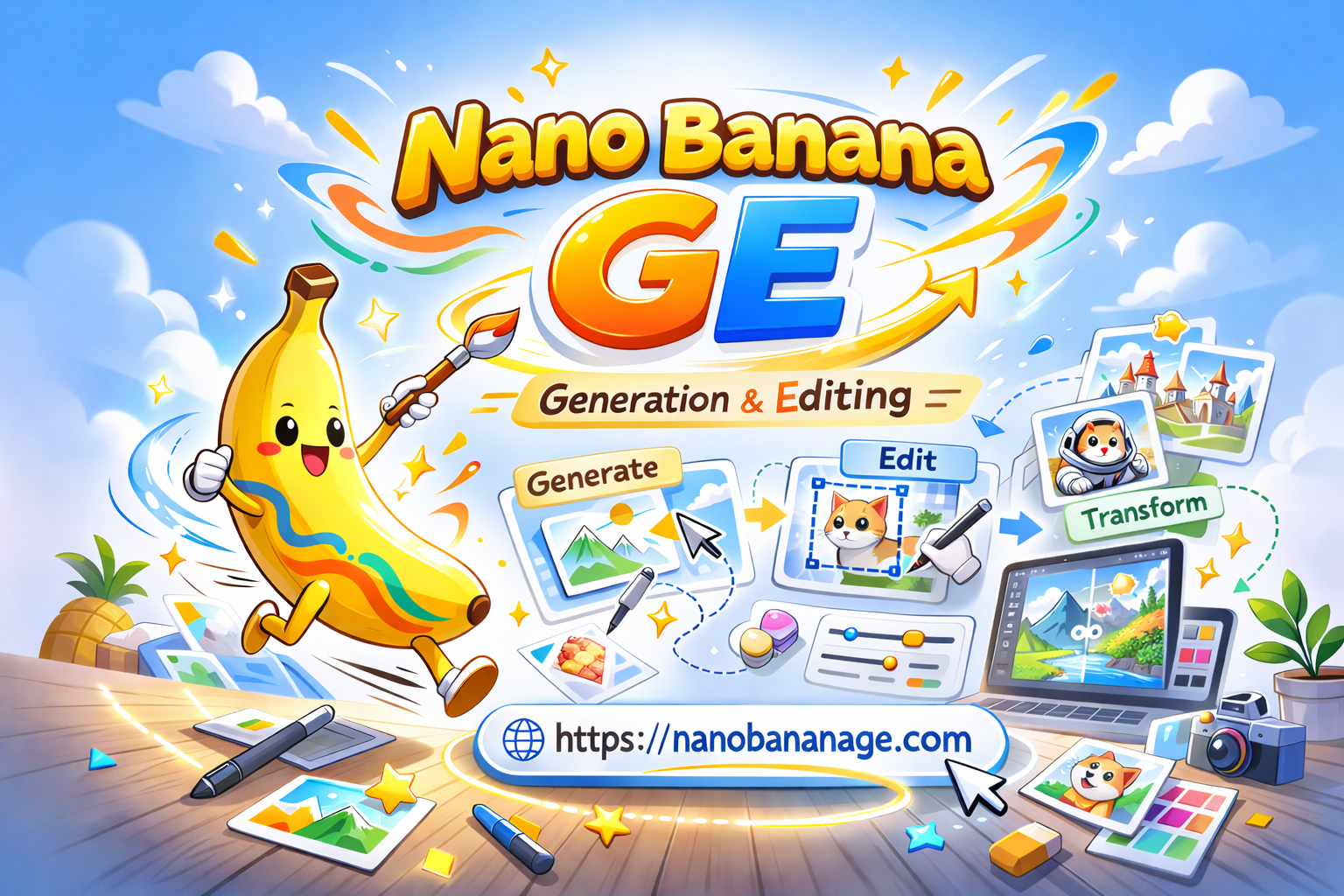
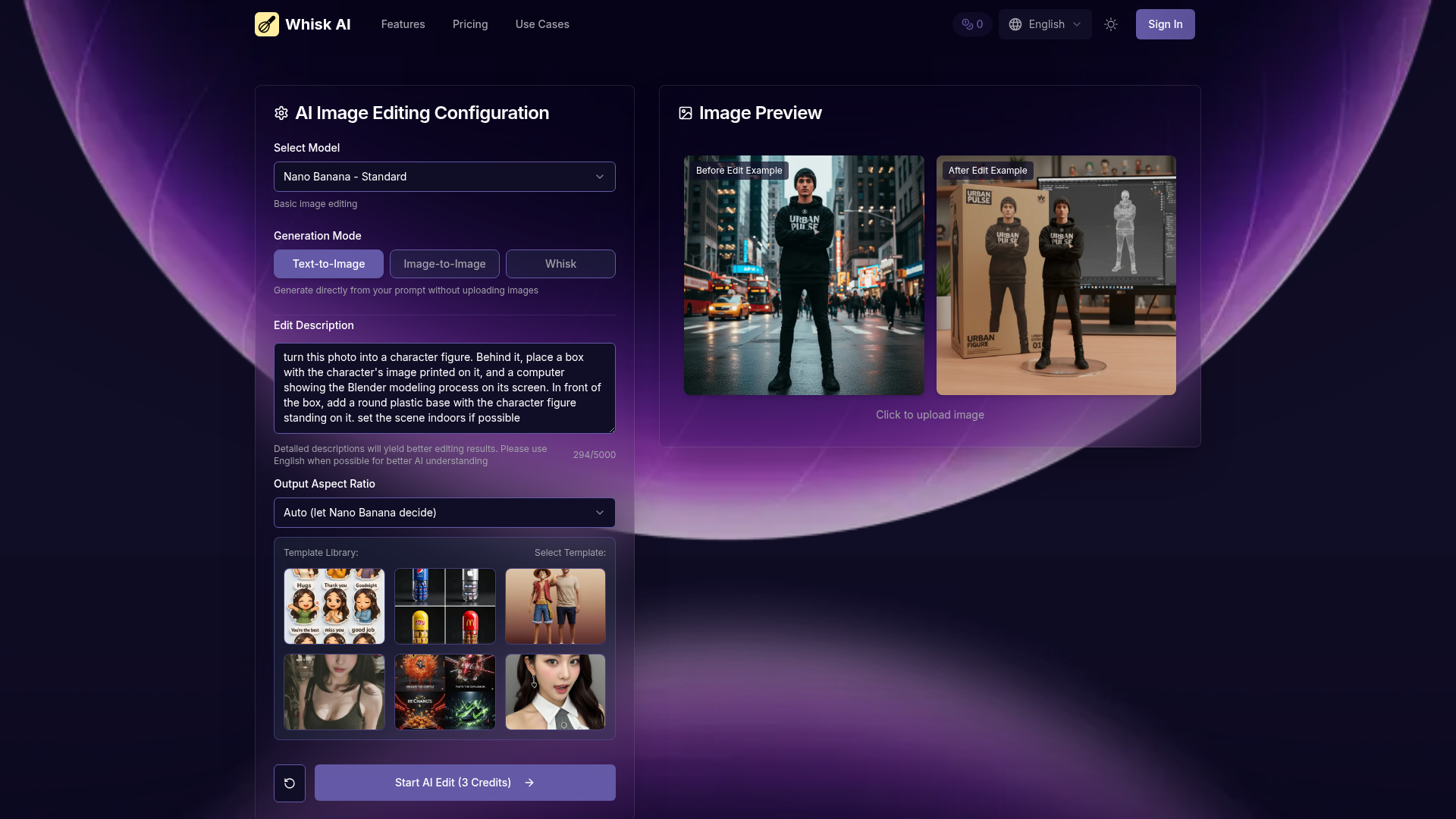
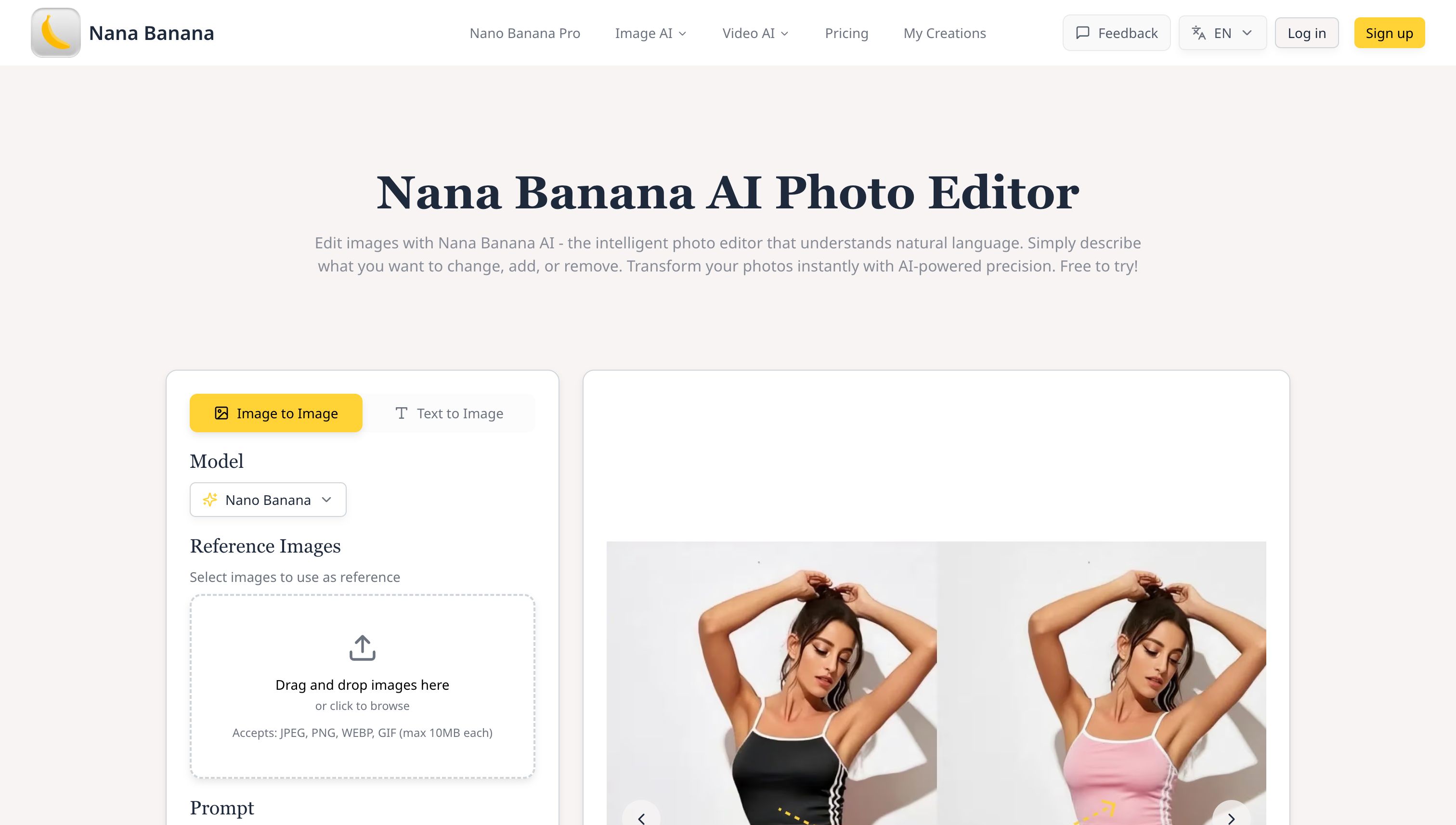
Nano Banana AI is an advanced, AI-powered image generation and editing SaaS, leveraging Google's Gemini 2.5 Flash Image model to transform text into stunning visuals and edit existing images with natural language. It's designed for a broad audience, including content creators, e-commerce businesses, marketing teams, designers, photographers, and agencies seeking professional-quality visual content. Key Features Natural Language Editing: Edit images using simple text commands, understanding complex instructions like 'remove background' or 'change outfit'. Character Consistency: Maintain consistent character features across multiple generations, ideal for AI influencers or brand mascots. Multi-Image Blending: Seamlessly combine multiple images, understanding context for natural scene integration. Precise Local Edits: Make targeted changes to specific areas without affecting the rest of the image, preserving integrity. Professional Quality: Delivers high-resolution outputs with accurate text rendering, suitable for commercial use. Browser Extensions: Edit images directly within your browser for fast and convenient AI editing. Use Cases Content Creators can generate and edit images for social media, ensuring consistent visual branding, editing thumbnails, and producing engaging graphics across platforms. For E-commerce, Nano Banana AI streamlines product photo editing, allowing users to remove backgrounds, change colors, create lifestyle shots, and generate multiple product angles from a single image, enhancing online storefronts. Marketing Teams benefit from rapid creation and modification of campaign visuals, generating ad creatives, adapting stock photos to brand guidelines, and producing variations for A/B testing. Designers can utilize it for rapid prototyping, exploring design variations, and creating mood boards with consistent visual elements, accelerating their creative workflow. Photographers can enhance and edit photos with AI precision, tackling complex tasks like object removal, scene extension, and creative transformations while maintaining photographic quality. Finally, Agencies can scale creative production efficiently, managing multiple client projects, ensuring brand consistency, and delivering high-quality visuals faster. Pricing Information Nano Banana AI operates on a credit-based system, with each text-to-image generation or image editing operation costing 4 credits. Users can visit the dedicated pricing page to review various credit packages and subscription options tailored to different usage needs. User Experience and Support The platform offers an intuitive user experience, allowing users to describe their desired output or edits using natural language, eliminating the need for complex technical skills. Its browser extensions further enhance convenience, enabling direct in-browser editing. While specific documentation or direct support channels aren't detailed, the natural language interface is designed for ease of use, making advanced AI editing accessible to everyone. Technical Details At its core, Nano Banana AI is powered by Google's advanced Gemini 2.5 Flash Image model. This sophisticated AI model is responsible for processing user requests, understanding natural language commands, and generating high-quality visual outputs, ensuring cutting-edge performance in image creation and editing tasks. Pros and Cons Pros: Exceptional character consistency across generations. Advanced natural language image editing capabilities. Seamless multi-image blending and context understanding. Precise local edits without affecting overall image integrity. High-resolution, commercially usable outputs with accurate text rendering. Powered by Google's Gemini 2.5 Flash Image model. Cons: Credit-based system requires monitoring usage. Reliance on AI interpretation for complex artistic visions. Specific customization challenges not explicitly detailed. Conclusion Nano Banana AI stands out as a powerful and versatile AI image generator and editor, offering unparalleled capabilities for maintaining character consistency, performing precise edits, and generating professional-grade visuals from text. Its intuitive natural language interface makes advanced AI accessible to a wide range of users. Explore Nano Banana AI today to transform your creative workflow and elevate your visual content.

AIDesign ToolsGraphics & Illustration
AI Image Generator - Create & Edit Stunning Images logo

AI Image Generator - Create & Edit Stunning Images

IntroductionThe Professional AI Image Generator is an advanced SaaS platform designed for creating, editing, and transforming any image with professional-grade results. It caters to a wide audience, from marketing professionals and designers to artists and content creators, enabling efficient visual content creation.Key FeaturesGenerate professional images from text descriptions, sketches, or concepts using advanced AI algorithms.Transform existing images with AI-powered editing tools, adjusting styles, colors, composition, and details.Support for various image formats, sizes, and artistic styles, from photorealistic to abstract.High-resolution output suitable for commercial use, marketing materials, and professional design projects.Fast and efficient creation, generating stunning images in seconds for rapid prototyping.User-friendly interface making professional image creation accessible without design skills.Use CasesThis AI image generator is incredibly versatile, serving numerous creative and commercial applications. Artists can leverage it for Creative Illustration & Art, generating unique digital illustrations and concept art. Marketing teams can utilize it for Product Visualization & Display, showcasing products in high-quality lifestyle environments. It also excels in 3D Product Visualization, bringing creative ideas to life with realistic 3D renderings.Beyond these, the platform is perfect for generating diverse marketing materials, engaging social media content, compelling website graphics, and product mockups. Its ability to create images from scratch or enhance existing ones makes it an invaluable tool for rapid prototyping and meeting tight deadlines.Pricing InformationThe AI Image Generator offers flexible pricing models, including both subscription plans and pay-per-use options. Costs vary based on image complexity and features utilized. Users are encouraged to check the dedicated pricing page for current rates and detailed plan information.User Experience and SupportDesigned with an intuitive and user-friendly interface, the platform ensures professional image creation is accessible to everyone. The process is streamlined into four simple steps: choosing a starting point, customizing settings, generating and previewing results, and finally, editing and exporting. No specific support channels are detailed, but the emphasis on ease of use suggests a self-service approach.Technical DetailsThe core of this platform relies on advanced AI algorithms for image generation, editing, and transformation. It employs AI-powered editing tools to intelligently automate adjustments to styles, colors, composition, and details, ensuring professional quality output. The system supports multiple image formats like PNG and JPEG, and various aspect ratios.Pros and ConsPros: Professional quality, high-resolution output for commercial use.Pros: Fast and efficient creation, saving significant time.Pros: Versatile creative applications for marketing, social media, and design.Pros: User-friendly interface, accessible without prior design skills.Pros: Cost-effective solution, replacing expensive stock photos and design services.Pros: Complete creative control with full editing capabilities.While the platform emphasizes ease of use, users should review the terms of service for complete details on commercial usage rights, as these may vary.ConclusionThe Professional AI Image Generator stands out as a comprehensive and powerful platform for anyone looking to create stunning visuals efficiently and cost-effectively. Its blend of advanced AI capabilities with an intuitive interface empowers users to generate, edit, and transform images for a multitude of purposes. Explore the platform and start creating amazing images with AI today.

AIDesign ToolsGraphics & Illustration
Video Watermark Remover logo

Video Watermark Remover

IntroductionVideo Watermark Remover is an advanced AI-powered SaaS solution designed to instantly erase logos, text, and watermarks from any video. It caters to a broad audience including content creators, social media managers, video editors, and businesses seeking to produce pristine, watermark-free video content for platforms like TikTok, YouTube, and Instagram.Key FeaturesAI-Powered Detection: Utilizes advanced machine learning algorithms, including CNN and GAN models, for exceptional accuracy in detecting and removing watermarks.No Quality Loss: Preserves original video quality, sharpness, and color accuracy without blur or degradation.Multi-Platform Support: Effectively removes watermarks from videos sourced from TikTok, Instagram, YouTube, OpenAI Sora 2, and other platforms.Batch Processing: Efficiently processes multiple videos simultaneously, saving time for large content libraries.Fast Processing: Optimized AI processing delivers watermark-free videos in minutes, significantly faster than manual methods.Secure & Private: Ensures data privacy with encrypted processing and automatic deletion of videos after completion.No Installation Required: Operates entirely in-browser, eliminating the need for software downloads or plugins.Professional Results: Delivers commercial-grade output suitable for professional content creation and business use.Use CasesContent creators leverage Video Watermark Remover to clean AI renders and social clips, ensuring a consistent brand aesthetic across various channels like YouTube Shorts and Reels. For instance, a YouTuber can remove Sora 2 or TikTok watermarks before compiling multi-platform content.Sora 2 creators and filmmakers can clean preview watermarks from OpenAI Sora 2 footage, allowing them to edit, grade, and composite shots as native footage for final delivery. Social media managers utilize the tool to update brand materials, eliminate outdated watermarks from archived content, or prepare user-generated content for official campaigns.Professional video editors benefit by removing text, stock footage watermarks, or unwanted elements from client materials, streamlining post-production workflows. Businesses find it essential for updating marketing materials, repurposing training videos, or cleaning customer testimonials, ensuring all content is professional and on-brand.Pricing InformationWhile specific pricing tiers are not detailed, Video Watermark Remover operates on a paid model, offering professional-grade services for watermark removal. Users are encouraged to visit the pricing section for more information.User Experience and SupportThe platform boasts a simple, fast, and effective 3-step process: upload, AI processing, and download. It requires no installation, working directly in the browser, making it accessible without technical expertise. The entire process typically takes just minutes. For support, users can reach out via the provided email address, hello@video-watermark-remover.com.Technical DetailsVideo Watermark Remover employs advanced AI technology, specifically CNN (Convolutional Neural Network) and GAN (Generative Adversarial Network) models. These algorithms analyze videos frame by frame, intelligently detecting watermark patterns and reconstructing removed areas using surrounding pixels to preserve natural video quality. It's a cloud-based solution optimized for speed and efficiency.Pros and ConsPros:Highly accurate AI-powered detection and removal.Maintains original video quality and resolution.Supports a wide range of video platforms and formats.Efficient batch processing capabilities.Fast turnaround times for video processing.Ensures user privacy and data security.Browser-based, no software installation needed.Capable of removing multiple watermarks simultaneously.Cons:Specific pricing details are not explicitly provided in the content.No explicit mention of a free trial or freemium option.Support channels beyond email are not detailed.ConclusionVideo Watermark Remover offers a robust, AI-driven solution for effortlessly removing watermarks from videos, delivering professional, high-quality results without compromising original footage. Its ease of use and powerful technology make it an invaluable tool for anyone needing clean video content. Explore Video Watermark Remover today to elevate your video projects.

AIDesign ToolsSaaS
Code Meter logo

Code Meter

Code MeterA macOS menu bar app that tracks your Claude Code and Minimax Token Plan usage limits in real-time, so you never get blindsided by a rate limit again.The ProblemWhen you're deep in a Claude Code session, especially with multiple subagents running or switching between Opus and Sonnet, there's no warning before you hit your 5-hour or weekly limit. You just stop, mid-task.Code Meter fixes that.What It DoesUsage gauges : 5-hour and 7-day utilization, always visible in your menu barPer-model breakdown : see your Opus vs Sonnet split, plus Extra Usage if enabledBurn rate projections : predicts when your quota will exhaust based on current paceSmart notifications : alerts at 50%, 75%, 90%, and 100% so you can pace yourselfDesktop widgets : WidgetKit-powered, always in viewShareable screenshot card : flex your usage on socialHow It WorksCode Meter reads your existing Claude Code credentials directly from Keychain - no API key setup, no extra login. Polling is adaptive: more frequent when usage is actively changing, backed off when things are stable.When your token refreshes, you'll need to re-authorise Keychain access. A minor friction worth the security trade-off.Tech StackSwiftUI · macOS 26+ · Liquid Glass · WidgetKit · Swift 6 strict concurrencyBuilt entirely with Claude Code.PricingFree 1-day trial · $0.99 lifetime · No subscriptionApp Store: apps.apple.com/app/id6760511858

PromotedAPIs & IntegrationsDeveloper ToolsMonitoring
Sora 2 - Cinematic AI Video Generator with Audio logo

Sora 2 - Cinematic AI Video Generator with Audio

Turn text or images into cinematic AI videos with synchronized audio and realistic physics. Sora 2 delivers creative control for shots, scenes, and storytelling.

AIDesign ToolsSaaS
Filtri.ai logo

Filtri.ai

Filtrix AI is an advanced AI-powered image transformation platform that allows you to convert your photos into various artistic styles, from Studio Ghibli to anime, and create engaging content for different purposes. Filtrix AI specializes in high-quality image generation with professional results.

AIProductivitySaaS
Free Background Remover logo

Free Background Remover

Free Background Remover is a powerful online tool that uses advanced AI algorithms to automatically remove backgrounds from images. Supporting jpg, jpeg, png, webp, gif, and avif formats, it processes single images in under 10 seconds with precision. The tool requires no registration or login and remains completely free to use. Perfect for e-commerce sellers needing clean product shots, social media managers creating engaging content, graphic designers working on professional projects, and individual users editing personal photos. With mobile optimization and no watermarks on output images, it offers enterprise-quality results accessible to everyone.

AIDesign ToolsGraphics & Illustration
QuickImg logo

QuickImg

#1 All-in-One AI Image Models, Tools & Generators

AI
BacklinkHelper logo

BacklinkHelper

Automate backlink submissions with BacklinkHelper Chrome extension. Smart form autofill and link tracking for SEO professionals. Save hours daily.One-stop backlink submission & form fillingCombines page inspection and form-localisation to automatically detect and fill every field required for backlink submission, streamlining your entire link-building workflow.Smart site managementOrganise and maintain SEO data for multiple websites in one place. Update information quickly and execute SEO strategies faster.Backlink tracking & administrationKeep a clear overview of every submitted link and its status so your SEO results stay measurable.Bulk operationsImport, delete or tag hundreds of links at once to reduce repetitive work.Auto prompt generation for commentsAutomatically creates a Chat-GPT-ready prompt from the page’s TDK (Title, Description, Keywords) plus your own site’s TDK, so you can produce on-topic comments in seconds.AI-generated commentsProduce natural, personalised, context-aware comments automatically, based on the style, role, language and length you choose.

AISaaSWorkflow Automation
Code Meter logo

Code Meter

Code MeterA macOS menu bar app that tracks your Claude Code and Minimax Token Plan usage limits in real-time, so you never get blindsided by a rate limit again.The ProblemWhen you're deep in a Claude Code session, especially with multiple subagents running or switching between Opus and Sonnet, there's no warning before you hit your 5-hour or weekly limit. You just stop, mid-task.Code Meter fixes that.What It DoesUsage gauges : 5-hour and 7-day utilization, always visible in your menu barPer-model breakdown : see your Opus vs Sonnet split, plus Extra Usage if enabledBurn rate projections : predicts when your quota will exhaust based on current paceSmart notifications : alerts at 50%, 75%, 90%, and 100% so you can pace yourselfDesktop widgets : WidgetKit-powered, always in viewShareable screenshot card : flex your usage on socialHow It WorksCode Meter reads your existing Claude Code credentials directly from Keychain - no API key setup, no extra login. Polling is adaptive: more frequent when usage is actively changing, backed off when things are stable.When your token refreshes, you'll need to re-authorise Keychain access. A minor friction worth the security trade-off.Tech StackSwiftUI · macOS 26+ · Liquid Glass · WidgetKit · Swift 6 strict concurrencyBuilt entirely with Claude Code.PricingFree 1-day trial · $0.99 lifetime · No subscriptionApp Store: apps.apple.com/app/id6760511858

PromotedAPIs & IntegrationsDeveloper ToolsMonitoring
That App Show logo

That App Show

That App Show showcases the hottest new applications and software. Discover what is making waves in the digital world.

AIProductivitySaaS
Appa List logo

Appa List

Appa List connects you with essential software tailored for productivity. Find the perfect tools to elevate your workflow.

AIProductivitySaaS
Prompt2Tool logo

Prompt2Tool

IntroductionPrompt2Tool is a leading AI-powered online platform offering an extensive collection of free tools designed to significantly boost the productivity of developers, designers, and creative professionals. Emphasizing user privacy and requiring no registration, it provides instant access to a diverse range of utilities, calculators, converters, and specialized development and design tools.Key FeaturesAccess to over 2,400 free online tools across categories like Design, Utilities, CSS, PDF, API, Calculators, Converters, Games, Finance, and Development.AI-powered functionalities for enhanced accuracy in tool generation, content optimization, and intelligent prompt creation.Strict privacy-first approach: all data is processed locally in your browser and never stored on external servers.No registration or personal information required for using the vast majority of tools.Free monthly API credits available for AI prompt generation and custom tool creation.Use CasesPrompt2Tool caters to a wide array of needs. Developers can utilize tools for API testing, code generation (via AI credits), and SEO with the Free Backlink Submitter. Designers benefit from the Image Converter, QR Code Generator, and AI-powered Software Icon Generator. General users can access various calculators, converters, and template generators for business (e.g., reimbursement forms) or legal documents. The platform also offers popular games like Tetris and 2048 for leisure.Pricing InformationPrompt2Tool operates on a freemium model. All existing online tools are 100% free to use indefinitely, with no hidden costs. For advanced AI-powered features, such as prompt generation and custom tool creation, a credit-based system is employed. Free users receive 200 API credits monthly, which reset automatically. For increased usage or priority features, paid plans are available: Basic ($18/month), Premium ($50/month), and Enterprise ($99/month).User Experience and SupportThe platform prioritizes a user-friendly experience, offering a straightforward interface that requires no registration for most functionalities. Support is accessible via email (support@prompt2tool.com, feedback@prompt2tool.com), an online feedback button, comprehensive help documentation, and a growing user community. The local processing architecture ensures fast performance and a private browsing experience.Technical DetailsPrompt2Tool integrates AI for intelligent prompt generation and to enhance tool capabilities. Its core technical strength lies in its privacy-first design, where all user data is processed exclusively within the browser, preventing any upload or storage on external servers. Data transmission is secured using HTTPS encryption. While specific underlying programming languages for the platform are not detailed, its architecture supports a broad spectrum of development and utility tools.Pros and ConsPros: Free access to 2.4K+ tools, AI-powered features, strong privacy protection (local processing), no registration required, diverse tool categories, community-driven.Cons: AI output may need review, limited free API credits for advanced AI features, minimal ads on some pages.Prompt2Tool is an invaluable resource for anyone seeking to optimize their digital workflow with a comprehensive suite of free, AI-enhanced tools. Its commitment to privacy, ease of access, and continuous innovation makes it an essential platform for boosting productivity across various professional and personal tasks. Explore Prompt2Tool today to transform your workflow and harness the power of AI-driven online utilities.

AIDesign ToolsDeveloper Tools
Sora 2 Without Watermark logo

Sora 2 Without Watermark

Generate stunning AI videos using OpenAI Sora

AIMarketing ToolsProductivity
PreviousPage 21 of 33Next