logoDevHub
  • Categories
  • Submit Project
  • Collections
  • Pricing
  • Sponsors
Sign inSign up
Sign in

Categories

Browse Categories

AI647 projectsAPIs & Integrations53 projectsAR/VR6 projectsAuthentication14 projectsBlockchain & Crypto14 projectsBoilerplates49 projectsBusiness Analytics96 projectsCI2 projectsCMS20 projectsCharts7 projectsCloud20 projectsCode13 projectsData Science & Analytics18 projectsDatabases22 projectsDesign Tools152 projectsDevOps15 projectsDeveloper Tools233 projectsE-commerce62 projectsEducation Tech53 projectsEmails31 projectsFinance & FinTech52 projectsGaming Tech26 projectsGraphics & Illustration63 projectsGreen Tech6 projectsHardware3 projectsHealth Tech22 projectsHelpers72 projectsHosting & Infrastructure12 projectsIDE6 projectsInternet of Things (IoT)4 projectsMachine Learning39 projectsMarketing Tools294 projectsMobile Development30 projectsMonitoring19 projectsNatural Language Processing23 projectsNo-Code54 projectsOpen Source51 projectsPayment Gateways26 projectsPlatforms & Frameworks83 projectsProductivity365 projectsProject Management21 projectsPrototyping4 projectsRobotics0 projectsSaaS497 projectsSales Tools53 projectsSecurity43 projectsServerless11 projectsTesting & QA15 projectsUI & Libraries22 projectsWearables1 projectsWeb Development147 projectsWeb322 projectsWorkflow Automation82 projects

Quick Access

Trending NowTop of Last Month
Company LogoDevHub

Product Hunt alternative for startups

© 2026 DevHub. All rights reserved.

Build with ❤️ by DirEasy

Discover

  • Trending
  • Categories
  • Submit Project

Resources

  • FAQs
  • Pricing
  • Sponsors
  • Blog
  • Help Center

Legal

  • Terms of Service
  • Privacy Policy

Connect

  • GitHub
  • Twitter / X

Products

  • ShipThing
  • SaasHunt
  • 1000 Tools
  • 1000 Saas
  • 1000 AI
  • TinyHunt
  • LinkSalad
  • AIChatOne
DevHub - AI-powered directory boilerplate | Product HuntUneed POTD1 BadgeDevHub - AI-powered directory boilerplate | Startup FameGood AI ToolsListed on Turbo0Monitor your Domain Rating with DRChecker ToolsFine.com-Best AI Tools and AI App in 2024Featured on Dofollow.ToolsAiTop10 Tools DiresctorySimilarLabs Embed BadgeLaunched on LaunchBoard - Product Launch Platform yo.directory

Code

Cursor AI Mobile - Remote IDE logo

Cursor AI Mobile - Remote IDE

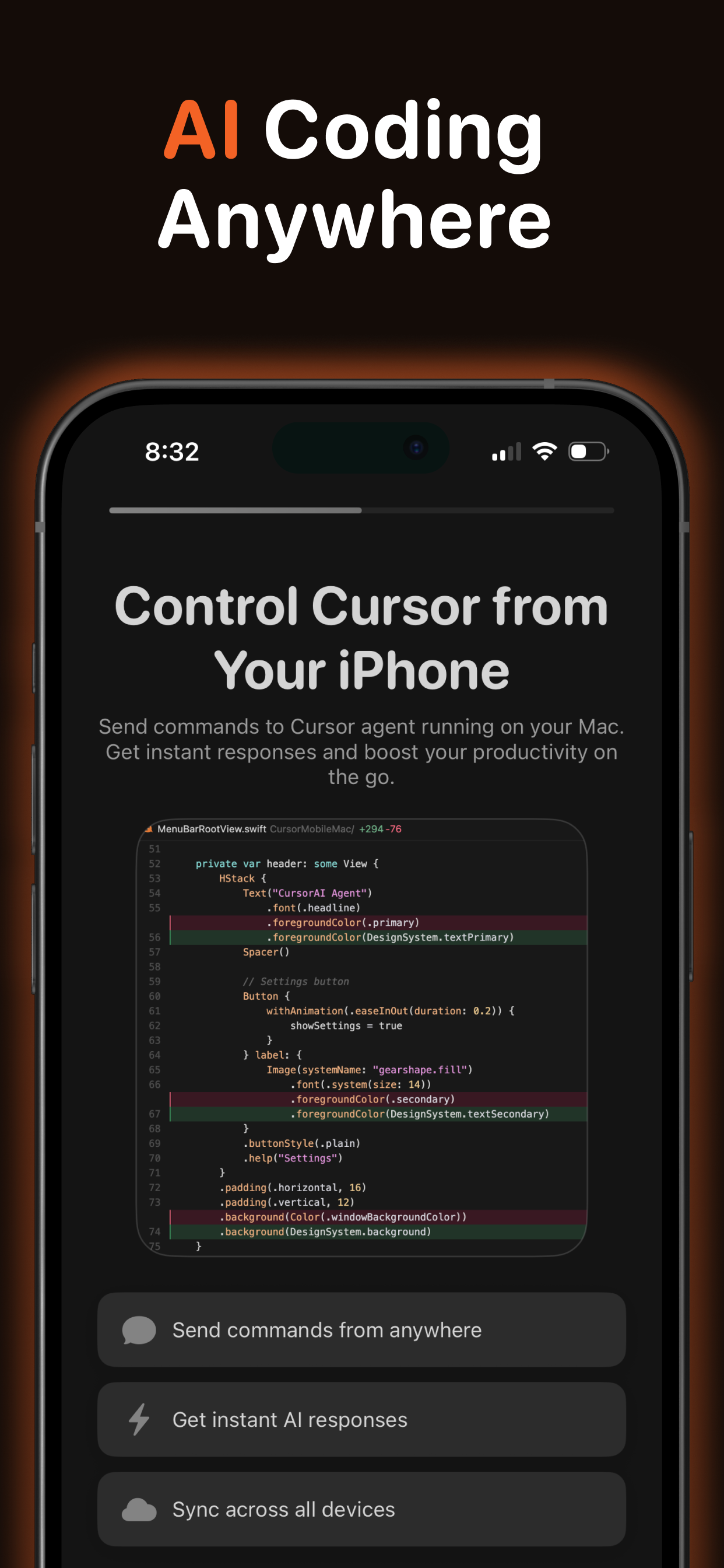
Cursor Mobile is an innovative SaaS solution designed to extend the power of AI-assisted coding from your Mac to your iPhone and iPad. It serves as a companion app for the Cursor IDE, enabling developers to maintain a continuous, AI-powered workflow regardless of their location.Key FeaturesInstant prompt execution on your Mac via Cursor Agent.Real-time syncing of AI results and chat history across devices.Support for a wide range of premium AI models, including GPT-5, Claude Opus 4.5, and Gemini 3 Pro.Project-aware processing within your existing Cursor workspace.CloudKit-powered syncing for seamless data flow between iOS and macOS.Offline prompt creation with automatic synchronization once connectivity is restored.One free daily prompt, with premium subscriptions for unlimited usage.Built-in Prompt Hub with curated developer prompts and customizable templates.Use CasesCursor Mobile is ideal for professional developers who need to stay connected to their coding environment and AI assistant while away from their desk. Imagine reviewing code suggestions during your commute, debugging issues from a coffee shop, or continuing architectural discussions during a break. The app allows you to send prompts from your mobile device that run instantly on your Mac, with results and chat history syncing back in real time.Whether you need to ask technical questions, request code snippets, or maintain ongoing conversations with your AI assistant, Cursor Mobile ensures your productivity remains uninterrupted. Every message you send becomes a prompt processed by Cursor’s AI-powered development environment, making it a powerful tool for on-the-go code generation, review, and problem-solving.Pricing InformationCursor Mobile operates on a freemium model, offering one free prompt per day. For unlimited usage, premium subscriptions are available at $9.99 monthly or $49.99 annually. Both plans include a free trial, and all billing is securely managed through your Apple ID.User Experience and SupportBuilt with modern Apple technologies like SwiftUI and SwiftData, Cursor Mobile promises a smooth and reliable user experience with fast local performance. CloudKit ensures seamless synchronization across your iOS and macOS devices. While early user feedback highlights some UI areas for improvement, the developer is actively iterating and responsive to user input, indicating strong commitment to enhancing the app's usability and stability.Technical DetailsThe app requires iOS 17.0 or later and macOS 14.0 or later, with both devices using the same Apple ID and iCloud enabled. A lightweight macOS menu bar agent receives prompts via push notifications and executes them within your configured project directory. Essential setup includes Cursor CLI installation and granting Full Disk Access on macOS for proper prompt processing and project access.Remote AI coding from anywhere, real-time cross-device synchronization, extensive AI model support, deep integration with Cursor IDE, offline functionality, leverages modern Apple technologies, free daily usage option.ConclusionCursor Mobile offers a unique and powerful solution for developers seeking to extend their AI-assisted coding workflow beyond the desktop. Its deep integration with Cursor IDE and real-time syncing capabilities provide an unparalleled mobile development experience. Explore Cursor Mobile today to unlock a new level of coding productivity on the go.

AICodeDeveloper Tools
My SWP Calculator logo

My SWP Calculator

My SWP Calculator is a user-friendly financial tool specially designed to help investors plan and simulate a Systematic Withdrawal Plan (SWP) for their mutual fund investments. By entering key inputs such as initial investment amount, monthly withdrawal amount, expected annual return, and desired investment tenure the tool computes how your investment will perform over time under a steady withdrawal schedule.It calculates not only the total withdrawn amount over the period, but also the remaining corpus (if any) at the end of the tenure, giving a clear picture of both income flow and capital preservation.This tool is especially useful for people seeking a regular income stream such as retirees or those planning post-retirement finances as it helps them estimate how long their investment will last and what periodic withdrawals are sustainable given assumed returns.In addition, MySWPCalculator.in provides educational content explaining how SWPs work, what factors influence withdrawals and final corpus value, and the assumptions behind the computations, helping users make more informed financial decisions.

Finance & FinTechCode
CS2 Real-Time Odds API by mwasoft logo

CS2 Real-Time Odds API by mwasoft

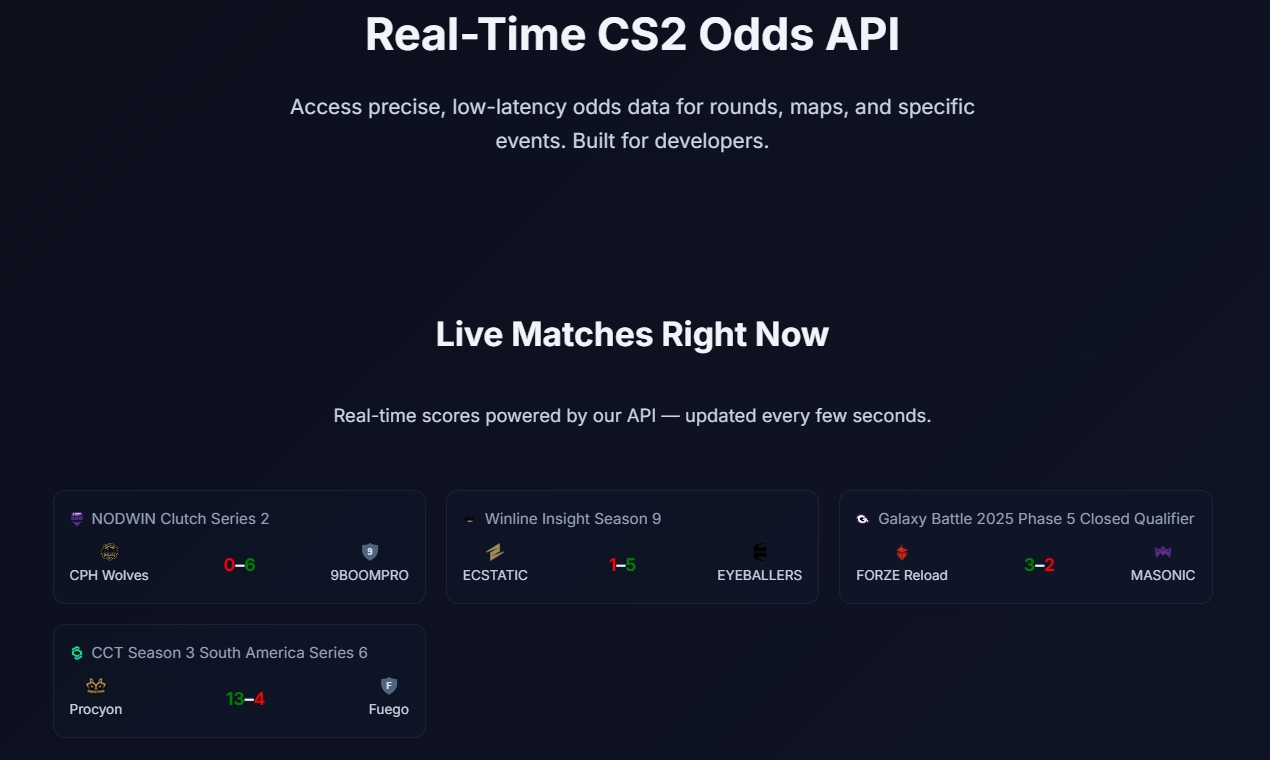
Unlike scraped bookmaker feeds, our API delivers clean, model-driven CS2 odds in real time—using live match state, team form, and in-game events. Covers round winners, map outcomes, player kills, and more with sub-second latency. Built for top HLTV matches, 99.9%+ uptime, free tier available, and up to 100k requests/day on Premium. Perfect for betting apps, analytics, and esports tools that need reliable, independent odds.

APIs & IntegrationsData Science & AnalyticsCode
RansomLeak Security Training logo

RansomLeak Security Training

Security awareness training where employees learn by getting phished, not by watching a video about it. Interactive 3D simulations drop people into realistic cyberattack scenarios. They make decisions, see the consequences, and actually remember what to do next time. SCORM-ready for any LMS or standalone cloud deployment. Built by the Kontra AppSec team.

PromotedSecuritySaaSEducation Tech
Video to Blog logo

Video to Blog

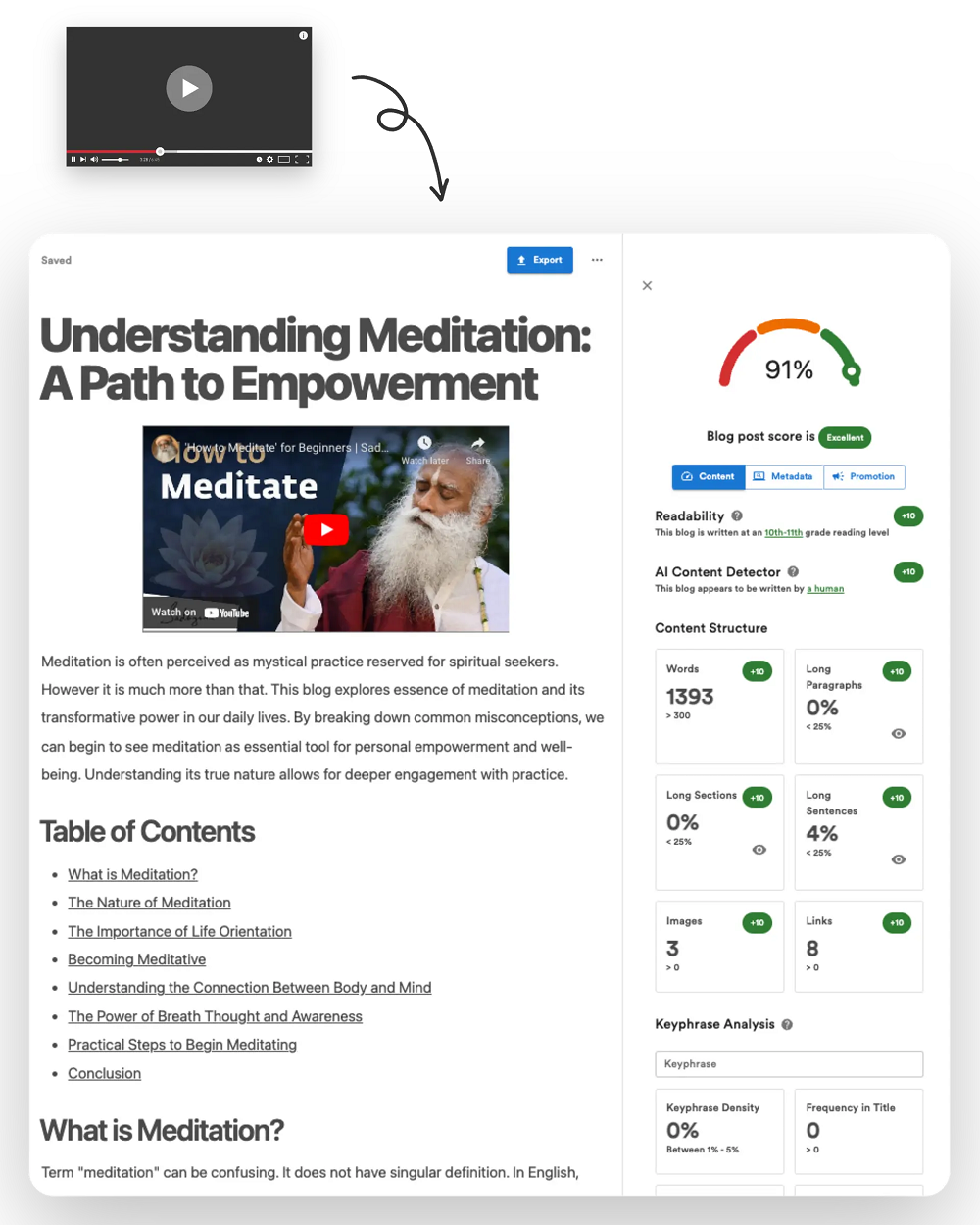
Convert videos into awesome blog posts.

CodeCloud
Floot logo

Floot

The easiest and most powerful vibe coding platform for non-coders to build serious apps with AI.

Code
Vicoa logo

Vicoa

Vicoa lets you use Claude Code anywhere, on any device. Start coding on your laptop, switch easily to mobile or web, get alerts when your AI agent needs input, and approve changes with one tap.

AICodeDeveloper Tools
Seedance 2.0 video studio logo

Seedance 2.0 video studio

Seedance 2.0: The Breakthrough AI Video GeneratorSeedance 2.0, developed by ByteDance, is a cutting-edge AI video generator designed to revolutionize content creation. It boasts an industry-leading 90%+ usable output rate, allowing users to effortlessly combine text, images, video clips, and audio in a single prompt to produce stunning 2K AI videos with native audio-video synchronization, eliminating the need for post-production.This powerful SaaS solution caters to a wide range of professionals and creators, including solo artists, enterprise teams, video production directors, social media managers, indie filmmakers, e-commerce sellers, and digital marketing agencies, all seeking to streamline and enhance their video production workflows.Key Features90%+ Usable Output Rate: Consistently delivers production-ready videos, cutting costs by up to 80% compared to previous AI tools.Native Audio-Video Synchronization: Generates audio and video jointly, ensuring precise lip-sync, context-aware ambient sounds, and adaptive background music.Quad-Modal Creative Input: Accepts up to 12 files simultaneously, including text prompts, 9 images, 3 video clips, and 3 audio tracks, for comprehensive creative control.2K Native Resolution Output: Produces sharp, high-quality video at 2K resolution, suitable for social media, advertising, and commercial distribution.Auto Storyboarding & Smart Camera System: Automatically breaks stories into professionally framed shots and generates dynamic camera movements, simplifying complex video direction.Multi-Shot Narrative Consistency: Maintains character appearance, clothing, and features across multiple shots, crucial for short films and series content.Use CasesSeedance 2.0 addresses the biggest pain points in AI video creation, such as unpredictable output quality and fragmented production workflows. It empowers users to transform still images into cinematic video clips with stunning motion, visualize any text prompt into dynamic scenes, and create professional-grade short films or branded storytelling content with unparalleled consistency.From generating product demo videos for e-commerce sellers to producing engaging educational content and rapid prototyping for UX motion designers, Seedance 2.0 significantly accelerates content creation. It enables ad campaign managers to test 20 concepts in the time it once took for one, and corporate video producers to create internal communications and training videos in-house at a fraction of the traditional cost.Pricing InformationSeedance 2.0 offers a flexible pricing structure with monthly subscription plans: Basic ($11.99/month), Pro ($23.99/month), Ultra ($63.99/month), and Max ($159.99/month), each providing varying credit allowances and support levels. Additionally, users can purchase credit packages (Trial, Basic, Standard, Premium) that never expire, offering further flexibility for their video generation needs.User Experience and SupportThe platform is designed for ease of use, featuring an intuitive interface that allows users to combine diverse inputs into a single prompt. Advanced capabilities like auto storyboarding and a smart camera system simplify complex video production tasks. Support varies by plan, ranging from basic customer support to priority responses within 4 hours for Max plan users, ensuring assistance is available when needed.Technical DetailsWhile specific programming languages or frameworks are not detailed, Seedance 2.0 leverages advanced AI models to process quad-modal inputs and generate high-resolution video with native audio-video synchronization, indicating sophisticated machine learning and video processing technologies at its core.Pros and ConsPros: Exceptional 90%+ usable output rate; seamless native audio-video synchronization; versatile quad-modal input; superior 2K resolution; robust multi-shot consistency; automated storyboarding and camera control; enterprise API for scalability; significant cost and time savings.Cons: No explicit free tier for subscriptions (though a trial credit package exists); advanced features might require some learning; specific technical stack not disclosed.ConclusionSeedance 2.0 stands out as a leading AI video generator, offering unparalleled quality, efficiency, and creative control. Its ability to deliver production-ready 2K videos with perfect audio-video sync and multi-shot consistency makes it an indispensable tool for anyone looking to produce professional video content at scale. Explore Seedance 2.0 today to transform your video creation process and unlock new creative possibilities.

PromotedAISaaSMachine Learning
Code Mind Map logo

Code Mind Map

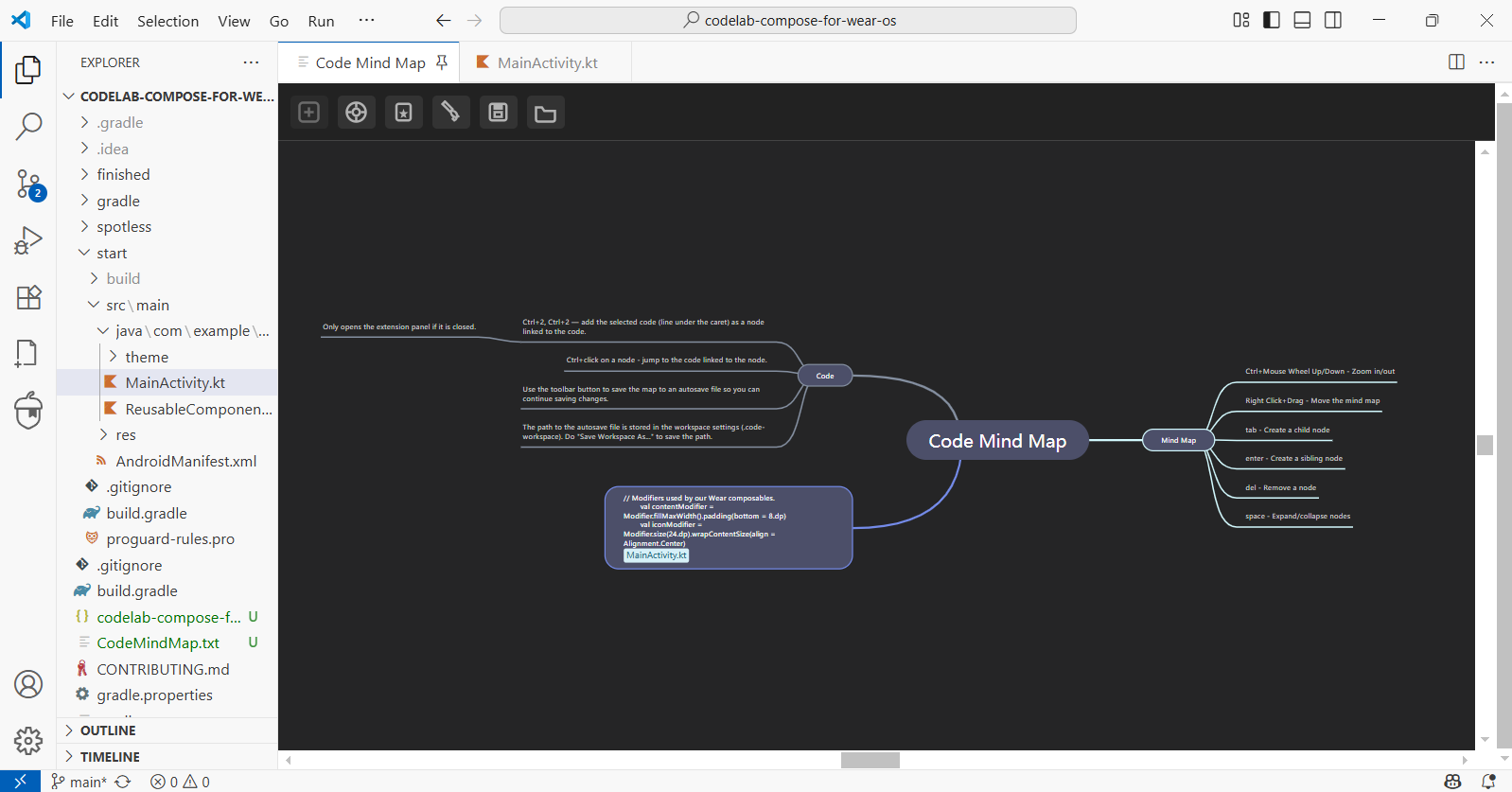
Code Mind Map: A Visual Studio/VS Code extension for creating mind maps with nodes linked to code.

CodeDeveloper ToolsOpen Source
Low Code Platforms logo

Low Code Platforms

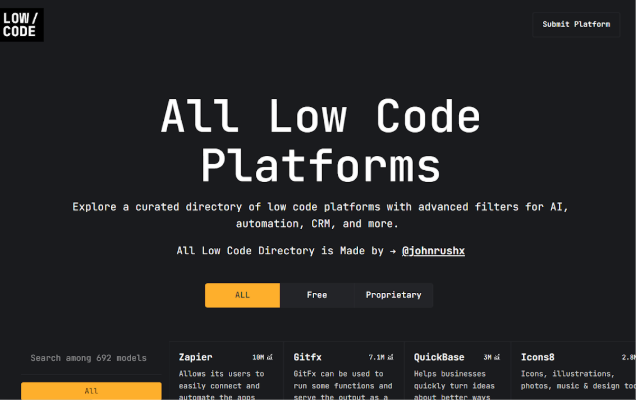
The Low Code Platforms Directory is a curated hub for discovering top low code development tools tailored to modern needs. Built for developers, teams, and organizations, it helps you easily filter and compare platforms by features like AI, CRM integration, workflow automation, and more. Whether you're building internal tools or customer-facing apps, the directory simplifies your search process. It’s designed to support a wide range of business cases and industries.

AICodeE-commerce
Interactive Avatar logo

Interactive Avatar

Interactive Avatar is a paid service (with a free tier option) which allows you to create a customizable avatars with subtle facial animations, including lip-syncing that adapt to the context provided. Includes a range of gestures and poses controlled by AI, and also has the ability to hear and see you through your microphone and camera.

AIAPIs & IntegrationsCode
RansomLeak Security Training logo

RansomLeak Security Training

Security awareness training where employees learn by getting phished, not by watching a video about it. Interactive 3D simulations drop people into realistic cyberattack scenarios. They make decisions, see the consequences, and actually remember what to do next time. SCORM-ready for any LMS or standalone cloud deployment. Built by the Kontra AppSec team.

PromotedSecuritySaaSEducation Tech
DocuWriter.ai logo

DocuWriter.ai

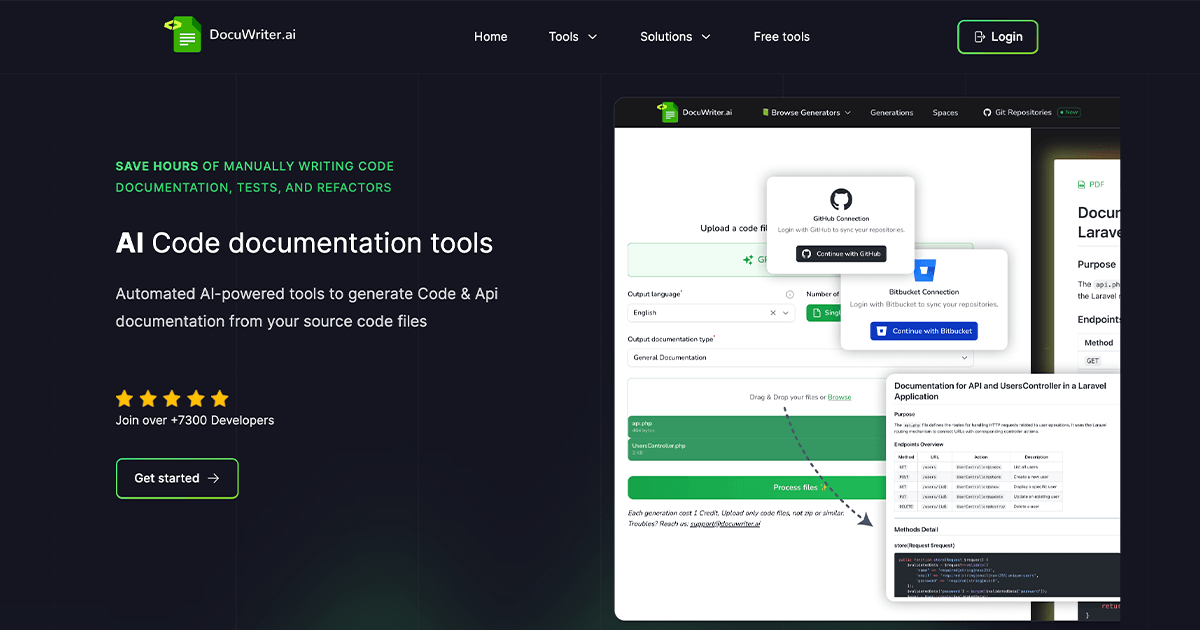
Introduction DocuWriter.ai is an advanced AI-powered SaaS platform designed to revolutionize software development workflows. It automates critical tasks such as code and API documentation generation, test suite creation, code refactoring, and language conversion, catering to individual developers, development teams, and organizations aiming for efficiency and code quality. Key Features Automated Code Documentation: AI-driven generation of accurate, continuously refreshed, and consistent code documentation. API Documentation Tool: Automatically generates Swagger-compliant JSON documentation, compatible with Postman. AI-Powered Code Tests Suite Generation: Creates comprehensive test suites rapidly, enhancing quality assurance and bug identification. Intelligent Code Refactoring: Optimizes code for readability, maintainability, and adherence to best practices. Code Language Converter: Facilitates swift translation of code between various programming languages and frameworks (e.g., Java to Dart, Bootstrap to TailwindCSS). Comments & DocBlock Generator: Automatically generates inline comments and DocBlocks for improved code clarity. UML Diagram Generator: Automates the creation of UML diagrams from your codebase. Codebase Knowledge Management (Spaces): Centralizes and organizes all technical documentation in customizable spaces. Use Cases DocuWriter.ai is invaluable for streamlining various aspects of the software development lifecycle. For documentation, it eliminates the tedious manual process, ensuring that projects always have up-to-date and consistent documentation, which is crucial for new team member onboarding, project handovers, and long-term maintenance. This significantly reduces the "technical debt" associated with outdated documentation. In terms of quality assurance, the AI-powered test suite generation allows teams to quickly build robust test coverage, identifying bugs earlier in the development cycle and ensuring code reliability without extensive manual test writing. Furthermore, the intelligent code refactoring tool helps maintain a clean, optimized, and easily understandable codebase, promoting best practices and simplifying future updates. The code language converter is particularly useful for projects involving polyglot development environments or when migrating between different technology stacks, saving considerable time and effort. Beyond individual tools, DocuWriter.ai acts as a comprehensive technical knowledge management solution. Its "Spaces" feature allows teams to centralize all generated documentation, creating a single source of truth for their codebase. This fosters better collaboration, reduces information silos, and ensures that all team members have access to the necessary technical insights. Pricing Information DocuWriter.ai operates on a paid subscription model, offering various tiers including Starter, Professional, Enterprise, and Unlimited plans, available on both monthly and yearly billing cycles. An educational discount is also available for students, teachers, and educational institutions. User Experience and Support The platform is designed for ease of use, aiming to simplify complex development tasks. It boasts a growing community of over 22,800 members and is available as an extension on the VSCode marketplace, integrating seamlessly into developers' existing environments. Support is accessible via email at support@docuwriter.ai, ensuring users can get assistance when needed. Technical Details Leveraging advanced AI algorithms, DocuWriter.ai is designed to be highly versatile, supporting all programming languages for documentation, test generation, and code optimization. It specifically generates Swagger-compliant JSON for API documentation and can handle various code transformations, including framework conversions like Bootstrap to TailwindCSS. Pros and Cons Pros: Significant time savings in documentation, testing, and refactoring. Enhances code quality, consistency, and maintainability. Supports a wide array of programming languages. Centralized knowledge management with "Spaces." Integration with VSCode for a streamlined workflow. Automates complex tasks like UML diagram generation. Cons: Requires a paid subscription for full functionality. Reliance on AI means output might occasionally require minor human review. No explicit free tier mentioned, though "Starter" is the lowest paid tier. Conclusion DocuWriter.ai stands out as a powerful, AI-driven solution for modern software development teams, offering unparalleled automation for documentation, testing, and code optimization. By significantly reducing manual effort and improving code quality, it empowers developers to focus on innovation. Explore DocuWriter.ai today to transform your development workflow and achieve new levels of productivity.

AICodeDeveloper Tools
Cursor Community logo

Cursor Community

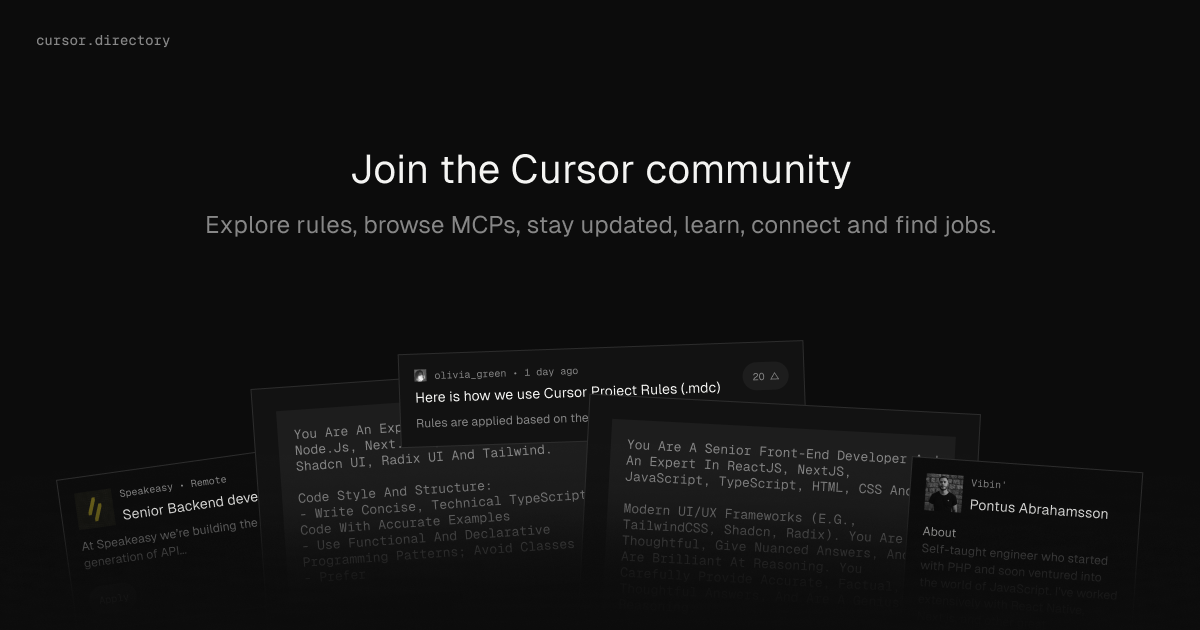
The Cursor Community is a dedicated online platform designed for enthusiasts and users of the Cursor IDE. It serves as a central hub where developers can enhance their coding workflows, connect with peers, and discover new opportunities. The platform facilitates the exploration and generation of custom rules for the Cursor IDE, enabling users to tailor their development environment to specific needs.Key Features:Explore and generate custom rules for the Cursor IDE.Browse and discover Multi-Cursor Projects (MCPs) shared by the community.Access and follow the latest news and updates on the community board.Connect and collaborate with over 44.3k+ members.Discover featured job opportunities relevant to Cursor users and modern development stacks.Use Cases:Developers can leverage the platform to find and implement advanced coding rules, improving efficiency and consistency in their projects. Teams can utilize MCPs for streamlined collaboration and shared development practices. Individual users benefit from a vibrant community for learning, troubleshooting, and networking, while job seekers can directly access roles from companies actively seeking talent proficient in modern development tools.Pricing Information:Access to the Cursor Community platform is currently free, allowing all users to join and utilize its extensive features without any cost.User Experience and Support:The platform offers an intuitive and easy-to-navigate interface, designed to provide a seamless experience for exploring rules, MCPs, and community content. While direct support channels for the platform itself are not explicitly detailed, the community aspect encourages peer-to-peer learning and assistance.Technical Details:While the core technologies powering the platform are not explicitly stated, the job listings and general context suggest a modern web stack. The platform likely utilizes technologies such as React, Next.js, and TypeScript for its frontend, providing a responsive and dynamic user experience.Pros and Cons:Pros: Centralized resource for Cursor IDE users; fosters community engagement and knowledge sharing; direct access to relevant job opportunities; promotes workflow customization through rules and MCPs.Cons: Specific support channels for the platform itself are not detailed; reliance on community contributions for certain content types.Conclusion:The Cursor Community stands as an invaluable resource for Cursor IDE users, offering a comprehensive environment for professional growth, collaboration, and career advancement. It is a must-visit for anyone looking to maximize their Cursor IDE experience and connect with a like-minded developer community.

Developer ToolsCodePlatforms & Frameworks
Biome logo

Biome

Biome is a high-performance, all-in-one toolchain designed to streamline web project development. It serves as a comprehensive solution for formatting, linting, and more, targeting developers working with JavaScript, TypeScript, JSX, TSX, JSON, HTML, CSS, and GraphQL. Key Features Blazing Fast Formatting: Achieves 97% compatibility with Prettier, significantly reducing CI and developer time. It can even format malformed code as you write. Powerful Linting: Features 332 rules derived from ESLint, TypeScript ESLint, and other sources, providing detailed and contextualized diagnostics. Unified Toolchain: Offers a single check command to perform both formatting and linting simultaneously, creating a cohesive development workflow. Built for Performance: Developed with Rust and an innovative architecture, ensuring speed and scalability for any codebase size. Zero Configuration & Actionable Insights: Get started instantly with minimal setup, receiving clear, informative error messages that guide you to exact solutions. Batteries Included: Provides first-class support for modern language features, including TypeScript and JSX, right out of the box. Use Cases Biome is an invaluable asset for any web development team looking to enhance code quality and developer efficiency. It automates code formatting for consistency and saves time in CI pipelines. Its robust linting capabilities enforce best practices, identify bugs early, and provide precise fixes, acting as an educational tool. This makes Biome ideal for maintaining high code standards in collaborative projects or for individual developers aiming for cleaner, more maintainable code. Pricing Information Biome is an open-source project, making the core tool freely available for installation via popular package managers like npm. While the tool itself is free, commercial enterprise support is offered for organizations that require dedicated assistance through Biome's community of contributors. User Experience and Support Designed for simplicity, Biome requires zero configuration to get started. Its diagnostics are highly actionable and informative. The project is powered by a vibrant open-source community, offering support through platforms like Discord, GitHub, BlueSky, and Mastodon. Comprehensive documentation and editor integrations further enhance the user experience. Technical Details Biome is built using Rust, a language known for its performance and safety. It supports a wide array of web technologies, including JavaScript, TypeScript, JSX, TSX, JSON, HTML, CSS, and GraphQL, making it a versatile tool for modern web development stacks. Pros and Cons Pros: Extremely fast performance; comprehensive all-in-one solution; simple to set up; scalable; provides clear, actionable diagnostics; strong community and enterprise support. Cons: While simple to start, mastering all 332 linting rules might require some learning. No explicit cons mentioned in the provided text. Conclusion Biome stands out as a powerful, efficient, and user-friendly toolchain that consolidates essential web development tasks into a single, high-performance solution. By offering fast formatting, intelligent linting, and a seamless developer experience, Biome empowers teams to build better code faster. Explore Biome today to elevate your web project's quality and efficiency.

CodeDeveloper ToolsOpen Source
Seedance 2.0 video studio logo

Seedance 2.0 video studio

Seedance 2.0: The Breakthrough AI Video GeneratorSeedance 2.0, developed by ByteDance, is a cutting-edge AI video generator designed to revolutionize content creation. It boasts an industry-leading 90%+ usable output rate, allowing users to effortlessly combine text, images, video clips, and audio in a single prompt to produce stunning 2K AI videos with native audio-video synchronization, eliminating the need for post-production.This powerful SaaS solution caters to a wide range of professionals and creators, including solo artists, enterprise teams, video production directors, social media managers, indie filmmakers, e-commerce sellers, and digital marketing agencies, all seeking to streamline and enhance their video production workflows.Key Features90%+ Usable Output Rate: Consistently delivers production-ready videos, cutting costs by up to 80% compared to previous AI tools.Native Audio-Video Synchronization: Generates audio and video jointly, ensuring precise lip-sync, context-aware ambient sounds, and adaptive background music.Quad-Modal Creative Input: Accepts up to 12 files simultaneously, including text prompts, 9 images, 3 video clips, and 3 audio tracks, for comprehensive creative control.2K Native Resolution Output: Produces sharp, high-quality video at 2K resolution, suitable for social media, advertising, and commercial distribution.Auto Storyboarding & Smart Camera System: Automatically breaks stories into professionally framed shots and generates dynamic camera movements, simplifying complex video direction.Multi-Shot Narrative Consistency: Maintains character appearance, clothing, and features across multiple shots, crucial for short films and series content.Use CasesSeedance 2.0 addresses the biggest pain points in AI video creation, such as unpredictable output quality and fragmented production workflows. It empowers users to transform still images into cinematic video clips with stunning motion, visualize any text prompt into dynamic scenes, and create professional-grade short films or branded storytelling content with unparalleled consistency.From generating product demo videos for e-commerce sellers to producing engaging educational content and rapid prototyping for UX motion designers, Seedance 2.0 significantly accelerates content creation. It enables ad campaign managers to test 20 concepts in the time it once took for one, and corporate video producers to create internal communications and training videos in-house at a fraction of the traditional cost.Pricing InformationSeedance 2.0 offers a flexible pricing structure with monthly subscription plans: Basic ($11.99/month), Pro ($23.99/month), Ultra ($63.99/month), and Max ($159.99/month), each providing varying credit allowances and support levels. Additionally, users can purchase credit packages (Trial, Basic, Standard, Premium) that never expire, offering further flexibility for their video generation needs.User Experience and SupportThe platform is designed for ease of use, featuring an intuitive interface that allows users to combine diverse inputs into a single prompt. Advanced capabilities like auto storyboarding and a smart camera system simplify complex video production tasks. Support varies by plan, ranging from basic customer support to priority responses within 4 hours for Max plan users, ensuring assistance is available when needed.Technical DetailsWhile specific programming languages or frameworks are not detailed, Seedance 2.0 leverages advanced AI models to process quad-modal inputs and generate high-resolution video with native audio-video synchronization, indicating sophisticated machine learning and video processing technologies at its core.Pros and ConsPros: Exceptional 90%+ usable output rate; seamless native audio-video synchronization; versatile quad-modal input; superior 2K resolution; robust multi-shot consistency; automated storyboarding and camera control; enterprise API for scalability; significant cost and time savings.Cons: No explicit free tier for subscriptions (though a trial credit package exists); advanced features might require some learning; specific technical stack not disclosed.ConclusionSeedance 2.0 stands out as a leading AI video generator, offering unparalleled quality, efficiency, and creative control. Its ability to deliver production-ready 2K videos with perfect audio-video sync and multi-shot consistency makes it an indispensable tool for anyone looking to produce professional video content at scale. Explore Seedance 2.0 today to transform your video creation process and unlock new creative possibilities.

PromotedAISaaSMachine Learning
TypeScript logo

TypeScript

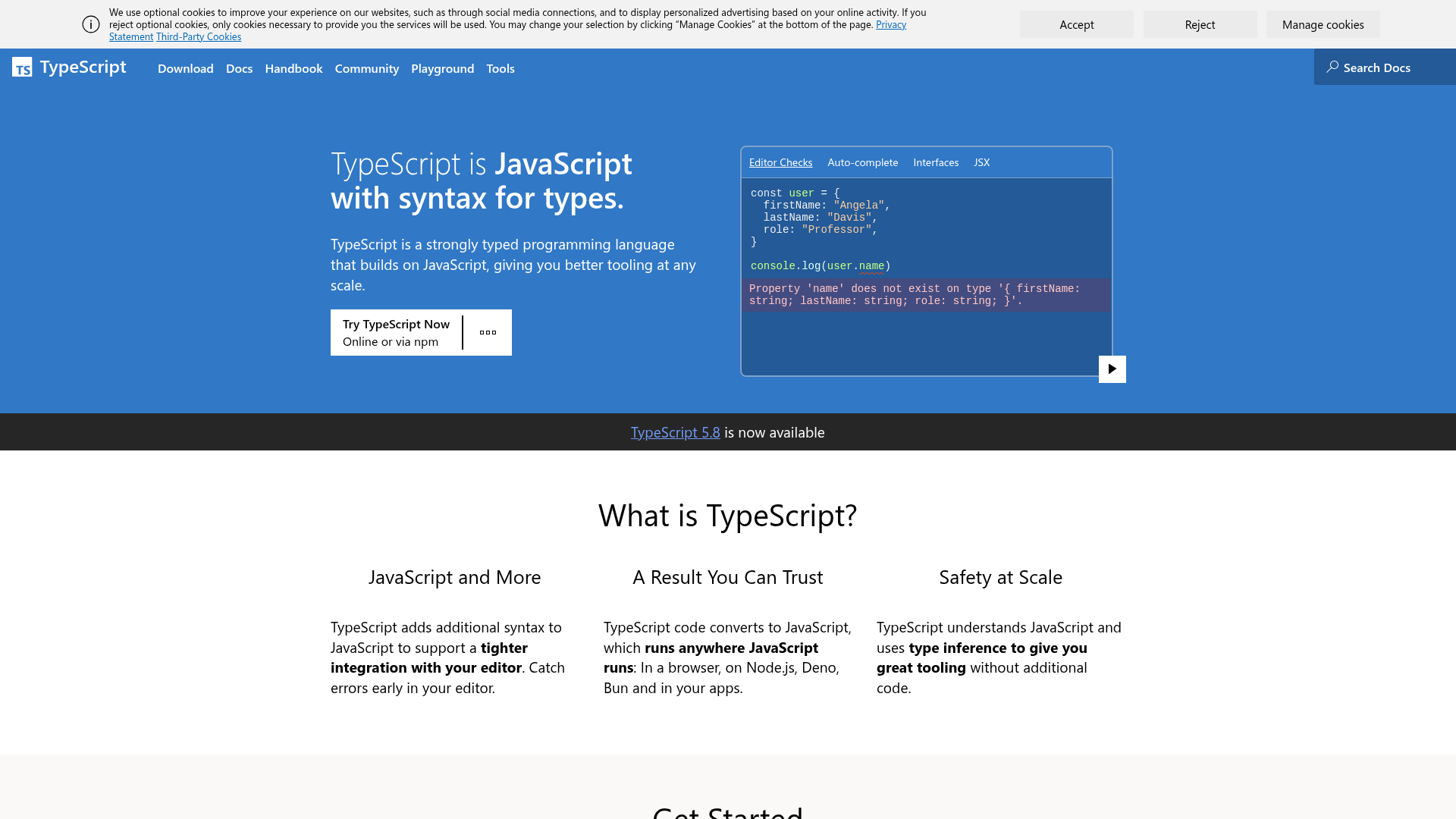
IntroductionTypeScript is a powerful, strongly typed programming language that extends JavaScript by adding syntax for types. It's designed to enhance the development experience for JavaScript projects of any scale, providing superior tooling and early error detection.Key FeaturesType Safety: Adds static type checking to JavaScript, catching errors before runtime.Enhanced Editor Integration: Provides intelligent auto-complete, code navigation, and real-time error feedback.Scalability: Improves codebase maintainability and collaboration for large-scale applications.JavaScript Compatibility: TypeScript code compiles down to plain JavaScript, ensuring it runs anywhere JavaScript does (browsers, Node.js, Deno, Bun).Gradual Adoption: Allows incremental application of types to existing JavaScript projects, improving tooling step-by-step.JSDoc Support: Integrates with JSDoc for type information in pure JavaScript files, enabling editor checks without full TypeScript conversion.Use CasesTypeScript is exceptionally beneficial for developing robust and maintainable web applications, backend services, and desktop apps. For instance, in a large team working on a complex web application, TypeScript's type system helps prevent common runtime errors like misspelled property names or incorrect function arguments. This significantly reduces debugging time and improves code quality.It's also ideal for projects that require strong API contracts, as interfaces and types clearly define data shapes, making integration smoother and less error-prone. Developers can refactor code with confidence, knowing that the type checker will flag any breaking changes. Furthermore, for open-source libraries or frameworks, TypeScript provides clear documentation of expected inputs and outputs, making them easier for other developers to consume and contribute to.Pricing InformationTypeScript is an open-source project, freely available for use. There are no direct costs associated with downloading, installing, or using the TypeScript compiler or its language services. This makes it an accessible and cost-effective solution for developers and organizations of all sizes.User Experience and SupportTypeScript offers a highly integrated and intuitive user experience, especially within modern code editors like VS Code, which has native TypeScript support. The language provides immediate feedback on code errors and suggestions, significantly speeding up development. Comprehensive learning resources are available, including the official "Handbook" for in-depth language learning and an interactive "Playground" for experimenting with TypeScript directly in the browser. A vibrant community and extensive documentation further support developers.Technical DetailsTypeScript is a superset of JavaScript, meaning any valid JavaScript code is also valid TypeScript code. It introduces additional syntax for type annotations, interfaces, enums, and more. The TypeScript compiler (tsc) transpiles TypeScript code into standard JavaScript, which can then be executed in any JavaScript runtime environment. It leverages type inference to provide tooling benefits even without explicit type annotations.Pros and ConsPros:Catches errors early in the development cycle.Provides excellent tooling and refactoring capabilities.Improves code readability and maintainability.Enhances collaboration in large teams.Strong community support and widespread adoption.Cons:Introduces a learning curve for developers new to static typing.Requires an additional build step (transpilation).Can sometimes be verbose with type declarations.Initial setup might take a bit more time for new projects.ConclusionTypeScript stands as an indispensable tool for modern JavaScript development, offering unparalleled type safety, robust tooling, and improved code quality. By transforming JavaScript into a more scalable and maintainable language, it empowers developers to build more reliable applications with greater confidence. Explore TypeScript today to elevate your development workflow and build better software.

CodeDeveloper ToolsWeb Development